1
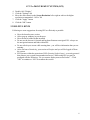
CUNY e-PROCUREMENT SYSTEM (EPS)
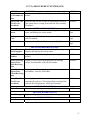
OPTION
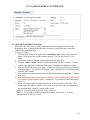
For Purchasing
Group:
Pending PO
Other Req Lists:
By Department
DEFINITION
Displays a list of all Requisitions Pending PO sorted by
Encumbered date, Requisition number.
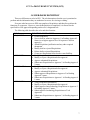
Other Req Lists:
By Req Number
Displays a list of all Requisitions sorted by Requisition
number, Requester, Date created.
All Roles
Other Req Lists:
By Vendor
Displays a list of all Requisitions sorted by Vendor name,
Requisition number.
All Roles
Closed /
Cancelled After
90 Days
(Archived)
Requisitions that have been closed or cancelled are
automatically archived after 90 days. This option allows
viewing of the archived Requisitions, sorted by Requisition
number.
All Roles
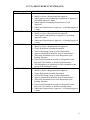
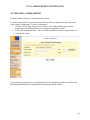
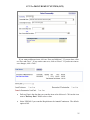
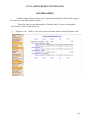
Search For ITBs
By Bid Number
Search For POs
ACCESS
Purchasing
Dept
Displays a list of all Requisitions filtered by Department and All Roles
sorted by Requisition Status, Date created.
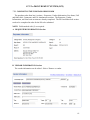
BID INVITATIONS SECTION
This allows you to enter criteria for finding Invitation To
Bids (ITBs) and displays the search results.
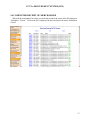
Displays a list of all ITBs, sorted by Bid number.
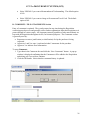
PURCHASE ORDERS SECTION
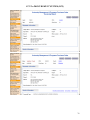
This allows you to enter criteria for finding Purchase
Orders, Contracts, and Direct Pays (POs), and displays the
search results.
Purchasing
Dept
Purchasing
Dept
All Roles
Assigned To Me
If you are a buyer in a Purchasing dept, this displays all POs
that have been assigned to you, sorted by Department, PO
date, PO number.
Purchasing
Dept Buyer
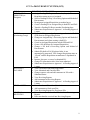
By Status
Displays a list of all POs sorted by Status, Department, Date
created.
All Roles
With Attached
Invoice
Displays a list of all POs with attached invoices, sorted by
PO number.
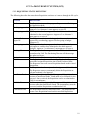
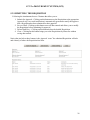
For Accounts
Payable
Displays a list of all encumbered and cancelled POs, sorted
by PO status, PO number.
Purchasing
Dept, Accts
Payable Dept
Accounts
Payable Dept
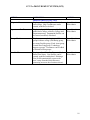
Other PO Lists:
By Department
Displays a list of all POs filtered by Department, sorted by
PO Status, PO Date.
All Roles
Other PO Lists:
By PO Number
Displays a list of all POs sorted by PO Number, Requisition
number.
All Roles
Other PO Lists:
By Vendor
Displays a list of all POs sorted by Vendor name, PO
number.
All Roles
16