1
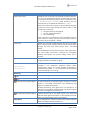
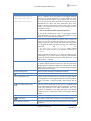
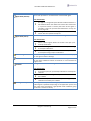
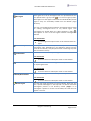
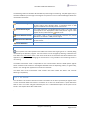
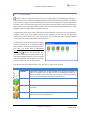
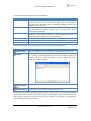
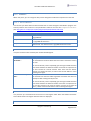
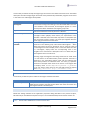
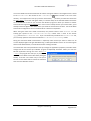
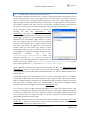
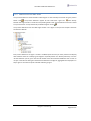
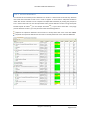
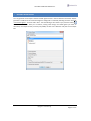
User Manual Mirador Release 2.1 Submenu / Menu Item Save Current View… Description Allows the user to save the current view to a file for later use. The user can determine the location and the name of the file. The program by default proposes to store the view file in the ".mirador/export/views" folder located in the user home directory. The default file extension is ".mvw". When the current view is saved to a file, the Mirador program collects the items (listed below) and writes them in XML format to the chosen file. All agent collection microagents Current active subscriptions All pinned dialogs Such a persistent view definition can be reloaded during the same session or during any other Mirador session later on (see menu item “Load View…” below). Load View… Allows you to choose a view definition file and it’s reloaded. Such a view file must have been saved at some previous point through the menu item “Save Current View…” described above. The view definition file should have been saved from within the same Hawk environment; otherwise the microagent method subscriptions and pinned dialogs cannot be recreated. Environment <Environment 1> <Environment 2> <Environment n> The “Environment” sub menu shows all Hawk environments configured within the Mirador program. New environments can be added and existing ones can be changed in the application properties dialog (“Hawk Environments” panel). The current selected environment is marked by the symbol ‘’. The environment can be switched only if monitoring is not running. Monitoring Run Starts monitoring the current selected Hawk environment Stop Stops monitoring the current selected Hawk environment Enable Discovering New Agents Enables discovering of new Hawk agents. As long as no agents appear in the Hawk environment tree, discovering new agents is automatically enabled. Enabling discovering new agents does not actively try to discover running agents. Ratherit would only discover agents that start running from this moment on. Disable Discovering New Agents Subscriptions Disables discovering of new Hawk agents. This would still discover Hawk agents that appear in the navigation tree but were not yet discovered in the current session. The “Subscriptions” sub menu contains menu items related to Hawk microagent method subscriptions. copyright centeractive ag Page 7 of 57