1
VM-3 Quick Start Guide
They just installed the Video Messenger and your boss gave you a list of messages to
input and a schedule of their playing times. Don’t panic! Follow some of the simple
procedures outlined below then promise you will read the rest of this manual as soon as
possible to learn all there is to know. So – let’s start!
The VM-3 displays two types of messages: a full screen message (that takes most of the
page) and a crawl message (that crawls along the bottom of the screen).
TO CREATE A FULL PAGE MESSAGE:
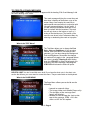
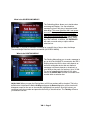
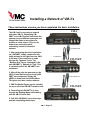
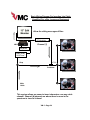
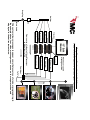
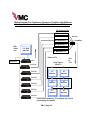
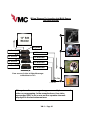
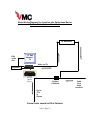
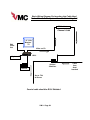
Press the F1 KEY - a blank screen will appear with the cursor blinking in the center.
Blinking
Cursor
Blinking
Cursor
Blank screen using the VM-3 internal video
Blank screen using external video
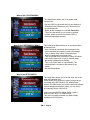
Type in a line of your message like you would into a word processor. The ENTER KEY
will jump the cursor to a new line. Every time you press the ENTER KEY, you will create
a new paragraph, even if you only type one line before you press the ENTER KEY again.
This is important because colors and fonts are controlled by paragraph.
So now what?
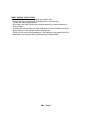
Press the F9 KEY to Save and the
F8 KEY to Play. Now, more details...
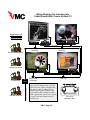
The VM-3 has nine menus that allow you to assign
various qualities to a message like font style, size
and color; when the message will play; how long it
will stay on the screen and what image or video (if
a DV Pro Media Player is attached) is to appear
with it. We call these qualities attributes and they
are frequently mentioned in this manual. (Note that
pressing and holding the CTRL then the F key will
change the font styles, while the S key will change
the size.)
VM-3 • Page 2