1
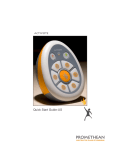
ACTIVote2 Quick Start Guide
ACTIVote2 Quick Start Guide
Safety Instructions
Safety Instructions
This product is supplied with a universal voltage input Power Supply
(PSU) branded "ACTIVboard" type number FW7400/06. This is the only
approved type of PSU which is approved for use with the ACTIV board.
Do not connect any other PSU to the ACTIV board system.
This product is supplied with a universal voltage input Power Supply
(PSU) branded "ACTIVboard" type number FW7400/06. This is the only
approved type of PSU which is approved for use with the ACTIV board.
Do not connect any other PSU to the ACTIV board system.
The PSU does not contain any user serviceable parts and must not be
opened. If suspected to be faulty, contact an authorised Promethean
service agent to obtain a replacement PSU of the same type.
The PSU does not contain any user serviceable parts and must not be
opened. If suspected to be faulty, contact an authorised Promethean
service agent to obtain a replacement PSU of the same type.
Inspect the PSU for physical damage to the casing and wiring before use.
If damage is apparent, take care to avoid contact with any potentially
live parts. Disconnect the PSU from the electrical mains supply at the
wall socket and contact an authorised Promethean service agent for
advice or replacement.
Inspect the PSU for physical damage to the casing and wiring before use.
If damage is apparent, take care to avoid contact with any potentially
live parts. Disconnect the PSU from the electrical mains supply at the
wall socket and contact an authorised Promethean service agent for
advice or replacement.
The PSU is supplied with a suitable mains input lead for your specific
country. It may also be supplied with additional mains leads (in the case
where the country has more than one type mains plug). Only use the
lead which is compatible with your mains outlet socket. Do not attempt
to modify the mains lead. If a compatibility issue exists, contact
Promethean or one of its service agents before attempting to connect the
unit to the mains supply.
The PSU is supplied with a suitable mains input lead for your specific
country. It may also be supplied with additional mains leads (in the case
where the country has more than one type mains plug). Only use the
lead which is compatible with your mains outlet socket. Do not attempt
to modify the mains lead. If a compatibility issue exists, contact
Promethean or one of its service agents before attempting to connect the
unit to the mains supply.
Compliance
Compliance
The radio interface on this product (when fitted) is intended for use with
Promethean radio devices for operation in the following Countries:
The radio interface on this product (when fitted) is intended for use with
Promethean radio devices for operation in the following Countries:
Austria, Belgium, Cyprus, Czech Republic, Denmark, Estonia, Finland,
France, Germany, Greece, Hungary, Iceland, Ireland, Italy, Latvia,
Lithuania, Luxembourg, Malta, Netherlands, Norway, Poland, Portugal,
Slovak Republic, Slovenia, Spain, Sweden, Switzerland, United Kingdom.
Austria, Belgium, Cyprus, Czech Republic, Denmark, Estonia, Finland,
France, Germany, Greece, Hungary, Iceland, Ireland, Italy, Latvia,
Lithuania, Luxembourg, Malta, Netherlands, Norway, Poland, Portugal,
Slovak Republic, Slovenia, Spain, Sweden, Switzerland, United Kingdom.
2
2