1
Addition Function for New Driver Version
【New Function for Matlab Driver v1.1】
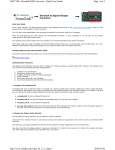
There are two new buttons -- “Auto” and “eAuto” provided in the GUI screen for RS-232 and
Ethernet interface separately. After users complete connection and download file to the matlab
controller, users can click “Auto” or “eAuto” button to execute the following continuous steps
automatically:
(1) “Run Program”
(2) “Upload when stop time is up”
(3) “Close GUI”
That will be more convenient for users to test the control algorithm during the development stage.
These two Auto button are showed as the following figure.
RS-232 Interface
Ethernet Interface
8438/8838 Quick Start Manual, Version 1.0, 02/2004 -- 13