1
Chapter 2
Installing the WLAN Card
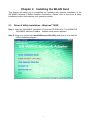
This chapter will assist you in completing the hardware and software installation of the
GN-WMKG Wireless CardBus Adapter successfully. Please refer to the driver & utility
installation section that matches your operating system.
2-1. Driver & Utility Installation - Windows® 98SE
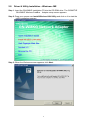
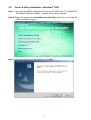
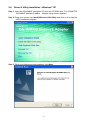
Step 1: Insert the GN-WMKG Installation CD into the CD-ROM drive. The GIGABTYE
GN-WMKG Wireless CardBus Adapter setup screen appears.
Step 2: Drag your mouse over Install Wireless LAN Utility and click on it to start the
utility installation program.
3