1
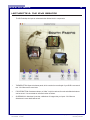
4 iDVD 2: User Manual LECTURETTE 1: IDVD AND DVD AUTHORING DVD Authoring, put simply, is the creation of a DVD disc which will play on any home DVD player or home computer with DVD playback capabilities. iDVD is by far, the easiest way for a non-professional to author a high quality DVD. Just like the DVD movies available for rent, DVDs produced by iDVD have menus, pictures, movies, and sound. There are, however some differences between the two that we will cover later. With a basic knowledge of iDVD, you will be able to create a DVD of your home movies, art portfolio, short film, etc. DVDs can store a large amount of data, and can be an extremely useful means of storing or distributing many types of media for many different uses. To better understand DVDs and their creation, there are a few concepts to keep in mind. ♦ CONSUMER VS. PROFESSIONAL DVDS- consumer DVDs store only 4.5GB of data, or approximately 90 minutes of video. Professionally burned DVDs store 9GB of data and can contain feature-length films. Keep in mind that professional burners are NOT currently available to the average consumer. ♦ IMAGES- DVDs can be used for slideshow applications, and although color resolution can be excellent, keep in mind that images will be displayed at 640 x 480pixels, which is perfect for a TV but is by no means photo quality. ♦ MOVIES- iDVD accepts a wide range of file formats (all formats accepted by quicktime), but all video will be converted into MPEG 2. This is a minor issue for most users but it is important to know. ♦ AUDIO- All audio is converted into AC3 or AIFF. Again, a non-issue for most but important to know. All music or audio must be in a quicktime-recognized format. Dolby ProLogic, Dolby 5.1, and DTS are available sound formats to the DVD media, but not to iDVD. ♦ DESIGN- If youve seen The Matrix and The Lord of the Rings on DVD, you know that a DVD can be styled to effectively convey the style of the media it contains through its menus and background graphics, and even with movies during menu transitions.. iDVD is not this robust. However, you can still convey a style, within limitations, in a fraction of the time. ♦ BURNING- Just like a CD-R, DVD-Rs can be written to only once. If there is an error, the DVD is no longer usable. Youll need anywhere from actual time to double the time to wait for movies to encode in the proper format, and then about one hour for a full 4.5GB DVD to burn. ♦ QUICKTIME- Apples media recognition software. Movies, images, and sounds are all recognized and made useable for iDVD 2 by Apples Quicktime software. Note, however, that there are files that Quicktime cannot use. If you wish to use a file of this nature, you must convert it to a Quicktime-ready file. For a full list of the media types used by Quicktime, check Apples information at www.apple.com/quicktime. File name: iDVD2_User.pmd Last modified: 05/30/02 Copyright Arizona Board of Regents, 2002 University of Arizona