1
© Nexus Technology P/L, 2010
S:\Manuals\SAM\SAM_Instruction_Manual_01_141010.doc
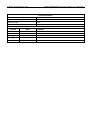
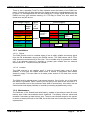
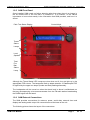
1.2.5 SAM Front Panel
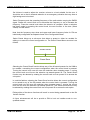
Once installed, SAM needs no further attention other than when there is a change in
the fire threat level to the cell that it is installed in. It is however, of the utmost
importance to know what exactly is the information that SAM provides, and how it is
shown.
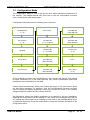
Plain Text Status Display
Control Knob
Threat
Status
Lamps
LoudSpeaker
Lamps
Total
Fire
Ban
Status
Lamp
Although the Threat Status LED Lamps are clear when not lit, they do light up in the
appropriate FDR colours. The lamps also flash to attract attention. A Catastrophic FDR
is signified by the upper two lamps (Amber and Red) flashing alternately.
The loudspeaker will be turned on when the threat level is above Low-Moderate so
that any accompanying voice announcements from the FM radio station broadcasting
the DAEW signal can be heard.
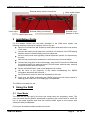
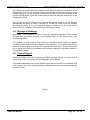
1.2.6 SAM External Connections
The SAM provides connections for antenna, power, serial data, external siren and
display and analog audio output. All connectors are at the base of the unit.
The following picture shows the layout of the connectors:
SAM User Manual
Page 7
Of 15