1
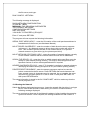
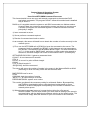
[$C010]
Close all files on a drive
This routine is not accessable from a network station, since files on the specified drive
may be in use by another user.
Entry: N/A
Exit:B = 8 (?FC Error)
Z flag clear
───────────────────────────────────────────────────────
────────────────────────
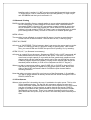
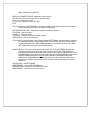
[$C012]
Close a file
Closes the file specified, and if the last file on the drive update the directory bit map.
Entry:A = File Control Block Number
Exit:B = Error code (0 if no error)
Z flag clear if an error occurs
This routine is identical to it's DOS counterpart.
───────────────────────────────────────────────────────
────────────────────────
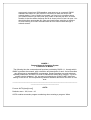
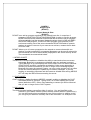
[$C014]
Load a file block into memory
Up to 64K bytes can be loaded into memory from the disk file specified. The start byte
number + number of bytes to load must not exceed the file length.
Entry:A = File Control Block Number
U,B = 24 bit byte number from which loading is to start, B is least significant 8 bits
X = Memory start address
Y = Number of bytes to load
Exit:B = Error code (0 if no error)
Z flag clear if an error occurs
This routine is identical to it's DOS counterpart
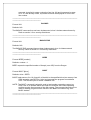
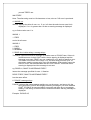
[$C016]
Write buffer to file and verify
Up to 64K bytes can be written to a disk file from memory The start byte number must
not exceed the file length.
Entry:A = File Control Block Number
Y,B = 24 bit byte number from which writing is to start, B is least significant 8 bits
X = Memory start address
U = Number of bytes to write