1
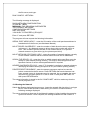
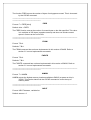
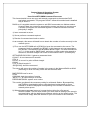
DNOS are displayed:
DRAGON NETWORK OPERATING SYSTEM
DNOS V1.0 (C)1991,1992
WRITTEN BY J.BIRD
64K SERVER VERSION
MACHINE ID: 0
DRIVES : 2
STATIONS : 2
SPOOL : SPOOLXXX.PRN
SWITCHABLE: NOT SUPPORTED
RAM DRIVE : NOT SUPPORTED
SERVER(S) : NOT SUPPORTED
RUNNING.
No. of drives and stations will be dependant on the data entered in the config file. Server
version will be 32 or 64K depending on machine type (Dragon 32 or 64).
The server is now fully functional.
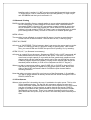
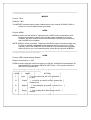
If the server program fails in any way, an appropriate error message is displayed, and
the program is aborted. Problems which can occur and possible solutions are
outlined below:
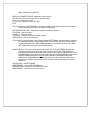
CANNOT FIND CONFIG.NET FILE
CRITICAL ERROR, INIT FAILURE - CONFIG.NET file not present on disk, run the
CONFIG program to create file.
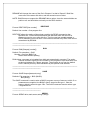
?? HARDWARE ERROR
PROGRAM ABORTED - error on testing the ACIA network chip. Ensure the correct
base address is entered in the CONFIG.NET file and refer to Hardware Manual
to ensure your network card is fully functional.
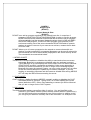
CANNOT FIND SERVER.BIN FILE
CRITICAL ERROR, INIT FAILURE - The server operating system file is not present on
the disk.
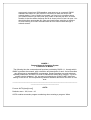
INCORRECT NOS VERSION
FOR THIS SERVER PROGRAM - A later version of the software has been identified
within the CONFIG.NET file that this server does not support. Only use the new
server program. Possible CONFIG.NET file corruption - run the config program
to create a new one.
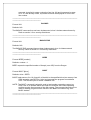
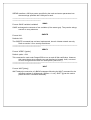
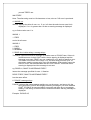
THIS VERSION OF DNOS DOES NOT
SUPPORT MULTIPLE FILE SERVERS
THE SERVER MUST BE CONFIGURED
AS MACHINE 0 - An attempt to set the DIP switches on the server network card to
anything but 0. Ensure DIP switch setting is set to 0 and a network card fault
does not exist (Refer to Hardware Manual)
Switch on the Dragon network stations, and the network should now be fully operational.