1
DIGITAL PROXIMITY SYSTEM (DPS)
ACCESSORIES
Datasheet
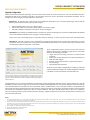
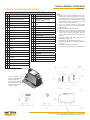
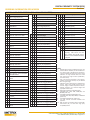
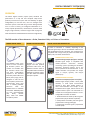
DPS User Label Kit for up to 16 devices (P/N 100527)
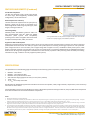
DIN to 4-Hole Flat Base Mounting Adapter (P/N 9647)
Each MX2033 driver and MX2034 transmitter comes with the four
factory-applied labels summarized below. The DPS User Label Kit
allows the Left Sidewall Label to be replaced with a customized
label containing installation-specific data, as depicted on page 3
of this datasheet. The User Label Kit contains enough materials
for labeling up to 16 signal conditioners as follows:
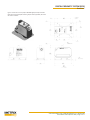
This adapter allows the 35mm DIN rail clip on MX2033 driver,
and MX2034 transmitters to be compatible with a 4-hole flat
base mounting method. The adapter has industry-standard hole
patterns for both a 2” x 2” square and a 2.75” x 2.5” rectangle.
The 2” x 2” pattern matches the holes on Metrix 5533 drivers and
BN* 3300, 7200, and 3000 series Proximitor* devices. The 2.75” x
2.5” pattern matches the holes on Metrix 5465/5488 transmitters
and BN* 990/991 transmitters. Material is 19 gauge mild steel
(ASTM A366 or equal) with gold chromate zinc plating.
•
16 specially-shaped
polycarbonate adhesive
labels with a clear
rectangular window and
the Metrix logo.
• A sheet of 32 standard
1.75” W x 1.25” H labels
(Avery 6570).
Using the Metrix DPS Configuration Software, the desired
information is printed directly onto the Avery 6570 sheet using
any Windows-compatible inkjet or laser printer. The printed
Avery label is removed from the sheet, placed behind the window
on the polycarbonate label, and both are then affixed to the left
sidewall of the DPS signal conditioner. The polycarbonate label
uses the same finish as all other factory-applied labels, providing
protection from the elements and giving a clean, durable, and
professional finish.
NOTE: The User Label Kit must be ordered separately and is not automatically
included with driver or transmitter.
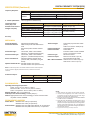
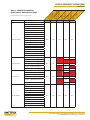
Of the four labels affixed to each DPS signal conditioner, only
the Left Sidewall Label is intended for customization and field
replacement. The others are designed to remain permanently
affixed to the device during its life and contain information that
does not change with device configuration.
1. Left Sidewall Label (Configured Devices)
All devices ordered in a programmed state will have this label a
fixed. The label will reflect the as-ordered configuration data.
MANUALS AND SOFTWARE
2. Right Sidewall Label
This is a factory-applied permanent label with the serial number,
date of manufacture, model number and all approvals data.
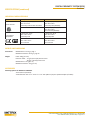
The most recent versions of the Metrix DPS Configuration
Software and the DPS user manual can be downloaded from the
Metrix website, www.metrixvibration.com.
3. Front Label
This is a factory-applied permanent label that indicates the
connector for the probe and extension cable.
4. Top Label
This is a factory-applied permanent label that indicates the
wiring terminals, model number, and (MX2034 only) BNC
connection details.
NOTE: Manuals are published electronically in Adobe® PDF format and may
be printed and freely distributed. Adobe Reader is required and can be
downloaded free from www.adobe.com.
* Registered trademark(s) of Bently Nevada®.
www.metrixvibration.com • [email protected] • 281.940.1802
Doc# 1087015 • REV P (October 2015) • Page 11 of 11