1
www.JJ-CCR.com
6.17 Dive Log
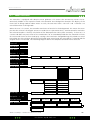
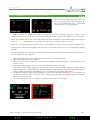
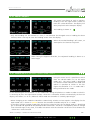
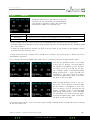
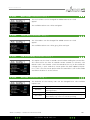
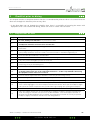
Using this menu item it is possible to access a range of submenus for the
controller’s dive logbook.
Dive Log
Display Log
Upload Log
Edit Log Number
Clear Log
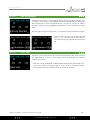
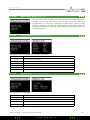
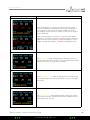
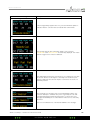
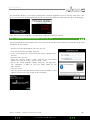
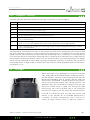
Pressing the right button (Select) once takes the diver to the first submenu. Pressing the left (Menu) button multiple times results in all available submenus being displayed, one after the other. Once all available
submenus have been displayed, the ”Dive Log+” menu appears once again.
6.17.1
Display Log / Edit Log
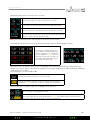
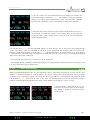
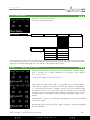
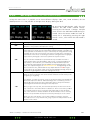
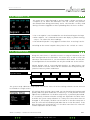
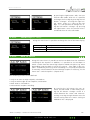
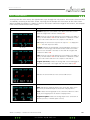
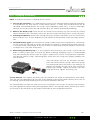
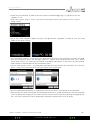
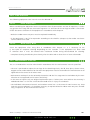
Via this menu item it is possible to display
the controller’s dive logbook. Pressing the
right button ”Display” results in the list of
saved dive logs.
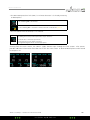
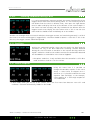
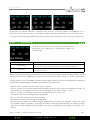
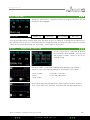
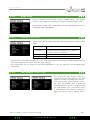
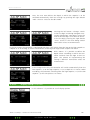
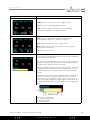
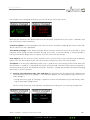
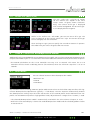
The dive profile is presented in blue and the decompression profile is
shown in red. The following additional information is also shown:
•Dive number
•Date
•Max. Depth
•Duration in minutes
•Start and endig time
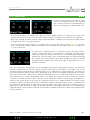
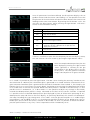
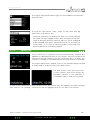
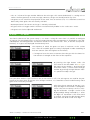
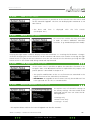
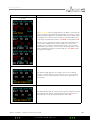
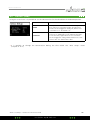
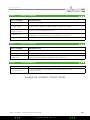
Pressing the right button (More) will show a plot of the dive temperature. It also shows the minimum, maximum and average temperature.
2014 JJ-CCR ApS – CE Edition 2.00 / Revision 04
JJ- CCR ApS 2014
61