1
CD ROM user guide
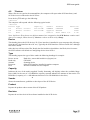
data track, even if there are subsequent audio tracks.
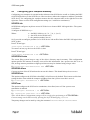
8.2 The Setup window
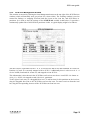
Each CDPlayer can be used to control a single CD-ROM drive at one time, which is selected using
the Setup window. CDPlayer is supplied already set up to use a CD-ROM drive that has a SCSI ID
of 6, and that is connected to the first SCSI expansion card fitted to your computer. You'll only need
to change the Setup if you wish to use a drive with a different SCSI ID, or if you have fitted multiple
SCSI expansion cards to your computer.
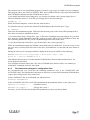
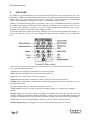
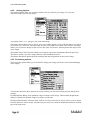
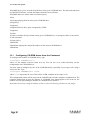
To open the Setup window, choose Setup from CDPlayer's icon bar menu:
Click on the + and - icons until the correct device, unit and card numbers are shown for the CDROM drive you wish to use. If you're not sure what the numbers should be for a particular drive, you
can find them out by typing at the command line:
CDFS:CDDevices (see page 25).
It is not advisable to keep switching CDPlayer from one drive to another using the Setup window.
This operation should only be performed when CDPlayer is first started. If you need to control more
than one drive, you should start the CDPlayer application as many times as you require and change
each copy's setup individually before use.
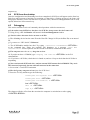
8.3 Quitting CDPlayer
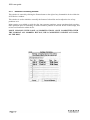
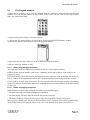
To quit the CDPlayer application, choose Quit from its icon bar menu.