1
Creating and Downloading User-Data Files
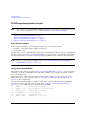
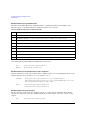
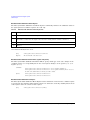
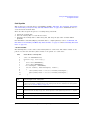
Pattern RAM (PRAM) Data Downloads (E4438C and E8267D)
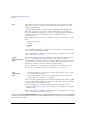
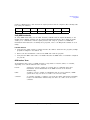
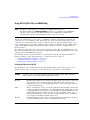
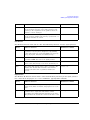
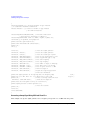
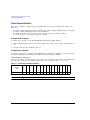
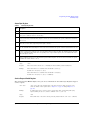
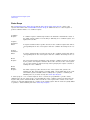
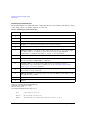
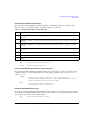
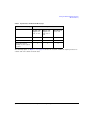
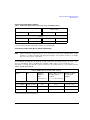
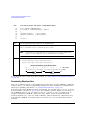
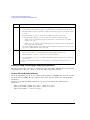
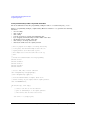
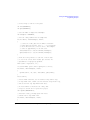
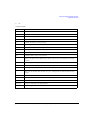
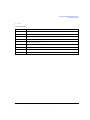
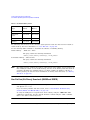
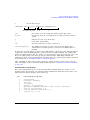
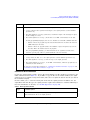
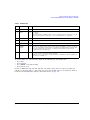
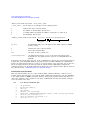
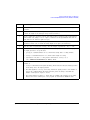
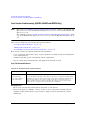
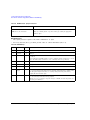
Table 8-5 PRAM Data Byte
Bit
Function
Value
1
Reserved
0
2
Burst
3
Reserved
0
Always 0
4
Reserved
1
Always 1
5
Reserved
0
Always 0
6
EVENT1
Output
0/1
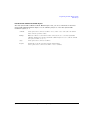
To have the signal generator output a single pulse at the EVENT 1 connector, set this bit
to 1. Use this output for functions such as a triggering external hardware to indicate when
the data pattern begins and restarts, or creating a data- synchronous pulse train by
toggling this bit in alternate bytes.
7
Pattern Reset
0/1
0 = continue to next sequential memory address.
1 = end of memory and restart memory playback.
This bit is set to 0 for all bytes except the last byte of PRAM. To restart the pattern, set
the last byte of PRAM to 1.
0/1
Comments
Always 0
1 = RF on
0 = RF off
For non- bursted, non- TDMA systems, to have a continuous signal, set this bit to 1 for all
bytes. For framed data, set this bit to 1 for on timeslots and 0 for off timeslots.
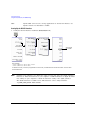
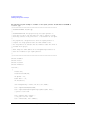
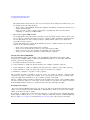
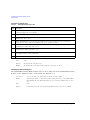
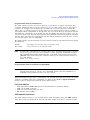
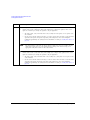
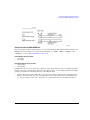
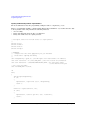
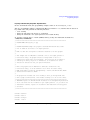
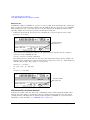
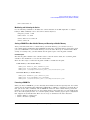
As seen in Table 8- 5, only four bits, shown in the following list, can change state:
•
•
•
•
bit
bit
bit
bit
0—data
2—bursting
6—EVENT 1 rear panel output
7—pattern reset
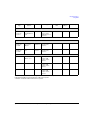
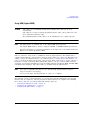
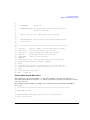
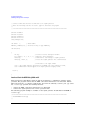
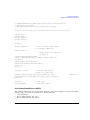
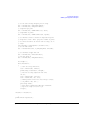
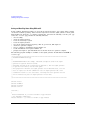
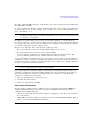
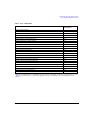
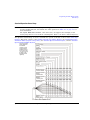
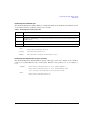
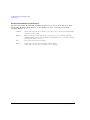
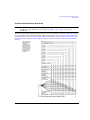
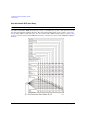
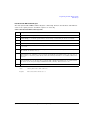
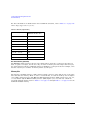
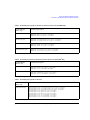
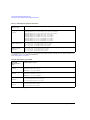
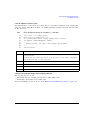
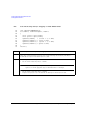
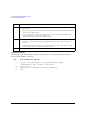
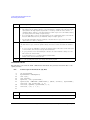
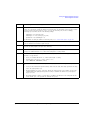
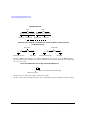
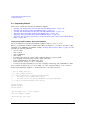
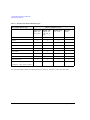
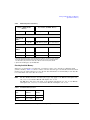
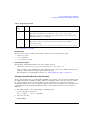
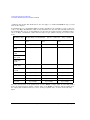
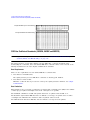
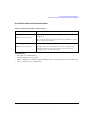
Because a PRAM byte has only four bits that can change states, there are only 15 possible byte
patterns as shown in Table 8- 6. The table also shows the decimal value for each pattern, which is
needed for downloading data using the list format shown on page 314.
Agilent N518xA, E8663B, E44x8C, and E82x7D Signal Generators Programming Guide
311