1
type effects. To do this, use LFO1*MW or LFO2*MW
in the modulation matrix source column, which multiplies the current LFO state with the modulation wheel
value (see chapter 4 for a more detailed description of
the modulation matrix).
Patch from the root folder as a starting point for effect
work. This patch sets all parameters to their default
values, including all effect parameters. Connect your
audio input signal to Antidote by using the EXT IN
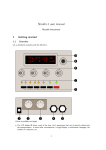
jacks on the back side. If you want to adjust or automate the input level, use the red EXT IN knob on
the front. This avoids having to flip between the frontand back side of the device just to do level corrections.
2.5 Aftertouch
Aftertouch is another common way to add expressiveness to a sound. Aftertouch measures the pressure applied to all keyboard keys as a whole. When holding
down a chord, for instance, then increasing pressure,
you can add a vibrato effect to the sound. The aftertouch programming is identical to how you program
the modulation wheel. Using the previous example,
choose LFO1*AT or LFO2*AT as a source, then any
arbitrary sound parameter from the destination list,
to get a vibrato type effect.
Note that aftertouch is available in many, but not all
MIDI keyboards. Consult your MIDI keyboard manual to find out if your keyboard supports aftertouch.
2.6 Using Antidote as an effect
device
Antidote RE can be used as a killer effect unit and was
designed with this application in mind. Use the Init
5
Antidote User’s Manual