1
Ethernut Software Manual
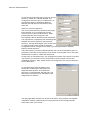
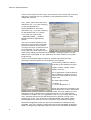
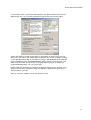
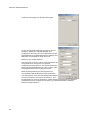
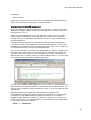
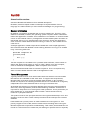
On the second page enter the correct top source
directory, where you installed Nut/OS. The
Configurator will scan the conf subdirectory of
the specified path for predefined platform
settings and add them to the Platform drop
down list.
Select avr-icc as the platform.
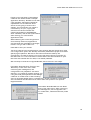
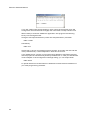
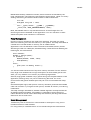
The First include directory should be left empty.
Enter the path of your ImageCraft include
directory as the Last include directory. When
building Nut/OS, the Configurator will
automatically add all Nut/OS include directories.
It is important to understand, that we distinguish
between the source directory and the build
directory. The big advantage is, that we are able
to create several system builds for different
configurations from a single source tree, e.g. building Nut/OS for different
Ethernut board revisions.
The build directory can be located anywhere, but it is recommended to put it in
the parent of the top source directory and choose a meaningful name. Using the
Browse button offers to create new directories.
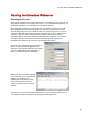
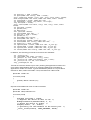
Finally enter an Install Directory. The ImageCraft compiler can't search more than
one directory for libraries. Thus it is required to enter the path name of the
ICCAVR lib directory. After system build, the Configurator will copy the libraries
to this destination.
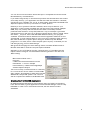
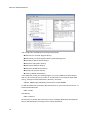
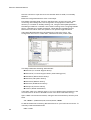
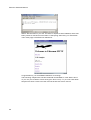
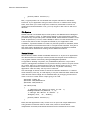
On the third page enter the paths to the
directories containing the required tools,
separated with semicoli. One additional
semicolon is required after the last path. The
Nut/OS tools should be first, followed by the
ImageCraft bin directory.
The last page titled Samples can be left alone when using ICCAVR. The Nut/OS
installation already created ready-to-use project files for the ImageCraft IDE.
Press OK to save your entries.
4