1
5 Service and Maintenance Procedures
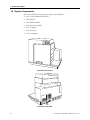
5.2 Moving the Instrument
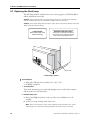
If you need to relocate the FlexStation II instrument, follow these steps.
Warning! The FlexStation II instrument weighs approximately 55 pounds. To avoid injury,
it is recommended that two people lift the instrument together, using proper lifting
techniques.
1 Ensure that the new location meets the proper specifications as described in
section 2, Installation.
2 Remove any microplates, (and adapters, if any), reservoirs, and any tips from all three
drawers and then close the drawers.
Caution: Remove all plates and adapters before moving the instrument. Anything left in
the instrument could come loose and jam inside the instrument, causing damage.
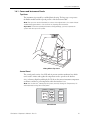
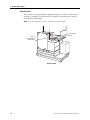
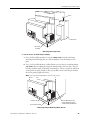
3 Be sure reading chamber screws are still in place. Contact Technical Service if reading
chamber screws have been removed.
4 Be sure all covers are closed and securely fastened.
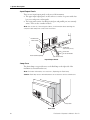
5 Turn off the power switch and unplug the power cord from the source and from the
receptacle on the back of the instrument.
6 Disconnect the instrument from the computer and any printer.
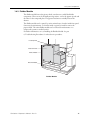
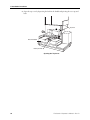
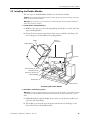
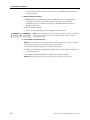
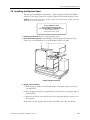
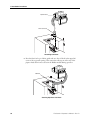
7 Remove the fluidics module. For related instructions, see section 2.3, Installing the
Fluidics Module.
8 Depending on the distance that you will be moving the instrument, you may wish to
repackage the FlexStation II instrument in its original shipping cartons. Otherwise, carry
the instrument or place it on a rolling cart to transport it.
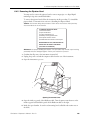
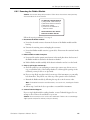
5.3 Cleaning the Instrument
Biohazard! Wear gloves during any cleaning procedure that could involve contact with
either hazardous or biohazardous materials or fluids.
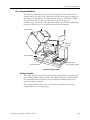
Periodically, you should clean the outside surfaces of the FlexStation II instrument using
a cloth or sponge that has been dampened with water. Do not use abrasive cleaners. If
required, clean the surfaces using a mild soap solution diluted with water or a glass
cleaner and then wipe with a damp cloth or sponge to remove any residue.
Caution: Do not spray cleaner directly onto the instrument or into any openings.
If needed, clean the reading chamber drawer using a cloth or sponge that has been
dampened with water.
Caution: Never clean the inside of the instrument. Do not allow excess water or other
fluids to drip inside the instrument.
Cleaning Up Spills
Caution: Be sure the power is off to the instrument and the power cord is detached from
the rear panel before opening any covers or panels.
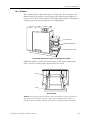
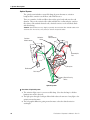
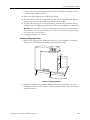
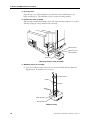
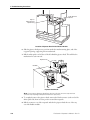
If fluids spill into the bottom of the reading chamber (when the reading chamber drawer
is outside the instrument), they will be directed to a tray at the bottom of the
instrument, from which they will exit to the bench or counter beneath the instrument.
Wipe up spills immediately. Clean the exterior of the unit and the drawer as necessary.
88
FlexStation II Operator’s Manual – Rev. D