1
6
UTILITY PACKAGE (GX Configurator-PT)
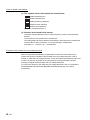
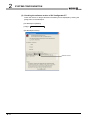
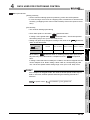
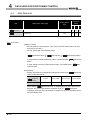
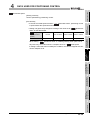
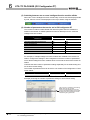
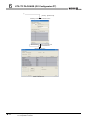
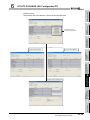
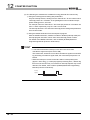
(5) Switching between two or more Intelligent function module utilities
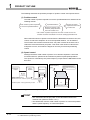
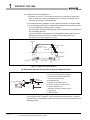
When two or more Intelligent function module utility screens cannot be displayed side
by side, select a screen to be displayed on the top of others using the task bar.
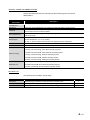
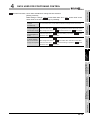
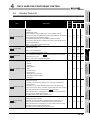
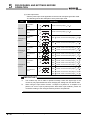
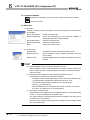
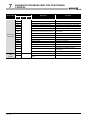
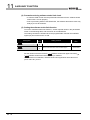
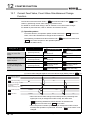
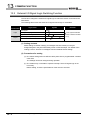
(6) Number of parameters that can be set in GX Configurator-PT
The remote I/O station in MELSECNET/H network system and CPU module are
limited in the number of settable parameters with GX Developer for the mounted
intelligent function module.
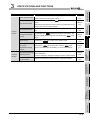
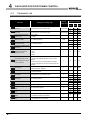
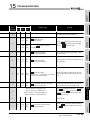
When intelligent function modules are
installed to:
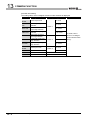
Q00J/Q00/Q01CPU
Q02/Q02H/Q06H/Q12H/Q25HCPU
Q12PH/Q25PHCPU
Q12PRH/Q25PRHCPU
Q02UCPU
Q03UD/Q04UDH/Q06UDHCPU
MELSECNET/H remote I/O station
Maximum number of settable parameters
Initial setting
512
512
512
512
2048
4096
512
Auto refresh setting
256
256
256
256
1024
2048
256
For example, if multiple intelligent function modules are installed to the remote I/O
station, configure the settings in GX Configurator so that the number of parameters
set for all the intelligent function modules does not exceed the limit of the remote I/O
station.
Calculate the total number of parameter settings separately for the initial setting and
for the auto refresh setting.
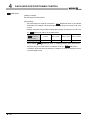
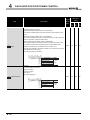
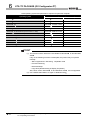
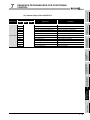
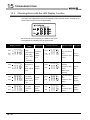
The number of parameters that can be set for one module in GX Configurator-PT is as
shown below.
Target module
QD72P3C3
Initial setting
12 (fixed)
Auto refresh setting
18 (Max.)
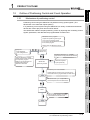
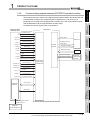
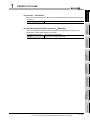
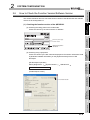
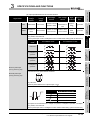
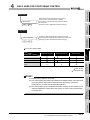
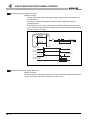
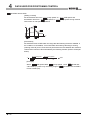
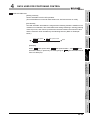
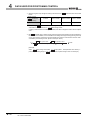
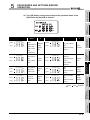
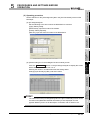
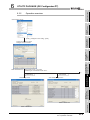
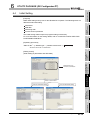
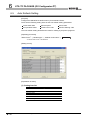
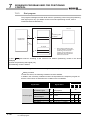
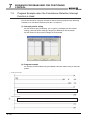
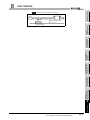
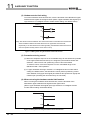
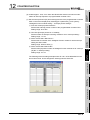
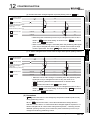
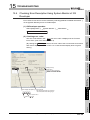
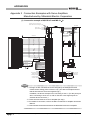
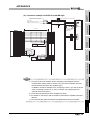
Example) Counting the number of parameter settings in Auto refresh setting
This one row is counted as one setting.
Blank rows are not counted.
Count up all the setting items on this
screen, and add the total to the number
of settings for other intelligent function
modules to get a grand total.
6-3
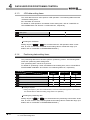
6.2 Installing and Uninstalling the Utility Package
6.2.1 Handling precautions