1
8
OPR CONTROL
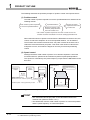
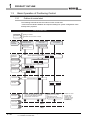
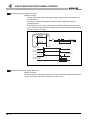
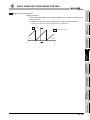
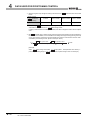
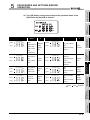
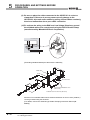
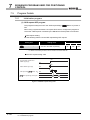
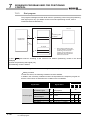
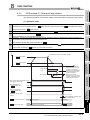
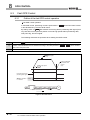
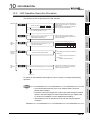
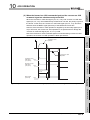
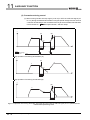
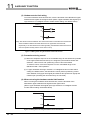
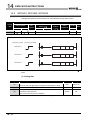
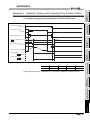
(c) The following chart describes the operation when the near-point dog is OFF and
no near-point dog exists in the OPR direction at the start of OPR control.
Deceleration starts when the upper
limit switch turns ON.
Pr.13
Pr.13
OPR speed
PRODUCT OUTLINE
1
Creep speed
After deceleration to the creep speed,
the axis returns to the near-point dog ON
area, and OPR is performed again.
Near-point
ON
dog
Start point
3
Upper limit
ON
switch
Zero signal
Figure 8.4 Operation when the near-point dog is OFF and no near-point dog exists in the OPR direction at the start of OPR control
Pr.14
Creep speed
Start point
5
Near-point
ON
dog
PROCEDURES AND
SETTINGS BEFORE
OPERATION
OP
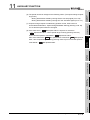
The axis returns to the
near-point dog ON area,
and OPR is performed.
4
DATA USED FOR
POSITIONING
CONTROL
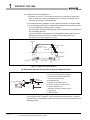
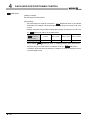
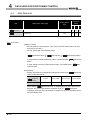
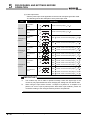
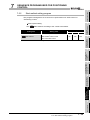
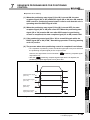
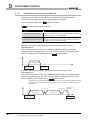
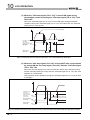
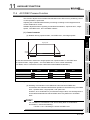
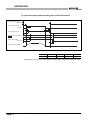
(d) The following chart describes the operation when OPR is performed from ON
position of the limit switch in the OPR direction at the start of OPR control.
SPECIFICATIONS
AND FUNCTIONS
OP
Upper limit
ON
switch
Zero signal
6
Figure 8.5 Operation when OPR is performed from ON position of the limit switch in the OPR direction at the start of OPR control
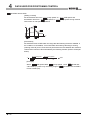
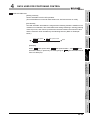
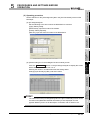
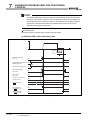
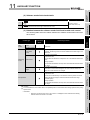
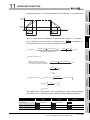
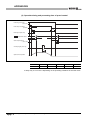
(e) The following chart describes the operation when OPR is performed from the
near-point dog ON position.
UTILITY PACKAGE
(GX Configurator-PT)
Pr.14
SYSTEM
CONFIGURATION
2
Creep speed
Start point
OP
8
Near-point
ON
dog
OPR CONTROL
Pr.14
SEQUENCE
PROGRAM USED
FOR POSITIONING
7
Zero signal
Figure 8.6 Operation when OPR is performed from the near-point dog ON position
8.2 Machine OPR Control
8.2.3 OPR method (1): Near-point dog method
8-7