1
User’s Manual
DMX Ultimate Converter
QUICK START: BASIC CONVERSION
Plug in the power cord to your DMX Ultimate Converter. The internal power supply will
automatically sense and accommodate any voltage/frequency from 100-240VAC and 50/60 Hz.
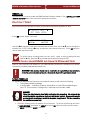
The DMX Ultimate Converter is configured using the arrow keypad to navigate the options provided
on a helpful LCD menu display. The arrows at the end of each line show your options from that point
in the menu. Use the OK button to make your selection.
NOTE: Not all menu functions shown on the display are supported by firmware
versions earlier than 2.5. Only the items described in this manual are supported.
Since your DMX Ultimate Converter is capable of performing a number of different conversions, you
will need to specify the conversion desired before you start. Use the X button until you see the
SELECT INPUT option, and then press the S or T button until you see the desired input protocol.
Press OK. Select TERMINATED or UNTERMINATED INPUT if displayed (see below), and press OK
again. Now press the X button until you see the SELECT OUTPUT option, and again use the S and
T buttons scroll through your output choices. Press OK when you find the desired output protocol.
Your converter is now ready to process and convert your control protocols. Press the X key until
you see GO TO STATUS DISPLAY and press OK. The status display will show a number of messages
pertaining to the current state of the converter. One of them will look something like:
INPUT
OUTPUT
A:DMX
C:AVAB
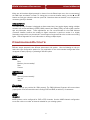
This indicates the conversion mode in effect and the ports (A to F) you should be connected to. You
will also see something like:
CONVERSION MODE
DMX TO AVAB
This is provided as an additional, plain English indication of the selected conversion mode.
Some input protocols require termination when your DMX Ultimate Converter is the last device
connected on a data line. For example, if the DMX Ultimate Converter is the only thing connected to
the console DMX output, then it is the last device on that data line and should be terminated.
Where appropriate, you will be offered the option of terminating the input line after you have
selected the input protocol.
There are a number of additional optional parameters that can be set on your input and output
protocols. These are discussed in the next section.
CONFIGURING INPUTS
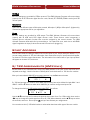
INPUT TERMINATOR
When the DMX Ultimate Converter is the last device in a DMX, Kliegl, Colortran or AVAB daisy
chain, it must be terminated in order to comply with wiring rules and to ensure reliable system
operation.
4