1
User’s Manual
DMX Ultimate Converter
TIP!
If the wrong dimmer responds to your AMX control, check the 6/12K assignments to
make sure that they are correct.
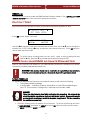
To restore all slots to 2K (no offset), select SET DEFAULT, and press OK. Since this will overwrite
any 6/12K assignments previously made, you are prompted for a YES to confirm. There is no
‘undo’ once YES is selected. If you do not want to go ahead with restoring the default setting, select
NO and press OK.
AMX START ADDRESS
The DMX Ultimate Converter has been provided with two AMX output ports (E & F). The Start
Address setting affects only to the second AMX port. A typical application would have AMX 1-192
on port E and AMX 193-384 on port F. In this configuration you would set the start address as
193.
CONFIGURATION MEMORY
The DMX Ultimate Converter stores all of its user-configured operating parameters in non-volatile
Flash memory. This type of memory storage makes possible to leave the unit in a powered down
state indefinitely with no loss of configuration data.
DIAGNOSTICS
Your DMX Ultimate Converter offers a number of powerful protocol tools that can help fine tune the
output, or troubleshoot problems.
TWEAK OUTPUT
Tweak Output offers the user the ability to modify a number of DMX512 output timing parameters.
This can be especially useful to customize the output to conform to the special requirements of
some equipment. Start by selecting one of the three standard DMX speeds (fast, medium, slow)
from the Select Output Menu, then select Tweak Output from the Diagnostics Menu. You can tweak
any or any combination of, Break, Delay, or Mark (Mark-After-Break), by adjusting the value for each
one. Adjust one value at a time until the correct operation of the DMX receiving device is observed.
The resulting custom DMX speed can then be selected from the Select Output menu.
!
WARNING! Adjusting the output parameters may result in an unusable signal. Use
care when using Tweak Output. This function should only be used by someone who is
versed in communications protocols. If problems arise, it is best to re-select one of the
three standard DMX speeds from the Select Output Menu, and repeat the Tweak
Output process.
7