1
Connecting to the Array Using a Serial Port
To use Command View SDM over the serial port, you must connect a
Windows host running Command View SDM to the RS-232 port on the array
controller. To connect the host to the array, perform the following steps:
1 Connect one end of an RS-232 null modem cable to the RS-232 port on
either one of the array controllers.
Figure 6
Making a Serial Connection to the Array
Controller 1
RS-232 Port
Controller 2
RS-232 Port
Windows host running
CommandView
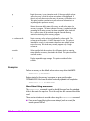
2 Connect the other end of the RS-232 cable to the RS-232 port on the
Command View SDM host.
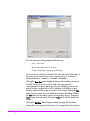
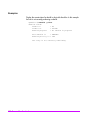
Make sure the the host RS-232 settings are as follows:
—
—
—
—
—
Port: Com 1 or Com 2 as appropriate
Baud: 9600
Data Bits: 8
Stop Bits: 1
FlowControl: none
250 Using Command View SDM on a Serial Port