1
User Security 88
Enabling User Security 88
Configuring User Security 88
Default User Name and Password 89
Configuring User Security Using the Launcher 89
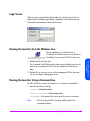
Login Screen 93
Running the Launcher from the Windows Icon 93
Running the Launcher Using a Command Line 93
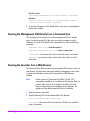
Running the Management GUI Directly from a Command Line 94
Running the Launcher from a Web Browser 94
Running the Management GUI Directly from a Web Browser 95
Running the Management GUI from an OpenView SAM Management
Station 95
Using the Command View SDM GUI 96
Locating Information 96
Performing Management Tasks from the GUI 100
Checking Array Status 100
Managing Array Capacity 100
Using Secure Manager 102
Managing Host Port Behavior Table 104
4
Command Line User Interface
107
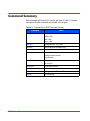
Command Summary 108
Command Syntax Conventions 110
Command View SDM man pages 110
Quick Help 110
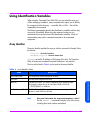
Using Identification Variables 111
Array Identifier 111
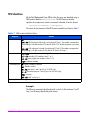
FRU Identifiers 112
Command View SDM Commands 114
armcfg 115
armcopy 118
armdiag 120
armdiscover 123
armdownload 126
armdsp 131
Contents
9