1
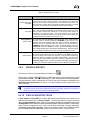
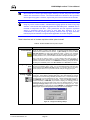
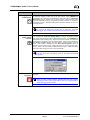
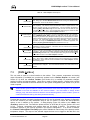
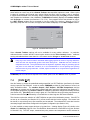
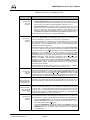
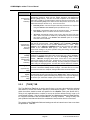
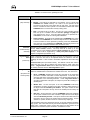
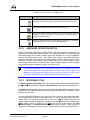
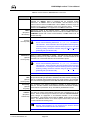
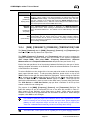
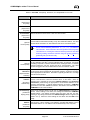
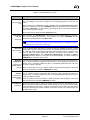
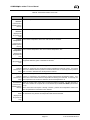
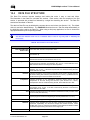
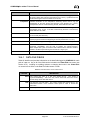
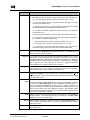
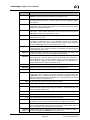
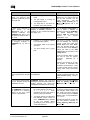
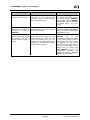
COMPASS for molbox™ User’s Manual SYMPTOM When flow regulation is active, the reference flow oscillates significantly around the target flow. PROBABLE CAUSE • The flow regulation time is too small. • The gas supply is running out causing faulty control. • The target flow is not within the resolution of the flow controller. SOLUTION Make sure the gas supply is sufficient for the current test and that the flow controller has the proper performance. Use the [Setup], [Test] [Control] tab to change the regulation limit in the test. 9.5.6. I chose a new reference (or other device) on the [Reference] tab of the Hardware Definition and COMPASS still tried to use the previous reference when I ran a test. All tabs in the Hardware Definition are displays of available selections. A selection on any of these tabs updates the display only. Only the System Configuration is used to make a selection of hardware to be used by COMPASS. The desired IEEE-488 card, reference, DMM, etc. should all be selected in the System Configuration. 10.2. The flow output of my molbox is changing erratically in COMPASS yet my flow is stable. • Interface is not properly buffered by the operating system. • The RS-232 cable is not properly grounded. • The PC’s RS-232 port is going bad. This issue is typically associated with the Windows NT operating systems. If this is the case, open Control Panel then select Ports. Select the effected RS-232 port from the list then choose Settings. Change the state of the FIFO Enabled option at the bottom of the Settings display. Check the RS-232 cable to make sure that all pins are properly connected. Especially pin 5 (ground). However rare, RS-232 do go bad. This problem is associated with intermittent communications. Verify that other RS-232 devices function properly while being continuously polled. A report displays $... instead of an expected piece of Data File. The report template in use has a corrupted field. Edit the report template and re-insert the desired field using the [Field Insertion Tool]. 16.3.1.3, 16.3.3.2. I cannot edit a selected DUT or Test Definition during the initialization of a test. COMPASS displays test and DUT Definitions in their respective Editors for viewing purposes only during test initialization and while a test is running. Edit DUTs and tests using [Setup], [DUT] and [Setup], [Test], while COMPASS is idle. 7.1, 8.5, 9.5. The test Data File appears in the COMPASS root directory as opposed to a directory based on the DUT serial number or identification. • An invalid character appears in the DUT serial number or ID field: /, \, ?, :, *, <, >, |, or “. These characters cannot be used in file or directory naming in Windows. • The target directory for Data Files has restricted access or does not exist. COMPASS always defaults to the root directory without generating an error when trying to create test Data Files. Use the DUT Definition Editor to remove any invalid characters in the DUT Definition serial number or ID field. Make sure these characters are not entered during the <Setup DUT(s)> step of test initialization. 8.5.2, 7.2.1.5. © 1998-2003 DH Instruments, Inc. Page 204 Use Windows Explorer to verify the Data File directory selection on [Tools], [Options], [Data File] tab is valid. 11.8.