1
Dale Power Solutions Ltd
User Manual
Appendix 1 Signals options
RS232 serial port
Units are fitted with a standard RS232 serial port, which can be used to:
■
Monitor the UPS power status
■
Monitor the UPS alarm information
■
Monitor the UPS running parameters
■
Perform a battery test
To enable RS232 control:
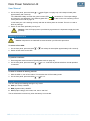
1. Connect the UPS to your computer using the supplied RS232 cable.
2. If present, disconnect the USB cable between UPS and your computer.
Note: A USB connection overrides an RS232 connection.
3. Load the supplied software onto your computer.
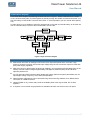
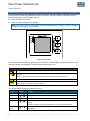
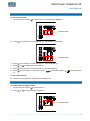
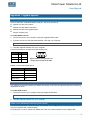
Connections between computer and UPS RS232 ports
Computer
UPS
RDX 2
←
TX 3
TDX 3
→
RX 2
GND 5
GND 5
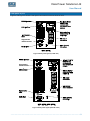
Figure 5 RS232 serial port pin-outs
looking at the socket on the UPS
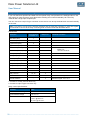
RS232 communication data format
Parameter
Value
Baud rate
2400 bps
Byte length
8bit
End bit
1bit
Parity check
Null
USB port
The USB port is internally wired to the RS232 port through a converter and provides the same monitoring
capabilities as above.
To enable USB control:
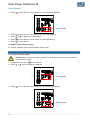
1. Connect the UPS to your computer using the supplied USB cable.
Note: This connection will override an RS232 connection.
2. Load the supplied software onto your computer.
SNMP card (advanced monitoring and control)
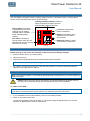
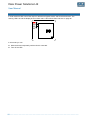
If your unit is fitted with the optional SNMP card (located in the Intelligent Slot on the rear panel), connect
it to your computer with a network cable.
For instruction on how to operate the SNMP card, refer to the documentation on the supplied CD.
………………………………………………………………………………………………………… 21