1
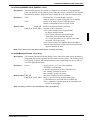
5: 1375PLAY DIAGNOSTIC UTILITY
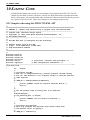
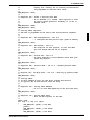
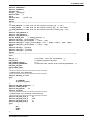
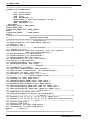
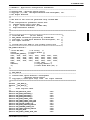
1375PLAY Example
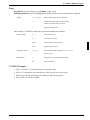
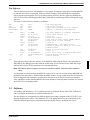
Type “1375PLAY” to start the program.
Type "?" for help.
Type "i" to initialize the registers.
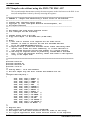
Type "xa" to display the contents of the registers.
Type "x 5" to read register 5.
Type "x 3 10" to write 10 hex to register 3.
Type "f 0 ffff aa" to fill the first FFFF hex bytes of display memory with AA hex.
Type "f 0 1fffff aa" to fill 2M bytes of display memory.
Type "r 0 ff" to read the first 100 hex bytes of display memory.
Type "q" to exit the program.
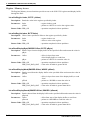
Scripting
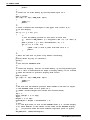
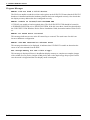
1375PLAY can be driven by a script file. This is useful when:
• there is no standard display output to monitor command entry and results.
• various registers must be quickly changed faster than can achieved by typing.
• The same series of keystrokes is being entered time and again.
A script file is an ASCII text file with one 1375PLAY command per line. All scripts must end with a
“q” (quit) command in order to return control to the operating system. The semi-colon is used as a
comment delimitor. Everything on a line after the semi-colon will be ignored.
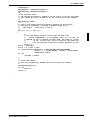
On a PC platform, a typical script command line is: “1375PLAY < dumpregs.scr > results”.
This causes the script file “dumpregs.scr” to be interpreted and the results to be sent to the file
“results.”
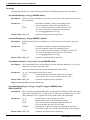
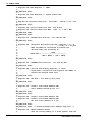
Example 1 : The script file “dumpregs.scr” can be created with and text editor and
will look like the following:
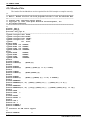
; This file initializes the S1D13705 and reads the registers
i;
Initialize the registers.
xa; Dump all the registers
la;
And the LUT
q;
Exit
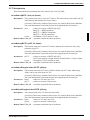
Comments
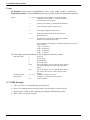
• All numeric values are considered to be hexadecimal unless identified otherwise. For example, 10
= 10h = 16 decimal; 10t = 10 decimal; 010b = 2 decimal.
• Redirecting commands from a script file (PC platform) allows those commands to be executed as
though they were typed.
3-24
EPSON
S1D13705F00A UTILITIES (X27A-B-005-01)