1
CAUTION
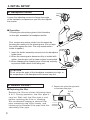
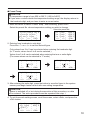
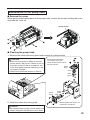
Be sure to hold the plug when inserting or removing the handpiece cord.
C. Station
Insert the plug into
the receptacle until
it seats.
● Connection
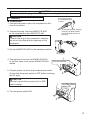
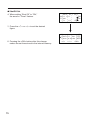
1. Connect the power cord to the receptacle on the
rear of the station.
To disconnect, pull the plug
from the receptacle while
pressing down the tab on
the plug.
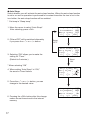
2. Connect the plug from the HAKKO FR-4001
to the receptacle on the HAKKO FR-400.
CAUTION
Connect the plug to the receptacle, aligning
the tab on the plug with the opening on the
receptacle.
3. Set the HAKKO FR-4001 in the handpiece holder.
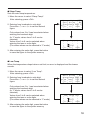
4. Connect the hose from the HAKKO FR-4001
to the filter case cover on the HAKKO FR-400
station.
Connect the hose.
5. Plug the power cord into a grounded power outlet.
Ensure that the power switch is OFF before inserting
the AC plug.
CAUTION
Be sure to ground this product as it is ESD
safe by design.
Turn the power
switch ON
6. Turn the power switch ON.
4













![[ For FX951-51 -up ] Service Manual](http://vs1.manualzilla.com/store/data/006022140_1-0f4cb22e78fbda3a4f7c4fb90e43baab-150x150.png)