1
Appendix 6: How to export data to Excel
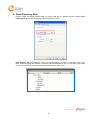
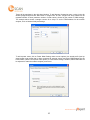
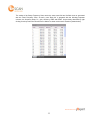
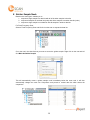
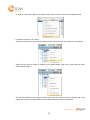
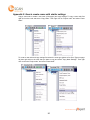
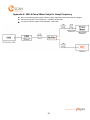
To export data to MS Excel, right click on the node, and select “Export to Excel”. The window below
will appear. You can choose specific data or all data to export to MS Excel.
Appendix 7: Ideal Measurement Set-up (the importance of these
practices vary with frequency)
The following note describes the implications of observing diligent measurement practices when using
RFxpert. Each of these practices has a bearing on measurement accuracy. The associated implications vary
with frequency. The following summarizes the implications of following the recommended practices. You may
choose to ignore some of these after assessing ease of set up vs. impact.
1) Isolate measurement from immediate metallic surroundings (more critical for lower frequencies)
a. avoid placement directly on a metal desk
b. avoid placement under an overhanging metal sheet (ledge)
c. avoid placement directly near reflective metal surfaces
2) Use ferrites at both ends of the measurement cables to block surface currents.
3) Use attenuators adjacent to signal sources, power measurement equipment and DUT's (if feed point
is fed from an externally wired RF signal source) to optimize matching.
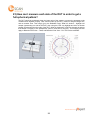
4) Repeatable positioning of the DUT has an impact on the repeatability of measurement results. Try to
place the radiating element at the centre of the grid (use NF results to assist). Stay within 2 cm on
the long axis and 1 cm on the shortest.
www.emscan.com
21