1
ARS-2212 Chapter 3 Setup and Operation
3.2 RAID Mode Instructions
1.
◆
◆
◆
◆
12
ARS-2212 Normal Mode Setup (If originally set to Mirror Mode by default)
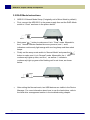
First, connect the ARS-2212 to the power supply then set the RAID Mode
switch to “Clear” as shown in the picture below:
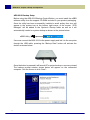
Next press “
” button to make sure it is in “Clear” mode. Meanwhile,
the 4 Normal indicator flashes blue every second, and 1 and 6
indicators continuously light orange with one long beep and three short
beeps.
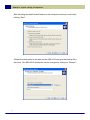
Finally set the array mode switch to “Normal Mode” and press the “
button to make sure it is in “Normal” mode. Meanwhile, the 4 LED
continuously lights up blue, and the 1 as well as 6 indicators
continuously light up green after flashing red for six times, as shown
below:
”
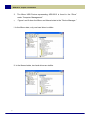
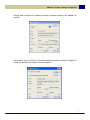
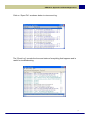
After setting the Normal mode, two USB devices are visible in the Device
Manager. For more information about how to use the hard drives, refer to
the hard drive management section in the troubleshooting chapter.