1
2-4
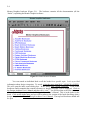
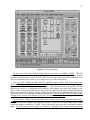
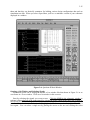
Mentor Graphics bookcase (Figure 2-1). The bookcase contains all the documentation (all the
“books”) explaining the Mentor Graphics software.
Figure 2-1: Bold Browser Window
You can search an individual book or all the books for a specific topic. Let’s try to find
information about design viewpoints. To search, select the menu item MGC->SEARCH->QUERY.
This will open the index search dialog box. In the dialog enter ‘design viewpoint’. A list of the
bookcases and/or manuals that contain references to ‘design viewpoint’ will be displayed. Click on
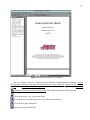
the Design Architect User’s Manual and then click “view”. You will be taken to the first occurrence
of the words ‘design viewpoint’ in the Design Architect User’s Manual. This is in the index for the
book. Click on the index entry and you will be taken to the section of the book describing what a
design viewpoint is. Close the Design Architect User’s Manual. The top-level bookcase should still
be open.