1
Basic Functions (Clinical Use)
Unloading Bottles
Note:
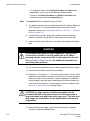
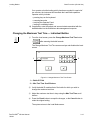
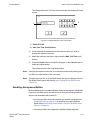
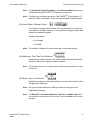
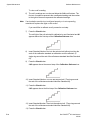
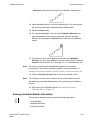
Changing the maximum test time of an individual bottle during loading does
not affect any other bottles of the same type.
Note:
The maximum test time of an individual bottle can also be changed from the
Edit Bottle Detail screen after loading (see Viewing/Editing Bottle Data in
Chapter 5).
Handling Anonymous Bottles
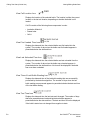
Bottles loaded into the Incubation Module without accessing the Load Bottles
function on the Main screen are referred to as Anonymous bottles because
they are not associated with a bottle ID.
CAUTION: BacT/ALERT® MB (Mycobacteria Blood) Bottles
should never be loaded anonymously. Appropriate testing of
anonymous bottles occurs only when BacT/ALERT® MP bottles
are loaded into drawers labeled MB and non-MB bottles are
loaded into drawers labeled BC.
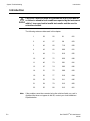
The maximum test time of anonymous bottles loaded into MB
drawers is the same time specified for the BacT/ALERT® MP
media type on the Set Maximum Test Time screen.
Anonymous bottles loaded into BC drawers are assigned the
standard default algorithm.
Anonymous bottles should be removed and identified as specified in
Unloading Bottles on page 3-16, or identified using the Edit Bottle Detail
screen (see Editing Bottle Details Using the Edit Bottle Detail Screen in
Chapter 5).
Unloading Bottles
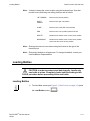
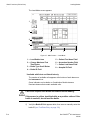
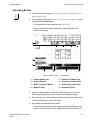
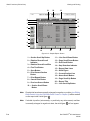
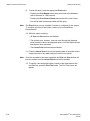
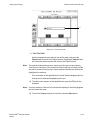
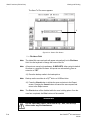
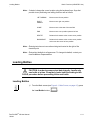
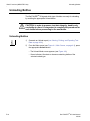
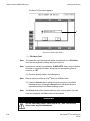
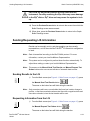
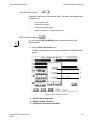
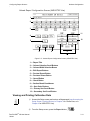
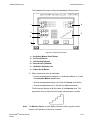
The BacT/ALERT® 3D signals which type of bottles are ready for unloading
by enabling the appropriate Unload button.
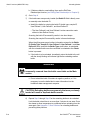
CAUTION: In order to preserve test data integrity, handle only
one bottle at a time. It is important to complete the procedure for
each bottle before proceeding to the next bottle.
3-16
BacT/ALERT® 3D User Manual
95248