1
Editing Test Data (Clinical Use)
Editing Data Relationships
Editing Bottle ID to Accession Number Relationships
1
2
6
3
4
5
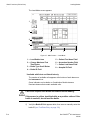
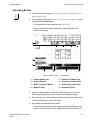
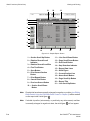
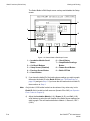
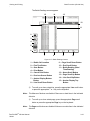
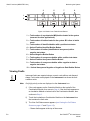
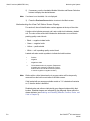
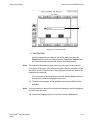
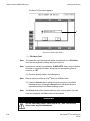
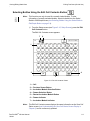
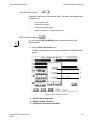
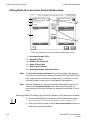
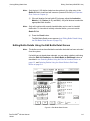
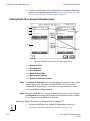
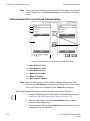
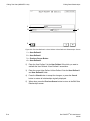
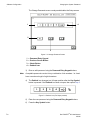
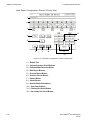
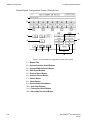
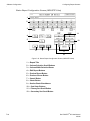
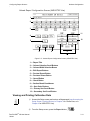
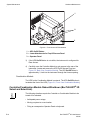
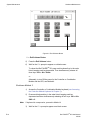
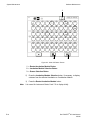
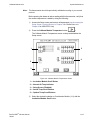
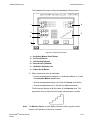
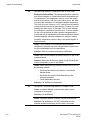
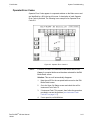
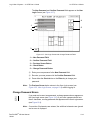
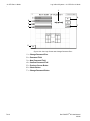
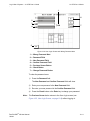
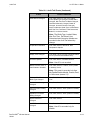
Figure 5-6: Edit Bottle ID to Accession Number Relationships Screen
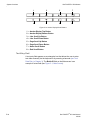
1 — Accession Number Field
2 — Hospital ID Field
3 — Patient Last Name Field
4 — Bottle ID Scroll Box
5 — Data Transfer Buttons
6 — Accession Number Selection Buttons
Note:
The Accession Number Selection button will only appear if the system is
set to allow reuse of accession numbers. By default, the BacT/ALERT® 3D is
set to regard accession numbers as always unique. If you desire to re-use
accession numbers, contact your local bioMérieux Representative.
Note:
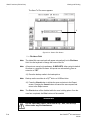
When the Edit Bottle ID to Accession Number Relationships screen is first
accessed, the Accession Number field is blank and all bottle IDs not
associated with an Accession Number are displayed in both Bottle ID scroll
boxes.
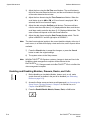
Attaching Bottle IDs without an Accession Number to an Accession Number
5-14
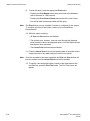
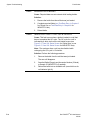
1)
Access the Edit Bottle ID to Accession Number Relationships screen
(see Initiating the Edit Data Relationships Function on page 5-12).
2)
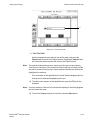
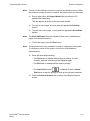
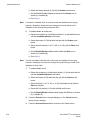
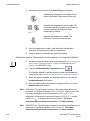
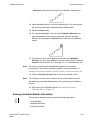
Enter the accession number in the left Accession Number field that you
wish to associate to the bottle(s).
BacT/ALERT® 3D User Manual
95248