1
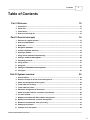
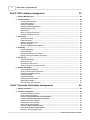
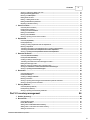
Contents
3
Table of Contents
Part I Welcome
10
1 Introduction................................................................................................................................... 10
2 Quick start ................................................................................................................................... 13
3 Conventions................................................................................................................................... 13
4 How to use this
...................................................................................................................................
help file
14
Part II General concepts
15
1 Elements of ...................................................................................................................................
a typical window
15
2 How to use the
...................................................................................................................................
menus
16
3 Button bar ................................................................................................................................... 17
4 Navigation shortcuts
................................................................................................................................... 17
5 Common keyboard
...................................................................................................................................
shortcuts
18
6 Opening a module
................................................................................................................................... 19
7 Using several
...................................................................................................................................
modules simultaneously
19
8 Exiting a module
...................................................................................................................................
or the program
20
9 Performing a...................................................................................................................................
search
20
10 Using reports
................................................................................................................................... 21
11 Using lists ................................................................................................................................... 21
12 Editing the information
...................................................................................................................................
of an entry form
21
13 Field types ................................................................................................................................... 22
Part III System overview
22
1 General Outline
................................................................................................................................... 22
2 General concepts
...................................................................................................................................
of off-site record management
22
3 Setup and management
...................................................................................................................................
of the system
23
4 Tasks related
...................................................................................................................................
to inventory
25
5 Tasks related
...................................................................................................................................
to orders
27
6 Electronic management
...................................................................................................................................
of documents
27
7 States associated
...................................................................................................................................
with the circulation of documents
28
8 The main window
................................................................................................................................... 29
9 Modules associated
...................................................................................................................................
with EDC software management
31
10 Modules associated
...................................................................................................................................
with customer management
32
11 Modules associated
...................................................................................................................................
with order processing
33
12 Setting up the
...................................................................................................................................
Printers
34
13 Changes since
...................................................................................................................................
last update
35
© 2007 DocuData Software Corporation
3