1
Chapter 10
Viewing and editing sequences
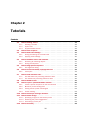
Contents
10.1 View sequence . . . . . . . . . . . . . . . . . . . . . . . .
10.1.1 Sequence settings in Side Panel . . . . . . . . . . . .
10.1.2 Restriction sites in the Side Panel . . . . . . . . . . .
10.1.3 Selecting parts of the sequence . . . . . . . . . . . .
10.1.4 Editing the sequence . . . . . . . . . . . . . . . . . .
10.1.5 Sequence region types . . . . . . . . . . . . . . . . .
10.2 Circular DNA . . . . . . . . . . . . . . . . . . . . . . . . . .
10.2.1 Using split views to see details of the circular molecule
10.2.2 Mark molecule as circular and specify starting point . .
10.3 Working with annotations . . . . . . . . . . . . . . . . . .
10.3.1 Viewing annotations . . . . . . . . . . . . . . . . . . .
10.3.2 Adding annotations . . . . . . . . . . . . . . . . . . .
10.3.3 Edit annotations . . . . . . . . . . . . . . . . . . . . .
10.3.4 Removing annotations . . . . . . . . . . . . . . . . . .
10.4 Sequence information . . . . . . . . . . . . . . . . . . . . .
10.5 View as text . . . . . . . . . . . . . . . . . . . . . . . . . .
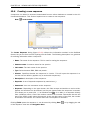
10.6 Creating a new sequence . . . . . . . . . . . . . . . . . . .
10.7 Sequence Lists . . . . . . . . . . . . . . . . . . . . . . . .
10.7.1 Graphical view of sequence lists . . . . . . . . . . . .
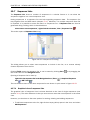
10.7.2 Sequence list table . . . . . . . . . . . . . . . . . . .
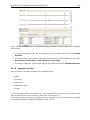
10.7.3 Extract sequences . . . . . . . . . . . . . . . . . . . .
.
.
.
.
.
.
.
.
.
.
.
.
.
.
.
.
.
.
.
.
.
.
.
.
.
.
.
.
.
.
.
.
.
.
.
.
.
.
.
.
.
.
.
.
.
.
.
.
.
.
.
.
.
.
.
.
.
.
.
.
.
.
.
.
.
.
.
.
.
.
.
.
.
.
.
.
.
.
.
.
.
.
.
.
.
.
.
.
.
.
.
.
.
.
.
.
.
.
.
.
.
.
.
.
.
.
.
.
.
.
.
.
.
.
.
.
.
.
.
.
.
.
.
.
.
.
.
.
.
.
.
.
.
.
.
.
.
.
.
.
.
.
.
.
.
.
.
.
.
.
.
.
.
.
.
.
.
.
.
.
.
.
.
.
.
.
.
.
.
.
.
.
.
.
.
.
.
.
.
.
.
.
.
.
.
.
.
.
.
.
.
.
.
.
.
.
.
.
.
.
.
.
.
.
.
.
.
.
.
.
131
132
137
143
144
145
145
146
147
147
148
152
154
154
154
155
156
157
157
158
159
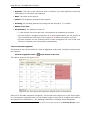
CLC Combined Workbench offers five different ways of viewing and editing single sequences as
described in the first five sections of this chapter. Furthermore, this chapter also explains how
to create a new sequence and how to assemble several sequences in a sequence list.
10.1
View sequence
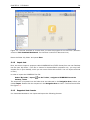
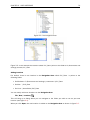
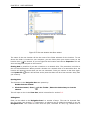
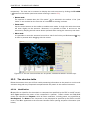
When you double-click a sequence in the Navigation Area, the sequence will open automatically,
and you will see the nucleotides or amino acids. The zoom options described in section 3.3 allow
131