1
RME1-AI User Manual - Analog Variables Acquisition Module
Exemys
Chapter 3
Chapter
Configuration
3.1 Basic ethernet configuration
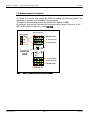
The first step to be taken is the network parameters configuration by any of the following
methods:
a)
b)
c)
d)
DHCP (AUTOMATIC CONFIGURATION)
Exemys Device Locator (Best recommended method)
Serial Port
ARP Method
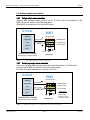
a) IP address configuration with DHCP
RME1-AI Default configuration is IP 0.0.0.0, so when turned on, it will search a
DHCP server.
RME1-AI tries to negotiate an IP address with the DHCP server for a maximum period of 10
seconds. If the DHCP fails to answer in that period, RME1-AI will show an error code by means of
its indicator LEDs (See Table 4) and will try to establish connection with the DHCP server 60
seconds later. This process will be repeated indefinitely until a DHCP server assigns an IP address
to RME1-AI or until the user assigns a static IP address.
b) IP address configuration with Exemys Device Locator
The Exemys Device Locator Application software is intended to be used for the basic configuration
of any Exemys device over your ethernet network. It allows searching, identifying and configuring
the basic network parameters.
This simple application program is distributed with any Exemys product in the accompanying CD.
You can also download the latest version of this program from the Exemys Web Site
(www.exemys.com).
The Device Locator application must be run from any PC within the network where the Exemys
devices to be configured are installed.
www.exemys.com
Rev. 3
Page 17