1
US006081262A
Ulllted States Patent [19]
[11] Patent Number:
Gill et al.
[45]
[54]
METHOD AND APPARATUS FOR
GENERATING MULTI-MEDIA
Date of Patent:
6,081,262
*Jun. 27, 2000
“AuthorWare Interactive Studio Overview & Key Features”
Macromedia Inc. Webpage, Updated Nov. 26, 1996.
PRESENTATIONS
[75] Inventors: Timothy Earl Gill, Denver; David
“HyperCard Version 2.3”Apple Computer, Inc. Webpage,
last updated May 2> 1996
Arthur Knnshaug, AllrOra; Zachary
“An Introduction to m Tropolis” m Tropolis, Inc. Webpage.
Tyler Nies, EngleWood; Edwin Van
Horn Post, Arvada, all of Colo.
Primary Examiner—Joseph H. Feild
Assistant Examiner—Alford W. Kindred
Attorney, Agent, or Firm—Duft, GraZiano & Forest, P.C.
[73] Assigneej Quark, Inc,’ Denver, C010_
[*]
Notice:
This patent issued on a continued pros
ecution application ?led under 37 CFR
1.53(d), and is subject
_ _ to the tWenty year
[57]
The multi-media presentation generation system combines
154(aX2)‘
media objects of multiple diverse types into an integrated
multi-media presentation. The resultant multi-media presen
patent term provisions of 35 U.S.C.
ABSTRACT
tation can be de?ned in an output-independent
I21] Appl- NOJ 08/753,982
representation, Which the multi-media presentation genera
[22]
tion system converts into a representation that is optimized
Filed
Dec 4 1996
'
[51]
[52]
[58]
'
’
for the destination storage and/or presentation medium
Int. Cl.7 ................................................... .. G06T 11/60
US. Cl. ........................................... .. 345/302; 707/517
Field Of Search ................................... .. 345/333, 334,
selected by the author. The multi-media presentation gen
eratien system uses a page based document layout paradigm
to regulate the Spatial relationships among the plurality of
345/335, 339, 302, 326, 501, 342, 115,
116; 707/500, 513, 526, 517, 530, 109
objects contained Within the multi-media presentation. The
page based document layout system partitions document
References Cited
pages, as de?ned by the author, into a plurality of objects,
each of Which is independently editable by the author. A
multi-media authoring tool extends the capabilities of the
US- PATENT DOCUMENTS
page based document layout system to enable an author to
[56]
4905 163 2/1990 Garber et a1. ......................... .. 364/513
5,572,643 11/1996 Judson ___________ __
395/793
5,592,602 1/1997 Edmunds et a1. ..................... .. 395/174
merge both Static and dynamic Objects in a Page layout
environment to create the multi-media presentation. The
resultant rnulti-rnedia presentation Comprises a static back
ground on Which is overlaid a plurality of independently
OTHER PUBLICATIONS
running dynamic objects, Which objects may be responsive
“Director Multimedia Studio OvervieW & Key Features”
to the user’s input
Macromedia Inc. Webpage, updated Nov. 26, 1996.
“About ClickWorks” Pitango Multimedia Ltd Webpage.
s2
To
j
$4
S5
33
i Q“
NETWORK
32 Claims, 5 Drawing Sheets
\
LIVE
D
or:
|
\
:
|
__J--
PAGE
I‘
SQ?JDT
|
I
SYSTEM
A
I‘
i
1
@e»
N
:
MULTIMEDIA AUTHORING TOOL
‘
_
i
|
1
RASTERIZER
j
g
1
_
_l
_
_
_
E
A
_
_
W
i
A
_
_
_
i
i
i
_
_
i
_
_
_
_l
V/ M
/
U.S. Patent
Jun. 27, 2000
Sheet 2 0f5
6,081,262
[ MBAR
TEXT
’\ TB
)6
PB
[ MB
IP
fAB
PL
MOVIE
ANIMATION
PATH
s1
4
s2
55f
FIG. 2
EDIT TEXT
U.S. Patent
Jun. 27, 2000
Sheet 3 0f5
6,081,262
lC/ose box
311E” DocumenH ;—E|§
'_';:llllllllllllllglllllllgllllhlz?fllllll‘lélllllll§llllllIYIIIIIIII§IIII Ill’ 1
"""""""""""
""""""""""""""
Horizontal ruler
L
Column guides
QTB
4-
‘
}Ven‘ical ruler
i
Margin guides
Columns
I”l l
_
_
.
_
,
.
.
.
.
.
.
.
_
.
.
.
.
.
.
.
.
.
.
.
.
.
., . . _
.
.
.
.
.
.
_
.
.
.
.
_
.
.
.
.
.
.
.
.
.
i
.
.
.
Page number
.4
Pasteboard
View percentage
FIG. 3
Scroll bars
U.S. Patent
Jun. 27, 2000
6,081,262
Sheet 4 0f 5
FIG. 4
INITIALIzE EXPORT PROCESS ’\ 401
V
GATHER DOCUMENT LEVEL
MULTI-MEDIA DATA
q 402
V
GATHER PAGE LEVEL
/\ 403
MULTl-MEDIA DATA
V
GATHER PAGE SPECIFIC
MULTl-MEDIA DATA:
/\ 404
SPREAD DATA
V
GATHER PAGE SPECIFIC
MuLTI-IvIEDIA DATA:
/\ 405
OBJECT DATA
V
GATHER TEXT OBJECT
/\ 406
SPECIFIC MuLTI-MEDIA DATA:
HOT TEXT
V
CREATE
A 407
BOOKKEEPING OBJECTS
V
PASS OBJECT INFORMATION /\v 408
TO EXPORT HANDLERS
V
CENERATE PAGE LAYOUT
/\ 409
DATA FOR EXPORT
V
EXPORT PRESENTATION
/\410
U.S. Patent
FIG. 5
Jun. 27, 2000
6,081,262
Sheet 5 0f 5
USER ACTIVATES SYSTEM
I
USER SPECIFIES WORKSPACE ’_\_ 502
IV
USER DEFINES OBJECTS
AND THEIR CONTENT
I
MULTI-MEDIA AUTHORING
SYSTEM PROVIDES USER
WITH MENU LISTING CHARACTERISTICS
OF MULTI-MEDIA CONTENT OF OBJECT
I
USER SELECTS
CHARACTERISTICS OF
MULTI-MEDIA FROM MENU
V
MULTI-MEDIA AUTHORING
SYSTEM CREATES HIDDEN INFORMATION
ASSOCIATING USER SELECTIONS
WITH ASSOCIATED OBJECT
V
PAGE BASED DOCUMENT
SYSTEM STORES OBJECT AND
ASSOCIATED HIDDEN INFORMATION
II
ACTIVATE PRESENTATION
504
II
RETRIEVE DATA TO
CREATE PRESENTATION
/\ 505
v
CREATE INITIAL DISPLAY
’\ 506
II
USER PROVIDES INPUT
’\ 507
V
SYSTEM CHANGES DISPLAY /—\5O8
IN RESPONSE TO USER INPUT
6,081,262
1
2
METHOD AND APPARATUS FOR
GENERATING MULTI-MEDIA
PRESENTATIONS
media presentation Without being able to vieW the presen
tation screen as it is being developed.
Another object based system is the AuthorWare Interac
tive Studio, Which is available from Macromedia, Inc. This
system is object based and uses a logical orientation to
control the multi-media presentation. The AuthorWare Inter
FIELD OF THE INVENTION
This invention pertains to a multi-media presentation
generation system that uses a multi-media authoring tool
extension of a page based print document layout system to
combine media objects of multiple diverse types into an
icons to de?ne and control the multi-media presentation
integrated multi-media presentation. The resultant multi
thereby eliminating the need to directly Write the script
media presentation can be de?ned in an output-independent
language. The AuthorWare Interactive Studio converts the
author’s ?oWline de?nition into the necessary script lan
guage to control the multi-media presentation. HoWever, the
active Studio uses an object-oriented interface Which uses
logic. Authors must place icons, Which represent the various
multi-media objects, on a ?oWline to create an application,
representation, Which the multi-media presentation genera
tion system converts into a representation that is optimiZed
for the destination storage and/or presentation medium
selected by the author.
15
AuthorWare Interactive Studio is structurally intensive, in
that all objects must be merged into a single ?oWchart. In
addition, this environment is not a familiar Way for authors
PROBLEM
to present graphical information and the ?oWline represents
a complex method of controlling the multi-media presenta
It is a problem in the ?eld of multi-media presentation
generation systems to ef?ciently integrate the diverse types
tion.
of media that are available to an author into a multi-media
One other object based system is the HyperCard system,
Which is available from Apple Computer, Inc. This system is
presentation for publication on an electronic medium. It is a
further problem for the author to edit and update the multi
media presentations that are created With such systems.
It is Well knoWn in the presentation generation arena hoW
to create multi-media presentations Which contain textual,
graphical, audio, and even video segments. One type of
an event driven, object based system Which uses a logical
orientation to control the multi-media presentation. The
25
scripting language to program the control logic Which
presently available presentation generation systems is the
de?nes the various actions that occur Within the multi-media
Director Multimedia Studio, Which is available from
Macromedia, Inc. This system is “frame based” in that it
presentation. The HyperCard system then responds to exter
nal events, identi?ed by the author, by running the user
de?ned programs, Which contain the scripting language, to
enables the author to create a sequence of visual images on
a frame by frame basis. This system uses a storyboard and
timeline paradigm to manage the series of frames Which are
used to produce the desired visual output. The author must
populate each of the individual frames With the selected
execute the control logic. HoWever, it is difficult to author in
this system, since it is program language based. In addition,
35
video, graphical, and textual material. The programming
language used in this frame and presentation creation pro
cess is a complex script generation language. The author of
a presentation must therefore have signi?cant programming
skills to craft the scripts required to produce a sophisticated
Another event driven, object based system is the mTropo
lis system, Which is available from mFactory, Inc. This
system is object based and also uses a logical orientation to
control the multi-media presentation. The mTropolis system
is a fully object oriented environment in Which objects can
45
be assigned properties and inherit properties from other
objects. Objects can also respond to external events. This
system uses a natural language form of script language, but
it is very complicated and object based. The mTropolis
system is not oriented to the visual artist, but is instead
programmer oriented. In addition, the author must Work on
tion systems uses an object based paradigm, rather than the
frame based orientation of the Director Multimedia Studio.
logical and visual abstractions of both objects and the
vieWable screens on Which they appear. The author operates
in a programming environment to de?ne the multi-media
The ClickWorksTM system, available from Pitango Multi
media Ltd., comprises such a system, and is both object and
timeline based. This system uses both event and time
metaphors to enable the author to de?ne the multi-media
presentation. In the ClickWorksTM system, the author uses
the author must Work on logical and visual abstractions of
both objects and the vieWable screens on Which they appear.
The author operates in a programming environment to de?ne
the multi-media presentation Without being able to vieW the
presentation screen as it is being developed.
multi-media presentation and precisely regulate its presen
tation characteristics using the complex programming lan
guage. This programming complexity increases the cost and
complexity of producing a multi-media presentation and
increases the likelihood of ?aWs in the ?nal product. The
author also cannot change an imported multi-media object
Without having to signi?cantly re-edit and recompile the
?nal multi-media presentation.
Another class of presently available presentation genera
HyperCard system organiZes information into “stacks” of
cards through Which users navigate and search for the
information that they need. The author uses an English-like
presentation Without being able to vieW the presentation
55
screen as it is being developed.
In summary, none of these systems are built upon a page
templates to assemble the objects and thereby create the
vieWable screens. The multi-media scripting capability is
based print document layout system paradigm. These sys
implemented by means of an Events palette, Which is a user
interface that enables the author to de?ne the logical events
existing print media document authoring systems nor are
Which trigger the presentation actions Without the need to
Write script language code. In addition, a timeline palette
provides the author With multiple time scenarios to control
self-unfolding screen behavior. HoWever, the author must
Work on logical and visual abstractions of both objects and
the vieWable screens on Which they appear. The author
operates in a programming environment to de?ne the multi
tems are multi-media unique, in that they are not related to
they capable of reusing existing print information for multi
media applications. These systems require the author to
Work in unfamiliar environments, in that they are unlike
print based authoring systems and tend to be programmati
cally complex. The arti?cial design constraints imposed by
65
these systems on the authors and the need for programming
expertise to author in some of these systems are signi?cant
limiting factors. These systems require the author to Work on
6,081,262
3
4
logical and visual abstractions of both objects and the
is accomplished in a menu based authoring environment
viewable screens on Which they appear. The author operates
in a programming environment to de?ne the multi-media
maintained by the multi-media authoring tool. This system
also enables the author to take existing documents prepared
presentation Without being able to vieW the presentation
for a print medium and convert them to multi-media pre
screen as it is being developed.
sentations. Another advantage of implementing the multi
media presentation generation system as an extension to the
existing page based document layout system is that the tools
SOLUTION
The above described problems are solved and a technical
advance achieved in the ?eld by the system for generating
multi-media presentations of the present invention. This
10
multi-media presentations.
multi-media presentation generation system uses a multi
media authoring tool extension of a page based print docu
ment layout system to combine media objects of multiple
diverse types into an integrated multi-media presentation.
The resultant multi-media presentation can be de?ned in an
The multi-media authoring tool assigns a unique identi
?cation to each object that has multi-media information and
that is located in the multi-media presentation, in the form
15
output-independent representation, Which the multi-media
presentation generation system converts into a representa
tion that is optimiZed for the destination storage and/or
presentation medium selected by the author.
The multi-media presentation generation system uses a
accessed by the page based document layout system. Thus,
the multi-media nature of these objects is transparent to the
page based document layout system. The multi-media pre
sentation generation system then creates an export object
25
layout system to encompass dynamic multi-media objects.
This system could alternatively be accomplished by Wrap
ping the multi-media authoring tool directly into the page
based document layout system, Without it having to be an
extension. In either case, the familiar print media page
layout environment is extended to encompass multi-media
Thus, the multi-media presentation generation system
print document layout system to combine media objects of
35
titled “QuarkXPress,” produced and distributed by Quark,
Inc. This page based document layout system partitions
multiple diverse types into an integrated multi-media pre
sentation. This system enables the author to take existing
documents prepared for a print medium and convert them to
multi-media presentations. Another advantage of imple
menting the multi-media presentation generation system as
document pages, as de?ned by the author, into a plurality of
objects (also termed boxes and lines), each of Which is
independently editable by the author. The page based docu
ment layout system coordinates and manages the inputting
of data into the plurality of objects and ensures that the
populated objects are integrated into the ?nal document page
layout. The data that are input into these objects are static in
nature, in that the data comprises print data: textual infor
mation and/or graphics. These types of data, When combined
into the document page layout, represent the ?nal presenta
tion Which is static in nature, being comprised of a plurality
of static objects. This page based document layout system is
menu driven, in that the author simply selects object char
using this hidden information, and identi?es the oWnership
of this object (page, WindoW, no oWnership, and the like) by
considering the geometry of the object. This geometry
information is de?ned by the page based document layout
system, Which functions to regulate the spatial relationships
among the plurality of objects contained Within the multi
media presentation.
uses a multi-media authoring tool extension of a page based
presentations.
Page based document layout systems are knoWn for the
print medium, and one such system presently available is
of hidden information, to distinguish it from all static objects
created in the presentation. The hidden information associ
ated With each object de?nes the unique multi-media char
acteristics of the images displayed in the object and this
hidden information is maintained by but is not necessarily
page based print document layout paradigm to regulate the
spatial relationships among the plurality of objects contained
Within the multi-media presentation. This system is imple
mented to include a multi-media authoring tool Which
operates as an extension of a page based print document
and environment available in the page based document
layout system are substantially the same tools available in
the multi-media environment to layout and manipulate the
an extension to the existing page based document layout
system is that the tools and environment available in the
page based document layout system are substantially the
same tools available in the multi-media environment to
layout and manipulate the multi-media presentations. This
system operates Without the complex frame based, script
45
language environment of some prior systems, since it is
based on a desktop publishing environment. There is also no
need for programming expertise to author multi-media pre
sentations. This system does not require the author to Work
on logical and visual abstractions of both objects and the
vieWable screens on Which they appear. Thus, the multi
acteristics from a set of menus to control the layout, content
media presentation generation system of the present inven
and presentation of the document page that is created. In this
tion overcomes the limitations of the existing multi-media
manner, the author can simply create a document and
authoring systems.
precisely regulate its presentation characteristics Without the
need to use complex programming languages.
BRIEF DESCRIPTION OF THE INVENTION
55
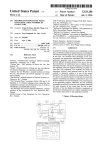
FIG. 1 illustrates, in block diagram form, the overall
The multi-media presentation generation system uses a
multi-media authoring tool to extend the capabilities of the
architecture of a preferred embodiment of the multi-media
presentation generation system of the present invention;
page based document layout system to enable an author to
FIG. 2 illustrates a typical multi-media document WindoW
merge both static and dynamic objects in the familiar page
Which is created using the multi-media presentation genera
tion system of the present invention;
based layout environment to create the multi-media presen
tation. The dynamic objects available to the author include,
but are not limited to: run time movies, animation, pop-up
FIG. 3 illustrates a document WindoW created in the
menus, interactive queries, audio, moving objects, and any
QuarkXPress system, With the various elements displayed
therein labeled;
FIG. 4 illustrates, in How diagram form, the process used
by the multi-media presentation generation system to export
other dynamic data that the author desires to include in the
multi-media presentation. The selection of the various
objects Which comprise a page of the ?nal multi-media
presentation and the regulation of the object characteristics
65
a multi-media presentation; and
6,081,262
5
6
FIG. 5 illustrates, in How diagram form, the operation of
the multi-media presentation generation system in creating
and vieWing a multi-media presentation.
on the processor P or graphics that are scanned into the
system via a peripheral device. Furthermore, video infor
mation likewise is obtained from a plurality of external
sources including, but not limited to, data communication
DETAILED DESCRIPTION
connections to broadcast media, such as Internet S4 or
broadcast television, video tape recorders S3, or live feeds
Basic System Architecture
S5 from a camera or other such appropriate source of video
information. Audio information is input to the multi-media
FIG. 1 illustrates, in block diagram form, an architectural
diagram of the preferred embodiment of the multi-media
presentation generation system of the present invention. The
multi-media presentation generation system comprises a
menu driven multi-media presentation generation system
presentation generation system MPG via microphone S6,
radio receiver, data communications source S4 or any simi
lar audio source of data. The textual information is directly
input by the user into the page based document layout
system Q or is obtained from a Word processor or from a data
MPG, executing on a processor P, Which accesses data from
communication source S4 or a peripheral device, such as a
any of a multitude of media sources S1—S6, Which data is in
any of a multitude of formats and contents for integration 15 document scanner. The above-noted data also includes
audio/video ?les and still images. These types of media and
into an adaptable product Which represents the multi-media
presentation. The basic architecture of the multi-media pre
sentation generation system is a multi-media authoring tool
Which operates in conjunction With a page based document
layout system to extend the menu based, static object
the media sources are simply noted herein to indicate the
diversity of information Which is used by the multi-media
presentation generation system MPG to perform the multi
media object creation.
manipulation capability of the page based document layout
system to encompass dynamic multi-media objects.
One element of this multi-media presentation generation
system MPG comprises a page based document layout
system Q Which functions to de?ne the basic Workspace for
the user into Which the plurality of media objects are
imported. In particular, the page based document layout
system Q includes a page layout capability Which enables
the user to de?ne a Workspace of predetermined physical
extent, generally in a tWo dimensional mode, Which Work
space is divided by the user into a plurality of objects. Each
of these objects comprise a segment of the Workspace and do
not have extents that project beyond the boundaries of the
Workspace. The plurality of objects in the Workspace are
either disjunct, or overlap or are physically contiguous
Underlying Page Based Document Layout System
25
(also termed boxes), each of Which is independently editable
by the author. The page based document layout system
coordinates and manages the inputting of data into the
plurality of objects and ensures that the populated objects
are integrated into the ?nal document page layout.
For the purpose of illustration, the page based document
layout system Q illustrated in FIG. 1 is the commercially
available QuarkXPress product. QuarkXPress is document
35
publishing softWare Which is used to create a publication in
a print medium. The QuarkXPress system enables a designer
to plan and design a print publication. The designer selects
the page siZe, margin Widths, number of columns, type faces,
type styles, color, and the like. This system includes Word
Within the Workspace. The user de?nes the content and
function of each of these Workspaces individually as Well as
their integration With the other objects in the Workspace to
form the entirety of the presentation.
The multi-media presentation generation system MPG
also comprises a softWare extension feature QC Which
functions to interconnect the page based document layout
system Q With at least one source of media objects S1—S6
and With a multi-media authoring tool A. The multi-media
authoring tool A is interconnected With the page based
The underlying page based document layout system is a
menu based system Which functions to partition document
pages, as de?ned by the author, into a plurality of objects
processing capability to enable an editor and/or Writer to cut,
copy, paste and delete text. The graphic artists use this
system to create the illustrations, photographs and other
graphic elements Which accompany the text. The system
imports scanned static pictures and computer generated
graphics. These various static elements are combined via
45
page layout features, including the use of templates, to
enable a created page format to be used repeatedly on
document layout system Q via the existing published inter
various documents. Typographic polishing is available to
faces of the softWare extension feature QC of the page based
precisely adjust Word and character spacing, hyphenation
and justi?cation. Imported pictures are framed, rotated,
document layout system Q. This system could alternatively
be accomplished by Wrapping the multi-media authoring
skeWed, resiZed cropped, and the like. Background color is
tool A directly into the page based document layout system
available as Well as text run around capability to Wrap text
Q, Without it having to be an extension. In either case, the
around pictures and illustrations.
multi-media authoring tool A operates in conjunction With
Once the user opens a QuarkXPress document, the dis
the page based document layout system Q to extend the
menu based, static object manipulation capability of the
play represented in FIG. 3, is presented on the user’s display
55
page based document layout system Q to encompass
dynamic multi-media objects. The dynamic objects each
comprise vieWable data Which is presented pursuant to a set
of parameters, Which regulate the generation and presenta
tion of the resultant images independent of the other objects
Which comprise the multi-media presentation. These
dynamic objects produce their images in their de?ned extent
Without requiring the regeneration of the remainder of the
user to click on this icon to close the document. A Zoom box
is included in the title bar to enable the user to click on this
icon and either enlarge this document page to full screen siZe
or reduce the document page to its previous siZe. The right
hand side of the document page is delimited by a scroll bar
presentation image.
The sources of media objects S1—S6 are graphics doWn
screen. The top of the document page is delimited by a title
bar Which contains an entry ?eld Which denotes the name
assigned to this document. The user clicks on the title bar
and move the entire document page around the display
screen. The title bar includes a close box Which enables the
65
Which includes upWard pointing and doWnWard pointing
loaded from external sources, such as CD-ROM S1 or disk
scroll direction arroWs, as Well as a scroll box Which the user
drive S2, graphics generated by additional softWare resident
moves in a vertical direction to broWse through the docu
6,081,262
7
8
ment. The bottom of the scroll bar includes a size box Which
page based document layout system Q. This function and
feature addition is accomplished by use of the paradigm
the user activates by clicking on the icon and dragging the
selected point on the display screen to thereby resiZe the
document WindoW. The footer bar delimits the bottom of the
document page and includes a ?eld Which displays data
indicative of the magni?cation or reduction of the page vieW.
A page number indicator ?eld is juxtaposed to the vieW
percent ?eld to indicate the number of the presently dis
played page in the document. The left side of the document
page is delimited by a vertical ruler and a horiZontal ruler is
knoWn as extension softWare QC, Which is an interface
Which incorporates extension modules, each Written using a
standard set of instructions, into the underlying page based
document layout system Q. The extension module is treated
as part of the basic page based document layout system Q,
since it is Written using the prede?ned set of program
instructions and is formatted to be compatible With the page
based document layout system Q. As With any instruction
juxtaposed to the title bar and placed directly beloW the title
set, there are standard de?nitions of the functions, the return
types, parameter types, data structures and the like. The page
bar to provide the user With position measurements of
elements contained in the document.
based document layout system Q, upon being launched,
opens the extension modules in its home folder and passes
opcodes to the extension modules to provide an indication of
a document page and a pasteboard Within the con?nes of the
delimiter bars noted above. The document page includes a 15 the present state of the processor. The extension modules
The page based document layout system Q displays both
revieW the received opcodes to determine Whether they
plurality of page guide lines, Which are lines that indicate a
page’s margins and columns. The pasteboard is a Work area
Which is juxtaposed to the document page. The pasteboard
represent a stimulus to Which this speci?c extension module
is programmed to respond. If so, the extension module
functions as a Work area and as a temporary storage area. In
performs the programmed action(s). Multiple extension
the QuarkXPress system, the user creates objects on the
modules are capable of being operational on the same
processor and also operate on the same document Which is
pasteboard, then click on the object and drag it into the
document page Which is displayed juxtaposed to the paste
created.
board area.
The multi-media presentation generation system MPG is
Given this page based document paradigm, the QuarkX
Press page based document layout system Q utiliZes boxes
implemented as the addition of at least one extension
25
and lines to manage the document space. The multi-media
authoring tool A also uses the boxes and lines of the page
based document layout system Q, but for multi-media
content, With the hidden information Which de?nes the
multi-media content and attributes of these boxes and lines
being stored therein to distinguish the multi-media objects.
Therefore, the term “object” as used herein encompasses the
boxes, lines and the like, Whether or not their content is
multi-media in nature. The objects comprise the user de?n
able space into Which the vieWable content is placed for
incorporation into the document. The objects have both a
position (locus) on the document page and an extent in the
tWo dimensional space of the document page. In particular,
text is contained in text objects QTB While pictures are
module (such as multi-media authoring tool A) to the page
based document layout system Q. This multi-media author
ing tool A makes use of the features and capabilities of the
page based document layout system Q and adds multi-media
capabilities to these features. One advantage of implement
ing the multi-media presentation generation system MPG as
an extension to the existing page based document layout
system Q is that users Who are familiar With the tools
available in the page based document layout system Q use
the same tools in the multi-media environment to layout and
35
manipulate the multi-media presentations. In addition, the
capabilities of the page based document layout system Q are
available to the user, including, but not limited to: precise
placement of objects, grouping of objects, master pages,
contained in picture objects QGB. Therefore, to place text in
control of all aspects of text manipulation, use and control
a particular location on the document page, a text object
of color, and the like. Furthermore, this system enables the
author to take existing documents prepared for a print
QTB must be created at this site. Text objects QTB and
picture objects QGB are the basic building blocks of a
document. When an object is active, the user modi?es it
using the controls listed in the text object QTB speci?cations
or picture object QGB speci?cations. The text objects QTB,
medium and convert them to multi-media presentations.
45
picture objects QGB and lines on a QuarkXPress page
behave in much the same Way as the halftones, galleys of
type and press-on rules used in traditional production envi
(text and picture objects, lines, and the like) of the page
based document layout system Q become multi-media
objects, such as: buttons, hot areas, text objects, movies,
ronments: each item is either in front of or behind other
items. The “stacking order” is a term Which refers to the
front/back relationships among the various items of a page
layout. An object that is in front of another item obscures the
item behind unless the object has a background color of
“none” Which renders the object transparent, except for its
contents. The multi-media authoring tool Auses these prop
erties of objects, managed by the page based document
layout system Q, to author the multi-media presentation. A
animations, pop-up menus, WindoWs and the like. The text
becomes “hot text” that performs a desired action When the
user positions the cursor on the hot text and clicks the
mouse. Thus, the multi-media presentation generation sys
55
manage the document, its various pages and the objects that
are created for placement thereon. Each menu displays
enable developers to add features to the basic program in a
manner analogous to the extension capability of the page
entries Which are grouped according to the operation that
they perform.
based document layout system Q.
System Operation For Multi-Media Presentation
Extensions To The Page Based Document Layout
System
tem MPG is an extension to the existing page based docu
ment layout system Q Which expands the static elements of
the page based print environment to dynamic elements of the
multi-media environment. In addition, the multi-media pre
sentation generation system MPG is itself extensible to
plurality of menus are provided to enable the user to edit and
QuarkXPress has an open architecture that enables a
developer to add neW functions and features to the basic
The expansion of the various objects of the page based
document layout system Q by means of the extension
softWare QC results in documents becoming multi-media
presentations, With document pages corresponding to multi
media display screens. In addition, the QuarkXPress objects
65
Creation
In operation, the user typically interacts With the multi
media presentation generation system MPG by means of a
6,081,262
9
10
keyboard K and/or a mouse M or other such user input
provides the author With an eXtent into Which are placed
teXtual information that is presented to the vieWer in the
device. The example of the system operation used herein is
the authoring of a neW multi-media presentation, a page of
Which is shoWn in FIG. 2. In particular, as shoWn in How
diagram form in FIG. 5, the user activates the multi-media
course of running the presentation. The teXt is directly input
to the teXt object TB via placing the cursor in the teXt object
TB and using the keyboard KB to input the desired teXt
information. Alternatively the author creates the textual
information elseWhere and simply import the teXt into teXt
presentation generation system MPG at step 501 and is
provided With a prompt to thereby enable the user to de?ne
a baseline point of reference, such as a page layout. In step
502, the user speci?es the eXtent of the Workspace Which
represents the ?nal image that is produced for the end user.
The multi-media authoring tool A of the multi-media pre
sentation generation system MPG displays the queries on the
display device D that is part of the system to enable the user
the vieW the prompts from the multi-media presentation
object TB, controlling the siZe, font, format and character
istics of the teXt via the menu selections available to the user
10
obtained from one of the sources named above. Various
control objects are also included in the page, such as the
generation system MPG and respond thereto by inputting
data via the keyboard K and/or mouse M. The user thereby
de?nes the basic parameters With Which the multi-media
via the multi-media authoring tool A.
Similarly, the author de?nes a movie object MB into
Which is imported a movie, Which is stored in memory, and
15
control or scrolling arroWs BB for a ?le vieW object ST, and
selection buttons S1, S1. These items are each separate
presentation generation system MPG must Work. In a typical
objects Which are de?ned and placed by the author using the
application, the designer de?nes a presentation display
characteristics such as color, resolution, etc. Once the user
menu selections that are provided by the multi-media
authoring tool A. Audio is provided as either one of the
media objects, such as selection button S1, or as part of one
of the other multi-media objects in FIG. 2. The author also
de?nes a path PL Which has an initiation point IP and a
has de?ned the basic page eXtent, the multi-media authoring
tool Aprompts the user at step 503 to de?ne the plurality of
terminating point TP, Which path PL is of arbitrary eXtent,
length and geometry. A linear path is illustrated for simplic
device D of certain siZe and characteristics. The designer
therefore de?nes the page layout to comprise the physical
eXtent of a display device, Which has certain technical
regions (objects) Within the Workspace into Which various
25
objects are to be inserted.
The multi-media authoring tool A at step 503A provides
the user With a set of menus via the display device D to
enable the user at step 503B to de?ne the number and
physical eXtent of the regions Within the Workspace. In
de?ning the regions of the Workspace, the user is not
path PL from the initiation point IP to the terminating point
constrained to select a single media type for use in that
region but can have multiple concurrently active media
types Within a single Workspace and Within a single region
of the Workspace to thereby enable a plurality of multi
ity. The path PL represents a motion de?nition for a object
having some content, Which object is tied to the path. For
illustration, an animation object AB is shoWn, Which ani
mation object contains some generated animation Which
runs in the eXtent of the object de?ned for the animation
objectAB as the animation object traverses the length of the
35
media presentations to concurrently be eXtant on the users
TP. In addition, a closed path PATH2 is illustrated as
de?ning a route for a still image S1.
Another object shoWn in FIG. 2 is a menu bar MBAR
Which contains a plurality of menu entries M1—M8. When
display. Since the underlying document layout system Q is
the user selects one of the menu entries, such as M7, the
pop-up menu PB associated With menu entry M7 is dis
page based, the de?nition of the Workspace is described
played in a predetermined position on the display screen.
herein in terms of a page and portions of a page to thereby
Different menu entries cause the display of different pop-up
menus in predetermined locations on the display and mul
tiple pop-up menus are concurrently active on the display
simplify the understanding of the invention. HoWever, there
is no inherent limitation in the architecture of the multi
media presentation generation system MPG that requires
screen.
limitation of the invention to a physical page of information
or a print medium Which typically is implied by the use of
the Word “page.” Indeed, given that the end product is
Any arbitrary actions can be associated With an object and
45
multi-media in nature, the output can be destined for a
display medium that is print in nature or audiovisual or
multi-media, in the form of a computer display. Regardless
of the form of the display medium, the multi-media author
ing tool A functions to automatically integrate a plurality of
source modules into a dynamic presentation With the objects
used to populate the presentation screen being independent
of yet integrally coupled to the page based document layout
system Q via the connection softWare QC.
Typical Multi-Media Page Layout
metrics of speed of traversal, repetitiveness of the motion.
These characteristics are prede?ned by the author, or the
55
display produced. In particular, the movie may not run until
clicks on the button S2 to stop the movie. Finally, the
editable object EB is provided to enable the user to input teXt
into this object for retention or transmission to another
destination.
tem MPG. This page layout is selected to illustrate some of
the features and capabilities of the underlying system. In
particular, multiple objects are placed on a page, With these
objects having different characteristics. Object types that are
Implementation of Various Multi-Media Objects
supported by this system include but are not limited to:
objects and, for eXample, include a teXt object TB, which
user may have the ability to control the activity on the screen
the user clicks on the control button S1 to start the movie and
FIG. 2 illustrates a typical multi-media page layout that is
The page illustrated in FIG. 2 presents a number of these
the operation of the various objects contained in this page
are independent and asynchronous. In particular, the anima
tion object AB runs the animation presentation as de?ned by
the author for that object, Without knoWledge of or associa
tion With any other object in the page. Similarly, the movie
operational in movie object MB runs according to its oWn
author de?ned parameters. The path PATH has its oWn
created using the multi-media presentation generation sys
WindoWs; movies; animation; edit teXt/list; pop-ups
(menus); buttons; hot areas; QuarkXPress objects.
all action items are movable. It is of importance to note that
The numerous multi-media objects that are created, edited
65
and manipulated by the operation of the multi-media author
ing tool A are described in more detail beloW in AppendiX A
Which comprises the user’s manual for the multi-media
6,081,262
11
12
authoring tool A. This document is titled “XPloring
Quarkimmedia” and discloses the processes used by the
multi-media presentation generation system MPG to create
and manage the multi-media presentations. The following
is stored inside the corresponding QuarkXPress text ele
ment. The multi-media authoring tool Aretrieves this stored
hot text de?nition data for display and editing by the user.
The hot text de?nition data is also retrieved from storage
When the multi-media presentation is activated or exported,
With this data being used to de?ne the multi-media presen
tation. In addition, hidden text marker characters are placed
at the beginning and end of the text selection range of the
description notes the effects of the user selecting various
objects in this system. In this description, the menu para
digm includes the palette Which is produced by the multi
media presentation generation system MPG, and described
in Appendix A. This palette consists of several panels, a
number of Which are described beloW.
Page Panel—When the user of the multi-media presen
10
describe the user events and actions that are associated With
tation generation system MPG selects the Page panel of the
palette and speci?es the display and action speci?cs of this
element, the page de?nition data is transmitted from the
multi-media authoring tool A to the page based document
layout system Q, Where the page de?nition data is stored
inside the QuarkXPress page. The multi-media authoring
tool A retrieves this stored page de?nition data for display
and editing by the user. The page de?nition data is also
retrieved from storage When the multi-media presentation is
activated or exported, With this data being used to de?ne the
multi-media presentation as is described in additional detail
beloW.
Object Panel—When the user of the multi-media presen
tation generation system MPG selects the Object panel of
the palette and speci?es the display and action speci?cs of
this element, the object de?nition data is transmitted from
this hot text item. This additional text is typically stored
immediately folloWing the beginning marker character.
Keys Panel—When the user of the multi-media presen
15
is transmitted from the multi-media authoring tool A to the
Press page or master page. The multi-media authoring tool
A retrieves this stored keys de?nition data for display and
editing by the user. The keys de?nition data is also retrieved
from storage When the multi-media presentation is activated
or exported, With this data being used to de?ne the multi
25
media presentation.
Referenced Files—The multi-media presentation genera
tion system MPG references other ?les Which reside outside
of the boundaries of the multi-media presentation generation
system MPG and the multi-media presentation Which is
generated by this system. These referenced ?les are any of
a number of types of ?les, stored in various locations, Which
include, but are not limited to: sounds, QuickTimeTM
35
There are typically limitations on the object de?nitions
Which represent constraints of the system. For example, a
text object is used to implement multi-media objects Which
movies, animations, cursors, index ?les, other multi-media
presentations, EPS ?les, AppleScripTM ?les. Reference
information for these ?les is transmitted from the multi
media authoring tool A to the page based document layout
system Q, Where the reference data is stored inside the
corresponding QuarkXPress document. The multi-media
include: basic, animation (item on a path), pop-up menu, text
authoring tool A retrieves this stored reference data for
display and editing by the user. The reference data is also
retrieved from storage When the multi-media presentation is
activated or exported, With this data being used to de?ne the
object and WindoW. A picture object is used to implement
multi-media objects Which include: basic, animation (any
kind), movie, pop-up menu and WindoW, While a line is used
to implement multi-media objects Which include: basic,
animation (item on a path). Furthermore, button objects are
created through a button library pixel editor Which is resi
dent in the multi-media authoring tool A and are similar to
tation generation system MPG selects the Keys panel of the
palette and speci?es a key command, the key and script data
page based document layout system Q, Where the keys
de?nition data is stored inside the corresponding QuarkX
the multi-media authoring tool A to the page based docu
ment layout system Q, Where the object de?nition data is
stored inside a corresponding QuarkXPress object. The
multi-media authoring tool A retrieves this stored object
de?nition data for display and editing by the user. The object
de?nition data is also retrieved from storage When the
multi-media presentation is activated or exported, With this
data being used to de?ne the multi-media presentation.
text to delineate the hot text object. Additional hidden text
is stored Within the range de?ned by these delimiters to
multi-media presentation.
45
Authoring In the Multi-Media Authoring Tool
picture objects in the page based document layout system Q.
The multi-media authoring toolAextends the features and
Script Panel—When the user of the multi-media presen
capabilities of the underlying page based document layout
system Q to address the multi-media objects used by the
tation generation system MPG selects the Script panel of the
palette and speci?es the display and action speci?cs of this
element, the script de?nition data is transmitted from the
multi-media authoring tool A to the page based document
layout system Q, Where the script de?nition data is stored
inside the QuarkXPress document. The multi-media author
ing tool A retrieves this stored script de?nition data for
display and editing by the user. The script de?nition data is
also retrieved from storage When the multi-media presenta
tion is activated or exported, With this data being used to
de?ne the multi-media presentation. The script de?nition
multi-media authoring tool A. In particular, the menu capa
bility of the underlying page based document layout system
Q is expanded by the multi-media authoring tool A (as
shoWn in Appendix A) to include menus Which list the
multiple types of media that are available from the media
55 sources S1—S6 as Well as the editable and presentation
characteristics associated With each media type. The under
lying page based document layout system Q is equipped
With standard Well-de?ned interfaces, via the extension
softWare QC, Which enable the multi-media authoring toolA
to integrate its features and user interfaces With the under
data is saved to a ?le and also loaded into the multi-media
presentation from a ?le.
Hot Text Panel—When the user of the multi-media pre
lying page based document layout system Q.
The multi-media authoring tool A, as part of the creation
of the display types illustrated in FIG. 2, creates at step 503C
QuarkXPress documents With additional information
sentation generation system MPG selects the Hot Text panel
of the palette and speci?es the display and action speci?cs
of this element, the hot text de?nition data is transmitted
from the multi-media authoring tool A to the page based
document layout system Q, Where the hot text de?nition data
65
appended thereto, termed “hidden information,” Which addi
tional information relates to the objects placed on the pages
of the multi-media presentation. The multi-media authoring
6,081,262
13
14
tool Asometimes places a header on the created page, Which
header uniquely identi?es the page as part of a multi-media
objects Which include movies are managed via the Quick
TimeTM process of the page based layout program Q Which
automatically maps movies to the allocated space de?ned for
this object and reformats the movie to ?t the selected space.
Each run time item, in the form of movies, animation, paths
presentation. In addition, each object With multi-media
information that is created and located on the identi?ed page
is assigned a unique identi?cation to distinguish it from all
other objects created in the system. The hidden information
associated With each multi-media object contains data Which
de?nes the unique multi-media characteristics of the pre
sentation displayed in the object and this hidden information
is not accessed by the page based document layout system
Q. Thus, the multi-media nature of these objects is trans
parent to the page based document layout system Q and yet
these objects are managed by the page based document
and the like, is independent of the other run time items on
the page so there is no need to input timing into the system.
The operation of all of the run time items is coordinated by
the multi-media authoring tool Ain response to programmed
10
Presentation Export
The multi-media authoring tool A automatically creates
different representations for exporting multi-media presen
layout system Q at step 503D using its existing page layout
capabilities.
actions or the events stimulated by the vieWer’s actions.
15
tations that are created by the author as a function of the
characteristics of the destination storage/presentation
RasteriZation
medium. These exported multi-media presentations are non
editable ?les, Which are used by the user activating a vieWer
V to manage and vieW the multi-media presentation.
For example, in an Internet environment, the multi-media
RasteriZation consists of the Well-knoWn process of con
verting presentation data into a representation Which is
usable by the user’s display device. Typically, this process
converts a geometric representation of an object and it’s
presentation is divided into its many component parts and
content into a pixilated image representation.
In the multi-media presentation described herein, some
streaming the objects to the destination via communication
link S4, instead of doWnloading the entire presentation at
object types that are created and placed on a multi-media
information is doWnloaded to the user only as it is needed by
25
page are, of necessity, de?ned as static, but the remaining
objects on a page are processed by the multi-media author
ing tool A to analyZe the actions Which have been de?ned by
multi-media authoring tool A exports only the objects and
scripts, not a sequence of frames as in the systems of the
prior art. The ?rst object transmitted is information book
the author to see if any action relates to this object. The
keeping and a copy of the vieWer process V Which enables
the user to run the presentation on their native operating
system. Thus, the vieWer V translates the multi-media pre
sentation data into the images for display on the user’s
multi-media authoring tool A differentiates betWeen the
static elements located on a page and the dynamic presen
tation items. The multi-media authoring tool A selects the
static or immutable pieces of the display (such as the page
background and text object TB in FIG. 2) and makes these
items part of the page base image. This is accomplished by
combining all of the static elements into a composite ele
ment Which represents the base page image on Which the
display device.
35
external export ?les typically contain a plurality of export
objects and associated information, With the external export
?les representing the decomposition of a presentation page
static element of the multi-media presentation page to create
into increments Which are separately transmitted to the end
a bit mapped display. The multi-media authoring tool A
user over the communication medium in a timeWise ef?cient
separately rasteriZes each of the dynamic images. Each
manner, yet also does not require the transfer of too many
?les. When the presentation is opened, there is some over
element has layering characteristics and maintains a priority
With respect to other objects extant on the page as the object
head information that is transmitted to the user to activate
45
content, such as content Which is not placeable by the
to the vieWer V to display to the user as the user traverses
the presentation. The multi-media authoring tool A exports
a multi-media presentation page and then transmits addi
tional pages of the multi-media presentation to enable these
scrollable text. In addition, a static or basic object, Which is
successive pages to be available to the user immediately
Without having to Wait for their transmission as in present
placeable by the existing page based document layout sys
tem Q, is converted to a dynamic object so that it is not
systems.
rasteriZed as part of the background image. These manipu
Position, Slide, Initially Hidden, Initially At Top/Left/Right/
the presentation. The multi-media authoring tool Atransmits
nonpage limited objects separately, so that they are available
existing page based document layout system Q, are consid
ered “dynamic.” Examples of such content include, but are
not limited to: movies, animation, multi-state buttons, pop
up menus, WindoWs, movable objects, and editable/
lations include, but are not limited to: ShoW, Hide, Set
The presentation information required to create a speci?c
page of the presentation is likely to be placed in a single
external export ?le or a set of external export ?les. The
dynamic objects are placed and operate. The multi-media
authoring tool A automatically rasteriZes the composite
is moved about the page. All objects Which contain “special”
once, With the associated delay in user access time. The
55
Look Ahead Cache
The vieWer V look ahead caches a plurality of pages of the
Bottom. The ?rst four of these manipulations are actions,
While the remaining manipulations are states. Any of these
manipulations, When applied to an otherWise static object,
Which comprise a page as Well as the page layout informa
makes the object dynamic.
the look ahead cache implementation. These factors relate to
multi-media presentation by storing the various elements
tion. There are a number of factors Which are considered in
the presentation content, capacity of the transmission
medium, capabilities of the user’s display device, the user’s
pattern of presentation vieWing, the interrelation of the
Presentation Timing and Control
The basic page based document layout program Q creates
and animation paths for any movable objects. This layering
various objects contained Within the multi-media
presentation, and the like.
In particular, the look ahead cache process is preferably
of objects is also knoWn as Z ordering or Z buffering. The
executed as a background process to thereby minimiZe the
the object and page layout geometry information, Which
determines the layering for the plurality of objects on a page
65
6,081,262
15
16
impact on the performance of the user’s processor and
system Q to locate object based multi-media information
display device. Therefore, if the user is presently active,
interacting With the presently displayed “page” of the multi
contained on the presentation pages, Which information
includes movies, animations, pop-ups, text objects and the
like. At step 406, the multi-media authoring tool A queries
the page based document layout system Q to locate multi
media presentation or a high CPU demand media, such as,
but not limited to animation or movies is being run on the
display, the look ahead cache process is typically inactive.
media information Which may be stored Within a text story,
such as hot text and the like. Finally, at step 407, the
multi-media authoring tool A creates a set of bookkeeping
objects Which are used to manage the presentation that is to
The various other factors are preferably considered in a
Weighted manner, With the speci?c factors and their asso
ciated Weighting values being determined by the author of
the multi-media presentation. These factors include, but are
10
not limited to the items noted herein.
be displayed.
Once the object information is collected, the multi-media
authoring toolAat step 408 prepares the retrieved objects for
One metric of user likelihood of requesting access to a
speci?c page of the multi-media presentation is the number
export by passing the object information to data/export
of times that the user has already vieWed this page. Another
factor is the distance, in number of successive pages of the
handlers E, Which are responsible for exporting instances of
this object information. To improve the ef?ciency of this
process, a plurality of export handlers E are implemented,
each of Which is designed to process a predetermined class
15
multi-media presentation, betWeen the present page and the
identi?ed page. This distance is measured in terms on the
identi?ed page, and the distance of each of these paths. The
of multi-media objects. Therefore, in performing this task,
the export handlers E verify that the object information
passed to this export handler E corresponds to the class of
multi-media object Which this export handler E is designed
caching is also impacted by the page dimensions, and page
to process. If so, the export handler E creates an export
content Which re?ect the amount of data Which must be
object using the received object information, and identi?es
the oWnership of this object (page, WindoW, no oWnership)
by considering the geometry of the object. The geometry
seriatim number of pages required to traverse this distance
or is measured in terms of the number of paths that are taken
to traverse the presentation from the present page to the
transmitted to the user’s processor for caching. Other sig
ni?cant considerations in the Weighting of factors are the
speed of operation of the user’s processor, the amount of
memory available for caching, and the length of time that the
user spends vieWing the individual pages of the multi-media
presentation. Thus, these various factors are individually
25
information is de?ned by the page based document layout
system Q Which functions to regulate the spatial relation
ships among the plurality of objects contained Within the
presentation. In addition, the export handler E sets the
measured and their impact quanti?ed via the assignment of
rasteriZation state of the export object to determine Whether
Weights to these factors to determine the amount of data
the export object is included in the background of the
presentation or is included in the run-time display.
precached in the user’s processor during the transmission of
the multi-media presentation.
Process For Presentation Export—Export Handlers
Once the export handlers E complete the export object
generation, the multi-media presentation generation system
35
The steps taken by the multi-media presentation genera
tion system MPG to export a presentation is shoWn concep
tually in How diagram form in FIG. 4. In operation, the
MPG, at step 409, produces the page layout data for export,
including the page geometry information generated by the
page based document layout system Q, and the page display
information created by the user via the multi-media author
multi-media authoring tool A prepares to export a presen
allocates suf?cient memory to store the data required to
ing system A. The multi-media authoring system A also
provides the page background image, Which consists of a
rasteriZed combination of all objects on the presentation
export the presentation and places the page based document
page Which Were not tagged as being multi-media dynamic
layout system Q into a knoWn state to thereby obtain
objects. This enables the static background to be ef?ciently
tation by initialiZing the export process at step 401, Which
geometric information regarding the presentation. At step
402, the multi-media authoring tool A begins gathering
stored in a format that is efficient to display, and avoids the
45
information Which characteriZes the multi-media presenta
tion by querying the page based document layout system Q
location. The multi-media presentation generation system
to locate presentation based multi-media information Which
is needed to create an export object. Since the multi-media
data is stored and processed by the page based document
layout system Q in a transparent manner, the data is iden
ti?ed by tags Which note the multi-media nature of the
MPG also generates object location data, Which de?nes the
obj ect’s locus on the presentation page, and stores the object
location data in the corresponding object export ?le in a
predetermined location for use by the presentation vieWer V.
At step 410, the multi-media presentation generation system
particular data object. Thus, the information located by the
page based document layout system Q in step 402 comprise
presentation level multi-media information, such as global
keys, preference information and the like. At step 403, the
MPG exports the presentation as a function of the destina
tion media, With the data being ?ltered (sound) and com
55
multi-media authoring tool Aprogresses to the next level of
media information Which is needed to create an export
object, such as page settings, page keys and the like. At step
404, the multi-media authoring toolAbegins gathering page
speci?c information, Which characteriZes each page of the
multi-media presentation, by querying the page based docu
ment layout system Q to locate page speci?c multi-media
authoring tool A queries the page based document layout
pressed as a function of the type of export process selected
by the user.
Data Compression
The data compression processes used herein comprises
both image data compression and audio ?le compression.
The timeWise efficiency of the compression processes is not
presentation detail and begins gathering page based multi
information, such as spread based information Which
includes WindoWs and the like. At step 405, the multi-media
necessity to recalculate the entire display as the dynamic
objects resident on the page change in appearance and/or
critical since the compression occurs in an off-line manner
65
upon the completion of the presentation development.
Therefore, the system uses nonsymmetric compression/
decompression processes, With the decompression process
being optimiZed for speed. In addition, the presentation is
segmented into a plurality of objects and the compression
6,081,262
17
18
effected for the various objects can vary, With speci?c data
retrieved from the presentation ?les and transmitted to the
reduction strategies being implemented for each segment of
display device Which the user has available to access the
page as a function of the data type as Well as the storage/
presentation. To accomplish this display process, a vieWer
transmission medium. For example, sound is compressed to
effect ?le siZe reduction. In addition, the system alters only
process V is either available to the user separate from the
accessing of the presentation, or it is embedded in the
presentation or doWnloaded concurrently thereWith. The
vieWer V runs the presentation and produces an output
speci?c to the platform that the user is running on their
?le components not necessarily an entire ?le to achieve
selective detuning.
Export Protocol
The multi-media presentation generation system MPG
processor. The vieWer V uses standard platform de?nitions
10
of WindoWs and objects to couple the output of the presen
exports the presentation as a run time display Which is not
tation to the existing display constructs extant on the user’s
an editable object. The exported representation of the pre
system.
sentation is a function of the destination media, by auto
matically processing the presentation data in a manner that
is adapted to ef?ciently disseminate the presentation in vieW
Activation of the Presentation
15
of the limitations of the destination medium. Thus, Where the
presentation is exported as a single ?le for storage, such as
to the hard drive of the processor, all of the external ?les
used in the presentation are retrieved from their storage
locations and placed at the beginning of the export ?le. The
processor P, the user at step 504, in the process illustrated in
FIG. 5, activates the presentation mode, Which at step 505
retrieves the data necessary to create the presentation. The
retrieved data enables the multi-media vieWer V at step 506
to create the initial display, Which includes checking the
multi-media presentation generation system MPG then
inserts, on a page by page basis, all of the data relating to
each sequential page, including the page background image.
Finally, if the export requires the insertion of a multi-media
presentation vieWer V, this ?le is added to the export. In the
instance Where the presentation is exported to a CD-ROM
storage media, the presentation is divided into tWo ?les: a
main ?le and an external ?le. The main ?le comprises the
data relating to the geometry and behavior of objects on all
pages of the presentation. In addition, any external ?les used
25
manner to enable incremental retrieval, such as by segment
the animation element shoWn on FIG. 2. The retrieved data
35
The remaining destination comprises a transmission and
presentation medium, such as Internet, Where the medium is
bandWidth limited and the time required to transmit the data
necessary to generate the multi-media presentation to the
tional image elements.
The multi-media presentation is interactive, in that at step
divided into at least tWo ?les: a main ?le and one or more
45
display. In response to the user input, the multi-media vieWer
V at step 508 converts the user input into control signals
embedded in the multi-media presentation.
Summary
55
to be placed in a single external export ?le or a set of closely
The multi-media presentation generation system uses a
page based document layout system, having a menu driven
user interface, to combine media objects of multiple diverse
types into an integrated multi-media presentation. The
resultant multi-media presentation is de?ned in an output
independent format, and the multi-media presentation gen
grouped external export ?les. The external export ?les
typically contain a plurality of export objects and associated
information, With the external export ?les representing the
decomposition of a presentation page into increments Which
eration system automatically converts the multi-media pre
sentation to a format that is optimiZed for the destination
storage/presentation medium selected by the author. The
page based document layout system partitions a multi-media
presentation page, as de?ned by the author, into a plurality
of objects, each of Which is independently editable by the
author. Amulti-media authoring tool extends the capabilities
are separately transmitted to the end user over the commu
nication medium in a timeWise ef?cient manner, yet also
does not require the transfer of too many ?les.
Multi-Media VieWer
507 the user provides a stimulus using one of the input
devices to activate a selection Which is presented on the
Which are used to engage one of the options Which are
information and any external ?les used on the ?rst page of
the presentation are stored in the main ?le to speed up the
display of the ?rst page of the presentation to the user. The
remaining ?les, used on pages other than the ?rst page are
The data Which comprises a presentation created by the
author using the multi-media authoring tool A must be
includes not only the image draWn in the animation object
AB, but also a de?nition of the path PATH, the path length
PL, the tWo terminus points of the path IP and TP, the
direction of motion of the animation object AB, its speed of
motion, and starting point. The creation of the display Which
represents the animation object AB requires the storage and
retrieval of multiple images. Thus, an initial image is dis
played in animation object AB, With additional image ele
ments being added as time progresses. The multi-media
vieWer V must then retrieve data Which de?nes the addi
user becomes a signi?cant concern. The presentation is
stored in various external export ?les. The presentation
information is grouped primarily based on siZe of the ?le and
likelihood of approximate accesses. Thus, the information
required to create a speci?c page of the presentation is likely
and the like. The initial display is draWn on an incremental
basis, With the data being retrieved as needed to create the
for a multi-segment display. An example of a display item is
images for the presentation pages as Well as the external ?les
used on all of the pages other than the ?rst page.
external export ?les. The main ?le comprises the data
relating to the geometry and behavior of objects on all pages
of the presentation. In addition, the ?rst page background
properties of the various display elements, such as the on/off
state of buttons, the starting position of animation elements,
displays. The data is typically compressed and is stored in a
on the ?rst page of the presentation are stored in the main ?le
to speed up the display of the ?rst page of the presentation
to the user. Finally, the multi-media vieWer V, if needed, is
also stored in the main ?le. Thus, the main ?le contains all
of the presentation control information, While the external
?le contains all of the image data, such as the background
The above description illustrates the creation and export
of the multi-media presentation using the multi-media
authoring tool A. To vieW the created presentation at the
65
of the page based document layout system to enable an
author to merge both static and dynamic objects in a page
layout environment to create the multi-media presentation.
6,081,262
19
20
We claim:
1. A method for enabling an author to generate a multi
media document capable of being rendered as a multi-media
Which is presented on said display device, said user
initiated action corresponding to said user-selectable
locus into presentation of said data forming a one of
display on a display device, comprising the steps of:
said dynamic objects.
producing a page layout for a document page of said
multi-media document using a page based print docu
10. The method of claim 1 Wherein said step of de?ning
dynamic objects comprise de?ning at least one of the class
ment layout paradigm to regulate the spatial relation
of elements Which include, but are not limited to:
ships among the plurality of objects contained Within a
multi-media presentation, said document page capable
background, image, rasteriZed teXt, movie, non-rasteriZed
teXt, WindoW, animation, path for animation, pop-up menus,
of being rendered as a multi-media display on a display
10
device, said page layout comprising a plurality of
objects, each object being independently editable and
having a plurality of characteristics Which de?ne a
content of an image created from said object and a
locus of said image created from said object on said
limited to presenting: location, siZe, orientation,
transformation, path and velocity of motion, color, content.
15
multi-media display;
12. The method of claim 1 further comprising the step of:
controlling, in response to occurrence of a stimulus Which
corresponds to a de?nition of a stimulus in said
de?ning at least one dynamic object, comprising a multi
media component of said multi-media document, for
inclusion in said document page, comprising:
dynamic object characteristics, behavior of said
dynamic object.
identifying a dynamic object,
13. The method of claim 12 Wherein said step of control
presenting a set of dynamic object characteristics to an
ling behavior of said dynamic object is operable in a
author for said identi?ed dynamic object,
multi-tasking mode, Wherein multiple dynamic objects are
concurrently running in said multi-media display.
associating, in response to said author selecting ones of
said dynamic object characteristics for said identi?ed
dynamic object, said selected dynamic object char
lists, interactive controls.
11. The method of claim 1 Wherein said step of presenting
said set of dynamic object characteristics includes but is not
14. The method of claim 12 Wherein said step of control
25
ling behavior of said dynamic object is operable to enable
acteristics With said identi?ed dynamic object; and
integrating said at least one dynamic object With said
movement of any of said plurality of objects located on said
document page.
document page of said multi-media document.
2. The method of claim 1 further comprising the steps of:
de?ning a static image for inclusion in said document
formatting said document page for eXport to a destination
medium comprising a one of: CD ROM, hard drive,
15. The method of claim 1 further comprising the step of:
page, Wherein at least tWo of said objects on said page
layout de?ne images Which are static in content, com
prising:
identifying each of said at least tWo static objects;
rasteriZing each said identi?ed static object; and
combining said rasteriZed identi?ed static objects into
35
a rasteriZed static image.
3. The method of claim 2 further comprising the steps of:
rasteriZing said at least one dynamic object; and
Wherein said step of integrating combines said rasteriZed
at least one dynamic object With said rasteriZed static
image to create said multi-media display.
4. The method of claim 3 further comprising the step of:
transmitting said plurality of objects Which comprise said
document page to a destination via a communication
Internet, and the like; said eXported document page
being formatted to correspond to said destination
medium.
16. The method of claim 1 further comprising the step of:
activating a vieWer executing said document page to
create said multi-media display on said display device.
17. A program storage device readable by a computer,
tangibly embodying instructions eXecutable by said com
puter to perform method steps for enabling an author to
generate a multi-media document capable of being rendered
as a multi-media display on a display device, comprising the
steps of:
45
medium.
5. The method of claim 4 further comprising the step of:
activating a vieWer, eXecutable at said destination, for
executing said document page transmitted via said
producing a page layout for a document page of said
multi-media document using a page based print docu
ment layout paradigm to regulate the spatial relation
ships among the plurality of objects contained Within a
multi-media presentation, said document page capable
of being rendered as a multi-media display on a display
device, said page layout comprising a plurality of
communication medium to said destination to create
objects, each object being independently editable and
said multi-media display on a display device Which is
located at said destination.
6. The method of claim 5 Wherein said vieWer implements
having a plurality of characteristics Which de?ne a
content of an image created from said object and a
locus of said image created from said object on said
the step of:
look ahead caching a plurality of said multi-media pages.
7. The method of claim 3 further comprising the step of:
55
multi-media display;
de?ning at least one dynamic object, comprising a multi
media component of said multi-media document, for
inclusion in said document page, comprising:
processing said document page to form a non-editable
image for presentation to a user on said display device.
identifying a dynamic object,
8. The method of claim 7 further comprising the step of:
presenting a set of dynamic object characteristics to an
initiating a prede?ned action corresponding to a user
selectable locus on said non-editable image, said user
associating, in response to said author selecting ones of
selectable locus being activatable by a user input
device.
9. The method of claim 8 further comprising the step of:
translating, in response to a user selecting, via said user
input device, a user-selectable locus on said image
author for said identi?ed dynamic object,
said dynamic object characteristics for said identi?ed
dynamic object, said selected dynamic object char
65
acteristics With said identi?ed dynamic object; and
integrating said at least one dynamic object With said
document page of said multi-media document.
6,081,262
21
22
18. The program storage device of claim 17 further
translating, in response to a user selecting, via said user
performing the step of:
input device, a user-selectable locus on said image
Which is presented on said display device, said user
initiated action corresponding to said user-selectable
locus into presentation of said data forming a one of
de?ning a static image for inclusion in said document
page, Wherein at least tWo of said objects on said page
layout de?ne images Which are static in content, com
said dynamic objects.
prising:
26. The program storage device of claim 20 Wherein said
identifying each of said at least tWo static objects;
rasteriZing each said identi?ed static object; and
combining said rasteriZed identi?ed static objects into
a rasteriZed static image.
19. The program storage device of claim 18 further
step of rasteriZation is operable on objects Which comprise
at least one of the class of elements Which include, but are
10
step of presenting generates a menu Which includes a set of
dynamic object characteristics Which include but are not
15
28. The program storage device of claim 20 further
controlling, in response to occurrence of a stimulus Which
corresponds to a de?nition of a stimulus in said
document page to a destination via a communication
dynamic object characteristics, behavior of said
medium.
21. The program storage device of claim 20 further
dynamic object.
29. The program storage device of claim 28 Wherein said
performing the step of:
25
communication medium to said destination to create
step of controlling behavior of said dynamic object is
is located at said destination.
22. The program storage device of claim 21 Wherein said
vieWer eXecutes the step of:
look ahead caching a plurality of said multi-media pages.
23. The program storage device of claim 20 further
operable to enable movement of any of said plurality of
objects located on said document page.
31. The program storage device of claim 17 further
performing the step of:
performing the step of:
performing the step of:
initiating a prede?ned action corresponding to a user
selectable locus on said non-editable image, said user
selectable locus being activatable by a user input
device.
25. The program storage device of claim 24 further
performing the step of:
step of controlling behavior of said dynamic object is
operable in a multi-tasking mode, Wherein multiple dynamic
objects are concurrently running in said multi-media display.
30. The program storage device of claim 28 Wherein said
said multi-media display on said display device Which
processing said document page to form a non-editable
image for presentation to a user on said display device.
24. The program storage device of claim 23 further
limited to: location, siZe, orientation, transformation, path
and velocity of motion, color, content.
performing the step of:
performing the step of:
transmitting said plurality of objects Which comprise said
activating a multi-media vieWer at said destination, for
executing said document page transmitted via said
previeW, non-rasteriZed teXt, WindoW, animation, path for
animation, pop-up menus, lists, interactive controls.
27. The program storage device of claim 17 Wherein said
performing the step of:
rasteriZing said at least one dynamic object; and
Wherein said step of integrating combines said rasteriZed
at least one dynamic object With said rasteriZed static
image to create said multi-media display.
20. The program storage device of claim 19 further
not limited to: background, image, rasteriZed teXt, movie
35
formatting said document page for eXport to a destination
medium comprising a one of: CD ROM, hard drive,
Internet, and the like; said eXported document page
being formatted to correspond to said destination
medium.
32. The program storage device of claim 17 further
0 performing the step of:
activating a multi-media vieWer for executing said docu
ment page to create said multi-media display on said
display device.