1
Page 52
TECDIS Installation Manual
2.2 Serial connections for HD 24T21 MEC
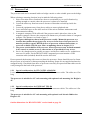
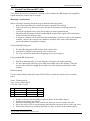
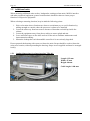
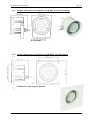
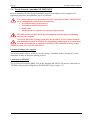
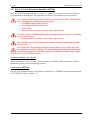
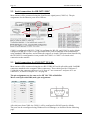
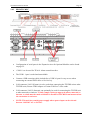
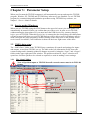
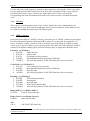
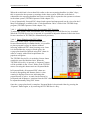
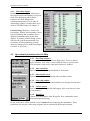
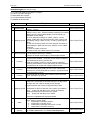
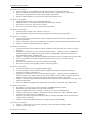
Most sensors will be connected using the 5pin Phoenix signal ports (COM 3-6). The pin
assignments for the Phoenix ports are as follows:
COM 5
COM 4
COM 6
COM 3
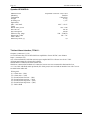
COM 1 is configured to RS-232, COM 2 is configured to RS-422, and COM 3-6 are by default
configured as RS-422. COM 3-6 are optoisolated. The ports are attached to the motherboard
using standard USB interface, and will therefore appear as virtual COM ports when identified by
the OS. RS-232 reconfiguration is not possible for COM 3-6. COM 7 is a virtual serial
connection to the monitor.
2.3 Serial connections for ENIX-2077 TEL-D1
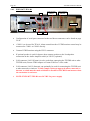
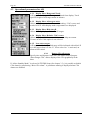
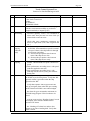
Most sensors will be connected using the two RS-232/RS-422 serial split cables with 2x4xDB9
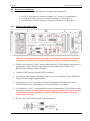
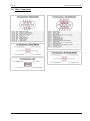
connectors attached to the computers Moxa connectors. These cables provide COM ports 512(labeled on the connector cables as 1 to 8). Ports 4-7 use connector 1 and ports 8-11 use
connector 2, as shown in chapter 2.6.3 on page 60.
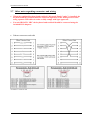
The pin assignments are the same as for HT C01 TEL-A596/D596:
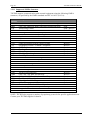
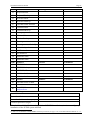
Moxa serial split cable DB9 (male) pin assignments:
Pin No.
RS-422
RS-232
1
TxD-(A)
DCD
2
TxD+(B)
RxD
3
RxD+(B)
TxD
4
RxD-(A)
DTR
5
GND
GND
6
DSR
7
RTS
8
CTS
9
RI
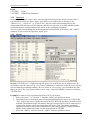
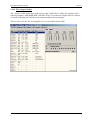
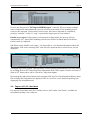
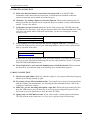
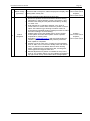
All serial ports from COM 4 to COM 11 will be configured as RS-422 ports by default.
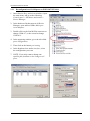
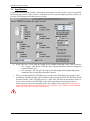
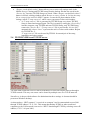
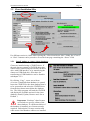
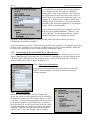
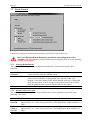
The ports can be reconfigured using Windows Device Manager, as described on the following
page.