1
Page 94
TECDIS Installation Manual
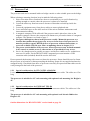
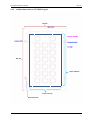
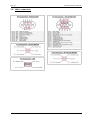
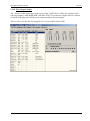
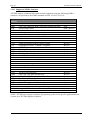
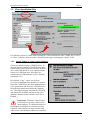
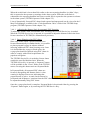
Check visibility of each color in the diagrams (A-E). If the monitor fails the test, it no longer
meets the minimum requirements for display performance. It should be evaluated by a qualified
engineer and be repaired or replaced as necessary.
This test must be performed with all color palettes on the system (day/dusk/night).
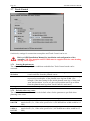
NB. If monitor settings has been changed manually in the monitor menu, or to make sure correct
settings are used, go to ”setup” menu folder, press ”Auxiliary” and select ”recalibrate screen”
5.3 Internet/VSAT connection troubleshooting
For all problems with downloading weather data or chart updates, regardless of connection type
used, your TECDIS supplier and/or Jeppesen Marine will be able to provide very useful
assistance in tracking down the cause of weather download problems. Logs kept by Jeppesen
Marine will show whether your weather download attempts reach the weather data servers and
whether the requests are successful. They will also be able to verify that there are no problems
with your subscriptions.
In order for Jeppesen Marine or your chart system supplier to help you, they will need your
System ID number.
Before contacting anyone, at least some of the tests here should be attempted. Tests applicable to
only weather overlay features are marked (Weather). Tests applicable to only chart updates are
marked (Updates).
GENERAL TESTS
A. Check your subscription. Make sure that your subscription has not expired.
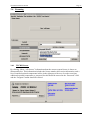
Weather Overlay: Expiry information can be seen by opening the weather overlay,
pressing ‘Data’, ‘Download New’ and then ‘Show Subscription’.
B. (Weather) Update your subscription. Jeppesen Marine may make changes to the
weather service that are not automatically reflected by in your subscription.
C. Try another connection method. If you use an internet connection, try downloading by
email. If you use email already, try using another email account/system. If this is
successful, you have verified that the problem is with your connection, not your chart
system or a problem with the update / weather service.
D. (Weather) Try a smaller download size. The problem may be connected to
downloading large files, especially if the connection is “noisy” and/or error prone.
E. (Weather) Try another model. The problem may be connected to downloading a
specific forecast method. If a download of similar size using a different model is
successful, the list of potential causes for the problem is significantly reduced.
F. Try updating the chart software. Telko AS provides software updates containing both
bug fixes and new features free of charges at our website http://www.telko.no. Your
problem may be due to a bug in the software that we have fixed in an update.