1
TeleTrader Software GmbH
Marc-Aurel-Straße 10-12, 1010 Vienna, Austria
E-Mail [email protected]
Internet http://professional.teletrader.com
▫
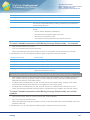
You can restrict the use of the study to certain Professional users and additionally set a time limit. The chosen
user can use the study for the time that you specify during export, but cannot see its source code.
▫
You can protect it with a password. Everyone who does not know the password can still use the study in a chart
or price page and change its parameter values or appearance, but will be prompted to enter the password if he
tries to access the source code.
You can also send a study per e-mail to other Professional users from within the program. When sending e-mails
from within Professional, you have to use your default e-mail client. To activate the default e-mail client in
Professional, use the menu command File > Send E-mail > Use Default E-Mail Client. For details on sending emails with Professional, see Sending Workspaces, Virtual Pages or Documents via E-Mail on page 169.
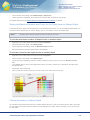
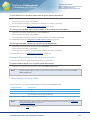
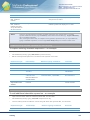
To export a study
▪
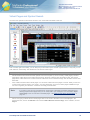
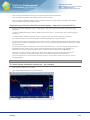
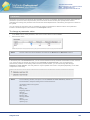
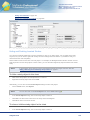
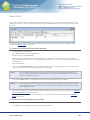
On the Tools menu, click on Study Editor.
▪
In the study list on the left side, click on the study that you want to export.
▪
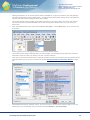
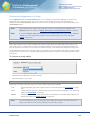
On the File menu of the Study Editor, click Export.
▪
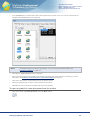
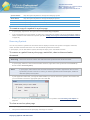
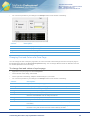
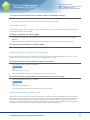
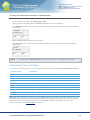
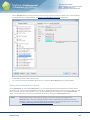
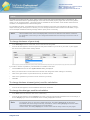
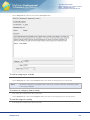
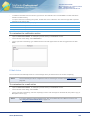
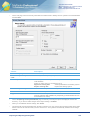
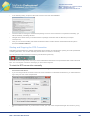
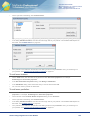
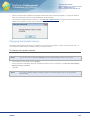
In the Export Study dialog, click Browse to choose the destination folder for your study.
▪
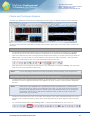
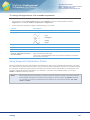
If you want to restrict the use of the study to a certain Professional user for a chosen time period, select Time
limit. Enter the MDS user name (this is identical to the Professional user name) that is allowed to use the study,
and the Time limit in days that the user is allowed to do so.
▪
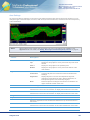
If you want to protect your study with a password instead, select Password protection and enter the password
twice.
▪
Click OK to export the study.
Analysis Tools
319