1
TeleTrader Software GmbH
Marc-Aurel-Straße 10-12, 1010 Vienna, Austria
E-Mail [email protected]
Internet http://professional.teletrader.com
-
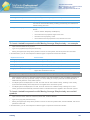
on Windows Vista / Windows 7: C:\Users\[user]\AppData\Roaming\Professional
▫
Default workspaces
▫
Registry keys in:
-
HKEY_CURRENT_USER\Software\Teletrader\Professional
-
HKEY_LOCAL_MACHINE\Software\Teletrader\Professional
Backed-up user-specific data
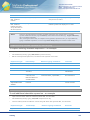
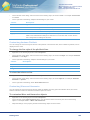
If you have activated the option Save user specific application data, the following data is saved and restored
automatically after reinstallation:
▫
Changed templates
▫
Changed studies
▫
Default workspaces
▫
Some settings and registry entries, for example chart settings, colors, FastLook, symbol search, HTTP trading
integration
System Requirements
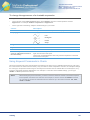
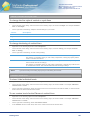
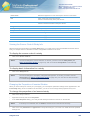
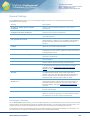
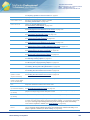
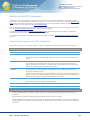
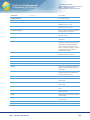
Computer
Hardware
PC with 1,66 GHz or higher
Operating System
Windows 8, Windows 7 (recommended), Windows Vista, Windows XP
All operating systems need Microsoft .NET Framework 4.0, the most recent service
packs and the component MSXML 6.0. Some functionalities of TeleTrader Professional
need components from Microsoft Internet Explorer 7 (or higher).
RAM
1 GB
We recommend at least 2 GB for large time series or a high number of charts and time
and sales documents.
Free Disk Space
ca. 85 MB of free hard drive space for a complete installation
Internet Connection
Persistent Internet connection with a recommended bandwidth of at least 64 kbps
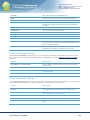
Firewalls
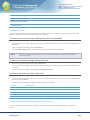
Ports 2088 and 80 need to be open for TCP/IP traffic to the market data server (allowing HTTP traffic is not sufficient)
▫
Some functions (automatic updates, fundamental data) require a HTTP connection
▫
Personal firewalls have to be set up to allow traffic for TeleTrader Professional. You can either enable all
outgoing traffic from TeleTrader Professional, or enable outgoing TCP traffic on port 2088 and HTTP traffic on
port 80
▫
SOCKS proxies are supported
Antivirus software
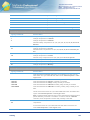
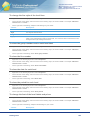
For better performance, we recommend configuring your antivirus software so that it does not scan the TeleTrader
Professional folders. The Professional folders are usually located at the following paths:
▫
Program data: C:\Program Files\Teletrader\Professional
▫
Personal settings:
-
Windows XP: C:\Documents and Settings\[user]\Application Data\Professional
Troubleshooting
451