1
SECURE DESKTOP 6 OPERATIONAL MANUAL
In Windows NT 4, 2000, 2003, and XP:
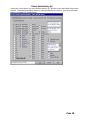
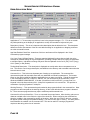
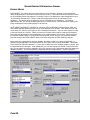
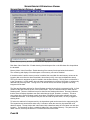
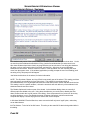
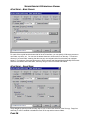
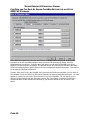
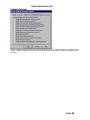
Disable Sft-Alt-Tab Check Box - The Sft-Alt-Tab key sequence provides a form of quick task switching in
NT4/2000/2003/XP. This can be disabled by checking this box.
Disable Sft-Alt-Esc, Ctrl-Alt-Esc, and Sft-Ctrl-Alt-Esc Check Boxes. These key sequences are another
form of quick task switching in NT4/2000/2003/XP. They can be disabled by checking these boxes.
In Windows NT 4, 2000, 2003, and XP:
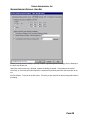
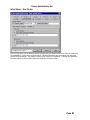
Disable Sft-Ctrl-Esc Check Box - The Sft-Ctrl-Esc key sequence brings up the new Task Manager. This
can be disabled by checking this box. This key sequence can also be disabled in Windows
2000/2003/XP using the OS Policy dialog.
In Windows NT 4 Service Pack 3 or later, Windows 2000, Windows 2003, or Windows XP:
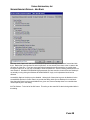
Disable Ctrl-F1 Check Box - Internet Explorer brings up the help with Ctrl-F1.
Disable Sft-F1 Check Box - Internet Explorer brings up the help with Sft-F1.
Disable Sft-Ctrl-F1 Check Box - Internet Explorer brings up the help with Sft-Ctrl-F1.
Disable Ctrl-Alt-F1 Check Box - Internet Explorer brings up the help with Ctrl-Alt-F1.
Disable Sft-Ctrl-Alt-F1 Check Box - Internet Explorer bring up the help with Sft-Ctrl-Alt-F1.
Disable Ctrl-Sft-. Check Box - Some multi-media programs will quit with this keystroke. This is the period,
not the numeric keypad decimal.
Disable Sft-Esc Check Box - Some multi-media programs will quit with this keystroke.
Disable Ctrl-Sft-Q Check Box - Some multi-media programs will quit with this keystroke.
Disable Ctrl-Break Check Box - Some programs may stop executing a script with this keystroke.
Disable Applications Check Box - The key with the menu and arrow on it, called the application key,
simulates a right mouse button click.
In Windows 98/ME/NT4/2000/2003/XP:
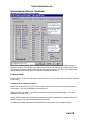
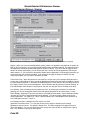
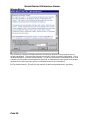
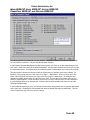
Disable Ctrl-F4 Check Box. This is used in some software packages to shut-down an application.
Disable Esc-F1 Check Box. This combination causes problems with some help files.
Disable Esc Check Box. The Esc key can halt macros running in Microsoft Office products and other
programs.
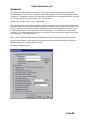
Disable Ctrl-A through Ctrl-Z Check Boxes. Control A-Z hotkeys are used by many applications as a
shortcut for menu items. They can be disabled by checking these boxes.
Disable Alt-Lt Arrow or Alt-Rt Arrow Check Boxes. These are used by web browser software to act as the
Back and Forward buttons. They can be disabled by checking these boxes.
Disable Up Arrow or Dn Arrow Check Boxes.
Disable Alt-F4, Sft-Alt-F4, Alt-Spc, or Sft-Alt-Spc Check Boxes. Alt-F4 or Sft-Alt-F4 closes a window and
Alt-Space or Sft-Alt-Space pulls up the system menu. They can be disabled by checking these boxes.
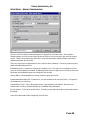
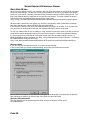
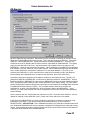
Menu Keys - The alt key by itself or the F10 key by itself will set the focus for the menu bar. Checking
this will disable this functionality.
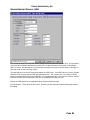
F1 - F12 Checkboxes - Some programs may use F1-F12 for hidden features, such as displaying a toolbar
or some other feature that may compromise security. Checking one of these will disable that function key
system-wide. It will not disable combinations used with the function keys, such as Control-F5. F1 is
primarily used for help, and may or may not respond to this type of disabling depending on your OS
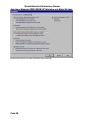
version. This will work reliably in Windows NT 4 Service Pack 3 or later, Windows 2000, Windows 2003,
and Windows XP. You may want to try to disable the help system if using a different OS (see below).
PAGE 24