1
Amadeus 5
User Manual
Publication No. 10UE600 V2.3
© DDS 2012
About this User Manual:
This User Manual describes the general functioning of Amadeus 5 software, how to install it
and how to define all the functions. It is available in your Amadeus 5 installation CD and on the
software Help, accessible directly from the application.
Amadeus 5 User Manual v2.3
Table of Contents
1
Application Overview .................................................................................................. 1
1.1
Using the System Documentation....................................................................... 3
1.2
Links to all Application Screens .......................................................................... 3
1.3
Copyright and Trademarks ................................................................................ 4
1.4
Application Basic Functions ................................................................................ 5
1.4.1
Access Control .............................................................................................. 5
1.4.2
Alarm Control ............................................................................................... 5
1.4.3
Basic Time and Attendance ............................................................................ 6
1.4.4
Report Wizard ............................................................................................... 6
1.5
Optional Modules .............................................................................................. 6
1.5.1
1.5.1.1
Graphics ............................................................................................... 6
1.5.1.2
Alarm Management ............................................................................... 7
1.5.2
Workstations ................................................................................................ 8
1.5.3
Guard Tours ................................................................................................. 8
1.5.4
Parking ......................................................................................................... 8
1.5.5
Lift ............................................................................................................... 8
1.5.6
Video (CCTV) ................................................................................................ 8
1.5.7
Badge Printing .............................................................................................. 8
1.5.8
License Plate Recognition (LPR) ..................................................................... 9
1.5.9
Multi Company (Multi Tenant) ........................................................................ 9
1.5.10
Multi-site .................................................................................................. 9
1.5.11
Advanced T&A (T+) .................................................................................. 9
1.5.12
SQL .......................................................................................................... 9
1.5.13
OPC and Modbus TCP .............................................................................. 10
1.6
Basic Concepts................................................................................................ 10
1.6.1
Weekly and Daily Programmes, Time Zones.................................................. 10
1.6.2
Cardholders ................................................................................................ 12
1.6.3
Badges ....................................................................................................... 12
1.6.4
Card Technologies and Formats ................................................................... 13
1.6.5
Controllers .................................................................................................. 13
1.6.6
Alarm Input Basics ...................................................................................... 14
1.6.6.1
Alarm Inputs....................................................................................... 15
1.6.6.2
Alarm Zones (or Input Groups) ............................................................ 16
1.6.7
Output Basics ............................................................................................. 17
1.6.8
Actions, Processes & Reflexes – Basics ......................................................... 17
1.6.9
Counters .................................................................................................... 18
1.7
2
Event Handling – Graphics and Alarm Monitoring ............................................ 6
The Big Picture ............................................................................................... 19
Quick Guide ............................................................................................................. 21
2.1
Setting up the Application ................................................................................ 21
v
Amadeus 5 User Manual v2.3
2.1.1
Installation Types........................................................................................ 21
2.1.2
Configuration .............................................................................................. 21
2.1.3
Software Requirements ............................................................................... 22
2.2
Getting Started ............................................................................................... 24
2.2.1
Demonstration Version ................................................................................ 24
2.2.2
Installation of the Application (New or update) ............................................. 24
2.2.3
Running the Application............................................................................... 27
2.2.4
Setting Rules for Passwords ......................................................................... 27
2.2.5
Application Information ............................................................................... 28
2.2.6
Force Local and Remote Restart/Shutdown ................................................... 29
2.2.7
Update an Application version ...................................................................... 29
2.2.8
Using the Automatic Update Facility ............................................................. 29
2.2.9
Installing the Graphics+ Module................................................................... 29
2.3
Application User Interface ............................................................................... 31
2.3.1
2.3.1.1
Application Icon (A i) ........................................................................... 31
2.3.1.2
Application Version (A ii) ..................................................................... 32
2.3.2
Menu Ribbon (B) ......................................................................................... 32
2.3.3
Toolbar (C) ................................................................................................. 32
2.3.4
Log Window (D).......................................................................................... 33
2.3.4.1
Default Log Window ............................................................................ 34
2.3.4.2
Scroll On/Off....................................................................................... 34
2.3.4.3
Split Log Option .................................................................................. 34
2.3.4.4
Rich Log Option .................................................................................. 35
2.3.5
Data Toolbar (E i) ............................................................................... 36
2.3.5.2
Tabs (E ii) .......................................................................................... 37
2.3.5.3
Navigation Pane (E iii) ......................................................................... 37
2.3.5.4
Data Pane (E iv) ................................................................................. 37
Accessing Help from the Application ................................................................. 37
Parameter Tab ......................................................................................................... 39
3.1
Computer ....................................................................................................... 40
3.2
Controller Network .......................................................................................... 41
3.2.1
Controller Network/Definition ....................................................................... 41
3.2.1.1
Encryption Key and Communication Parameters .................................... 42
3.2.1.2
Network/Definition - Local Comms Port ................................................ 44
3.2.1.3
Network/Definition - TCP Comms Port .................................................. 45
3.2.1.4
Network/Definition – Modem Comms Port ............................................ 46
3.2.1.5
Updating Remote (Dial-up) Controllers via the Modem .......................... 47
3.2.2
3.3
vi
Data Screen (E) .......................................................................................... 36
2.3.5.1
2.4
3
Application Bar (A) ...................................................................................... 31
Controller Bus 2 - Optional .......................................................................... 47
Controller ....................................................................................................... 50
3.3.1
Controller/General ....................................................................................... 51
3.3.2
Readers ...................................................................................................... 52
Table of Contents
3.3.2.1
Readers/General ................................................................................. 54
3.3.2.2
Readers Door Control Tab ................................................................... 55
3.3.2.3
Readers Access Mode Tab ................................................................... 58
3.3.2.4
Readers Miscellaneous/Badge Format Tab ............................................ 62
3.3.2.5
Readers Fingerprint Tab ...................................................................... 66
3.3.2.6
Anti-Passback Levels ........................................................................... 69
3.3.2.7
Convention for Reader Transaction Codes ............................................ 69
3.3.2.8
Additional Information on Magnetic or Barcode Badges ......................... 70
3.3.3
Controller/Input .......................................................................................... 70
3.3.3.1
Controller/Input General ...................................................................... 71
3.3.3.2
Controller/Input/Alarm Status Tab ....................................................... 73
3.3.4
Working with Alarms / Inputs ...................................................................... 73
3.3.4.1
Arm or Disarm an Input ....................................................................... 74
3.3.4.2
Arming or Disarming Inputs Manually: .................................................. 74
3.3.4.3
Reader Alarm Zone ............................................................................. 75
3.3.4.4
Arming/Disarming Alarm Zones from a Keypad Reader .......................... 76
3.3.4.5
Door Alarm Buzzer .............................................................................. 76
3.3.4.6
Bypass Relay ...................................................................................... 77
3.3.4.7
Rules for Alarm Status ......................................................................... 77
3.3.5
Controller/Output ........................................................................................ 77
3.3.5.1
Controller/Output General ................................................................... 79
3.3.5.2
Controller/Outputs/Icons Tab............................................................... 80
3.3.6
Controller/Local Reflexes ............................................................................. 80
3.3.6.1
Controller/Local Reflexes General ......................................................... 81
3.4
Daily Programme ............................................................................................ 83
3.5
Weekly Programme ......................................................................................... 84
3.6
Holiday ........................................................................................................... 85
3.6.1
Setting Dates using the Calendar ................................................................. 86
3.6.2
Special Days ............................................................................................... 86
3.6.3
Deactivating Holiday Settings ....................................................................... 87
3.7
Access Group .................................................................................................. 87
3.8
Department .................................................................................................... 91
3.9
Area ............................................................................................................... 92
3.10
Badge ............................................................................................................ 92
3.10.1
Get From Card ........................................................................................ 94
3.10.2
Using the Badge Search .......................................................................... 95
3.10.3
Advanced Settings - Bio Template Id ........................................................ 96
3.11
Cardholder ..................................................................................................... 97
3.11.1
Cardholder/General ................................................................................. 97
3.11.1.1
Choose a Card Screen ................................................................... 102
3.11.1.2
<Multiple> Access Groups ............................................................. 103
3.11.2
Cardholders/Personal Tab ...................................................................... 104
3.11.3
Cardholders/Location Tab ...................................................................... 106
vii
Amadeus 5 User Manual v2.3
3.11.4
Cardholders/Customized Tab ................................................................. 107
3.11.5
Cardholders/Exceptions Tab .................................................................. 108
3.11.5.1
Add Exceptions Screen .................................................................. 108
3.11.6
Cardholders/Schedule AG Tab ................................................................ 109
3.11.7
Cardholders/Visitor Tab ......................................................................... 111
3.11.8
Cardholders/Vacations Tab .................................................................... 112
3.11.9
Cardholders/Attached Documents .......................................................... 113
3.11.10
Customizing the Cardholder Screen ........................................................ 114
3.12
Visitor .......................................................................................................... 117
3.12.1
Cardholders/Visitor/Visitor Tab ............................................................... 119
3.13
Company ...................................................................................................... 119
3.14
Authorization Levels ...................................................................................... 119
3.15
User ............................................................................................................. 122
3.15.1
3.16
4
User/Access Groups .............................................................................. 123
Customized Labels and Customized Fields ...................................................... 124
3.16.1
Customized Labels ................................................................................ 125
3.16.2
Customized Fields ................................................................................. 126
Event Handling Tab ................................................................................................ 129
4.1
Icon ............................................................................................................. 129
4.2
Map ............................................................................................................. 130
4.2.1
Map/Icon Tab ........................................................................................... 131
4.3
Position ........................................................................................................ 132
4.4
Active Alarms ................................................................................................ 134
4.4.1
Active Alarms/Map Tab .............................................................................. 138
4.4.2
Active Alarms/Input Status Tab .................................................................. 138
4.4.3
Active Alarms/Output Status Tab ............................................................... 139
4.5
Input Group .................................................................................................. 140
4.5.1
Input Group - General ............................................................................... 141
4.5.2
Input Group – Inputs Tab .......................................................................... 141
4.5.2.1
Arm/Disarm Alarm Zone from Keypad (locally) .................................... 142
4.6
Output Group ............................................................................................... 143
4.7
Event Handling Programme ........................................................................... 143
4.7.1
Event Handling Programme/Alarms ............................................................ 144
4.7.2
Event Handling Programme – Alarm Properties Window .............................. 145
4.7.3
Event Handling Programme/Global Reflexes Tab ......................................... 147
4.8
Action .......................................................................................................... 148
4.9
Process ........................................................................................................ 149
4.10
Global Reflex ................................................................................................ 150
4.10.1
4.10.1.1
Network Reflexes .......................................................................... 152
4.10.1.2
Restrictions on Network Reflexes ................................................... 152
4.10.2
viii
Global Reflex/General Tab ..................................................................... 150
Global Reflex/Properties Tab .................................................................. 152
Table of Contents
4.10.3
4.11
List of Event Types with Parameters....................................................... 153
Counter ........................................................................................................ 155
4.11.1
5
Setting up a Counter ............................................................................. 156
Modules Tab .......................................................................................................... 157
5.1
Parking Module ............................................................................................. 157
5.1.1
Parking Lot ............................................................................................... 158
5.1.2
Parking Lot Presence List Tab .................................................................... 158
5.1.3
Parking Users Group ................................................................................. 159
5.1.4
Parking Users Group Presence List Tab ....................................................... 159
5.1.5
Parking Zone/General ................................................................................ 160
5.1.5.1
Parking Zone Access Tab ................................................................... 161
5.1.5.2
Parking Zone Presence Update Tab .................................................... 162
5.1.6
Reset Parking Zones Screen Command ....................................................... 163
5.1.7
Resetting Parking Zones using Global Reflexes ............................................ 163
5.1.8
Reset Parking Zones Using Processes ......................................................... 164
5.2
Lift Module ................................................................................................... 164
5.2.1
Lift Programme ......................................................................................... 165
5.2.1.1
5.2.2
Lift Authorization Groups ........................................................................... 166
5.2.2.1
5.3
Lift Programme Cardholders Tab ........................................................ 166
Lift Authorization Groups/Cardholders Tab .......................................... 167
Time and Attendance Modules ....................................................................... 168
5.3.1
Time Attendance Screen – ‘Standard T&A’ Module ...................................... 168
5.3.2
T&A Screens - ‘T+’ Module ........................................................................ 169
5.3.2.1
5.3.3
Time and Attendance Query .............................................................. 169
T&A Transaction Wizard ............................................................................ 171
5.3.3.1
Transaction Categories ...................................................................... 172
5.3.3.2
Transactions ..................................................................................... 173
5.3.3.3
Controller/Reader General Tab Screen (T & A Setup Parameters) ......... 174
5.3.3.4
Readers Miscellaneous (Transaction Code Parameters) ........................ 174
5.3.3.5
Department ...................................................................................... 174
5.3.3.6
Cardholder General Tab Screen.......................................................... 174
5.3.4
T&A Daily Shift ......................................................................................... 175
5.3.5
T&A Personal Contract .............................................................................. 176
5.3.6
T&A Vacations .......................................................................................... 177
5.3.7
‘T+’ - Summary......................................................................................... 177
5.3.8
T&A File Export Facility .............................................................................. 177
5.4
Guard Patrol Module ..................................................................................... 178
5.4.1
Guard ....................................................................................................... 178
5.4.2
Checkpoint ............................................................................................... 179
5.4.3
Guard (Patrol) Tour Programme – General ................................................. 180
5.4.3.1
5.4.4
Guard (Patrol) Tour CheckPoints Tab ................................................. 181
Guard (Patrol) Tour Status ........................................................................ 182
ix
Amadeus 5 User Manual v2.3
5.4.5
5.5
Video Module ................................................................................................ 183
5.5.1
DVR ......................................................................................................... 184
5.5.2
Camera .................................................................................................... 185
5.6
Badge Printing Module .................................................................................. 186
5.6.1
Badge Printing Preview Screen................................................................... 186
5.6.2
Badge Printing Design Screen .................................................................... 187
5.7
Graphics + Module ........................................................................................ 188
5.7.1
Using the Graphics + Module ..................................................................... 189
5.7.2
Symbol Builder Screen ............................................................................... 189
5.7.3
Position Screen (G+) ................................................................................. 192
5.7.4
Active Alarms Screen (G+) ........................................................................ 194
5.8
OPC Server Module ....................................................................................... 196
5.8.1
Application – OPC Client Interface .............................................................. 196
5.8.2
OPC Module Operating mode ..................................................................... 197
5.9
6
Modbus Module ............................................................................................ 197
5.9.1
Modbus Protocol ....................................................................................... 197
5.9.2
Modbus Integration Structure .................................................................... 197
Communication Tab................................................................................................ 199
6.1
7
Diagnostic .................................................................................................... 199
6.1.1
Diagnostics – Controller Information .......................................................... 200
6.1.2
Diagnostics - BioMETRIC Reader Information .............................................. 202
6.1.3
Diagnostics – Download Menu (Controllers) ................................................ 203
6.1.4
Diagnostics – Download Menu (Biometric readers) ...................................... 203
6.1.5
Diagnostics – Communication Menu ........................................................... 203
6.1.6
Diagnostics – Hardware Menu .................................................................... 204
6.2
View Log ...................................................................................................... 205
6.3
Clear Log ...................................................................................................... 205
View Tab ............................................................................................................... 207
7.1
Display Photo................................................................................................ 207
7.1.1
7.2
8
9
Display Photo – Additional Facilities ............................................................ 208
Location Status ............................................................................................. 208
Manual Action Tab.................................................................................................. 211
8.1
Crisis Level ................................................................................................... 211
8.2
Relays Control .............................................................................................. 212
8.3
Execute Process ............................................................................................ 213
Tools Tab .............................................................................................................. 217
9.1
Report Wizard ............................................................................................... 217
9.1.1
x
Patrol Report ............................................................................................ 183
Report Wizard Step 1/4 - Report Selection .................................................. 218
9.1.1.1
Report Wizard 1/4 - Simple Reports ................................................... 220
9.1.1.2
Report Wizard 1/4 - Preview .............................................................. 221
Table of Contents
9.1.1.3
Report Wizard 1/4 – Design ............................................................... 221
9.1.2
Report Wizard Step 2/4 – Export ................................................................ 223
9.1.3
Report Wizard Step 2/4 – Data Selection .................................................... 224
9.1.3.1
Report Wizard 2/4 – Data Viewing ..................................................... 227
9.1.4
Report Wizard Step 3/4 – Data Filtering ..................................................... 228
9.1.5
Report Wizard Step 4/4 – Data Organization ............................................... 231
9.1.6
List of Available Standard Reports .............................................................. 233
9.2
Database Tools ............................................................................................. 235
9.2.1
SQL Database Support .............................................................................. 236
9.2.2
Setting up a Secondary Database ............................................................... 236
9.2.3
Create New Database ................................................................................ 236
9.2.4
Save Database .......................................................................................... 237
9.2.5
Restore Database...................................................................................... 238
9.2.6
Switch Database ....................................................................................... 239
9.3
Journal Tools ................................................................................................ 239
9.3.1
Create New Journal ................................................................................... 239
9.3.2
Save Journal ............................................................................................. 240
9.3.3
Restore Journal ......................................................................................... 242
9.4
Cardholder Tools ........................................................................................... 243
9.4.1
Create a Group of Badges.......................................................................... 243
9.4.2
Create a Group of Badges – Delete Tab ...................................................... 245
9.4.3
Cardholders Import Profile ......................................................................... 246
9.4.3.1
Cardholders Import Profile/General .................................................... 246
9.4.3.2
Cardholders Import Profile/Connection Settings .................................. 247
9.4.4
Important Cautions regarding fields used for Imports .................................. 248
9.4.5
Multiple Access Group Wizard .................................................................... 248
9.4.5.1
9.5
Multiple Access Group Wizard - Step 1 ............................................... 249
Operator Tools .............................................................................................. 249
9.5.1
Save Files ................................................................................................. 249
9.5.2
Options .................................................................................................... 250
10
9.5.2.1
Options/File Location ......................................................................... 251
9.5.2.2
Options/Language ............................................................................. 253
9.5.2.3
Options/Communication .................................................................... 255
9.5.2.4
Options/Journal/Log Screen ............................................................... 258
9.5.2.5
Options/Menu ................................................................................... 260
9.5.2.6
Options/General ................................................................................ 262
9.5.2.7
Options/Server.................................................................................. 265
9.5.2.8
Options /SQL Server / BIO ................................................................. 267
Help Tab .......................................................................................................... 269
10.1
Help Contents ............................................................................................... 269
10.2
Help Index.................................................................................................... 269
10.3
Help Search .................................................................................................. 270
10.4
Web ............................................................................................................. 270
xi
Amadeus 5 User Manual v2.3
10.5
11
About ........................................................................................................... 270
Multi-Company, Multi-Site Operation .................................................................. 273
11.1
Multi-Company Option ................................................................................... 273
11.1.1
Defining a Multi-Company Installation .................................................... 273
11.1.2
Company (Multi company option) ........................................................... 273
11.1.3
Users (Multi company Option) ................................................................ 274
11.1.4
Logging on in a Multi-Company site........................................................ 275
11.1.5
Defining shared facilities using the Multi Company option ........................ 275
11.2
Multi-Site Operation ...................................................................................... 276
11.2.1
Multi-site General Concepts ................................................................... 276
11.2.2
Multi-site Architecture ........................................................................... 277
11.2.2.1
Multi-site / Multi-polling (with DB Replication) ................................. 278
11.2.2.2
Multi-site / Multi-polling (without DB Replication) ............................ 279
11.2.2.3
Multi-site / Mono-polling ................................................................ 280
11.3
Setting up a Multi-Site System ....................................................................... 280
11.3.1
12
Site Screen ........................................................................................... 282
Time and Attendance Variations ......................................................................... 283
12.1
T&A Example ................................................................................................ 283
12.1.1
12.1.1.1
‘Standard T&A’ Option 1 - Setup .................................................... 284
12.1.1.2
‘Standard T&A’ Option 1 - Report ................................................... 284
12.1.1.3
‘Standard T&A’ Option 1 – Summary .............................................. 285
12.1.2
‘Standard T&A’ Option ........................................................................... 285
12.1.2.1
‘Standard T&A’ Option 2 - Setup .................................................... 286
12.1.2.2
Standard T&A Option 2 – Report .................................................... 286
12.1.2.3
‘Standard T&A’ Option 2 – Summary .............................................. 287
12.1.3
13
‘Standard T&A’ Option ........................................................................... 284
‘T+’ Module .......................................................................................... 288
12.1.3.1
‘T+’Module - Setup ....................................................................... 288
12.1.3.2
‘T+’ Clocking ................................................................................ 290
12.1.3.3
‘T+’ Module – Sample Report......................................................... 291
Scenarios and Examples .................................................................................... 295
13.1
Event Handling Examples .............................................................................. 295
13.1.1
Alarm Zones with Pre-Alarm Notification (‘Call to Badge’) ........................ 295
13.1.2
Counter - Concepts ............................................................................... 296
13.2
Anti-Passback – Concepts and Examples ........................................................ 297
13.2.1
Local Anti-Passback ............................................................................... 297
13.2.2
Timed Anti-Passback: ............................................................................ 298
13.2.3
Global Anti-Passback: ............................................................................ 298
13.2.3.1
13.2.4
xii
Using Global APB without fulltime communication to the PC ............ 300
Soft Anti-Passback: ............................................................................... 300
13.3
Automatic Card Inhibition if a Card not used after X Days ................................ 300
13.4
Mantraps Concept ......................................................................................... 301
13.5
Parking Module – Example ............................................................................. 302
Table of Contents
13.6
Lift Module – Concept and Example ............................................................... 303
13.6.1
Lift Module - Example............................................................................ 303
13.6.2
Lift Module Capacity – Using extension card with additional Relays .......... 305
13.7
Guard Tour – Concept and Example ............................................................... 305
13.7.1
Defining Arrival at a Check Point ............................................................ 305
13.7.2
Beginning, Ending and Restarting a Guard Tour ...................................... 306
13.8
Crisis Level – Concept and Example ............................................................... 307
13.8.1
Using the Crisis Level set in the Cardholder’s Access Group ..................... 307
13.8.2
Crisis Level Set in the Cardholder’s Personal Crisis Level .......................... 308
13.9
Importing Data from External Databases - Examples ....................................... 309
13.9.1
Excel File Example ................................................................................ 309
13.9.2
Existing Cardholders Database Update ................................................... 312
13.9.3
Updating Deleted Employees ................................................................. 312
13.9.4
Example of Importing from an External Database ................................... 312
14
Technical Information ....................................................................................... 315
14.1
Default Connections for Inputs, Relays and RTX ............................................. 315
14.2
Controller Types............................................................................................ 315
14.2.1
Controller Support for Readers, Inputs and Outputs ................................ 315
14.2.2
Controller ROM versions for different door/reader configurations ............. 316
14.2.3
Controller Memory Capacity ................................................................... 317
14.3
Types of Actions with Parameters .................................................................. 318
14.4
Customizing the Cardholder Information Displayed in the Display Photo Screen 320
14.5
Dynamic Text in Messages............................................................................. 321
14.6
Setting up Badge Formats for Wiegand Badges ............................................... 321
14.6.1
Standard 26 Bits (ID 16 bits) (Hexadecimal): .......................................... 321
14.6.2
Wiegand 44: ......................................................................................... 322
14.6.3
Decimal: ............................................................................................... 322
14.6.4
Decimal 24 bits: .................................................................................... 322
14.7
Setting up Biometric Readers ......................................................................... 322
14.8
‘Custom’ Bio Wiegand Format ........................................................................ 324
14.9
Enrolling a Cardholder using a Biometric Reader ............................................. 324
14.10
Support for Sony License Plate Recognition (LPR) ........................................... 327
15
Recommended Technical Documents ................................................................. 329
16
System .ini File ................................................................................................. 331
16.1
Introduction.................................................................................................. 331
16.2
<Application>.ini entries ............................................................................... 331
16.3
Hidden Options ............................................................................................. 348
xiii
1
APPLICATION OVERVIEW
Amadeus 5 is a sophisticated yet user-friendly security platform which transforms your facility
into a smart building. It is built around specialized modules, with each covering a specific
branch of the security such as access control, alarm management, video monitoring, parking
management, guard tours, lift control, time & attendance etc. All these modules provide
centralized security control for all types of installations irrespective of their complexity.
The modular and scalable system capacity can handle effectively unlimited numbers of all
entities in each branch of the security - cardholders, controllers, readers, supervised alarms,
outputs, video servers, operators, access groups, security levels, etc. The system can be used
by a single company, shared by several tenants located in the same building or a multibuilding complex, and offers solutions suitable even for international companies with offices
spread over the world.
The user-friendly software is easy to configure and use, with predefined parameters for fast
installation, automatic actions and reflexes as well as a personalized report wizard. Full
information on real time alarms and events is provided in an active alarm window and live
interactive graphical maps, in the event log, and on diagnostic screens.
The user screen provides all necessary information to react immediately, with full knowledge
of the facts. Security is reinforced as alarm conditions and events automatically trigger
predefined reactions: flashing icons on relevant displayed maps, message displays and
playback of verbal instructions, alarms, CCTV or any programmed relay activation, setting
alarms on/off by zone, card invalidation, etc.
Sets of Actions (‘Processes’) can be defined and invoked by the system or manually.
The system triggers processes by pre-defined events (access granted or denied, input under
alarm, scheduler, user confirmation, etc.)
A User can trigger Processes manually by opening the ‘Manual action’ screen and clicking on
an icon representing the Process. These Icons can also be placed on the system toolbar for
easy access.
Processes can:
•
•
Activate Relays, arm/disarm Alarm Zones (groups of Inputs), activate
displays, play sounds or send messages, validate/inhibit cardholders,
display/record video, print reports, etc., Automatically switch off the lights
and heating in a designated area when a particular badge is read, thus
allowing for energy savings.
Automatically arm or disarm Alarm Zones when they are unpopulated or
accessed.
10UE600_Amadeus5_User_Manual_v2.3.doc created on 1/2/2012 2:43:00 PM
1
Amadeus 5 User Manual v2.3
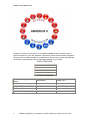
Amadeus 5 consists of a powerful core of standard capabilities and a versatile range of
optional modules for users with particular requirements. These include specific integrations
allowing users to combine Amadeus 5 comprehensive Access Control system with specialist
functionality incorporating the latest technologies available in the market.
BASIC FUNCTIONS
Access Control
Alarm Control
Basic T&A (T)
Report Wizard
OPTIONAL MODULES
Alarm Monitoring / Graphic
Display
Workstations
Guard Tours
Parking
Lift
Video
Badge Printing
License Plate Recognition
Advanced Graphics (G+)
Multi Company
Multi Site /Multi Polling
Advanced T&A (T+)
SQL
2
OPC and Modbus TCP
10UE600_Amadeus5_User_Manual_v2.3.doc created on 1/2/2012 2:43:00 PM
Application Overview
1.1
USING THE SYSTEM DOCUMENTATION
The system documentation is supplied with Amadeus 5 as a Microsoft HTML Help file,
designed to function as both the User Guide and as Online Help. It is designed to be used
on line – all topics are linked, so that the reader can start with the high-level description of a
feature, jump directly to see details of the screen or screens used for that function, and from
there, go to examples, specifications and technical details.
While Amadeus 5 is running, it is linked directly to the On-line Help sections, so from any
screen, the user simply presses F1, and the topics describing use of the current screen are
shown.
The documentation file is also available as an Acrobat® .pdf file. This is fully cross-referenced
and linked, and is designed to be accessed online, but it can be printed if required.
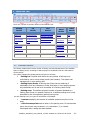
1.2
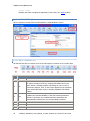
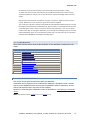
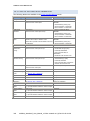
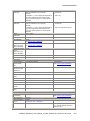
LINKS TO ALL APPLICATION SCREENS
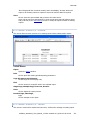
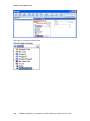
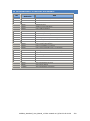
Note: If you got to this screen after pressing F1 for Help, you can navigate to the specific
HELP topic by clicking on the relevant entry in the table below.
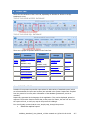
1. OVERVIEW – Describing the System
Application Overview
Basic Functions
Access Control
Alarm Control
Report Wizard
Optional Modules
EventHandling
Event_Handling_1
Graphics
Alarm Management
Workstations
Optional Modules/contd
Guard Tours
Parking
Lift
Optional Modules/contd
Optional Modules/contd
Optional Modules/contd
Video/CCTV
Badge Printing
License Plate Recognition
MultiCompany/MultiTenant
Multi-site
Advanced T & A
SQL
OPC/Modbus
2. QUICK GUIDE
Setting up the Application
Getting Started
User Interface
3 - 10. SYSTEM MENUS – All the System screens
10UE600_Amadeus5_User_Manual_v2.3.doc created on 1/2/2012 2:43:00 PM
3
Amadeus 5 User Manual v2.3
3 – PARAMETER TAB
3 – PARAMETER TAB/contd.
Computer
Networks
COM
TCP/IP
Modem
Controller
Readers
Door Control
Access Mode
Misc./Badge Format
Fingerprint
Inputs
Outputs
Local Reflexes
Daily Programmes
Weekly Programmes
Holidays
Access Groups
Cardholders
General
Personal
Location
Customized
Exceptions
Schedule Access Groups
Attached Documents
4 – EVENT HANDLING TAB
Graphics
5 – MODULES TAB
5 – MODULES TAB/contd.
6 – COMMUNICATIONS TAB
Parking Module Introduction
Parking Lot
Parking Users Group
Parking Zone
Lift Module Introduction
Lift Programme
Lift Authorization Groups
Time and Attendance Modules
T&A Standard Module
T&A T+ Module
Video
DVR
Camera
Badge Printing Module
Graphics + Module Introduction
Symbol Builder
Position (G+)
Active Alarms (G+)
GuardPatrol Module Intro.
Guard
Checkpoint
Guard Tour Programme
OPC Server Module
Modbus Module
Diagnostics
View Log
Clear Log
8 – MANUAL ACTION TAB
9 – TOOLS TAB
10 – HELP TAB
Crisis Level
Relays Control
Execute Processes
Report Wizard
Database & Journal Tools
Cardholder Tools
Multiple Access Group Wizard
File Save
Options
Icon
Map
Position
Active Alarms
Alarm Monitoring
Input Group
Output Group
Event Handling Prog.
Action
Process
Global Reflex
Counter
7 – VIEW TAB
Display Photos
Location
Content
Search
On the Web
About
11, 12. MAJOR OPTIONAL MODULES
11- Multi-site, MultiCompany
12 - Time & Attendance +
13 – 16. ADDITIONAL INFORMATION
13 – Scenarios & Examples
14 – Technical Info.
15 – System .ini File
Dec 2011
1.3
COPYRIGHT AND TRADEMARKS
•
•
•
•
4
Microsoft, Windows .NET and Visio are either registered trademarks or
trademarks of Microsoft Corporation in the United States and/or other
countries.
Intel, Pentium and Xeon are trademarks of Intel Corporation in the U.S.
and/or other countries.
Spread Toolkit is either a registered trademark or trademark of
Spread Concepts LLC in the United States and/or other countries.
NetHASP is either a registered trademark or trademark of
Aladdin Knowledge Systems Ltd. in the United States and/or other
countries.
10UE600_Amadeus5_User_Manual_v2.3.doc created on 1/2/2012 2:43:00 PM
Application Overview
1.4
APPLICATION BASIC FUNCTIONS
In this section:
•
Access Control
•
Alarm Control
•
Basic Time and Attendance
•
Report Wizard
1.4.1 ACCESS CONTROL
The system supervises the access to all or part of your facility (offices, production areas, lab,
computer room, or storage areas) by authorized persons, during user-defined time periods.
Smart multi-technology controllers, linked to advanced readers, are programmed to control
"who is going where and when".
Each Controller has its own large memory capacity so that the entire database relevant to
the access points connected to that controller is recorded locally. Controllers store the list of
cardholders authorized at its Readers and their time parameters, and also the time
parameters applicable to readers, how the doors are to be controlled, and all the access rules
to be enforced, including special rules for holidays, whether an escort is required, whether
Anti-Passback is to be applied, and so on.
Cardholders - All authorized personnel (staff, contractors and visitors) have personalized
Badges that control their access. These can include card or other ID methods (including
advanced ID systems such as biometrics).
When cardholders attempt to access a particular area by using their badge or other ID at a
reader, the information is relayed to the reader’s controller. Access checking is performed
instantly (no need for PC intervention), and access is granted or refused by applying the
parameters relevant to the cardholder and the reader at that time. The resulting transactions
are sent to the PC where they are displayed, stored in the System Log and are available for
later reporting.
Additional routine information about cardholders, such as photo, address, phone number,
car registration and so on, can be stored, and custom information may be added. All
information is available for the operator as queries, and may be included in reports.
Badges - A comprehensive range of industry-standard identification methods are supported,
including Wiegand, magnetic and barcode cards, as well as biometric identification. Provision
is made for a wide variety of formats and variations, and more than one type/format can be
supported within a single installation – this can be vital where organizations merge, or where
different organizations share facilities within one set of premises.
The system allows an inventory of unallocated badges to be maintained so that new
cardholders can be issued with identification without delay.
1.4.2 ALARM CONTROL
Alarm Management - Your organization can prevent catastrophes or limit damage by being
informed of abnormal events and reacting to them in real time. The system supervises
Alarm Inputs from sensors at predefined alarm points. Examples of sensors may be
magnetic contacts, motion detectors, door and window sensors and temperature indicators.
These are connected to Inputs on intelligent Controllers, and their status can be monitored
10UE600_Amadeus5_User_Manual_v2.3.doc created on 1/2/2012 2:43:00 PM
5
Amadeus 5 User Manual v2.3
and reported centrally. The system can be set to react to alarm inputs by opening or closing
Relays (or ‘Outputs’) that control doors, activate audible alarms, light alarm panels, or
operate air-conditioning and other equipment. Local Reflexes allow the status of an Input to
be used directly as the trigger for an Output. Thus, a ‘door open’ sensor can trigger a local
warning light or audible alarm.
Site Scheduling – The system allows definition of Time Zones which define when particular
sets of rules must be applied. Time zones are grouped into Daily and Weekly Programmes
that define when the rules must be applied for readers, alarms and cardholders.
1.4.3 BASIC TIME AND ATTENDANCE
The system provides accurate recording of either start- and end-times or a full list of all
clockings. This reduces queries and allows more efficient calculation of pay slips.
1.4.4 REPORT WIZARD
A sophisticated Report Wizard provides predefined reports on all elements of the system, and
allows the user to add or remove categories of information and filter the data to produce
more specific, customized reports where required. Reports cover all types of system
transactions, and can also list hardware information and configuration parameters.
A preview facility allows the user to see what a particular set of parameters will produce
before actually printing the report. The user can then return to the parameter screens and
make further modifications until the required report is built.
New user report definitions may be stored so that the tailored reports are ‘named’ and can be
called later and re-used without requiring re-definition.
1.5
OPTIONAL MODULES
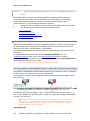
The optional modules of the system require licensing. The user can see the modules for
which the installation is licensed by checking the list of modules displayed in the
Application’s Help/About screen.
1.5.1 EVENT HANDLING – GRAPHICS AND ALARM MONITORING
The Event Handling Module provides the display, in real time, of all the events that occur in
the system. This module consists of two parts:
•
•
Graphics or Graphics+ Module
Alarm Management Module.
These are usually used together.
1.5.1.1 GRAPHICS
BASIC GRAPHICS MODULE
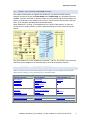
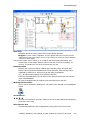
The Graphics Module provides a tailored user interface showing current alarms and the status
of all Inputs and Outputs in a rich graphic interface including maps, icons and text. The
Active Alarms screen consists of an Alarms window showing all new alarm events, and a
user-option displaying either user-defined Maps of the site showing the status of Inputs and
Outputs as Icons, or lists showing all Inputs and Outputs.
6
10UE600_Amadeus5_User_Manual_v2.3.doc created on 1/2/2012 2:43:00 PM
Application Overview
A monitoring toolbar gives the user one-click access to all the functions needed for
management of the alarms and processes. This provides a convenient single interface for
monitoring and handling all system events.
Map files can be imported to represent all or part of the installation. The system provides
predefined icons that the user can assign to represent inputs, outputs, processes and
reflexes. The predefined icons (or additional user-defined icons) can be positioned on the site
maps.
The resulting dynamic display give the user a clear, up-to-date representation of the site
either in text or graphic form, showing the status of all the components and providing
convenient one-click access to all required functions.
ADVANCED GRAPHICS (G+) MODULE
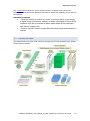
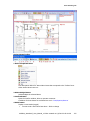
The G+ Graphics module displays components dynamically so that, for example, a
door symbol shows if the door is physically open or closed, the state of the relays controlling
it (‘always open’ or ‘always closed’), if it is in a ‘forced’ status, and whether alarms associated
with it have been acknowledged and/or confirmed.
By double-clicking on symbols, users change views, display camera streams, or trigger
actions or processes. Maps displays can be zoomed to show general or detailed views, and
specific symbols can be defined to be ‘always visible’, or to be hidden at some zoom levels.
The module provides an extensible library of predefined icons. The user has powerful editing
capability to create new icons and add them to the library.
1.5.1.2 ALARM MANAGEMENT
The Alarm Management Module gives the operator tools to automate the handling of
Alarms. An Event Handling Program provides a single interface from which all Inputs and
Outputs may be activated or deactivated.
Individual Actions may be defined, and Actions may be grouped into multi-step Processes
which can be initiated automatically or manually.
Groups of Inputs and Outputs can be defined. A group of inputs is called an Alarm Zone.
For example, an Alarm Zone might be made of ‘all the Intrusion Detectors in a department’ –
thus allowing all these detectors to be activated (‘armed’) at once when the last employee
leaves the area of the department. Similarly, Outputs can be grouped - an example might be
‘all the door relays in the building’ – which would allow all doors to be opened by a single
action in an emergency.
Reflexes may also be defined, so that Alarms on one controller can activate Processes on
the same or different controller(s). Thus an alarm condition in one location can be signalled
somewhere else, or the lighting and air conditioning in one section of the building can be
switched on or off when a particular badge is read at the main entrance or exit of the site.
Counters may also be defined so that Actions can be triggered when certain conditions have
been met, such as an area being empty, or a designated number of people arriving at a
particular area. Counters can also be configured to report on system events such as multiple
badge re-tries, or to set up thresholds for special action after conditions such as repeated
communication faults.
10UE600_Amadeus5_User_Manual_v2.3.doc created on 1/2/2012 2:43:00 PM
7
Amadeus 5 User Manual v2.3
1.5.2 WORKSTATIONS
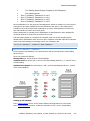
Support for workstations enables a user on any remote computer that is connected to the
main Application PC and is defined as a Workstation, to access the system. Thus, multiple
stations can be used to manage the system, input new data, etc.
Because each user may have their own specific Authorization Level, operators with specific
responsibilities can be limited in what they may access, regardless of which workstation they
use to log on – for example, a clerk may be authorized to see only the cardholder
information, a receptionist to handle visitors, temporary badge allocation and cardholder
queries, and a guard to handle only alarms.
1.5.3 GUARD TOURS
The Guard Tour facility allows various points on the premises to be defined as making up
‘Guard Tours’. These points may be simple alarm points such as pushbuttons and keyoperated switches, or specific readers where the guard must pass a badge. Parameters are
set to indicate acceptable arrival delays. Once a tour is started, the system will monitor arrival
at each successive point, report on progress, and raise an alarm if the guard does not access
a point at its scheduled time.
1.5.4 PARKING
Amadeus 5 can define, monitor and control access to designated parking areas. The software
monitors the available space of parking zones with respect to defined groups of users, and
can also maintain updated parking records.
1.5.5 LIFT
Amadeus 5 provides a solution for supervising access in lifts. Cardholders pass their badges
through a reader associated with the lift, and press the required floor button as usual. If
access is granted, the authorized buttons will be activated allowing the lift to go to the
requested floor. In the case of buildings shared by several firms, people can be limited to
only be able to select those floor(s) specifically associated with their company and specific
shared floors, such as the lobby and parking areas where applicable.
1.5.6 VIDEO (CCTV)
Using the Video module, system events (such as input alarms, cardholder access at
predetermined points, etc.) may be associated with Video systems which the user has
installed. When the system senses an event that is designated in this way, then a signal is
sent to the Video system to mark the recording stream so that the recording of the event as
being associated with the event. The signal includes parameters to define starting point and
the length of the recording to be designated. This allows relevant recordings to be retrieved
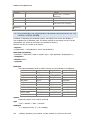
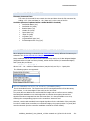
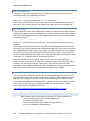
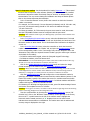
and examined together with the information about the event.
1.5.7 BADGE PRINTING
The system allows users to define multiple badge layouts and print badge information directly
from the information held regarding cardholders.
New badge layouts may be defined and stored, and then selected as appropriate for specific
cardholders.
8
10UE600_Amadeus5_User_Manual_v2.3.doc created on 1/2/2012 2:43:00 PM
Application Overview
1.5.8 LICENSE PLATE RECOGNITION (LPR)
The system supports external LPR systems, and grants access to a cardholder based on a car
registration number.
1.5.9 MULTI COMPANY (MULTI TENANT)
The Multi-Company option allows the system to differentiate between different groups of
cardholders and different parts of the installation, so that each group may only access those
parts of the installation for which they are authorized, and designated shared facilities (lobby,
parking, etc).
•
•
•
A single server controls the whole system
System operators ( as defied by their logon credentials) may only access
and modify data for their own parts of the system.
Separate user workstations and separate reporting are supported.
1.5.10 MULTI-SITE
The Multi Site module allows all the records in the database (controllers, readers,
cardholders, etc.) to be divided into different Sites. Each user of Amadeus 5 can be
authorized to view/modify one or more Sites. This module is highly useful for organizations
with several independent branches that wish to let local branches view and control only their
own sites, while still retaining the ability for overall management to be done from the site
headquarters. You can imagine an organization with 2 branches, CityA and CityB. Using the
Multi Site module they can assign each item to one of the 2 cities and then have three types
of application users: ones that can view & manage only the CityA branch, others for CityB
only, and one or more that can see and update all items of both from the same screen as if
they were both one common branch.
The Multi Site module also offers the ability to split the communication load between servers
so that each local site has its own independent server, so that (in our example) CityB site can
update controllers and receive events to/from CityB controllers even when the CityA server is
down - all that is needed is connection to the database.
(Independent DBs may be achieved using the Microsoft SQL Replication tool).
1.5.11 ADVANCED T&A (T+)
The T+ Time and Attendance module provides considerable additional detail for installations
needing to process T&A information. Time recorded for cardholders can be analysed into
work- and non-work hours. Specific transaction codes indicating start- and stop-times of
regular work or specific jobs may be associated with clockings at different readers.
Employees’ work patterns can be applied to clocking information so as to provide analysis
into short-, normal-, and overtime categories, also accumulated into regular or job-specific
totals.
Export tools facilitate transfer of the data captured by the system to external payroll
processing applications.
1.5.12 SQL
The basic system uses Microsoft Access® as the default database. For large sites, the
SQL module interfaces with external SQL-driven systems (see Supported Microsoft SQL server
licenses).
10UE600_Amadeus5_User_Manual_v2.3.doc created on 1/2/2012 2:43:00 PM
9
Amadeus 5 User Manual v2.3
1.5.13 OPC AND MODBUS TCP
The OPC and Modbus modules implement industry-standard interface specifications and
protocols, so that the system can exchange control signals and other information with other
subsystems.
1.6
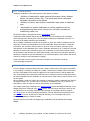
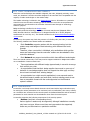
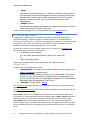
BASIC CONCEPTS
In this section:
•
•
•
•
•
•
•
•
•
Weekly and Daily Programmes, Time Zones
Cardholders
Badges
Controllers
Alarm Input Basics
Output Basics
Actions, Processes & Reflexes – Basics
Counters
The Big Picture
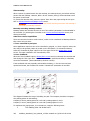
1.6.1 WEEKLY AND DAILY PROGRAMMES, TIME ZONES
Weekly Programmes (which are made up of Daily Programmes with their associated
Time Zones) are an important concept in the system. As any event occurs (e.g. a badge is
passed at a particular reader, an Input status changes, etc), the system compares the actual
time against the Daily Programme associated with that event, and acts in accordance with
the rules set for the current Time Zone in that Daily Programme
(i.e. a Reader uses Security Mode 1 or 2, an Input is regarded as armed or disarmed, etc.)
DAILY PROGRAMME (‘TIME ZONES’)
Daily Programmes allow segments of time to be defined during which a particular set of
rules may be applied. Each Daily Programme allows blocks of time in a 24-hr period to be set
to green time periods and red time periods. These are referred to as Time Zones.
By default, the system has two predefined Daily Programs:
•
•
‘Always’ which is a green period all day long
(from 00h00 to 23h59)
‘Never’ which is a red period all day long.
WEEKLY PROGRAMMES
Daily programmes for each day of the week may be grouped together to form different
Weekly Programmes. Weekly programmes also cater for additional days defined as
‘holiday’ or ‘special days’.
By default, the system has two predefined Weekly Programs:
•
•
‘WP always’ which associates each day of the week and the holidays to the
Daily Program ‘Always’
‘WP never’ which associates each day of the week and the holidays to the
Daily Program ‘Never’
HOW TIME ZONES CONTROL CARDHOLDERS, READERS, INPUTS & OUTPUTS
AND REFLEXES
10
10UE600_Amadeus5_User_Manual_v2.3.doc created on 1/2/2012 2:43:00 PM
Application Overview
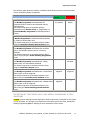
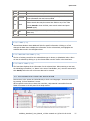
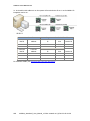
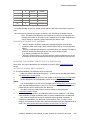
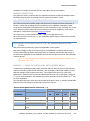
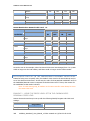
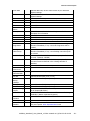
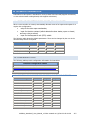
The following table shows the behavior of different items during the Green and Red periods
of their associated Weekly Programmes.
‘Green’
periods
‘Red’ periods
Cardholder Access
The Weekly Programme associated with the
Cardholder defines whether this Cardholder may be
granted access.
The Weekly Programme is associated with the
Cardholder via his Access Group or, if applicable, his
Personal Weekly Programme (Cardholder/General
screen)
Access may
be granted
Access
denied
Readers
A Weekly Programme is associated with the Reader
to define its Access Mode rules.
The Weekly Programme is associated with the Reader
using the Controller/Reader/Access Mode screen
Security Level 1
Security
Level 2
Armed
Not armed
Outputs Relays
The Weekly Programme associated with a Relay
defines when it is automatically activated.
The Weekly Programme is associated with the Relay
using the Controller/Output screen
Activated
Not
activated
Local Reflexes
The Weekly Programme associated with a Local Reflex
defines when it can be triggered.
The Weekly Programme is associated with the Local
Reflex using the Controller/Local Reflexes screen
May be
triggered
Not
Triggered
Global Reflexes
The Weekly Programme associated with a Global Reflex
defines when it can be triggered.
The Weekly Programme is associated with the Local
Reflex using the Event Handling/Global Reflexes
screen
May be
triggered
Not Triggered
Alarm zones (Input Groups) or individual Inputs
The Weekly Programme associated with the Alarm
Zone or InputReader defines when it is armed or
disarmed.
The Weekly Programme is associated with the Alarm
Zone or Input using the Event Handling Programme
screen
DEFINITION OF TIME ZONES, DAILY AND WEEKLY PROGRAMMES IS VERY
IMPORTANT
Caution Properly defining the time segments in Daily Programmes is essential for the system
to work optimally. It is strongly recommended to successively specify the Daily, Weekly and
Holiday programmes prior to defining the other parameters of the system.
10UE600_Amadeus5_User_Manual_v2.3.doc created on 1/2/2012 2:43:00 PM
11
Amadeus 5 User Manual v2.3
1.6.2 CARDHOLDERS
Managing cardholders is the main purpose of the system. It allows:
•
•
•
Definition of cardholder’s regular personal information (Name, Address,
photos, car license number, etc.). The system also allows customized
cardholder information to be defined
Definition of where, when and how cardholders may access to restricted
zone.
Authorization of specific cardholders to perform operations such as
arming/disarming alarm zones, turning on or off lights, operating air
conditioning system, etc.
All this information is programmed via the Cardholders screen.
Cardholders’ authorizations linked with access points are down-loaded to the controllers
which manage these access points. This information includes the cardholder card code, i.e.
the code of the badge issued for this cardholder.
When a badge is passed at a reader, the controller to which the reader is attached uses the
card code to search its internal tables to find the cardholder access information. Using this
information, the controller checks whether to grant or deny the request, according to the
authorisation of this cardholder (time zones, cardholder parameters, etc.). Because a full local
database is stored in the controller memory, this verification is done locally, without central
PC intervention, and therefore it is performed instantly. Once the access has been granted or
denied, the controller stores this transaction in its Last Event Buffer, which will be read by the
central PC during its next interrogation (‘polling’).
If the code read from the card is not found in its tables, the controller records an
‘unknown badge’ transaction.
1.6.3 BADGES
A card or badge is a physical device that has a unique code by which the system can identify
it (by ‘reading’ or ‘passing’ the badge at a ‘reader’). Generally, this badge code is unknown to
the user. Each badge’s code must be registered in the system memory, and the badge can
then be associated with a particular cardholder by an enrolment process. During this process,
the system attributes to the cardholder an internal system ‘Card number’ that is used as an Id
for the system.
When a badge is read at a reader, the controller to which the reader is attached first checks if
the badge is known (i.e. its card code is recorded in its database) and if so, to whom it is
associated, in order to check the access authorization of the cardholder.
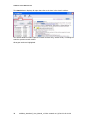
The reading technology is defined in the Reader/General screen and Badge technology of the
badges themselves is defined in the Badge screen. The technology must be the same as the
one selected on the controller electronic board through its technology selection jumpers.
The Badge screen is used for defining new badges. This can also be accessed directly from
the Cardholder screen. Details can be entered manually, or a new badge code can be
captured by swiping the card at a reader.
Where a site uses more than one badge type, cardholders may be defined with multiple
badges.
12
10UE600_Amadeus5_User_Manual_v2.3.doc created on 1/2/2012 2:43:00 PM
Application Overview
1.6.4 CARD TECHNOLOGIES AND FORMATS
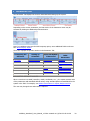
Numerous card technologies are available: Magnetic, bar code, Wiegand, proximity, smart
cards, etc. Amadeus 5 and the controllers designed to be used with it are compatible with the
majority of reader technologies on the market today.
The Reader technology is defined in the Reader/General screen. All readers on a particular
controller must use the same technology, and the definition set in the screen parameters
must match the one selected on the controller electronic board through its ‘technology
selection’ jumpers.
Badge technology is defined in the Badge screen.
Within each particular technology, a number of formats may be used (Magnetic ISO1 or
ISO2, Barcode Code39 or Interleaved2-of-5, Wiegand Decimal 26 or 32 bits, Wiegand
Hexadecimal 32 or 44 bits, etc.). This format is defined in the Reader/Miscellaneous/Badge
format screen.
Furthermore, the system may check the presence of a facility code (site code) in each card.
The following variations are allowed within an installation:
•
•
Each Controller supports readers with the same technology but the
readers may read badges of that technology with different card code
formats.
Therefore, when a controller is initialised, only cardholders which get the
same card technology than the controller’ readers are donwloaded in this
controller database.
Each Network may support controllers which have different technologies.
There are several reasons why a user may need to support variations in badges and readers
on an installation. Common reasons are:
•
•
•
Two organizations with different badge types already in use wish to merge
their security on a site.
An organization finds that their badge supplier has moved or gone out of
business. A new badge supplier does not support the older type, and they
do not want to discard their existing badges
An organization has a high-security application in one area and want to
introduce biometric readers and new cards, but their existing cards do not
have a compatible format with the cards supported on the Biometric
system’s readers.
1.6.5 CONTROLLERS
A controller is a microprocessor-based electronic circuit board with a large onboard memory
for storing the various parameters to be monitored, such as cardholders, time zones, reflexes,
etc. Controllers are connected to the central system via dedicated Networks and the onboard
parameters for each controller are downloaded to them from the central system.
A controller supervises the following components of the security system:
•
Readers (and their corresponding doors)
Various types of readers may be supported, although installations normally
only have one type. Where more than one type needs to be supported,
these may not be mixed on a particular controller.
10UE600_Amadeus5_User_Manual_v2.3.doc created on 1/2/2012 2:43:00 PM
13
Amadeus 5 User Manual v2.3
•
•
Inputs
Controllers have banks of inputs, i.e. electrical connection points that may
be connected to external sensors/detectors to sense external events (Door
contacts, Door remote control (called ‘Request-to-Exit’ or ‘RTX’), Motion
detectors, Passive infra-red, etc). These are usually used for alarm
management.
Outputs (Relays)
Controllers have multiple Outputs that can activate external devices. (doors
locks, audible signals, indicator lights, etc.)
Readers, Inputs and Outputs are user programmable from the Controller screen.
1.6.6 ALARM INPUT BASICS
A Digital Input or Alarm Input is a controller input point to which a sensor/detector is
connected (examples - magnetic contacts, movement detectors, door contact device to
reflect the door position, etc…). In general, controllers have by default 4 or 8 inputs and may
be extended to 16 or more. The two input status open or closed correspond to the two
possible physical status of such sensor/detector: open or closed.
For details of the number of inputs available on different types of Controller, see Controller Types
When armed, inputs may raise an alarm either:
•
•
immediately when activated
(i.e. when their status changes from ‘alarm-off’ to ‘alarm-on’)
or
after a pre-defined delay.
Inputs can be grouped together into ‘Inputs Groups’ also called ‘Alarm Zones’.
ARMING INPUTS
An input is armed or disarmed in two ways:
•
•
automatically, if the Input (or the Alarm Zone to which it belongs) has a
Weekly Programme associated with it.
Weekly Programmes divide time into green and red periods. The Input is
‘armed’ (i.e. may raise an alarm) only during times corresponding to the
green periods (Time Zone 1) of this Weekly Programme. It is automatically
disarmed during the red periods (Time Zone 2).
manually, through specific Actions.
The Controller/Input screen allows defines of the Input’s parameters (Type, normal status,
alarm delay, etc..)
The Event handling programme screen allows Weekly Programmes to be associated with the
Inputs or the Input Groups.
Door control: When a door contact device is connected to an Input that is defined as a
‘door alarm’, this input manages the door’s two possible states: open or closed. An alarm is
activated if a door is forced or left open beyond the specified ‘door alarm delay’ period
Exit request: When an RTX button (‘Request-to-Exit’) is connected to an Input that is
defined as ‘door remote’, this Input may control the door: pressing this RTX button activates
the corresponding door relay. Depending on the parameters, this action may or not raise an
alarm.
14
10UE600_Amadeus5_User_Manual_v2.3.doc created on 1/2/2012 2:43:00 PM
Application Overview
(See Default Connections for Inputs, Relays and RTX)
ALARM MONITORING
The status of the Inputs is shown in the Active Alarms screen (or the advanced Active Alarms
screen if the G+ Graphics module is used). This is accessible from the Main menu tool bar.
(For detail, see Alarm Inputs and Alarm Zones below)
1.6.6.1 ALARM INPUTS
An alarm input is a physical controller input to which any sensor/detector (fire, intrusion
etc..) may be connected.
There are 2 kinds of inputs:
•
•
2-state input allows detection of 2 states of a detector: open or closed
4-state or ‘supervised’ input allows detection of 2 states of a detector
as well as the 2 alarm states of the electrical line which connects the
detector to the controller: shorted or cut
INPUT PARAMETERS
Each input may have the following different parameters:
Weekly Programme
When a Weekly Programme is associated with an Input, the Input is automatically
armed during the ‘green’ periods of this Weekly programme and disarmed during the
‘red’ periods.
A Weekly Program is associated with an Input as follows:
Either:
By associating the Input to an Alarm Zone (or Input Group)
•
(in the Event Handling/Input Group screen)
and then associating a Weekly Program to the Alarm Zone
(in the Event Handling Programme screen with the option ‘view group of inputs’
selected).
Or:
Through the Event Handling Programme screen, with the option ‘View inputs’
•
selected.
(When a Weekly Program is associated, a green ‘√’ is shown near the ‘included’
indication.)
If the Input is part of an Alarm Zone, it is recommended not to associate a
Weekly Programme to the individual Input (i.e. when ‘View Inputs’ is selected,
leave the red ‘X’ to the left of the Input on the screen where ‘View inputs’ is
selected).
Input delay type
The following types of delay may be defined for an Input:
No delay: An alarm is raised as soon as the input is activated
•
After… (if on alarm): Specify the number of seconds beyond which an alarm
•
is raised if the input is still activated after this delay
After… (even if no more on alarm): Specify the number of seconds beyond
•
which an alarm is raised, even if the input is no more activated after this delay.
Input Normal Status:
The sensor/detector connected to the input has 2 physical states: open or closed.
The Input Normal Status defines which one of these 2 states is the ‘Normal’ state, i.e.
10UE600_Amadeus5_User_Manual_v2.3.doc created on 1/2/2012 2:43:00 PM
15
Amadeus 5 User Manual v2.3
the no-alarm state of the sensor/detector. This state is the logical state ‘off’ of the
input.
For example, if the ‘NC’ (Normally Closed) state is chosen, the input will be under its
alarm state (or in its logical state ‘on’) when it is opened (i.e. not shorted by the
sensor/detector to the 0v).
TABLE OF THE DIFFERENT DIGITAL INPUT STATES
Physical
state
Normal
state
Logical
state
WP Activation
Open
NO
Off
Armed
Closed
NO
On
Armed
Closed
NC
Off
Disarmed
Open
NC
On
Disarmed
Alarm
state
Activated
Icons:
Input delay, type, normal status and icons are defined in the
Controller/Input/General screen
Different icons may be selected to represent the two different logical states of the
input (‘off’ or ‘on’) in a map.
Door Alarm input
Any input may be used to detect the state of a door and raise an alarm if the door is
forced or left open more than a pre-defined ‘Door alarm’ delay.
This is done by connecting a door contact to an input, and by selecting this input at
the ‘Door alarm’ field of the Reader/Door control screen.
The door alarm delay is defined in the Reader/Access Mode screen.
Note that for such a door alarm input, the input delay type of this input (defined in
Controller/Inputs/General screen) is not relevant.
Request to exit (RTX) input
A switch may be connected to any input and be used to open the door. The input
selected for this purpose must be defined in the ‘Door remote input’ field of the
Reader/Access Mode screen.
When the door is open via the RTX input, an alarm is raised if the door is left open
more than the pre-defined door alarm delay.
Note that when an Event Weekly Program is attributed to such an RTX input , the
button is active and raises an alarm during the ‘green’ periods of the Weekly
Programme but doesn’t open the door (and doesn’t raise an alarm) during the ‘red’
periods of the programme.
1.6.6.2 ALARM ZONES (OR INPUT GROUPS)
(Requires Alarm Module)
Inputs may be grouped into Zones (called ‘Alarm zones’ or ‘Input groups’) and such zones
may be armed or disarmed, either automatically by attributing a Weekly program (Zone are
armed during the green periods of this program) or manually through actions (through
the Event Handling/Action screen). When a zone is armed or disarmed, all the alarm inputs
belonging to the zone are armed or disarmed.
•
16
Alarm zones are defined through the Event Handling/Input group screen.
10UE600_Amadeus5_User_Manual_v2.3.doc created on 1/2/2012 2:43:00 PM
Application Overview
•
A Weekly Program is attributed to an Alarm zone through the
Event Handling Programme screen, with the option ‘View group of inputs’
selected.
These input attributes, i.e. the Alarm zone to which it belongs and a possible Weekly program
attributed to the zone are shown in the Controller/Inputs/Alarm Status screen of this input.
1.6.7 OUTPUT BASICS
Controller Outputs refer to the output contacts of a controller relay. In general, controllers
have 4 relays (by default – this may be extended to 16 or more). Such relays provide a ‘dry
contact’, and may be regarded as an electrical switch which can be either open or closed.
When the relay is closed, the device (door, siren, etc.) which is connected to the relay is
activated, assuming that it is powered-on.
The output state is the state of the relay, i.e. closed (or activated or ‘on’) or open (or
deactivated or ‘off’).
An Output is opened upon specific events as follows:
•
•
•
•
•
Access granted (in the case of an Output which controls a door opener)
During time period defined by a Weekly Programme associated with the
Output
According the status of the Alarm Zone (armed or disarmed) associated
with the Output.
By pre-defined automation steps (Reflexes, etc.)
By manually invoking a Process (one or more Actions).
The Controller/Output screen allows to definition of the Output’s parameters (Weekly
Programme or Input Group associated, Icons for status representation, etc..)
The Controller/Local Reflex, the Event Handling/Action and the Event handling/Global reflex
screens allow definition of automation steps to activate Outputs.
The Active Alarms screen (Active Alarms G+ if Graphics + module is used) shows the status
of the Outputs and allows them to be manually activated.
1.6.8 ACTIONS, PROCESSES & REFLEXES – BASICS
(Requires Alarm Module)
ACTIONS
An Action is a single command executable by Amadeus 5 or by a controller.
Examples of actions:
•
•
•
•
•
activate a relay,
arm or disarm an input or an alarm zone,
display a message,
print a report,
invalidate a cardholder, etc.
All Actions that are available in Amadeus 5 may be selected from the Event handling/Action
screen.
For a list of all Actions, see Types of Actions with Parameters
PROCESSES
10UE600_Amadeus5_User_Manual_v2.3.doc created on 1/2/2012 2:43:00 PM
17
Amadeus 5 User Manual v2.3
A Process is a list of Actions which must be executed together. Processes are created in the
Event Handling/Process screen. When the Process is invoked, the Actions will be executed
one after another.
Processes may be triggered by the operator from the Manual Action/Execute Process screen.
REFLEXES
A Process can also be executed automatically when a pre-defined event occurs. This event
may be an access granted or denied, the start or end of alarm, a user login or logout, a
scheduler, etc. This pairing of ‘Event –> Process’ is called a Reflex.
KINDS OF REFLEXES:
Local Reflex
A Local Reflex is the activation of one or more relays triggered by the changing
state of an Input on the same controller.
Local Reflexes are defined per controller, on the Controller/Local Reflexes screen.
Global Reflex
A Global Reflex is the activation of a process, executed by the central system, and
triggered by a pre-defined event which can occur anywhere in the system (i.e.
originating at the PC itself or at any controller).
Global reflexes are defined via the Event Handling/ Global Reflex screen
Examples of Global Reflexes:
•
Play a recorded message (previously stored as a file) on the arrival of a specific
person
Activate a camera in an affected area and display the image
•
Issue an alert on the arrival of a specific person
•
Send a message to an employee when he badges
•
Arm or disarm alarm zones according to their population
•
Switch on the air conditioning in the office of the employee that badges at the
•
entrance
Light a red light if a parking is full
•
Network Reflex
A Network Reflex is the activation of a Process, executed by a controller, and
triggered by a pre-defined event which can occur in any controller on the same
network and which can affect another controller on a same network
(e.g., activate a relay on a controller triggered by an alarm on another controller on
the same network).
Network Reflexes are defined in the same way as Global Reflexes using the Event
Handling/ Global Reflex screen, but are executed without Amadeus 5 intervention.
1.6.9 COUNTERS
Counters are program objects which can be incremented and decremented and will execute
preset actions when predefined conditions are satisfied. Counters may be used as tools that
store values, compare them against preset values whenever their value changes, and activate
one and/or another Process if the ‘compare’ condition is satisfied or not satisfied.
Counters are incremented or decremented by ‘Increment Counter’ and ‘Decrement Counter’
Actions. Each time the value of a Counter changes, its value will be compared against its
preset Min and Max values, and the user-specified Process will be carried out depending on
the result
18
10UE600_Amadeus5_User_Manual_v2.3.doc created on 1/2/2012 2:43:00 PM
Application Overview
The Counters screen allows the user to define Counters, set preset values, choose the
compare conditions and set the Processes that must be carried out depending on the result of
the compare.
Examples of Counters
•
•
1.7
Count the number of persons in a room (so as not to leave a room empty,
to signal excess of maximum capacity, to switch office lights off when all the
occupants have left, to activate an alarm system when all the employees
have left the building, etc.)
Check as a specific room or cinema fills, and refuse access when capacity is
reached
THE BIG PICTURE
The diagram below is a quick visual reference showing how the main elements of the system
interact with one another.
10UE600_Amadeus5_User_Manual_v2.3.doc created on 1/2/2012 2:43:00 PM
19
2
QUICK GUIDE
In this section:
Setting up the Application
Getting Started
Application User Interface
Accessing Help from the Application
•
•
•
•
2.1
SETTING UP THE APPLICATION
In this section:
Installation Types
Configuration
Software Requirements
•
•
•
2.1.1 INSTALLATION TYPES
Amadeus 5 provides centralized on-line security control within any type of installation:
Big or small installation
TCP/IP, RS485 or modem networks
Central or dispersed locations
Single-company or shared multi-company sites
•
•
•
•
2.1.2 CONFIGURATION
Amadeus 5 can run on a standard Windows® PC with the following minimum configuration:
Operating system
Windows 7®, Vista®, Windows XP Pro® (see the Software Requirements)
Windows Server 2003®
Windows Server 2008®
Computer
Pentium® IV
256 MB RAM
(or 1 GB RAM for installations with more than 100 controllers or with SQL Server)
Compatible with 32-bit or 64-bit processors
500 MB free hard disk space
CDROM Drive
1 free serial COM port for communication or a network card for TCP/IP
communication
Recommended enhancements
Sound Card
Speakers
SVGA definition (800*600)
Controllers
Wide range of compatible proprietary controllers is available.
Consult with your reseller for further information.
Readers
10UE600_Amadeus5_User_Manual_v2.3.doc created on 1/2/2012 2:43:00 PM
21
Amadeus 5 User Manual v2.3
The vast majority of readers available on the market are compatible with the
controllers that are supplied with the system: magnetic, proximity, bar code, smart
card, biometry, Wiegand, contact, infrared, Watermark, keypad, etc.
Consult with your reseller for further information.
Supported Microsoft SQL server licenses
Microsoft SQL server 2000 or MSDE (the SQL server engine)
Microsoft SQL server 2005 including Express licenses
Microsoft SQL server 2008 including Express licenses
Other Components
In order to successfully install and run Amadeus 5, other materials are required.
These vary according to each installation: computer network, devices to open doors,
alarm detectors, etc.
Consult with your reseller for further information.
Note: For Multi-site installations, see also the technical requirements for a Multi-site System.
2.1.3 SOFTWARE REQUIREMENTS
SOFTWARE LICENSE
A dongle with the necessary modules is required for using Amadeus 5. This dongle can be
physical (USB dongle) or virtual (Software dongle).
The virtual Dongle is the standard way for the Amadeus 5 license to be distributed.
In order to supply a license the vendor must know the "Unique PC ID" of the target end
user machine, in addition to the required configuration (total no. of cardholders/workstations,
alarm & graphic modules, etc.). The Unique PC ID is given by the UpdatePlug utility
located on the Amadeus 5 folder. Running the UpdatePlug.exe file, selecting 'Software
Dongle' and clicking on 'Get Unique PC ID' would give the following:
22
10UE600_Amadeus5_User_Manual_v2.3.doc created on 1/2/2012 2:43:00 PM
Quick Guide
The Unique PC ID should be copied and sent to the vendor by email. Once he get it, he will
send the 2 license files based on the ordered configuration.
These files are: Data.plg and Signature.plg.
Once received, they must be copied into the Amadeus 5 server folder.
It is required to set Software Dongle = 1 in the Amadeus5.ini file.
If a physical dongle is preferable, it should be precised in the order. Then, the USB dongle
will be supplied with the software CD.
NETHASP SUPPORT FOR TERMINAL SERVER APPLICATION COMPATIBILITY
Amadeus 5 can work either from a Terminal Server PC or from a Terminal Client. However,
this requires a NetHasp® dongle to enable the Terminal application. The Terminal Client
workstation normally looks for the installed dongle on the PC. The special USB NetHasp
dongle (red), can be physically installed on the Server or on any other PC on the LAN, and is
read by Amadeus 5 through the network.
Operating Mode
1.
2.
3.
4.
5.
Order the special NetHasp plug,
Install it on the machine where Amadeus 5 is installed, or on any other PC on the
LAN.
Install the “Aladdin License Manager” application on the PC where the plug is
physically located. (It is better to install it as a ‘Service’. This way doesn’t need to log
on to Windows in order to make it run after a PC start).
Exit Amadeus 5 and look for the Amadeus5.ini file in the Amadeus 5 folder.
Open this file with Notepad and check that the following command exists:
NetHasp = 1
6.
7.
Set the value to 1
Save and close this file, then restart Amadeus 5.
WINDOWS VISTA, WINDOWS 7 AND 64-BITS PROCESSORS
Our software is compatible Windows Vista, Windows 7 and 64-bits processors.
However the USER ACCOUNT CONTROL should be disabled in the "Control
Panel>Users>Change User Account Control settings".
Choose "Never notify" and restart the PC.
.NET FRAMEWORK
This version requires Microsoft® .NET connection software version 2.0. If it is not already
installed on the PC, it is available for download from Microsoft at:
http://www.microsoft.com/downloads/details.aspx?familyid=0856eacb-4362-4b0d-8eddaab15c5e04f5&displaylang=en
INTERNAL MESSAGING SOFTWARE
The system uses software developed by Spread Concepts LLC for use in the Spread toolkit.
For more information about Spread see http://www.spread.org.
10UE600_Amadeus5_User_Manual_v2.3.doc created on 1/2/2012 2:43:00 PM
23
Amadeus 5 User Manual v2.3
2.2
GETTING STARTED
In this section:
•
•
•
•
•
•
•
•
Demonstration Version
Installation of the Application (New or update)
Running the Application
Application Information
Local and Remote Restart/Shutdown
Update an Application version
Using the Automatic Update Facility
Installing the Graphics+ Module
2.2.1 DEMONSTRATION VERSION
A demo version of Amadeus 5 is available, allowing prospective users to work with the
application, try out the user interface, and see details of all the data fields that are available.
Running the demo version gives access to all functions including alarms, graphics, lift
management and time management but it supports only a limited set of devices - two
controllers, four readers and ten cardholders.
To run the demo, start the program without using a dongle, and enter the username 'dds'
and the password 'dds'.
In order to exceed the demo capabilities and to use the software in a real situation, the
software must be licensed and a dongle (or a software key) must be installed.
2.2.2 INSTALLATION OF THE APPLICATION (NEW OR UPDATE)
Insert the Amadeus 5 Installation CD: the Installation Wizard is automatically launched.
If the Wizard does not start by itself, run the ‘autorun.exe’ file in the ‘autorun’ folder of
the Installation CD.
Follow the step by step instructions.
Note: Do not install Amadeus 5 using the ‘setup.exe’ file of the CD; should you do so,
the following warning message will be displayed:
Setup will not start. Contact your vendor
Select Setup Language
Current choices include:
Chinese
·
English
·
French
·
Magyar (Hungarian)
·
24
10UE600_Amadeus5_User_Manual_v2.3.doc created on 1/2/2012 2:43:00 PM
Quick Guide
·
·
Polski (Polish)
Spanish
Startup Wizard
Click Next
Set Application Directory
Choose the Directory where Amadeus 5 will be installed.
Clicking Next will start the installation process. A progress bar will indicate that the various
Amadeus 5 Files are being prepared.
Additional Installation Tasks
The following choices must be made:
Installation Type
Full/Update Setup
10UE600_Amadeus5_User_Manual_v2.3.doc created on 1/2/2012 2:43:00 PM
25
Amadeus 5 User Manual v2.3
Application Type
If Amadeus 5 runs on one computer only, select ‘Server’. If on several computers
(i.e. Server/Workstations architecture), do as follows:
1.
2.
3.
Install Amadeus 5 on the computer that will be the Server and specify ‘Server’
during the installation process
Share the Amadeus 5 folder to the required Workstation(s)
Once installed, run Amadeus 5 and define all the computers, Server and
Workstation(s), through the Computer screen
4.
Install Amadeus 5 on each workstation and specify ‘workstation’ during the
installation process. It will ask the user to select the Server network path
Database Selection
If ‘SQL’ has to be requested, ensure first that the Microsoft SQL server is already
running in the computer or in the network and the Amadeus 5 dongle has the SQL
license (see Supported Microsoft SQL server licenses).
Installation Complete
Logon
26
10UE600_Amadeus5_User_Manual_v2.3.doc created on 1/2/2012 2:43:00 PM
Quick Guide
2.2.3 RUNNING THE APPLICATION
Start Amadeus 5 by double-clicking on its shortcut or by clicking on Start/Programs/Amadeus
5/Amadeus 5 from Windows Desktop.
Type the User name and Password and click OK. The Amadeus 5 main menu appears on the
screen.
Notes:
Significance of lower case and capital letters
The “User name” and “Password” fields are case-sensitive. For example: the
computer will interpret AFI, afi, and aFi differently.
Three attempts
If the user name and the password are not correctly entered after three attempts,
the start window will disappear from the screen.
Using the software for the first time
It is recommended to change the user name and the password at the first use of
Amadeus 5 and to store this information in a secure place.
To skip the user name and password request
To start Amadeus 5 without being prompted for a user name and a password
every time Amadeus 5 is started, set them in the initialization parameters, as follow:
1.
2.
3.
4.
•
•
•
•
Point the mouse to the shortcut of Amadeus 5
Right click on the Amadeus 5 icon
Select “Properties”
Add the user name and password at the end of the “Target” field
(after “Amadeus5.exe”) as follows
"Amadeus 5"[space]/us:dds [space]/pw:dds
•
Click OK
2.2.4
SETTING RULES FOR PASSWORDS
The User can:
•
•
•
•
set the password to expire after a preset time
prevent passwords from being re-used
set a minimum password length
require a mix of letters and numbers
These settings can be done from the following Amadeus5.ini file entries:
- PasswordExpireAfter_Days = n will make the User enter and confirm a new password after
n days.
- AllowReuseUserPassword = 0 prevents the User from re-using a password.
- PasswordMinLength = n allows to force User to use minimum number of characters for the
password.
- PasswordMixNumber = n allows to force User to use minimum mixes of letters and digits in
the password.
Example: PasswordMixNumber =2, would require at least 2 letters and 2 digits.
10UE600_Amadeus5_User_Manual_v2.3.doc created on 1/2/2012 2:43:00 PM
27
Amadeus 5 User Manual v2.3
2.2.5 APPLICATION INFORMATION
During startup, Amadeus 5 splash screen is shown, with the following information:
Version
The specific software version number
User ID
The license ID stored in the dongle or the 'PC ID' stored in the server PC.
License
Details of configuration limits and all the modules for which licenses have been provided
Configuration limits
nC
Maximum No. ('n') of Controllers allowed
nR
Maximum No. ('n') of Readers allowed
nB
Maximum No. ('n') of Cardholders allowed
nW
Maximum No. ('n') of Workstations allowed
(not shown in Demo mode)
LIGHT Pre-configured Light version
Modules Licensed
A
Alarm Module
G
Basic Graphics Module
P
Parking Module
L
Lift Module
T
Basic Time and Attendance Module
U
Guard Patrol
M
Multi Company
O
OPC Server
SQL
SGL Server
BP
Badge Printing Module
V
Video Module
ModbusModbus TCP
nMS Multi-site (‘n’=number of sites)
G+
New Graphics + Module
T+
Time and Attendance + Module
LPR
License Plate Recognition Module
Startup Progress
28
10UE600_Amadeus5_User_Manual_v2.3.doc created on 1/2/2012 2:43:00 PM
Quick Guide
During installation the progress bar is shown as a bar. The milestones shown below the bar
indicate the specific components being processed.
2.2.6 FORCE LOCAL AND REMOTE RESTART/SHUTDOWN
On the Computer screen, when pressing Shift+F12 there are 2 buttons enabling Restart or
Shutdown of any Amadeus 5 instance. The operation is done through the database thus
remote Restart / Shutdown will work even when the Spread is down.
Important: The requests are NOT performed immediately. There can be up to 1
minute delay from the request till the Restart / Shutdown is performed on the
relevant Amadeus 5 instance.
2.2.7 UPDATE AN APPLICATION VERSION
To update Amadeus 5 already installed, do one of the two following procedures:
A: USING AN ‘UPDATE’ FILE
Exit Amadeus 5 and run the ‘Update’ file (for example: ‘update_v1.3.023.exe’). Run it on the
Server and on each Workstation.
B: USING A FULL NEW VERSION OF AMADEUS 5 SETUP
1.
2.
3.
4.
5.
6.
From Amadeus 5, save the database and the journal from the ‘Tools – Save
database’ and ‘Tools – Save journal’ menus.
Save the Amadeus5.ini file from Amadeus 5 folder.
Uninstall Amadeus 5 from the computer.
Install the new version in the same folder where the previous version was installed.
Copy the saved Amadeus5.ini file in the Amadeus 5 folder, overwriting the existing
file.
Enter Amadeus 5. If the database and the journal have not been automatically
restored by the process, restore them using the Restore database and
Restore Journal buttons on the Tools Menu
2.2.8 USING THE AUTOMATIC UPDATE FACILITY
An automated update facility is provided. This allows all computers (server/s and
workstations) to be updated remotely.
Whenever there is a new version of Amadeus 5 it is possible to set all the servers and
workstations to download from an ftp site and install the new version automatically. The
application will automatically check each minute to see whether there is an update waiting at
the pre-defined ftp location. The ftp location can be local on one of the PCs on the client LAN
or even remote on the Internet.
Consult your supplier for details.
2.2.9 INSTALLING THE GRAPHICS+ MODULE
The Graphics + module is supplied as an Install file (i.e. GraphicsPlusSetup.exe).
1.
Close Amadeus 5. The Graphics Plus module cannot be installed while Amadeus 5
is running.
10UE600_Amadeus5_User_Manual_v2.3.doc created on 1/2/2012 2:43:00 PM
29
Amadeus 5 User Manual v2.3
2.
Put the Install file in a temporary location and double-click. Select the installation
language and click OK.
3.
Selecting the language and clicking OK opens the Install Wizard screen.
4.
Clicking Next opens the Destination Location screen.
5.
Note: The Graphic Plus application must be installed in the same directory as
Amadeus 5.
Select the target directory and click Next.
A progress bar is displayed while the installation is completed.
The Installation Complete window will be displayed when the process is complete.
30
10UE600_Amadeus5_User_Manual_v2.3.doc created on 1/2/2012 2:43:00 PM
Quick Guide
2.3
APPLICATION USER INTERFACE
The Application provides a simple, powerful user interface.
The following links navigate directly to Help topics covering the User Interface (UI):
UI Ref
A
UI Element
Application Bar
Ai)
Application Icon
Aii)
Application Version
B
Menu Ribbon
C
Toolbar
D
Log Window
Default Log Window
Scrolling the Loq Window
Split Log Window
Rich Log Option
E
Data Screen
Ei)
Data Toolbar
Eii)
Data Window Tabs
Eiii)
Data Window Navigation Pane
Eiv)
Data Window Data Pane
2.3.1 APPLICATION BAR (A)
The top line of the Application window indicates whether this is the SERVER or a
WORKSTATION, and shows the Application name and version number.
2.3.1.1 APPLICATION ICON (A I)
Clicking on the Application icon opens an Operator menu.
10UE600_Amadeus5_User_Manual_v2.3.doc created on 1/2/2012 2:43:00 PM
31
Amadeus 5 User Manual v2.3
Change Password
Operator can change password
Log off
The current user is logged off. A new logon is required (see Setting Rules for Passwords).
Exit
Exits Amadeus 5
2.3.1.2 APPLICATION VERSION (A II)
The current version number is displayed on the Application Bar for all screens.
2.3.2 MENU RIBBON (B)
The Menu Ribbon has 8 pull-down tabs, each with set of entries, grouped into related
functions. Clicking on a tab opens the detailed Menu Ribbon for that tab function.
All function screens in each of the Tabs are described in the corresponding Chapters.
Chap
Chap
Chap
Chap
1
5.
7.
9.
Parameter Tab
Modules Tab
View Tab
Tools Tab
Chap
Chap
Chap
Chap
4. Event Handling Tab
5.8. Communication Tab
8. Manual Action Tab
10 . Help Tab
Double-clicking on the Tab will keep the detailed Menu Ribbon visible even after a selection is
made. Double-clicking on the tab a second time will minimise it again.
Note: The options displayed depend on the specific licensed options, and on the authorization level of
the operator.
Where a low-resolution screen or a partial screen window is used for the main screen, the
Main Ribbon is shortened, and a pulldown button must be clicked to open the additional tabs.
2.3.3 TOOLBAR (C)
32
10UE600_Amadeus5_User_Manual_v2.3.doc created on 1/2/2012 2:43:00 PM
Quick Guide
The Toolbar provides access to frequently-used functions, shows the status of
communication with Controllers, and indicates the number of current and outstanding
Alarm Events.
Item
Function
Notes
A
Controller Definition
B
Badge Definition
C
Cardholder Definition
D
Event Handling
Programme
Only shown if Alarm Management Module is installed
E
Active Alarms
Only shown if Graphics Module is installed
F
Report Wizard
G
Communications
Icon displays animated Polling status
Note:
This icon should always be animated, with a ‘bead’
showing messages between the PC and the controllers.
If there is no moving ‘bead’, this means system
communications are not working properly
Only shown when communications to one or more
active controllers has failed for longer than the allowed
time
Polling error timeout - Tools/Options/Communication)
G1
Communications error
H
No. Acknowledged Alarms
Alarms are only cleared when ‘Confirmed’
I
No. Active Alarms
Current alarms not yet acknowledged
J
No. Pending Commands
Indicates there is data for Controllers that has not been
sent
K
Close Amadeus 5
2.3.4 LOG WINDOW (D)
The log window is a dynamic display that shows system events as they occur. The types of
events to be displayed (and to be saved in the Journal) and the default colours for different
types of entries are given in Tools/Options/Menu screen. These defaults can be changed
using that screen.
10UE600_Amadeus5_User_Manual_v2.3.doc created on 1/2/2012 2:43:00 PM
33
Amadeus 5 User Manual v2.3
2.3.4.1 DEFAULT LOG WINDOW
The Log window scrolls upwards, with new events inserted at the bottom in the sequence in
which they occur.
By default, events are displayed in different colours according to type (red for alarms, green
for access granted, black for access denied, etc.) The types of transaction to be displayed,
and their corresponding colours, are set in the Tools/Options/Menu screen
The Log window can be hidden/shown, and the Log can be cleared, using the corresponding
buttons in the Communications tab.
2.3.4.2 SCROLL ON/OFF
The user may wish to ‘freeze’ the display so that particular events remain visible even though
other events are taking place that would cause the window to scroll.
Setting the Amadeus5.ini option ScrollLogs = 1 adds Scroll buttons On and Off above the log
window, and clicking on these buttons allows the user to freeze/unfreeze scrolling of the Log
window.
(When the Scroll option is set to ‘Off’, scrolling continues, with all events that occurred while
the window was frozen being immediately added.)
2.3.4.3 SPLIT LOG OPTION
The log window may be split into separate windows with the upper window dedicated to
cardholder events and the lower showing all alarm events. This is set in the screen
Tools/Options/Journal/Log Screen.
34
10UE600_Amadeus5_User_Manual_v2.3.doc created on 1/2/2012 2:43:00 PM
Quick Guide
2.3.4.4 RICH LOG OPTION
The ‘Rich Log’ option provides Action menus, accessible by right-clicking on events in the
log. The option also provides icons for events associated with video records.
The Rich Log setting is set in the Tools/Options/Journal/Log Screen.
Actions available for Access events
Open cardholder screen
(displays corresponding Cardholder data)
Open reader screen
(displays corresponding Reader data)
Open controller screen
(displays corresponding Controller data)
Actions available for Alarm events
Open input screen
(displays corresponding input data)
Open controller screen
(displays corresponding Controller data)
Video events
When the Rich Log option is used, Video icons are displayed alongside events that are
linked to video records.
Two different icons are used:
Regular Video icon (example above) - Video record linked to an event
•
(set with ‘Camera’ field in Reader and/or Input screens)
Video Icon with red background - Video record linked to ‘Record video’ Action
•
(set with a ‘Record video’ action in Action screen)
Additional Action available for Video events
10UE600_Amadeus5_User_Manual_v2.3.doc created on 1/2/2012 2:43:00 PM
35
Amadeus 5 User Manual v2.3
Launch video
(displays the video recording corresponding to the event) (see Video module)
2.3.5 DATA SCREEN (E)
When a selection is made from the Menu Ribbon, a Data Window is shown.
2.3.5.1 DATA TOOLBAR (E I)
All data screens have a common set of icons and support a common set of Function Keys.
Key
F1
Function
Description
Help
Display Help information about the current screen
New
Define a new data entry.
If, before pressing the F2 key, existing information has not yet
been saved, a message appears requesting the user to save or
cancel the changes. Then, a new screen appears for the new data
entry with fields either empty or already populated with default
values.
F3
Save
Save the current data.
Updates the relevant database. If the data contain parameters
linked to controllers, the modified Controller parameters are
automatically transferred to the corresponding controllers.
F4
Delete
Delete the selected data entry
F5
First
Select the first data entry of the list
F6
Previous
Select the previous data entry
F2
36
10UE600_Amadeus5_User_Manual_v2.3.doc created on 1/2/2012 2:43:00 PM
Quick Guide
F7
Next
Select the next data entry
F8
Last
Select the last data entry of the list
F9
Download
Transfer all the parameters to the corresponding controllers even
if the information has not been modified
F10
Search
F11
Print
F12
Close
Lists all records that match the information entered into any of the
fields. Search data may be entered into fields in any of the Tabs
(Press Search to clear all fields, enter search criteria and press
Search again)
Automatically generate the report corresponding to the current
data entry
Close the current screen
2.3.5.2 TABS (E II)
Several Data Windows have additional Tabs for specific information. Clicking on a Tab
changes the Data Pane to display the information for the selected tab, and highlights the
selected data record in the Navigation Pane.
2.3.5.3 NAVIGATION PANE (E III)
The list of existing records for the selected data type is shown, in alphabetical order. When
an item is selected by clicking on it, the relevant data record is shown in the Data Pane.
2.3.5.4 DATA PANE (E IV)
The Data Pane displays all the information for the selected item. When entering a new item,
the identifying information (i.e. ‘Name’ in the case of Cardholders, etc.) must be entered and
then Saved, before the rest of the new data can be entered.
2.4
ACCESSING HELP FROM THE APPLICATION
Most screens in the system are linked directly to their own Help pages – these are accessed
by pressing 'F1' from Amadeus 5 screen.
Where specific screens do not have their own links, Help material is accessible from the
Table of Contents in the left panel of the Help window.
10UE600_Amadeus5_User_Manual_v2.3.doc created on 1/2/2012 2:43:00 PM
37
Amadeus 5 User Manual v2.3
The Search button displays all topics that refer to the item in the Search window.
The Search Window includes options to search for titles only, similar words, or limiting the
search to previous search results.
All targets words are highlighted.
38
10UE600_Amadeus5_User_Manual_v2.3.doc created on 1/2/2012 2:43:00 PM
3
PARAMETER TAB
The Parameter Tab displays the screens associated with setting up the system.
Depending on the screen parameters, the last section of the Parameter menu may be
accessed by clicking an additional pull-down button.
Note: In installations that use the Multi-company option, some additional fields are shown.
See Multi-Company Option.
There are 4 groups of Operator actions in the Parameter Tab:
Configuring the
Hardware
Setting up
Schedules
Input and Update
of Personnel
Other
Parameters
Computer
Daily Programme
Access Group
Company
Controller Network
Weekly Programme
Department
Authorization Level
Controller
Holiday
Area
User
Badge
Customized Labels
All Cardholders
Customized Fields
Visitor
PARAMETER DEFAULT VALUES
When a new item is created (controller, reader, cardholder, etc…), the system creates most
of the parameters with standard default values, using standard practices established for the
system in the field. For example, see Default Connections for Inputs, Relays and RTX.
The user may change these values where required.
10UE600_Amadeus5_User_Manual_v2.3.doc created on 1/2/2012 2:43:00 PM
39
Amadeus 5 User Manual v2.3
3.1
COMPUTER
Define the computer/s on which Amadeus 5 will run (server and all supported workstations).
The first time Amadeus 5 runs, the fields Name, Computer Parameters, IP Address and
Subnet mask will be filled automatically, taking the parameters of the machine on which
Amadeus 5 is running.
If for some reason the computer is replaced, then in addition to restoring the database on the
new PC, Amadeus 5 will request that the operator updates this screen with the new IP
address.
Subsequently, this screen is used for defining additional workstations.
Click New to start definition of a new workstation.
Name
Free Text
Computer Parameters
Lists of all computers on the network – select the computer on to be used as a
workstation
IP address
Clicking the IP arrow will automatically update this field for the selected computer
Subnet mask
New installations: Amadeus 5 can use multicast addressing, and Amadeus 5 uses an
alias Subnet Mask setting of 239.0.0.60 (multicast address) to enable this. Therefore
Amadeus 5 sets this mask as a default in the screen. No change should be made to
the Windows settings.
Caution for existing installations using an actual subnet mask e.g. 255.255.255.0
The subnet mask value must be the same for the server and all workstations. Where an actual
subnet mask setting is used for the server, either the same setting must be used for all
workstations, or the server’s subnet mask setting must be changed to the 239.0.0.60 alias.
The User should verify with their Network Administrator that the multicast address 239.0.0.60
is available for use.
If it is already in use by another application, then another value starting 239.0. . should be
requested.
Fields only show after pressing Shift+F12
Restart and Shutdown
40
10UE600_Amadeus5_User_Manual_v2.3.doc created on 1/2/2012 2:43:00 PM
Parameter Tab
These will be invoked automatically within 2 minutes of pressing the button. A
warning message is presented before the instruction is activated.
3.2
CONTROLLER NETWORK
“Network” refers to the physical/electrical connection by which controllers are connected to a
PC. This screen allows a Network to be named, and once this is done, the following
Controller Network/Definition screens allows input of the required configuration details,
depending on the type of Network being defined:
•
•
•
Network/Definition - Local Comms Port
Network/Definition - TCP Comms Port
Network/Definition – Modem Comms Port
Name
Free text. Default name is <Network1> – can be edited
Description
Free text
Notes:
1.
Configuring Biometric Reader Network Biometric Readers are connected to
regular controllers but also require their own dedicated network for transfer of
Biometric template data to and from the computer. Separate network/s must be
defined for this purpose. See Setting up Biometric Readers
2.
Pressing Shift+F12 allows displays Advanced Network Settings used when setting
up a 2nd communications bus for the controller. (see Optional second bus)
3.2.1 CONTROLLER NETWORK/DEFINITION
There are three connection methods supported: local communication port, IP network, and
remote (modem). This screen allows the definition of networks of each of these types.
10UE600_Amadeus5_User_Manual_v2.3.doc created on 1/2/2012 2:43:00 PM
41
Amadeus 5 User Manual v2.3
Select a Controller Network
Click New to define a new network
Port
Select the required connection method
When this selection is made, the additional fields necessary for the selected type of
network are displayed. The three possible types of Controller Network are described
below in Computer Network Definition screens for Local Comms Network, TCP
Network, and Modem Network.
Encryption Key
See Encryption Key and Communication Parameters
3.2.1.1 ENCRYPTION KEY AND COMMUNICATION PARAMETERS
Encryption Key
When checked, a 4-digit Hexadecimal (i.e. 32-bit) Encryption Key may be entered.
(Min. value: 01 00 00 00 / Max value: 7F FF FF FF)
This key secures the data traffic between the PC and the controllers by encoding the
information that passes over the communication bus (whether serial or TCP/IP). Each
controller network may have its own key. When the PC and the controllers
communicate, each data packet is encrypted using this password, preventing a hacker
that has a copy of Amadeus 5 from accessing the controllers.
Communication Parameters
For any type of Controller Network, the following Communication Parameters must be
defined.
Caution
Defaults of these parameters should only be changed by experienced Communications
engineers.
42
10UE600_Amadeus5_User_Manual_v2.3.doc created on 1/2/2012 2:43:00 PM
Parameter Tab
Time out delay (Default 1000 msec – keep this value unless specified otherwise)
Delay in millisecs
The timeout delay is the maximum time within which a controller must answer to a
command sent by the system. If the controller does not answer within this time, the
system will try n more times (default 2) to send the command
(value set in Tools/Options/Communication).
If there is still no answer from the controller, the command will be put in the Pending
commands.
Time out polling (Default 1000 msec - keep this value unless specified otherwise)
Timeout in millisecs
Polling a controller means asking it if any events just occurred, i.e. either a card
transaction (granted or denied) or an alarm. In polling mode, the system continuously
polls all controllers, and they must answer either with an empty message, if nothing
happened, or with the last event(s) that occurred.
The ‘Time out polling’ is the maximum delay, measured in milliseconds, beyond which
a controller must answer a poll. If the controller does not answer within this delay,
the system will try n more times (default 2) to poll it.
(value set in Tools/Options/Communication).
If there is still no answer from the controller, it will flag this as a communication error
and jump to the next controller.
The system will declare a communication problem if a controller does not answer to
polling during a pre-defined ‘Polling error time-out' delay.
The ‘polling error time-out' delay (30 seconds by default) is adjustable in
Tools/Options/Communication
Waiting delay (in milliseconds)
(Default 500 msec – keep this value unless specified otherwise)
Specifies the delay between two communication operations between the system and
the controllers (polling or commands) - measured in milliseconds. This function will
help slow down the system so as to free up the system PC.
Note on Baud Rate: The communication baud rate between controllers and the system is
defined in Tools/Options/Communication
10UE600_Amadeus5_User_Manual_v2.3.doc created on 1/2/2012 2:43:00 PM
43
Amadeus 5 User Manual v2.3
3.2.1.2 NETWORK/DEFINITION - LOCAL COMMS PORT
This screen defines a Communications Network connected via a PC Port (COM 1, . . .n).
In the screen example, the pull-down shows the Network type as ‘COM’.
Port
Select ‘COM’ and choose a COM port number, from 01 to 99
PC Port per COM Network
Each network defined as type ‘COM’ must have a separate corresponding port on the PC.
Encryption Key and Comm. Parameters
See Encryption Key and Communication Parameters
44
10UE600_Amadeus5_User_Manual_v2.3.doc created on 1/2/2012 2:43:00 PM
Parameter Tab
3.2.1.3 NETWORK/DEFINITION - TCP COMMS PORT
This screen defines a Communications Network connected via a TCP network.
Port
Select ‘TCP’
Encryption Key and Comm. Parameters
See Encryption Key and Communication Parameters
Phone no. or TCP address
Specify the TCP address requested in the format ‘<Address>:<Port>’
Example: 192.168.168.49:1001
10UE600_Amadeus5_User_Manual_v2.3.doc created on 1/2/2012 2:43:00 PM
45
Amadeus 5 User Manual v2.3
3.2.1.4 NETWORK/DEFINITION – MODEM COMMS PORT
This screen defines a Communications Network connected via Modem.
Port
Select ‘Modem’
Encryption Key and Comm. Parameters
See Encryption Key and Communication Parameters
If Remote or TCP
Phone No. or TCP address
Enter the Phone number that the remote modem will be using
Modem
Pull-down to select a modem
(the list corresponds to the modem drivers installed on the PC)
Set modem to auto-answer
•
Configure modem to match Controller settings
•
Click Connect button
•
See Updating Remote Controllers for further info
Connect/Disconnect buttons
Note: These icons are enabled only after the definition of a new network controller
has been saved
Connect button - Initiates the modem connect sequence.
•
The status will be shown - (‘Proceeding’, ‘Line Busy’, ‘Connected’)
Disconnect button - Takes the controller off-line.
•
Relevant database changes will be saved until the next time the controller is
connected.
Notes:
46
10UE600_Amadeus5_User_Manual_v2.3.doc created on 1/2/2012 2:43:00 PM
Parameter Tab
1.
2.
Default values for communication parameters are set in
Tools/Options/Communications.
See notes below for Updating Remote Controllers .
3.2.1.5 UPDATING REMOTE (DIAL-UP) CONTROLLERS VIA THE MODEM
When remote controllers are connected to the PC through a communication port defined as
‘Modem’ (in the ‘port’ field of the Controller Network/Definition Tab), and the user makes
changes to the database, dial-up Controllers can be updated in three ways:
Update Controllers Manually
Open the definition in Controller Network and click ‘Connect’. Once the controller is online, all
the ‘pending’ commands are downloaded automatically, and all events stored in the controller
are uploaded.
Update Controllers by User-defined schedule
1.
2.
3.
4.
5.
6.
7.
8.
Define a new action and select the type:
“Connect distant network and read transactions”.
Select the relevant remote controller network.
Save.
Click “Make it a process”.
Define a new global reflex.
Select the type “Scheduler” and select the relevant time and dates. For example:
Any day, any month, at 23:00.
Select the newly created process.
Save.
This will make the system dial up to that modem automatically every night at 23:00,
download the pending commands, upload the events stored in the controller memory, and
disconnect.
Update Controllers by Automatic Dial-up
When a local controller does not answer to controller commands, (usually due to a
communication problem), these commands are left as pendings in the buffer of the controller,
and are cleared as soon as communication is restored.
For remote controllers, the system can automatically connect to update pendings on a regular
basis, by setting the “Distant connect on pending” option in the
Tools/Options/Communication. The default delay between retries is 30 minutes, and this can
be changed (down to a minimum of 1 minute) using the ’Resend pending every…’ parameter.
Note: When this option is activated, Amadeus 5 does not dial up all remote controllers every
pending updates period, but only those that have to be updated with database changes.
Therefore, if a particular controller does not have to be updated, Amadeus 5 will not connect
to it and would not empty its buffer.
3.2.2 CONTROLLER BUS 2 - OPTIONAL
Controllers communicate with the central PC through their serial Port 1 or their TCP network.
Some controllers are equipped with an optional second serial port 2 (RS485). Such controllers
may be connected to the PC through their Port2, via a serial bus called BUS 2.
This BUS 2 provides an alternate routing for the network traffic in the 3 following cases:
‘Redundant bus’, ‘Alarm Priority’, and ‘Network reflex bus’.
Details about setting up the secondary bus are defined in the Controller Bus 2 - Optional.
10UE600_Amadeus5_User_Manual_v2.3.doc created on 1/2/2012 2:43:00 PM
47
Amadeus 5 User Manual v2.3
REDUNDANT BUS:
The Redundant Bus provides a backup communication bus for the controller in case of main
communication bus failure (for example if the TCP/IP network fails).
If this option is set, then when Amadeus 5 detects a communication error with one or more
controllers of the network, it swaps the communication of all the controllers of that network
to ‘Bus 2’. This change is done after the ‘Communication error time out’ delay, (defined in the
Tools/Options/Communications screen, default=30 sec).
Communication then continues on the secondary bus. However, within a maximum of
5 minutes, Amadeus 5 will test the main bus. If all controllers answer, the main bus is
automatically restored; otherwise, communication will continue on the ‘Bus 2’ for another
period of 5 minutes and so on.
ALARM PRIORITY BUS:
Bus dedicated to giving Alarm messages a high priority, i.e. the alarm messages are sent by
the controller via Bus 2 as soon as they occur. The Alarm Priority Bus is typically used for the
following:
•
•
Giving Alarm transactions priority
Large installations with many controllers
Using the secondary bus as an Alarm Priority bus means that while cardholder
transactions continue to be transferred to the PC in a ‘polling’ mode through Bus 1
(either serial or TCP) connected to the controller communication port 1, alarm events are
transferred to the PC in an ‘event’ mode through serial Bus 2 connected to the controller’s
secondary communication port 2.
When controller/s are configured to use an Alarm Priority Bus, the controller ACTIVELY sends
all the alarm events immediately as they occur, without waiting to be ‘polled’ by the PC. This
is called Event Mode. Therefore, the user receives alarm messages as they happen, even
though the controller buffer may be still loaded with thousands of access, and other, events.
NETWORK REFLEX BUS:
A reflex is the execution of a pre-defined action (relay activation, arming/disarming alarm
zones, etc.,) triggered by a pre-defined event (Input under alarm, card transaction, etc.)
A Network reflex is a reflex which can be executed between controllers on the same network,
i.e. connected to a same BUS 2, where an event on a specific controller may trigger an action
on another controller, independently of a PC (even when the PC is not running).
(Note that Network reflexes are defined in the Event handling/Global Reflex/General screen.
PROGRAMMING THE BUS 2
Pressing Shift + F12 while in the General tab of the Controller Network screen accesses the
additional fields needed for defining a secondary bus for the network:
48
10UE600_Amadeus5_User_Manual_v2.3.doc created on 1/2/2012 2:43:00 PM
Parameter Tab
Bus type
Radio button selects Bus 1 or Bus 2
Bus 1 is the default main communication bus connected to port 1 of the
•
Controller.
Bus 2 is the bus connected to port 2 of the Controller
•
BUS 1:
This bus operates only in Polling Mode i.e. the PC continuously polls the controllers, in
order to check if there are any new events to be reported.
The Event Mode is not available.
Swap to redundant bus (or to ‘Main’ bus)
When Bus 2 has been defined as ‘Redundant’, Amadeus 5 automatically swaps to this
secondary bus if the communication from the main bus fails.
Clicking on this button allows the user to toggle between Bus 1 and Bus 2 manually
(for test purposes).
Has a second bus
This field allows a secondary bus (which has been previously created) to be attached
to the main bus 1.
Event Timeout
This timeout is the delay the controller waits to receive acknowledgment of a
message it has sent on Bus 2. This message may be an alarm event sent to the PC (in
the case that Bus 2 is used as an Alarm priority bus) or a reflex execution sent to
another controller (in the case that Bus 2 is used as a Network Reflex bus)
If, after 3 trials, the controller doesn’t receive the acknowledgement, in the case of an
alarm event it records the alarm in its Event buffer and in the case of a Network
reflex it records a corresponding alarm message in its buffer. This will be read later
on during a regular polling on bus 1.
BUS 2:
Check the relevant box to define which function the secondary bus will
perform: ‘Redundant bus’, ‘Alarm Priority’, ‘Network reflex bus’. Only one option box
should be checked.
Caution:
10UE600_Amadeus5_User_Manual_v2.3.doc created on 1/2/2012 2:43:00 PM
49
Amadeus 5 User Manual v2.3
- Alarm Priority Bus over TCP/IP
When the Alarm Priority bus is connected over TCP/IP, the Connection Timeout must be disabled.
If this is not done, TCP socket will be automatically closed after 5 minutes without an alarm message.
(in the Tibbo DS-Manager application, set “Connection timeout = 0”)
Checklist: Before setting/testing Bus 2, make sure that:
There is RS485 wiring on Bus 2.
The bus is connected to the secondary serial port of all the controllers equipped
with a second RS485 communication port.
• Bus 1 is linked in the software to Bus 2
(i.e., in Bus 1 definition, the ‘Has a second bus’ field has been set).
•
•
In the Controller/General screen, the network of all the corresponding controllers is Bus 1.
3.3
CONTROLLER
These menu and sub-menu screens allow definition of the controller's parameters in the
system.
Related Links
Main Topic
Controller/General
Tabs
Readers/General
Controller/Input
Controller/Output
Controller/Local Reflexes
Add. Info
Controllers
Controller Types
Default Connections for Inputs, Relays and RTX
Controller Capacity
50
10UE600_Amadeus5_User_Manual_v2.3.doc created on 1/2/2012 2:43:00 PM
Parameter Tab
3.3.1 CONTROLLER/GENERAL
This screen allows definition of the controller's parameters in the system.
Name
<Controller 001>, <Controller 002>, . . are default names and these may be
modified by the user.
Useful Note: Use of logical names allows the user to recognize which controller is
referred to.
e.g. ‘FrontEntrance01’, ‘FrontEntrance02’ etc.
Description
Free text
Active
Check to activate communication
Uncheck to set offline
Same Definition as :
This dropdown appears only when New is pressed. It allows a new Controller to be
defined using the same settings and parameters as a currently-defined controller.
Network
Select an existing network from a list of previously defined networks or create a new
network by clicking on the […] button.
Controller Address (00-31)
Enter the physical address of the controller as set on the controller Address Selection
DIP switches.
Controller Type
Select correct type from the list of Controller Types.
Parking
(This box is only displayed if the selected Controller Type includes the description
‘Parking’)
10UE600_Amadeus5_User_Manual_v2.3.doc created on 1/2/2012 2:43:00 PM
51
Amadeus 5 User Manual v2.3
Use dropdown to select the Parking Lot to be associated with this Controller.
Parking lots must be previously created via the Parking Lot screen.
[...] opens the Parking Lot screen to allow a new Parking lot to be defined.
Notes:
1.
2
3.
Saving and downloading
When saving the data entered (Save or F3), automatically downloads any relevant
data from the new information entered. If the controller has just been created, a
complete download will be performed, which includes: initialization data, update of
time and transfer group parameters, daily and weekly programs for access, reader
parameters, card format and cardholders database (with access authorizations).
Updating
Once a controller type has been selected and the entry saved, the controller type
may not be changed. To change the type, you must delete the controller and make a
new one.
TPL4 Lift & TPL4-D4 Lift
A single controller can pilot several lifts independently.
3.3.2 READERS
These menu and sub-menu screens allow definition of the Reader's parameters in the
system.
Related Links
Main Topic
Readers General Tab
Tabs
Readers Door Control Tab
Readers Access Mode Tab
Readers Miscellaneous/Badge Format Tab
Readers Fingerprint Tab
(only shown if this is a Biometric reader)
READER LIST
Selecting the Reader Tab displays a List window, from which a reader can be selected.
The List window shows all readers defined for the selected controller. Default parameters are
defined according to the type of controller.
Click on the […] symbol of the required reader in this screen to open the General tab screen
for that reader.
52
10UE600_Amadeus5_User_Manual_v2.3.doc created on 1/2/2012 2:43:00 PM
Parameter Tab
Reader Tab
Readers - <Controller n>
A table of all the readers of the selected Controller is displayed, showing Reader
name, Door alarm (the alarm that signals opening of this door), Relay1 name, and the
assigned weekly programme
Use Up and down arrows to select a Reader
[...]
Click to open the Readers/General screen for the selected reader
Click to delete the selected Reader
[...]
Note
(Outside the list table) – Click here to access the Readers/General screen returning
to the top of the list.
If an alarm controller (such as ‘DS200 (DS216)’ or ‘TPL4 Alarm’) is selected, the
system displays the message:
Alarm monitoring controller without readers !
10UE600_Amadeus5_User_Manual_v2.3.doc created on 1/2/2012 2:43:00 PM
53
Amadeus 5 User Manual v2.3
3.3.2.1 READERS/GENERAL
This screen allows the user to assign a name and description to the selected reader and
define basic characteristics.
Name
Reader name – free text
Useful Note: Use of logical names allows the user to recognize which reader is referred
to. e.g., ‘Front Entrance Main Street’, ‘Main Entrance Production hall’, etc. The abbreviation
‘Rdr’ is used in default names to show the difference between Readers and Relays (Rdr01,
Rdr02 . ., rather than r01, r02 . .)
Number
Dropdown shows available readers defined for that controller
Description
Free text
Camera
Note: only for use with Video Module.
Select Camera from list if associated with this door.
If not defined yet, click [...] to open Camera screen
Has Slave Reader
Check this box if this reader is to access at a door and is to have a ‘slave’ reader
attached that controls movement in the opposite direction at the same door.
(Standard 4-reader controllers (TPL4, TPL4-DR, or MEGA4) typically control one or
two primary readers (default names rdr1 and rdr2), with each reader controlling one
door. Each of these doors may in turn have a secondary reader installed so that exits
also require a card to be passed. These are called slave readers.)
Slave readers use the same settings as the primary readers. When the ‘slave’ box is
checked, then a name must be entered for the slave reader, so that transactions in
the log can indicate that the secondary reader was used.
When Anti-Passback is in force for the readers, then slave readers are automatically
configured to have the reverse areas from their ‘host’ reader.
Note: In order to control 4 separate doors, the controller models must be TPL4-D4,
TPL4-D4-DR, or MEGA4-D4. These are physically the same controllers, but have
different ROMs. Definitions of readers on these controllers will show 4 readers, with
default names rdr1, rdr2, rdr3, and rdr4.
54
10UE600_Amadeus5_User_Manual_v2.3.doc created on 1/2/2012 2:43:00 PM
Parameter Tab
Technology
Default technology as selected in Tools/Options/General screen will be shown.
Dropdown can be used to select a different technology.
Caution: If the technology specified for a reader (in the screen) is changed,
the system will automatically change ALL other readers on the same controller to the
new technology. The database of cards on that controller will be deleted and a new
database holding only cardholders with the new technology will be downloaded. Care
should be taken before making such a change as this can result in the downloading
of a large number of records, creating a substantial load on the network to which the
controller is attached.
Biometrics
If a Biometric technology reader is selected, choose the required biometric from the
dropdown.
The Fingerprint Tab is only displayed if the selected reader has biometric capability
Time and Attendance
According to the T&A variation in use, select as follows:
Standard T&A option 1 •
Select ‘none’. (The ‘Standard T&A Option 1’ system report uses only the first
and the last transaction of the day, from any reader)
Standard T&A option 2 •
Select ‘Entrance reader’ if working time calculation will start from this reader
Select ‘Exit Reader’ if working time calculation will stop at this reader.
T+ Module - Select ‘Entrance Reader/Exit Reader’ if the reader is to be
•
used for reporting T&A transactions.
See Time and Attendance Concepts
Motorized reader
Check box if motorized reader attached
To use a motorized reader, select the ‘Motorized Reader’ technology in this
screen. Two additional fields are displayed:
Select the controller input connected to the badge detection signal (S1)
•
Select the controller relay to which the Common is connected to the signal
•
(MFC/MRC) that controls the sense of the reader motor.
3.3.2.2 READERS DOOR CONTROL TAB
This screen defines which Controller Inputs and Outputs are used for door sensors, controls,
and alarms, defines the type of doors installed and specifies the APB levels and Area before
and after a badge is passed at the Reader.
For the default setup of doors and relays, see Default Connections for Inputs, Relays and RTX
10UE600_Amadeus5_User_Manual_v2.3.doc created on 1/2/2012 2:43:00 PM
55
Amadeus 5 User Manual v2.3
Inputs
Door Alarm
Select the controller input to which the door opening control device (‘door contacts’)
is wired; an alarm is set off when a door is forced or stays open beyond a predefined
delay (‘door alarm delay’) – see Reader/Access Mode screen
Feedback
Check the box in order to verify the physical entry or exit of a cardholder that has
been granted access (i.e. that after reading a badge and granting access, that the
door actually opened)
Operation mode: A cardholder swipes a badge at a reader. The controller
authorizes access to the cardholder by activating a door relay. During the predefined
‘door open’ time, during which the door can be opened, the controller goes into a
waiting mode.
If the door has been opened and closed, as sensed by activation of the ‘door
•
opening control device’, the cardholder is assumed to have passed and the
controller records the access transaction in memory.
If the door is not opened, the ‘door opening control device’ is not activated and
•
the controller records the transaction “access refused – door locked” in memory.
Outputs
Two relays (‘first and second outputs’) may be activated when access is granted to
open doors, gates, etc. Select them from the list of relays defined on this controller.
They are activated during the ‘Door open time’ delay.
See Reader/Access mode screen
Bypass relay
When this check box is selected, then when access is granted, the second relay is
activated for the duration of the 'Door alarm delay' and not for the ‘Door open time’ –
(See Reader/Access mode screen). It is automatically deactivated when the door is
closed.
Typically used where an authorized employee must enter to switch off an alarm
56
10UE600_Amadeus5_User_Manual_v2.3.doc created on 1/2/2012 2:43:00 PM
Parameter Tab
panel, etc. A ‘bypass’ relay is connected to inhibit the Door Alarm input of the Alarm
Panel during the programmed door alarm delay.
(Requires firmware dated 16/03/09 and later).
Door type
Select from list:
Standard: Access is granted if badge is authorized
•
Controlled by Input: This specifies that the door is controlled by the status of
•
the input specified in the ‘Controlled by’ field. The door opens if that input is
inactive but remains closed if it is active. (If, for example, the input selected is
the door contact of a second door, the ‘controlled’ door will be opened only if this
second door is closed)
Man Trap 1, 3, 4: Select if the doors operate in man trap mode, i.e. passage
•
through two consecutive doors is required in order to access a site.
See Mantraps Concept
Manually Controlled: Access is manually regulated
•
APB Level
APB levels (Anti-Passback levels) divide the site into ‘levels’ which are geographic
zones delimited by readers. The system may control the movement of people so that
they have to follow a specific path, i.e. pass between specific levels in a defined way:
when the Global anti-Passback function is set (see Reader/Access Mode screen), the
‘From’ level is the level in which a cardholder must be before accessing the reader,
and the ‘To’ level is the level he will be in after being granted access at this reader.
Therefore, APB levels enforce the movement of cardholders in an authorized
sequence, and may also prevent the same badge being used at a same level (at an
entrance, for example) by two people.
See Anti-Passback – Concept and Examples
These levels are defined in the special screen APB level, which is opened directly
from this screen, by pressing the […] button after From or To in this part of the
screen.
10UE600_Amadeus5_User_Manual_v2.3.doc created on 1/2/2012 2:43:00 PM
57
Amadeus 5 User Manual v2.3
From
Select the APB level where the cardholder who requests the access must be, or
<none>, from dropdown
Use [...] to define a new APB level
To
Select the APB level that describes where the cardholder will be after passing a badge
at this reader or <none> from dropdown
Use [...] to define a new APB level
Area Path
Area Paths divide the site into ‘areas’ and allow the system to determine the number
of people currently inside a named ‘area’ – Areas can be defined for the whole site,
building/s (or floor/s of a building), and/or a particular room or rooms.
Areas are set up in the Area screen.
From
Select the Area that describes the area that the reader is in or <none> from
dropdown.
Use [...] to define a new Area
To
Select the Area that describes the Area where the cardholder will be after passing a
badge at this reader
3.3.2.3 READERS ACCESS MODE TAB
Every reader has two sets of settings – ‘Security level 1’ and ‘Security level 2’, allowing
different access controls to be applied when reading a badge.
The current Daily Programme for each reader (set up in the Weekly Programme associated
with it) divides the day into 2 segments:
•
•
‘Time Zone 1’ - (green time)
– during this time, the reader uses the rules of ‘Security level 1’
‘Time Zone 2’ - (red time)
– during this time, the reader uses the rules of ‘Security level 2’
(see Weekly and Daily Programmes, Time Zones)
Note: Maximum number of usable programmes
Many daily, weekly and holiday programmes can be created in the whole system.
However, each controller may only include a restricted number of programmes.
See Controller Memory Capacity. An error message appears if the limit of
programmes has been exceeded for a specific controller.
58
10UE600_Amadeus5_User_Manual_v2.3.doc created on 1/2/2012 2:43:00 PM
Parameter Tab
Weekly Programme
Use the dropdown to select a Weekly Programme for the reader, or the [...] field to
create a new Weekly programme or modify an existing one.
The reader automatically selects its current ‘Security Level’ based on the Time Zone
set in the Weekly Programme associated with it.
The default Weekly Program for all readers is ‘WP Always’ and therefore a reader will
operate in ‘Security level 1’ unless another Weekly Programme is selected
Door remote input
Select the controller input to which the Request to Exit button (RTX) is connected.
See Default Connections for Inputs, Relays and RTX
Note that when an RTX input is associated with an Event Weekly Program (via
the ‘Event Handling Programme/Alarms’ screen), the button is active and raises
an alarm during the ‘green’ periods of the Weekly Programme but doesn’t open
the door (and doesn’t raise an alarm) during the ‘red’ periods of the programme.
Security Levels 1 & 2
Define the access rules applicable to the two states of the Weekly
Programme.
These parameters must be filled out separately for both Security Levels 1 & 2
Security level 1 – Green time:
Rules to apply during Time Zone 1 of the applicable Daily programme
Security level 2 – Red time:
Rules to apply during Time Zone 2 of the applicable Daily programme
Parameters for Security Level 1 & 2
Access authorization: Define the way in which the authorization access must be initiated:
•
With Card (normal card read)
With Keypad (just enter PIN at Keypad (Personal Identification Number)
•
With Card OR Keypad
•
With Card AND Keypad
•
10UE600_Amadeus5_User_Manual_v2.3.doc created on 1/2/2012 2:43:00 PM
59
Amadeus 5 User Manual v2.3
Note: If the Amadeus5.ini entry DisplayandSaveOnlyGrantWithPIN=1 is set,
Amadeus 5 will only show and save Grant events where both badge and PIN
were used to grant access.
Anti-Passback
Check this box if APB is to be applied at this reader
The Anti-Passback feature is used to stop a card from being used for successive
entries without a valid exit, or vice-versa. The system distinguishes between 4 types
of Anti-Passback:
Local Anti-Passback: This function is managed by the controller itself and prevents
the cardholder from passing his card twice in a same reader. To activate it, check the
Anti-Passback box and leave the fields ‘From’ and ‘To’ of the ‘APB level’ empty in
the Reader/Door Control screen.
See Local Anti-Passback
Timed Anti-Passback: Also called “lock out delay” - prevents a card from granting
access twice at a same reader within in a pre-defined time. A second access will only
be authorized after the lockout delay. Enter the required lockout delay time in the
‘Time APB’ field (between 1 and 15 minutes). If the Local Anti-Passback feature is
also to be activated, check the Anti-Passback box.
See Timed Anti-Passback
Global Anti-Passback: Requires from the cardholders to follow a pre-defined path
into the facility, i.e. may pass only from a pre-defined level to another one as follows:
The site is divided into APB levels and each reader checks that the cardholder’s
current APB level corresponds to the reader’s ‘From’ APB level, before allowing the
transaction and updating the cardholder’s current location to the ‘To’ APB level of the
reader.
To activate Global Anti-Passback, check the Anti-Passback box and fill the fields
‘From’ and ‘To’ with the previous level and the next level as required, in the
APB level section of the Reader/Door Control screen.
See Global Anti-Passback
Soft Anti-PassBack: Allows an access transaction that would normally be prevented
by the Anti-Passback rules, but merely reports it, rather than actually preventing the
access.
To activate it, first select in the Tools/Options/Server” screen, the ‘Soft anti pass
back” box. Then, in the Reader/Access mode screen, check the “Anti-Passback” box –
this will then show the “Soft” option. Checking the “Anti-Passback” box applies Soft
Anti-Passback to that reader.
See Soft Anti-Passback
Caution: When Soft Anti-Passback is selected – it applies at ALL times when the Anti-Passback
works, i.e., it is not possible to have full Anti-PassBack on green periods and Soft Anti-Passback
on red periods or vice versa.
Notes:
1.
2.
Checking APB transactions: When using APB, it is recommended that the
Feedback option in the Reader/Door Control screen be switched on, to be sure that
the cardholder has physically passed the door before applying the APB.
Re-initializing APB: The Anti-Passback feature may re-initialized at any time
from the All cardholders/Location screen.
It may be cancelled for specific cardholders by selecting the ‘No APB, No timed AntiPassback’ box in the All cardholders/Personal screen.
Free Access
60
10UE600_Amadeus5_User_Manual_v2.3.doc created on 1/2/2012 2:43:00 PM
Parameter Tab
Check to set this reader to provide unlimited access for any valid cardholder without
checking their validation date or their access group.
Example: This setting could be used when all employees must be temporarily
allowed access at this reader, such as access to a normally-restricted area for a
Company event, etc.
Escort
Checking this box requires that anyone passing his card at this reader has his
transaction validated by a second cardholder. The second badge must be presented
within the time set in the ‘Door open time’ parameter (4 secs default). (The second
cardholder is noted in the log as having accompanied the first, but does NOT get his
own transaction)
Basic requirement – Regular cardholders: When this box is checked, then for
any cardholder who has valid settings to be accepted at this reader, the reader will
still require that another cardholder (who is also valid here) passes his card to
validate the transaction.
In the Log screen, the transaction will be displayed as follows
(The second cardholder is noted in the log as having accompanied the first, but does
NOT register a separate transaction)
Additional optional requirement - Cardholders who are registered as
‘Need escort’: If the first cardholder has ‘Need escort’ checked in his cardholder
record (Cardholder/Personal screen), then the second cardholder must have
‘Supervisor’ status (‘Supervisor’ checked in Cardholders/Personal screen)
Override – Even where the Escort box is checked at a particular reader, the
requirement is overridden if the cardholder requesting the transaction has BOTH
‘Supervisor’ AND ‘Need escort’ in their Cardholders/Personal screen
Close if buffer is full
Select this function to refuse access when the corresponding transaction cannot be
registered in the system Event Buffer, because it is full. It must then be read form the
PC and erased to allow accesses.
If this option is not selected, access is granted even if the buffer is full. The buffer
then operates as a ‘FIFO’ buffer, i.e. the oldest transactions are erased in order to
make space for the newer ones.
Door status
A door can be set to three different states:
Door controlled – Standard access mode, access depends on badge and
•
authorizations
Door closed – door is closed and no access permitted while in this state,
•
regardless of badge and authorizations
Door open – door is open, access control not in force
•
Door open time
(0-120 secs) Time during which cardholder may pass through after receiving
authorization. Corresponds to activation delay of the relays that control the door.
Note – Alternated Mode – By setting the time to 122 secs, the door will be set to a
mode where it will stay open after a valid badge is read, and only close when a
second valid badge reading is completed and so on.
10UE600_Amadeus5_User_Manual_v2.3.doc created on 1/2/2012 2:43:00 PM
61
Amadeus 5 User Manual v2.3
Time APB
Delay before the same person can use the door for a second time. See Anti-Passback
Door alarm delay
(0-75 secs, to nearest 5 secs) - Delay during which the door must be closed.
If the door is still open after this delay, a ‘Door left open’ alarm is raised.
3.3.2.4 READERS MISCELLANEOUS/BADGE FORMAT TAB
This screen allows the user to define a number of additional parameters for the reader.
Unsuccessful attempts
Specify the number of successive unsuccessful attempts allowed by the system before
an alarm is raised (00-99)
Default Transaction code
Specify the transaction code sent by the controller to the PC when an access is
granted; See Convention for Reader Transaction Codes
If the reader is equipped with a keypad, the user can modify this default code.
Transaction codes are used for the following functions:
T+module T&A transactions: The system will associate a Work Category to the
•
Transaction code the T&A calculation (See T&A module)
Pre-defined action(s) may be triggered by the system upon reception of specific
•
transaction codes. (See Global Reflex)
Readers with special Supervisor functions
•
Reader Alarm Zone (F2)
This field may have two functions:
•
Associate an Alarm Zone (or Input Group) with the reader.
(An Alarm zone or Input Group is a group of alarm inputs linked together, see
Event Handling/Input Group screen)
If a Reader Alarm Zone is defined, then access through the associated reader is
62
10UE600_Amadeus5_User_Manual_v2.3.doc created on 1/2/2012 2:43:00 PM
Parameter Tab
•
denied when the selected Alarm Zone is armed, excepting for Supervisors (see
Reader Alarm Zone).
Alternatively, this field may be used for readers equipped with a keypad:
This code is sent when access is granted and the [F2] function key is used.
Entrance/Exit delay (F3)
This field may have two functions:
Define an entrance or exit delay to an Alarm Zone (see Reader Alarm Zone).
•
Send code when F3 is used (for readers with keypads). This code is sent when
•
access is granted and the [F3] function key is used.
Door alarm buzzer
Check this box if the reader buzzer is to be activated if the door either opened
without authorization or if it remains open too long after a valid pass.
Note:
- If the door is opened without authorization, the buzzer is activated immediately and
a door alarm is raised.
- If the door is opened after a valid pass and then remains open, the buzzer sounds
an interrupted ’beep beep’ when 75% of the 'door alarm delay' has passed, warning
that a door alarm is going to be raised. When the remaining time is over, a
continuous ’beep’ is sounded, indicating that a door alarm has been raised.
In either case, the buzzer stops when the door is closed.
Leave door relay open during all ‘Door open time’
In the Default setting (i.e. when this box is NOT checked), the controller deactivates
the door relay as soon as it detects that the door has been opened (through the door
sensor).
Checking this option will leave the relay activated during the ‘Door open time’.
Misc/F1
This field may have two functions:
1- Attribute a specific transaction code to the keypad function keys [F1] (if the reader
is equipped with a keypad).
This code is sent when access is granted and the [F1] function key is used.
2- Reserved for special projects
Checkboxes 3, 4, 5, 6
Reserved for special projects
PIN without Hash (#)
Check this box if the reader is a Keypad reader and accessing via PIN code without
pressing the # key after PIN code (relevant when the reader is defined to check the
PIN code). This option is supported on controller firmware versions 18/10/10 and
later.
Check connection*
To enable automatic report transaction if reader disconnected
(* Only supported on MEGA and TPL4-DR controllers)
Badge Format
These fields allow defining a special badge format within the badge technology set in
the Readers General Tab screen.
(Note that the badge technology may be set by default for all the system in the
Tools/Options/General screen)
10UE600_Amadeus5_User_Manual_v2.3.doc created on 1/2/2012 2:43:00 PM
63
Amadeus 5 User Manual v2.3
There are various formats of magnetic, bar code and Wiegand technologies.
The default for the system is to read the first 8 digits of the card code (hexadecimal
digits on Wiegand cards and decimal digits for magnetic or barcode cards)
See Additional Information on Magnetic or Barcode Badges
The Badge Format fields provide ways to customize the format to suit possible preexisting badges at a particular installation.
WIEGAND TYPE
Card code length
The ‘card code’ is a unique code, which identifies the card. By default, the system
record the first 8 hexadecimal digits of the card data but this length may be changed
to 10 or 12 digits, if the card has more than 8 digits.
Format
The hexadecimal default format consists of reading the 8 (or 10 or 12) first
hexadecimal digits of the card data. This format may be changed to other pre-defined
formats selected from this dropdown window. The list of the supported formats is
constantly updated - see the ‘Card Format’ document, publication No. 02TE010, for
details on the existing formats.
Customer code length and value (for ‘Decimal’ and ‘Decimal 24 bits’ format)
For added security, an Access Control user may wish to use custom cards that are
coded to indicate their particular company. On such cards, the Customer code (or
‘site code’) is a supplementary common code which appears on all the cards; It must
be specially encoded or ordered from the card supplier.
In Wiegand technology, this code exists only for the ‘Decimal’ or ‘Decimal 24 bits’
formats and consists of 3 decimal digits.
If applicable, select 3 in the Customer code length field and enter the code itself in
the Customer code value field.
Note: The commonly-used formats are as follows:
Hexadecimal: The card code is the 8 (or 10 or 12) least-significant hexadecimal digits of the
card data. No Customer code is available.
Decimal: The card code is the decimal conversion of the 16 least-significant bits (i.e. the
first and the second least-significant data bytes).
64
10UE600_Amadeus5_User_Manual_v2.3.doc created on 1/2/2012 2:43:00 PM
Parameter Tab
The customer code (or site code), if it exists, is the decimal conversion
of the third least-significant data byte
(only 1 byte – i.e. three decimal digits, possible values only 000 - 255)
Decimal 24 bits: The card code is the decimal conversion of the 16 Low significant bits (i.e.
the first and the second lest-significant card data bytes), preceded by the 3
customer code digits.
The Custom er code (or site code), if used, is the decimal conversion of
the third lest-significant card data byte (therefore providing 3 decimal
digits, from 000 to 255).
MAGNETIC OR BARCODE
When THESE technologies are specified, the following fields are shown
Card code length
A bar code or magnetic code may contain many numbers or characters; by default,
the first 8 characters of the code are taken as the ‘card code’ but up to 12 characters
may be used.
System card
Not used.
Card code position
By default, the system records the first characters (8 to 12) recorded on the card
strip. It is possible however to read a different set of 8 digits by specifying the
position of the first one in the “Card Code Position” field (Value between 0 and 37,
the default value 0 corresponds to the first encoded character).
Note: Normally, only 0-27 would be valid – i.e. a code of 8 digits starting at position
29 would reach position 37).
See note below on Additional Information on Magnetic or Barcode Badges
Customer (or site) code
For added security, an Access Control user may wish to use custom cards that are
coded to indicate their particular company. On such cards, the Customer code (or
‘site code’) is a supplementary common code which appears on all the cards; It must
be specially encoded or ordered from the card supplier.
By default this option is not used. To use it, fill out the following three fields:
Customer code position
10UE600_Amadeus5_User_Manual_v2.3.doc created on 1/2/2012 2:43:00 PM
65
Amadeus 5 User Manual v2.3
Specify the position of the first character of the code; choose a value between
0 and 37
(0 corresponds to the position of the first number encoded in the badge).
Customer code length
Specify the size of the code to be read; choose a value between 1 and 8.
Note that 0 is the default value, which means that the customer code value is
not checked.
Customer code value
Enter the customer code value into the squares that appear on the screen.
Card Issue Reader: This field only shown after pressing Shift+F12
Select this option only if a dedicated reader is used to create new badges. If the
reader is in the card issue reader mode, it cannot be used for access control
purposes.
Note: If this option is checked, the reader cannot be associated with any inputs or
other functions.
3.3.2.5 READERS FINGERPRINT TAB
This screen allows configuration of biometric readers. This tab will NOT be displayed unless
the reader has been defined as a biometric reader in the Readers/General tab.
Network definition: Biometric Readers have two outputs – one (Wiegand) output is
connected to the controller (as for all readers), to send the identity of the cardholder in the
same way as when a badge is read. The second output is a network connection that is
required on Biometric readers for transferring information about the fingerprints themselves
(i.e. the template information). This second connection is defined in this screen. (Network,
Unit address)
Network
Select the Network which Amadeus 5 will use for downloading template information to this
Biometric Reader.
66
10UE600_Amadeus5_User_Manual_v2.3.doc created on 1/2/2012 2:43:00 PM
Parameter Tab
Note: The selected network cannot be a network already defined for use by Controllers.
Unit address
Enter the Unit address of the Biometric Reader.
(Normally this address is preset and printed on the back of the reader).
Active
Check this box if the reader is active and can communicate via its network connection. While
this box is set to ‘inactive’ (and saving the setting), the system is instructed not to try to send
template updates to this reader.
Enrollment reader
Check this box if the reader also serves for enrolment.
Any Biometric reader can act as an Enrolment reader (for capturing initial Biometric identity) in addition
to its normal function as a regular Access reader.
Global Security Threshold (option for BioProx and BioFlex readers)
Select Very Low, Low, Medium, High, Very high
This parameter determines the reader security strictness
Strictness: This determines how closely the measured information from the current biometric scan
must conform to the stored template - i.e. how good a ‘match’ is required.
Since the verification process always uses the lower of the two security levels (‘global’ and ‘personal
template’), a global setting of ‘Very High’ means that the verification threshold used will always be the
one stored on the template. If the global threshold is set to ‘Medium’, the threshold used will never
exceed medium.
Bio Wiegand format
Select the Wiegand format which the biometric reader uses to send the user code to the
controller following a successful identification. This format must be defined according to the
badge format in use (26 bits, etc.).
The default format is ‘Standard 26 bit’.
See ‘Custom’ Bio Wiegand Format
Fail String (option for Bioscrypt readers)
For ‘Standard Bio’ Wiegand formats only. Checking this box opens a text box which allows the
user to enter a code (1-65535) that will be sent to the controller following a failed verification
(i.e. wrong finger).
If this option is not checked then no code is sent in case of an unrecognized finger.
Alt. Site Code (option for Bioscrypt readers)
For ‘Standard Bio’ Wiegand formats only. Checking this box opens a text box which allows the
user to change the site code (sent, in addition to the user code, as a part of the Wiegand
string upon a successful verification) by an Alternate Site Code.
Inverse Parity if denied (option for BioProx and BioFlex readers)
For ‘Standard Bio’ Wiegand formats only. For readers that support fingerprint AND card for
validation, it is possible that a valid card is passed, but the wrong finger is presented. This
option, when enabled, allows to the reader to signal such a case by sending back a special
code (linked to the cardcode). Then Amadeus 5 can show the denied event for the
cardholder.
10UE600_Amadeus5_User_Manual_v2.3.doc created on 1/2/2012 2:43:00 PM
67
Amadeus 5 User Manual v2.3
Note: To use this option, the controller must be set to the mode ‘Wiegand WITH parity check’
(mode selected with its dip switches) and it must have an EPROM firmware version from
20/07/2004 or later.
Settings for other formats (i.e. not ‘Standard Bio’ Wiegand formats)
For any setting other than ‘Standard’, the preset values for Total bits, ID Start bit, and ID
Length bits are displayed for customizing the Bio Wiegand format.
Inverse code if duress finger (option for Bioscrypt readers)
Check if Biometric reader must support ‘Duress’ finger (this information is accessed by
pressing the Biometrics Data button in the Cardholder/General screen). In such a case, the
reader sends back a special code (linked to the badge code) which Amadeus 5 recognizes.
Access is granted, but it is shown as ‘duress code’.
(This mode is ONLY allowed when the Bio Wiegand format setting is ’26-bit’ and requires that
the controller hardware DIP switches are set so as to NOT check parity. The controller must
have EPROM firmware dated 20/07/2004 or later.)
Without biometric verification (option for BioFlex, BioProx and BioSmart readers)
Advanced Setting This is an advanced option, shown only by pressing Shift+F12
Check this box if fingerprint reading is to be bypassed.
(BioFlex, BioProx and BioSmart readers can be set to use only card identification and not require
fingerprint scanning - usually for test purposes.)
Keyboard mode (option for BioFlex readers)
Select this mode for BioFlex with Keypads
<None>
·
Buffered keys in string 26 bits
·
(the PIN code that is typed in is sent to the BioFlex after pressing the ‘#’ or ‘SEND’ key)
Key by key
·
(the PIN code that is typed in is sent to the BioFlex after each key press)
Admin Password (option for Suprema BioLiteNet readers)
On BioLiteNet (the reader with the keypad) there must be at least one Administrator with a
defined password in order for the reader to function and accept fingers. Therefore Amadeus
68
10UE600_Amadeus5_User_Manual_v2.3.doc created on 1/2/2012 2:43:00 PM
Parameter Tab
5 database has a general default password for all Suprema readers. The password must
contain between 4 and 8 decimal digits.
It is also possible to set a the reader to have a specific password different from the general
password. This is done by selecting the 'Use Personal' option.
3.3.2.6 ANTI-PASSBACK LEVELS
This screen is used for defining the different Global Anti-Passback Levels that can be
assigned. The screen cannot be accessed directly from a menu, but is opened by selecting
the [...] symbols next to the To and From fields of APB Levels in the Reader/Door Control
screen.
See Anti-Passback – Concepts and Examples
3.3.2.7 CONVENTION FOR READER TRANSACTION CODES
Code
Description
0
‘Entrance’ – this is a ‘Clock ON’ for normal T&A – no specific
Work Category.
Note: The name can be edited, but this transaction code
should not be deleted.
1
‘Exit’- this is a ‘Clock OFF’ for normal T&A – no specific Work
Category
Note: The name can be edited, but this transaction code
should not be deleted.
Other
(Transaction Codes 2-19, 30-97) – may be allocated to
designate Clocking ON (and Clocking OFF – see below*) for
any specific working-time or non-working time activity.
*
Any ‘Clock ON’ transaction at a reader with a different
Transaction code (i.e. belonging to a new Category) will
automatically end the clocking for the previous Category.
Therefore, while separate readers may be configured to record
specific ‘Clock OFF’ transactions from designated work
categories, in general this is not required.
20-29
Reserved for Access Control use – these should NOT be
selected –where used, the system will automatically assign
these values
10UE600_Amadeus5_User_Manual_v2.3.doc created on 1/2/2012 2:43:00 PM
69
Amadeus 5 User Manual v2.3
98,99
Transaction codes with special meanings, such as ‘Supervisor
transaction’
3.3.2.8 ADDITIONAL INFORMATION ON MAGNETIC OR BARCODE BADGES
For badge reading, the system only records the number of digits set in the card code length
parameter in the Readers/Miscellaneous/Badge Format Tab screen, although Magnetic and
Barcode cards may contain other information as well.
By default, the system assumes that the card code will be in the first 8 characters of the
information on the badge.
If the card code information is encoded in a different position, this field is used to specify the
offset of the code. (Value between 00 and 29, the default value “00” corresponds to the first
encoded character)
3.3.3 CONTROLLER/INPUT
From the Controller/General screen, selecting the Input Tab displays a List window, from
which an input can be selected.
The informative table summarizes the parameters of the controller’s Inputs.
Default parameters are defined according to the controller type.
Click on the […] symbol of the required input to open the Controller/Input/General screen.
Input Tab
Input - <Controller n>
A table of active inputs for that Controller is displayed, showing Input name, Type,
and Status
Move the indicator up and down with the cursor arrows to select an Input
70
10UE600_Amadeus5_User_Manual_v2.3.doc created on 1/2/2012 2:43:00 PM
Parameter Tab
[...] (on a specific Input entry)
Click to open the Controller/Input screen to define the selected Input
Click to delete the selected Input
[...] (outside the list table)
Click here to access the Controller/Input screen to define a new Input (i.e. without
selecting an existing Input)
3.3.3.1 CONTROLLER/INPUT GENERAL
The Input screen allows definition of the Input parameters.
Note for sites using Alarm Monitoring module: Many of the Alarm Monitoring features are
activated by ‘Input Groups’ rather than individual Inputs. For that reason, it is recommended
that sites using the Alarm Monitoring module should use Input Group definitions for inputs,
rather than use defining individual Inputs
Name
Free text
Number
Select Input Number from dropdown.
Maximum number depends on Controller Type – see Controller Support for Readers,
Inputs and Outputs
Description
Free text
Input ON
Use dropdown to select Icon to be displayed on the maps when this input is in the
alarm_ON condition.
10UE600_Amadeus5_User_Manual_v2.3.doc created on 1/2/2012 2:43:00 PM
71
Amadeus 5 User Manual v2.3
Clicking [...] opens the Controller/Outputs/Icons Tab screen, allowing a new Icon to
be added to the list
Input OFF
Use dropdown to select Icon to be displayed on the maps when this input is in its
normal state (NOT alarm_ ON)
Clicking [...] opens the Controller/Outputs/Icons Tab screen, allowing a new Icon to
be added to the list
Camera
Use dropdown to select Camera to associate with this Input.
Click [...] to create a new Camera definition.
Note: Only for use with the Video module
Weekly programme
A Weekly Programme defines alarm arming or disarming periods.
This is a display-only field which shows to which Weekly Programme the alarm is
assigned. To choose a different Weekly Programme or to assign one if not yet
assigned, click on […] to open the Event Handling screen.
Status in event handling programme
Shows whether this Input is Included () or Not Included () in this Weekly
Programme.
Note: This indicates only the status of the input as an individual. It may be
armed/disarmed as a member of an Input Group (Alarm Zone), but that will NOT be
indicated on this screen. To check if that is the case, check the Input’s status using
the Active Alarms/Input screen.
Input delay type
Select type of delay
No delay: An alarm is raised as soon as the input is activated
•
After… (if on alarm): Alarm will be raised after … seconds, only if Input is still
•
activated
After… (even if no more on alarm): Alarm will be raised after … seconds,
•
even if Input is no longer activated
Input type
Select Input type:
Digital: open or closed, i.e. the two possible states of the sensor/detector
•
connected to the input
Digital (4 states) (also called ‘supervised’): in addition to two states above,
•
the input may detect the states Line_cut or Line_short corresponding to the
status of the line that connects the sensor/detector to the input
Note: A2-state input may not be defined as 4-state, but a 4-states input may be
defined as 2-state provided that the line does not need to be supervised.
Consult the controller documentation to check which types of inputs are available on the controller.
Status
Select the status NO - normally open: the input will raise an alarm if, while it is armed, its
•
status changes from ‘open’ to ‘closed’
NC - normally closed: the input will raise an alarm if, while it is armed, its
•
status passes from ‘closed’ to ‘open’
Camera
Select a camera to be associated with this Input from the dropdown.
Use […] to define a new camera.
72
10UE600_Amadeus5_User_Manual_v2.3.doc created on 1/2/2012 2:43:00 PM
Parameter Tab
3.3.3.2 CONTROLLER/INPUT/ALARM STATUS TAB
This tab allows the user to check the current state of any Input.
(Information only – no updates can be done from this screen)
Alarm Status Pane
The selected Alarm Input is displayed – Default name is <input n / Controller n>
Latest action
Latest Action sent to this input (Actions initiated from the PC always overwrite the
input status as defined by its weekly programme)
Note: Actions may be sent manually from the PC through the Event Handling/Active
alarms screen by an Operator, or automatically through a Global Reflex that the
Operator predefines in the Global Reflex screen.
Last event date
Time and date of the last physical event on this input.
(Refers to a real event, not a PC action)
Last event type
Type of the last physical event on this input (start/end of alarm, line cut/short).
(Refers to a real event, not a PC action)
Input Group (see note below)
Shows Input Group (or ‘Alarm Zone’) to which this Input belongs. (Assigned in Input
Group Screen, and also accessible and editable in Event Handling Program - Alarms
screen via ‘View group of inputs’ radio button)
Weekly Programme
Shows Weekly Programme associated with the above Input Group
Note: To show the Input Group field and Weekly Program fields in this screen, the option Alarm
definition for group of input must be enabled in the Tools/Options - General screen. This
option also allows Input Groups to be set in the Event Handling Program screen
Many features use Input Groups, not individual Inputs: Many of the system’s features
are activated by ‘Input Groups’ rather than individual Inputs. It is recommended Input Groups
be defined and the relevant individual Inputs be associated with them.
3.3.4 WORKING WITH ALARMS / INPUTS
In this section:
•
•
Arm or Disarm an Input
Arming or Disarming Inputs Manually
10UE600_Amadeus5_User_Manual_v2.3.doc created on 1/2/2012 2:43:00 PM
73
Amadeus 5 User Manual v2.3
•
•
•
•
•
Reader Alarm Zone
Arming/Disarming Alarm Zones from a Keypad Reader
Door Alarm Buzzer
Bypass Relay
Rules for Alarm Status
3.3.4.1 ARM OR DISARM AN INPUT
To raise an alarm, and therefore send the alarm transaction to the system, the logical state of
the input must change from ‘off’ to ‘on’, during a time when it is ‘armed’.
An Alarm input may be armed or disarmed as follows:
•
•
•
Automatically though its Weekly program, if attributed.
Automatically through the Weekly Program of the alarm zone to which the
input belongs (if defined)
Manually according to arming or disarming actions performed on the Alarm
Zone to which the input belongs (if defined).
Note that if an Input is defined as part of an Alarm Zone, it is better to associate a Weekly
Program to the zone and NOT to the Input. (i.e. When using the ‘View Inputs’ option in the
Event Handling Program screen, a red ‘X’ must be selected for this input). Then, states of the
input (armed or disarmed) will be defined by the Weekly Program of the Alarm Zone.
However, if a Weekly Program is attributed to an Alarm Zone and different one to an input of
the zone, the Weekly Program attributed to the individual Input will get the priority, meaning
that the Input will be armed or disarmed according to Weekly Program associated with it, and
not that of the Alarm Zone. This can be useful when an Alarm Zone is associated with a
Weekly Program but a specific Input of this zone must be always disarmed (for example,
because the sensor/detector has failed): the Weekly Program ‘Never’ will then be attributed
to this individual Input.
The automatic state of an Alarm Zone (armed/disarmed according to its Weekly Program)
may be temporarily changed by manual actions of arming or disarming the zone for a specific
delay (through Event Handling/Action screen). Once the delay is passed, the state of the
zone (armed or disarmed) is back to its automatic mode i.e. according to its Weekly
Program.
3.3.4.2 ARMING OR DISARMING INPUTS MANUALLY:
It is possible to manage the arm or disarm states of an input only manually, through actions
(Event Handling/Action screen).
To set such a configuration, an Alarm Zone will be attributed to the input but neither the
zone nor the input will get a Weekly Program.
Arming or disarming the zone, either for a specific delay or constantly, is then performed
through Actions.
Note that if the zone state is manually changed for a delay (in sec. or min.), and its previous
state was ‘constantly armed’ or ‘constantly disarmed’ (by a previous action), this previous
state is restored after the delay.
At any time, the state of an input (armed or disarmed) can be checked via the
Active alarm/Input status screen.
74
10UE600_Amadeus5_User_Manual_v2.3.doc created on 1/2/2012 2:43:00 PM
Parameter Tab
3.3.4.3 READER ALARM ZONE
Once Input Groups/Alarm Zones have been defined, specific Readers can then be associated
with particular Alarm Zones. Such Readers will then be deactivated during times when the
Alarm Zone is armed. This means that access will not be granted to enter an armed
Alarm Zone.
This is done by selecting the Alarm Zone in the ‘Reader Alarm Zone (F2)’ field of the
Reader/Miscellaneous screen.
The Reader Alarm Zone area has a dropdown that displays all Alarm Zone names. The
number to the left of the name is the Input Group Index assigned to that Alarm Zone. The
number is not editable, but to remove the association of the reader with an Alarm Zone,
select the Input Group Index with the mouse/cursor, and click the Del key.
The Input Group Index may also be seen in the Input Group screen by selecting the
Input Group and clicking Shift-F12.
Clicking on an Alarm Zone name will associate the reader with that zone, and the reader will
be activated for normal access transactions when the Alarm Zone is disarmed, and
deactivated when the Alarm Zone is armed. However, if the zone is armed, only cardholders
defined as ‘Supervisor’ may access through the reader. On such access, the zone is
automatically disarmed for a pre-defined delay to allow the supervisor to enter the zone and
disarm it (though a reader with keypad or a DDS Terminal installed inside the zone).
This entrance or exit delay is defined in the ‘Entrance/Exit delay (F3)’ field of the
Reader/Miscellaneous screen.
Entrance delay: When a cardholder who is designated as a Supervisor reads his badge at
a reader associated with an Alarm Zone, and if the Alarm Zone is armed, access is
granted and the Alarm Zone will be temporarily disarmed for this delay. This provides a
grace time to allow the supervisor to access and to disarm the zone.
Exit delay: With a reader equipped with a keypad, a supervisor may arm the Alarm Zone
associated with the reader by typing the code 26nn# (where nn is the Alarm Zone
number) and then reading his badge at this reader. The reader Alarm Zone will only be
armed after this delay, to give him time to leave the zone.
10UE600_Amadeus5_User_Manual_v2.3.doc created on 1/2/2012 2:43:00 PM
75
Amadeus 5 User Manual v2.3
3.3.4.4 ARMING/DISARMING ALARM ZONES FROM A KEYPAD READER
If a reader is equipped with a keypad, it can be used by a supervisor to arm or disarm alarm
zones as follows:
Arm one or all the zones:
Key-in the code 26XX# (where XX is the Alarm Zone number which is shown by
clicking Shift F12 on the Input Group/General screen) and pass the supervisor card.
If XX=00: All the alarm zones managed by the controller are armed.
The zone is armed after the pre-defined exit delay of the reader, to give to the
supervisor time to leave the zone.
Disarm one or all the zones:
Key-in the code 27XX# and pass the supervisor card.
If XX=00: All the alarm zones managed by the controller are disarmed.
Note that the zone is disarmed immediately after the command.
This is useful to disarm the alarm zone controlled by the reader, to access the zone.
When these supervisor functions are used, a message is sent via the serial port 2 of the
controller (connected to a bus 2) to update the possible other controllers connected to this
bus about the new state of the zone.
3.3.4.5 DOOR ALARM BUZZER
The reader buzzer may be used to indicate the door alarm state by selecting the ‘Door alarm
buzzer’ option of the Reader/Miscellaneous screen: When the door alarm input is armed, the
buzzer of the corresponding door reader indicates the status of the alarm as follows:
•
•
If the door is forced, the buzzer is immediately activated in a continuous
’beep’ until the door is closed.
If the door is granted open (either by card or RTX button), the buzzer
sounds an interrupted ’beep beep’ when 75% of the 'door alarm delay' has
passed. When the remaining 25% is over, it starts a continuous ’beep’. The
buzzer is always stopped when the door is re-closed.
Door behaviour when the reader alarm zone is armed:
When an alarm zone which is attributed to a reader is armed, the reader doesn’t let
anyone access. It lights its red led for 1 second and sounds 3 ‘beeps’ when an access
is requested.
In case the cardholder is a ‘supervisor’, there are two cases:
If the option 'keep card if motorized reader' is selected for this supervisor (
•
screen ’Cardholder-Personal’), he is denied with the red led and beeper indication
as above.
If the option 'keep card if motorized reader' is not selected for this supervisor,
•
he is granted access and the zone is disarmed during the pre-defined entry
delay. This is in order to give him time to reach an alarm panel to disarm the
zone.
A special transaction is sent to the system with code 127 (’Supervisor access +
temporarily Disarm alarm zone’ transaction) and a message is sent via the serial port
2 of the controller (connected to a bus 2) to update the possible other controllers
connected to this bus about the new state of the zone.
Notes:
76
10UE600_Amadeus5_User_Manual_v2.3.doc created on 1/2/2012 2:43:00 PM
Parameter Tab
1.
If the door alarm input belongs to the reader alarm zone, and if the Door Alarm
buzzer option is selected, the beeper will not be activated after 75% of the door
alarm delay if the door is left open too long. This is because the reader
If the supervisor doesn’t disarm the zone, it will be automatically re-armed after
the entry delay.
2.
3.3.4.6 BYPASS RELAY
The second relay defined in the ‘Second output’ field of the Reader/Door control screen may
be used as a Bypass relay if the option under the field is selected. It is then activated during
the 'door alarm delay' (in steps of 5 sec. from 0 to 75 sec.). It is automatically stopped when
the door is closed.
3.3.4.7 RULES FOR ALARM STATUS
An Alarm from an input may be raised according to its actual status (open or closed) in
comparison with its normal status (open or closed) as shown in the table below:
Input Actual Status
Input Normal
Status
Open
Closed
NO = Normally-Open
alarm_off
alarm_on
NC = Normally-Closed
alarm_on
alarm_off
The alarm is triggered when it status changes from ‘alarm_off’ to ‘alarm_on’ and if, at the
time the change occurs, either:
•
•
the input is armed, or
the zone to which it belongs is armed. (‘activated’)
Notes:
1.
An Alarm input or an Alarm zone is armed or disarmed as follows:
- Automatically according to the Weekly Programme associated with it:
- armed during the ‘green periods’ defined by this programme and
- disarmed during the ‘red periods’ of the programme.
- Manually through Actions, Processes and Global reflexes.
2.
Predefined local or network reflexes that are linked to an input status may be
triggered even if the input itself is disarmed.
3.
Centralized automatic processes and predefined global reflexes linked to an
input may be triggered only if the input is armed.
3.3.5 CONTROLLER/OUTPUT
From the Controller/General screen, selecting the Output Tab displays a List window, from
which an Output can be selected.
The informative table summarizes the parameters of the controller’s Outputs. Outputs are the
relays on the controller board (or on its extension board) to which external devices may be
connected and activated by the controller - Door openers, sirens, etc.). Default relays
numbers are defined according to controller definition.
10UE600_Amadeus5_User_Manual_v2.3.doc created on 1/2/2012 2:43:00 PM
77
Amadeus 5 User Manual v2.3
Click on the […] symbol of the required Output in this screen to open the
Controller/Output/General screen.
Output Tab
Output - <Controller n>
A table of active outputs for that Controller is displayed, showing Output name,
Number, Weekly Programme, Latest Action
Move the indicator up and down with the cursor arrows to select an Output
[...]
Click to open the Output Tab screen to define the selected Output
Click to delete the selected Output
[...]
(Outside the list table)
Click here to access the Output Tab screen to define a new Output (i.e. without
selecting an existing Output)
78
10UE600_Amadeus5_User_Manual_v2.3.doc created on 1/2/2012 2:43:00 PM
Parameter Tab
3.3.5.1 CONTROLLER/OUTPUT GENERAL
This screen defines parameters for Outputs.
Name
Free text
Default name is <Reader n/ Controller n>
Description
Free text
Number
Select from dropdown.
Maximum number of Outputs depends on Controller Type – see Controller Support for
Readers, Inputs and Outputs_Controller_types
Weekly programme
When a Weekly programme is selected, the relays will be automatically activated
during the ‘green periods’ defined by this programme (and deactivated during the ‘red
periods’ of the programme).
Click on […] to create or modify the weekly programme.
Caution - Do not allocate weekly programmes to Door Relays. Time activation of door relays must be
set from the Reader/Door control tab. Allocating weekly programme through this
Controller/Output screen may result in a definition conflict.
Input group status indication
By selecting an Input Group from this dropdown, the Output will be assigned to act as
an Input Group status indicator: when the Input Group (alarm zone) is
armed/disarmed, the relay is automatically on/off
(Requires DS200 (DS216) firmware from 24.06.09 or later and TPL firmware dated 23.05.09 or later).
Latest action
Displays the last Action that affected the Output - this can be caused by either of the
following:
a Manual Action (see Action button in Manual Actions/Relays Control screen –
•
Only Constant_On and Constant_Off commands are shown)
10UE600_Amadeus5_User_Manual_v2.3.doc created on 1/2/2012 2:43:00 PM
79
Amadeus 5 User Manual v2.3
•
an Action/Process activated manually or activated by a Global Reflex or other
reasons that would trigger a Process automatically, such as Guard Tour, Counter,
Parking. See Process
3.3.5.2 CONTROLLER/OUTPUTS/ICONS TAB
The Outputs/Icons tab allows specific icons to be associated with the selected Output. The
set of available Icons is defined in the Event Handling/Icon screen.
Icon Tab
Icons - <Output, Controller>
Naming Relays: Default names r01, r02, . . ., the ‘r’ refers to Relay numbers
Output ON
Select the Icon to be shown if the Output is ‘ON’
Output OFF
Select the Icon to be shown if the Output is ‘OFF’
[...]
Opens the Event Handling/Icon screen to allow Icons to be added/changed in the
default Icons file
3.3.6 CONTROLLER/LOCAL REFLEXES
From the Controller/General screen, selecting the Local Reflexes Tab displays a List window,
from which a Local reflex can be selected.
The list summarizes the parameters of the local reflexes associated to the controller, and
clicking on the […] symbol opens the Local Reflex/General tab.
80
10UE600_Amadeus5_User_Manual_v2.3.doc created on 1/2/2012 2:43:00 PM
Parameter Tab
Local Reflexes Tab
Local Reflexes - <Controller n>
A table of local reflexes for that Controller is displayed, showing local reflex name,
Weekly Programme, Input and Mode
Move the indicator up and down with the cursor arrows to select a Local Reflex
[...]
Click to open the Local Reflexes Tab screen to define the selected Local Reflex
Click to delete the selected Local Reflex
[...]
(Outside the list table)
Click here to access the Local Reflexes Tab screen to define a new Local Reflex (i.e.
without selecting an existing Local Reflex)
3.3.6.1 CONTROLLER/LOCAL REFLEXES GENERAL
A Local Reflex defines the Output activation following the trigger of an Input on the same
controller.
Note:
Because the Inputs and Outputs are on the same controller, the reflex occurs even if
communication with the controller is interrupted.
10UE600_Amadeus5_User_Manual_v2.3.doc created on 1/2/2012 2:43:00 PM
81
Amadeus 5 User Manual v2.3
Name
Free text
Weekly Programme
Use dropdown to associate this Local reflex with a particular Weekly Programme.
Note: The Local Reflex will be activated during ‘green’ times in the Weekly
Programme selected.
Click […] to create a new weekly programme
Use input weekly programme
If checked, the Weekly programme associated with the reflex is the one defined for
the Input itself. If this is done, then this disables the option (above) of associating the
Local Reflex with its own Weekly Program.
Description
Free text
Input
Use dropdown to select the input triggering the local reflex.
Click […] to create a new input
Input status
Select the status of the input which sets off the local reflex: Start of alarm, End of
alarm, Line cut, Line short, Open, Close, <Any Status>.
Outputs
Click on the or buttons, to set which relays to activate
Action Type
Choose the type of action set off by the local reflex:
Image: When the input is activated, the relay(s) is/are activated.
•
When the input is deactivated, the relay(s) is/are deactivated at the same time
Constant ON: When the input is activated, the relay(s) is/are activated and
•
stays activated, even if the input is deactivated. The relay(s) must be deactivated
by manual actions.
82
10UE600_Amadeus5_User_Manual_v2.3.doc created on 1/2/2012 2:43:00 PM
Parameter Tab
•
During: When the input is activated, the relay(s) is/are activated for the
predefined Duration Time (1 – 120 sec., 122sec for ‘Alternated’)
Alternated mode (‘During’ = 122 Sec): The relay(s) is/are activated after the
input is activated and stays activated; the relay(s) is/are only deactivated after a
second input activation and stay/s deactivated, and so on.
3.4
DAILY PROGRAMME
A regular Daily Programme divides a 24H day into segments defined as 2 (or 4) Time Zones.
With 2 Time Zones, there will be 2 ‘green’ time periods (the Time Zones), and 3 ‘red’
periods.
Note: If only one time zone is required, simply set the second ‘green’ start and end times to the same
value.
Where a more complex day is required, it is possible to divide each day into 4 times zones and
therefore create 4 ‘green’ periods and 5 ‘red’ periods (by changing the option ‘2 time zones’ to
‘4 time zones’ in the field ‘Daily Programme Time zones’ – see Tools/Options/Communication)
Name
Free text
Description
Free text
Time Zone 1
Start and end times of 1st ‘Green’ time zone
Time Zone 2
Start and end times of 2nd ‘Green’ time zone
Ruler
The ruler displays the Green and Red times visually
Notes:
The system maintains two default daily programmes – ‘Always’ and ‘Never’. The names of
these programmes can be edited, but they cannot be deleted, nor their parameters modified.
10UE600_Amadeus5_User_Manual_v2.3.doc created on 1/2/2012 2:43:00 PM
83
Amadeus 5 User Manual v2.3
3.5
WEEKLY PROGRAMME
A Weekly Programme is made up of 8 Daily Programmes, one for each day of the week and
an extra programme for holidays.
Tools Setting Two additional daily programmes can be added), to allow different access control
rules on specific days in the year (i.e. the day before a National day, annually closure or
exceptional opening, etc.) - see Special Days
Name
Name of displayed Weekly Programme. May be edited.
Description
Free text
Table of Daily Programmes
The list of Daily Programmes making up this Weekly Programme is displayed - one for
each day of the week (Su - Sa), holidays (Hd).
A new Weekly Programme can be defined by clicking New. For each day, select the
required programme from the dropdown for that day. For each day, the times
corresponding to the chosen Daily Programme are displayed in the left-hand column.
Clicking on the button showing the day name opens the corresponding Daily Programme screen. A new
Daily Programme can be created there by clicking New.
Note: If Special Days option is used, two additional days can be defined. See Special Days
Note:
Default Weekly Programmes - The two weekly programs “WP Always” and “WP Never” are
defined by default. Their names can be changed, but they may not be deleted nor modified.
84
10UE600_Amadeus5_User_Manual_v2.3.doc created on 1/2/2012 2:43:00 PM
Parameter Tab
3.6
HOLIDAY
The Holiday screen allows a list of dates to be defined on which the system should use a
different set of Daily Programme rules. During these holidays, rules of the ‘Hd’ program are
enforced. This is the 8th Daily Programme defined in the Weekly Programme.
Screen opens on first existing Holiday in the list (Alphabetically).
To create a new Holiday, press New.
Name
Free text
Description
Free text
Single / multiple days
Use radio button to specify single or multi-day holiday
From
Use dropdown to open a calendar icon. Current calendar will show with ‘Today’
highlighted. Use the dropdown to display the calendar.
Select the required start date for the holiday. (see Setting Dates Using the Calendar)
To
Note: Only shown if multi-day holiday specified
Use dropdown to open a calendar icon. Select the required end date for the holiday
Each Year
Check this box if the holiday repeats on this date in all years
Day Type
Note: Only shown if Special Days option is used – defined in Tools/Options/General)
Days being defined as Holidays can be designated as Special Day 1 or Special Day 2.
See Special Days
10UE600_Amadeus5_User_Manual_v2.3.doc created on 1/2/2012 2:43:00 PM
85
Amadeus 5 User Manual v2.3
3.6.1 SETTING DATES USING THE CALENDAR
The Calendar opens with the current day selected as ‘Today’.
To select a given month
•
•
•
Display the list of months by clicking on the name of the month displayed
Skip from one month to the next by clicking on one of the arrow keys (on
either side of the month name).
Scroll to later or earlier months by clcicking and holding the cursor on the
arrow
To select a diferent year, click in the Year number. Thsi will display up- and
down- arrows that allow the year to be changed
Once the desired date is selected, simply click anywhere outside the calendar box.
The calendar will be closed, and the selected date will appear in the From (or To) field.
If the date must be changed, click on the dropdown again and the calendar will re-open
showing the selected date. However, the Today date at the bottom of the calendar will still
be the current date, so the calendar can easily be reset by clicking on Today
3.6.2 SPECIAL DAYS
Users may need to define additional special days within a Weekly Programme in addition to
the ‘Hd’ Holiday definition. This allows Weekly Programmes to be defined with up to
3 different Daily Programmes to be enforced on dates defined in the Holiday screen. This is
useful where some special rules must be applied on a particular day (such as the day before
and/or after a Holiday).
For example, rules for a half-day may be applied on a day before a day with Holiday settings.
The Special Days option is set in the Tools/Options/General screen)
86
10UE600_Amadeus5_User_Manual_v2.3.doc created on 1/2/2012 2:43:00 PM
Parameter Tab
S1, S2
Any day in the Weekly Programme may coincide with a Holiday (or Special Day)
defined in the Holiday screen. The user may select special Daily Programmes to be
enforced on such days.
<usual daily program . .>
For days defined as ‘Holidays’ and ‘Special Days’, user may select a particular Daily
Programme, or may allow the usual definition of that day to apply
3.6.3 DEACTIVATING HOLIDAY SETTINGS
When using the dropdown to select a Daily Programme for the Holiday or Special
Day, an addition option ‘<usual daily program of the day>’ is available. Selecting this
option means that even though a day may be specially defined in the Holiday
calendar, the cardholder’s normal Daily Programme for that day will be used.
Note: This option is only available when the Special Days Option is being used.
3.7
ACCESS GROUP
Access Groups specify which doors are accessible, which Weekly Programmes are associated
with each door, and each door’s Crisis Level. By assigning each cardholder an appropriate
Access Group, the user defines patterns for “who can go where and when”. If a particular
door is defined as accessible in the Access Group (i.e. with a for that reader), then during
the ‘green time’ in that reader’s associated Weekly Programme, a cardholder belonging to
that Access Group may be allowed access.
Note: In order to reduce the overall number of separate Access Groups that must be defined, the
system allows a cardholder to be associated with Multiple Access Groups.
See <Multiple> Access Groups.
10UE600_Amadeus5_User_Manual_v2.3.doc created on 1/2/2012 2:43:00 PM
87
Amadeus 5 User Manual v2.3
Default Access Group
An access group “Anytime Anywhere” is defined by default. This provides permanent free
access to all doors. Its name can be edited, but this group can neither be deleted nor
modified.
Minimal authorization by default
When a new Access Group is created, all doors are selected and all are set to X (=no entry).
View
Checking the relevant box to show only Readers allowed for this Access group
Clone Access Group button
Where a similar access group is needed, a copy of the selected access group can be
created (named “copy of <selected access group>. . .).
The clone can then be renamed and modified as required.
Name
Free text
Description
Free text
Also for Visitor screen
Check this box if this Access Group can be used for Visitors
Note: When LimitUserAG is set, the check box ‘Also for visitor’ in this screen is
disabled, as the LimitUserAG option has higher priority.
Search Field
To go directly to the entry for a particular reader, enter name or partial name and
click search Icon. Readers matching the search string will be highlighted
Table of readers
Table shows all readers, with their associated Weekly programme and Crisis level.
Status indicator
or
Status of the selected reader in this access group can be toggled by clicking on the
symbol (granted () or denied ())
Weekly Program
Use dropdown to select periods during which access is to be granted for that reader
according to the ‘green’ periods set in the Weekly Programme.
88
10UE600_Amadeus5_User_Manual_v2.3.doc created on 1/2/2012 2:43:00 PM
Parameter Tab
Different error message in the log: Please note the difference in the error message that will
associated to an access refusal in the following cases:
Reader
Weekly
Program
Error message if access denied:
Rdr1 /
Controller 1
WP Never
“Not authorized at this time”
<doesn’t
matter>
“Reader not allowed”
(if the Access Group does not allow the
cardholder
on this reader, but does allow him on
another reader of this Controller)
<doesn’t
matter>
“Access Group”
(if the Access Group does not allow this
cardholder
on any reader of this Controller)
Rdr1 /
Controller 1
Rdr1 /
Controller 1
Note: Maximum number of usable programmes
Many daily, weekly and holiday programmes can be created in the whole system.
However, each controller may only include a restricted number of programmes.
See Controller Memory Capacity. An error message appears if the limit of
programmes has been exceeded for a specific controller.
Setting Readers to use Personal Weekly Programmes
Personal Weekly Programmes are used when many Cardholders access the same
groups of doors, but with different time rules.
The system does not limit the number of Access Groups. However, if a large number
of cardholders need to be given the same list of authorised doors but with different
access times (different Weekly Programmes) due to the variability of their work hours,
it is recommended not to create separate Access Groups for each variation of working
hours (Weekly Programme), but rather to use ‘Personal Weekly Programmes’
Create an additional Access Group that provides access at the authorized doors.
•
Then at each of these doors, Select the option: <Use Personal WP>
•
Restrict access by using Personal Weekly Programs in the personalized data of
the cardholder (Cardholders screen).
10UE600_Amadeus5_User_Manual_v2.3.doc created on 1/2/2012 2:43:00 PM
89
Amadeus 5 User Manual v2.3
Crisis level
Use dropdown to select Crisis Level to be used at this reader, for cardholders
associated with this Access Group.
(0-7), Default = 0
For explanation of Crisis Level, see Manual Action / Crisis Level
Note: When defining Access Groups, then all readers connected to a common
controller must have the same value set for Crisis Level.
On existing Access Groups, when the Crisis Level for a single reader is changed,
Amadeus 5 automatically changes ALL other readers on the same controller to the
same Crisis Level.
Setting reader/s to use Personal Crisis Level
If ‘Use Personal Crisis Level’ is selected rather than a value, then the value to be used
will be taken from the Personal Crisis Level value set for the specific cardholder in
their Cardholder/General screen.
90
10UE600_Amadeus5_User_Manual_v2.3.doc created on 1/2/2012 2:43:00 PM
Parameter Tab
3.8
DEPARTMENT
A department is an informative notion, which allows site division into various work areas, and
allows a department to be chosen as a selection criterion to display and print reports.
Departments can also be used for certain T&A functions.
Note on Time and Attendance T+: When the T+ Time and Attendance Option is used,
all cardholders in a department share the same Daily Shift and Personal Contract. Thus, for
each group of employees that must have its own definitions, separate departments are
needed.
Name
Free text. Departments are used for editing cardholders reports sorted by department and to
associate cardholders with specific Personal Contracts.
Description
Free text
Default access group for new cardholder in this department
(only shown if the Amadeus5.ini option Departm entAG is set = 1)
Allows user to define the default Access Groups of the selected Department in order to
allocate automatically these Access Group(s) for new Cardholders being assigned this
Department. For example, each member of the Management Department must belong to the
Access Groups ‘Anytime Anywhere’. After adding this Access Group to the Management
Department as in the above picture, every new cardholder of the Management Department
will belong to these Access Groups automatically.
Up and Down arrows allow the Access Groups to be ordered – higher entries in list are
applied before lower entries.
Notes:
10UE600_Amadeus5_User_Manual_v2.3.doc created on 1/2/2012 2:43:00 PM
91
Amadeus 5 User Manual v2.3
- This feature is not available when using simple access groups (when the INI entries
“MultiSite=0” and “ForceMultipleAG=0”).
- This feature is stronger than the INI entries ‘VisitorDefaultAccessGroup’ and
‘CardholderDefaultAccessGroup’.
- This feature is stronger than the option ‘Also for Visitor screen’ in the Access Group screen.
3.9
AREA
‘Areas’ define how the different parts of the site are described, so that the system can
register which cardholders are ‘inside’ a particular Area or sub-Area. The cardholders’ records
are updated each time they pass their badges at any reader for which the fields Area Path:
From and/or To have been set (in the Reader/Door Control screen).
A cardholder’s current location can then be established by using the
Cardholder/Location screen or producing a report using the cardholder Area field.
Name
Press New to define a new Area
Free text.
Description
Free text
Areas
A Tree diagram of the Areas is shown.
The hierarchy can be edited using the and arrows
3.10 BADGE
This screen allows new badges to be registered in the system, and the parameters of new
and old badges to be displayed and modified. An inventory of badges can be registered in the
system so that they are ready to be issued.
92
10UE600_Amadeus5_User_Manual_v2.3.doc created on 1/2/2012 2:43:00 PM
Parameter Tab
Create a Group of Badges (Button)
Note: To create a group of badges, do not click on New.
Click on this button and open Create a Group of Badges screen.
(fully described in that screen)
Code
Enter the Card code, in decimal or hexadecimal
Leading zeros will be entered automatically to the default length of the card
Card Ranges: Where all the card codes start with a same prefix (for example 050012345,
050012346, etc.), a default ‘range prefix’ can be set (i.e. 0500). The prefix chosen will then
be automatically added at the beginning of the code when a new badge is created.
– See ‘New’ in the Principal Menu section of the Options /General screen.
Get from Card (Button)
Opens Get from Card screen, for use if card code is not known.
Type
Displays the Badge technology of the selected badge.
When defining a new badge, the badge type default is defined in the ‘Default badge
technology’ in the Principal Menu section of the Options /General screen
Where multiple badge types are in use, use the pull-down to choose the technology
of this badge.
Note: Badge information (and therefore Access information regarding the cardholder who owns the
badge) is only downloaded to controllers that support the selected badge technology.
Status
Use dropdown to change badge status if required.
10UE600_Amadeus5_User_Manual_v2.3.doc created on 1/2/2012 2:43:00 PM
93
Amadeus 5 User Manual v2.3
•
•
•
•
•
Free – default until badge is allocated to a cardholder
Used – Badge is allocated to a user
Cancelled – (Automatically invalid)
Lost – (Automatically invalid)
Stolen – (Automatically invalid)
Bio template ID
(Only shows after getting a card from a Biometric Reader)
Number identifying this card, to be used by the Biometric reader in conjunction with the
Biometric template. This number is normally calculated by the system, based on the card
code and the format defined for the reader in Reader/Misc/Badge Format tab.
It is editable in case the number must be manually entered.
See Advanced Settings - Bio Template Id
Owner
Displays the name of the cardholder to whom the card is allocated.
If the badge is not yet allocated, <none> is displayed, followed by a list of
Cardholders who do not yet have badges. Select the member of the list to whom this
badge is to be allocated.
Click [...] to open the Cardholder screen and capture data for the new Cardholder or
to edit information for the existing Cardholder.
Description
Free text
Note: The default Badge Length is be set per Reader in the Reader/Miscellaneous/Badge
format screen.
This allows more than one format to be used within one installation.
However, all Readers on any particular controller must have the same length.
Note: Clicking Delete for a card will delete it from the system.
3.10.1 GET FROM CARD
The code may be imprinted on the badge and human-readable, but generally, it is hidden.
The Get from Card feature allows the code to be read from any reader and entered into the
system without needing to be typed in
To get the card code from a regular reader, pass the card at reader: when the card code
appears on the window, select it and press OK.
94
10UE600_Amadeus5_User_Manual_v2.3.doc created on 1/2/2012 2:43:00 PM
Parameter Tab
Receive card codes from:
Selecting <Any Reader> allows the card to be read anywhere. Selecting a specific reader will
limit the input to card/s read on that reader only.
Note: Subsequent use of GetFromCard will show the same reader pre-selected.
See GetFromCardReaderID
Available cards
A Table of cards is shown, with all cards read since Get from card was selected.
Select the card to be used from the list, click OK to accept.
Otherwise Click Cancel to return to the Badge screen
Get card code from bio reader
If the reader to be used is a biometric reader, then the reader must first be selected using this
dropdown list.
Press the button at the right of the list and pass the card at the selected reader.
When the card code appears on the window, select it and press OK.
3.10.2 USING THE BADGE SEARCH
Displaying the list of all the allocated badges
Double click on the “Search” icon of the icon bar.
Performing a search on a specific type, status or owner
To find a badge from its type, status or owner:
Click on the “Search” icon of the icon bar (or type “F10” key)
•
Select the desired type, status or owner
•
Click on the “Search” icon a second time
•
If the badge is allocated, details of the badge will be displayed on the screen
•
If no matching badge is found, the fields remain empty and the screen is greyed
•
out
Click on the “Search” icon to display the list of all the allocated badges
•
Searching a badge from all or part of its code
When using the “Search” icon, if the first characters of the code have been entered,
the system will display all the badges that start with the desired sequence, after
clicking the “Search” icon a second time.
10UE600_Amadeus5_User_Manual_v2.3.doc created on 1/2/2012 2:43:00 PM
95
Amadeus 5 User Manual v2.3
Examples:
Code field
The system displays all the card codes with these attributes
32
Beginning with “32”
32%45
Beginning with “32”, which contain the characters “45”
_ _ _ _32_ _ Which contain the characters "32" at the 5th and 6th position
Note:
%
_
will replace several characters
(underscore) will replace one single character
3.10.3 ADVANCED SETTINGS - BIO TEMPLATE ID
Clicking on the Advanced Settings checkbox in the Badge Screen opens the following
additional fields for entering information about Biometric cards:
Bio template ID: Shows the Bio template ID calculated by the system.
Calculate 1: Recalculates the Bio template ID for the selected badge
Calculate all: Recalculates the Bio template ID for all the badges in the database
Get Bio ID: Dropdown shows list of Biometric readers from which the code could be read –
select the reader that will be used. (for 'Card + Finger' use)
ID button: Read the card Bio template ID code from the selected biometric reader
Caution: Make sure that the system has calculated the Bio template ID and that is not 0.
Cards that were defined prior to the creation of the first biometric reader, will have Bio
template ID = 0. For these cards, calculation of the corresponding Bio Template ID is done
automatically only when the card owners enroll their fingerprint.
After a biometric reader definition, each new badge will receive a Bio template ID code
automatically. Once this has been saved, it is displayed in the ‘Bio template ID’ field.
The user can also initiate calculation of the Bio template ID/s by selecting the "Advance
settings" box and pressing ‘Calculate 1’ (to re-calculate the selected badge) or ‘Calculate all’
(for all badges in the database, including those that are not 0).
If the field remains empty or null it means that the system cannot calculate the Bio template
96
10UE600_Amadeus5_User_Manual_v2.3.doc created on 1/2/2012 2:43:00 PM
Parameter Tab
ID and it has to be entered manually or be read directly from the biometric reader.
To obtain the code from the card itself, use the ‘Get Bio ID’ window field. In that window,
select the reader from the list, click on the ‘ID’ button, and pass the badge at the biometric
reader.
Note that the calculated 'Bio Template ID' may give a positive or negative values, both are
normal. Whatever the auto conversion gives should not be modified.
The conversion logarithm is based on the Reader format (Hexadecimal/Decimal/etc.) and the
Bio Wiegand Format (Custom 37/Standard 26). All the readers in the database must have the
same settings for these 2 items. In case there were wrong definitions in one or more of the
readers, then after correcting the definitions you should go back to Badge screen and use the
'Advanced Setting' option to re-calculate the specific card or all the cards. This re-calculation
should be done BEFORE the next finger enrolment steps.
3.11 CARDHOLDER
These menu and sub-menus screens allow definition of the cardholder's parameters in the
system.
Related Links
Main Topic
Cardholder/General
Tabs
Cardholders/Personal Tab
Cardholders/Location Tab
Cardholders/Customized Tab
Cardholders/Exceptions Tab
Cardholders/Schedule AG Tab
Cardholders/Vacations Tab
Cardholders/Visitor Tab
Cardholders/Attached Documents
Customizing the Cardholder Screen
3.11.1 CARDHOLDER/GENERAL
This screen records general information about the cardholder.
Cardholders can be registered in the system before badges are allocated to them. Records
may be kept of badges that have been issued to cardholders and then withdrawn, such as
visitors and employees who may have left the company.
Facilities for customizing the Cardholder screen are described in Customizing the Cardholder
Screen
Note: See specific notes for Guard Screen and Visitor Screen
10UE600_Amadeus5_User_Manual_v2.3.doc created on 1/2/2012 2:43:00 PM
97
Amadeus 5 User Manual v2.3
The screen opens displaying the first record (alphabetically by Name).
See Show Deleted Badges
Last Name
Free text
First Name
Free text
Number
An optional number identifying the cardholder in the organization.
Name and Number Settings
The sequence of cardholder records in the system is by ‘Lastname:Firstname’.
It is possible to override this and create cardholders with the same last and first name, by
checking the Allow duplicate name of cardholders field in the Tools/Options/General
screen. Unique numbers must then be entered in the “Number” field for cardholders with
identical names
Unique primary key Where data is to be exchanged with external databases (through the
Cardholder Import tool) , the Number field is used as the primary key for cardholder records.
In this case, the Amadeus5.ini file must be set to force all records to contain unique numbers:
CardholdersNumberUnique = 1
With this setting, a unique value must be entered in the field for each cardholder – even a blank field is
not acceptable.
Type
Use dropdown to choose Visitor, Employee, Guard, Deleted
Note:
If type is Guard, then see also Guard Screen
If type is Visitor, then see also Visitor Screen
Company
98
10UE600_Amadeus5_User_Manual_v2.3.doc created on 1/2/2012 2:43:00 PM
Parameter Tab
Free text
Note: This field is memo only – it is NOT related to the ‘Company” Record in a multi-company site
Badge Printing dropdown and Icon
Note: The Badge Layout dropdown and Badge Print Icon are only shown if the Badge Printing module is
licensed. – see Badge Printing Design
Select Layout dropdown
This will show <default layout> unless alternative layouts have been defined.
If alternative layouts are defined, use dropdown to choose layout.
Badge Preview/Print (button)
This button accesses the Badge Printing Preview _Cardholder_Badge_Preview
and Badge Printing Design screens
Location
Department
Use dropdown to select the cardholders department. Default is <none>.
Click [...] to open the Department screen if a new department must be
defined
Office Phone
Free text
Badge
Shows number and icon of type of badge allocated to this cardholder.
If no badge has been allocated yet, the field will be blank.
•
Create new
Click Create new to open the Badge screen, then:
Either - Enter a new badge number in the Code field,
- Or - Click Get from card to register a new badge by reading it at a reader
(Any unallocated badges read at any reader will be shown in the table)
Choose a badge in the list and Click OK to allocate the selected badge
Allocate
To allocate a badge from existing unallocated badges
Click Allocate to open the Choose a card screen
•
Choose a card from the list of unallocated cards, and click on OK to return to the
•
Cardholder screen
Note:
If a 'non-allocated' card (i.e., card with ‘free’ status in the database) is passed (read)
whilst this screen is open, then that card is automatically selected from the list of free
cards. Thus the user does not need to search through all unallocated cards.
The selected badge will be shown in the new Cardholder’s record.
Edit
Opens the Badge screen to allow information to be edited
Remove
Clears the current badge from the record so that a new badge can be
allocated.
10UE600_Amadeus5_User_Manual_v2.3.doc created on 1/2/2012 2:43:00 PM
99
Amadeus 5 User Manual v2.3
The system allows only one card of a particular technology to one cardholder.
Access
Access group
Default is <Anytime Anywhere>
Use dropdown to assign the cardholder to a specific access group
Clicking [...] opens Access Group screen to see details and/or define a new
access group
Assigning Multiple Access Groups to a cardholder
To assign Multiple Access Groups to the cardholder, click on <Multiple> in the
dropdown list. The <Multiple> Access Groups screen will open.
If the cardholder has already been assigned Multiple Access Groups, then moving the
mouse over <Multiple> will show a tooltip with the assigned Multiple Access Groups.
Notes:
1. The Amadeus5.ini file entry ForceMultipleAG = 1 prevents the user from
allocating individual Access Groups.
After modifying this entry to 1 and restarting Amadeus 5, all cardholders who
previously used only one access group are automatically redefined.
This setting may be used for regular sites, but is mandatory for sites using the
MultiSite module.
2. After searching people in the Cardholder screen with the Search function
(e.g. for searching all people belonging to the same department, press the
Search button, select the Department and press Search again), the button
“Multiple Access Group Wizard Change” is displayed at the top right
corner of the screen. This button allows to add/change/remove the multiple
access groups of the selected people of the search results via the Multiple
Access Group Wizard.
The changes can be performed for cardholders having ‘multiple’ access groups
only. The advantage of this feature from the Tools>Multiple Access Group
Wizard is that there is no need that people to be modified have a common
Access Group.
PIN code
Enter 4-digit PIN code for this cardholder to use at a keypad reader
100
10UE600_Amadeus5_User_Manual_v2.3.doc created on 1/2/2012 2:43:00 PM
Parameter Tab
Personal weekly programme
Use dropdown to select Personal weekly programme for this cardholder.
Default is <none>
To add a new Weekly Programme, click [...]
Using Personal Weekly Programmes: When a Personal Weekly Programme is selected for a
cardholder, it affects only those readers for which, in the Access Group to which the
cardholder belongs, the WP field option ‘<use personal WP>’ is selected
Personal crisis level
Default 0. (0-7)
The value set for Personal crisis level is only used at Readers where the value
set for Crisis Level in the Access Group screen is set to <Use personal crisis
level>. If no Access Group definitions contain this entry, then the default ‘0’
should not be changed.
See Manual Action/Crisis Level and Access Groups
Controlling Badge Validity – From, To fields
These fields allow the user to set dates and times that define the period during which
the badge may be used.
These parameters are entirely dependent on the PC running the system –
they are not implemented by the controllers
In the Tools/Options/Communications screen, the setting ‘Check validation of
cardholders every …Min’ allows the user to specify how often the system should
scan the database for validity of all cardholders, using information in these Card
Validation fields. Upon finding that the status of a badge needs to be changed, the
system will then send appropriate messages to all controllers to update the status of
such badges.
Settings for using these fields: Note that the user only sets the interval between scans – Thus in
order to be sure that controllers are updated in time, the user must allow enough time for the
update to be sent from the server so that the controllers are updated before the time of the
requested change.
For example, if updates are to be sent every 30 minutes, and a badge must be valid (say) at
8.00, then the ‘From’ time for the badge should be set at 7.30 so that a scanning will definitely
have occurred between 7.30 and 8.00.
From date
Normally unchecked. If checked, the badge will not be usable before the date and
time set. This allows the badge to ‘become’ valid at a future date.
To date
Normally unchecked. If checked, the badge will only be usable up to the date and
time set. This allows the badge to ‘expire’ at a future date.
Validated
When the ‘From’ and/or ‘To’ date and time are not used, this checkbox allows to
validate or not the cardholder in all the system.
When the ‘From’ and/or ‘To’ date and time are used, this checkbox is automatically
updated according to the dates and times chosen.
Note: It is possible to inhibit automatically all cardholders who have not used their card during X days.
See Automatic Card Inhibition if a Card not used after X Days.
Picture section
<Open File> Icon
Opens list of Identity Pictures – opens a standard Windows file search window,
starting at current system location of the /Media/Portraits folder.
Select the appropriate photo, and click Open to associate it with this cardholder.
10UE600_Amadeus5_User_Manual_v2.3.doc created on 1/2/2012 2:43:00 PM
101
Amadeus 5 User Manual v2.3
If the browse button is used and a picture from another location selected, then that
picture will be copied into the Portraits folder.
<>
Removes the association of the current picture with the cardholder. (Does not delete
the picture in the Portraits file).
<camera icon>
Click on camera icon to use a camera connected to the PC to take a picture. The
picture will be stored in the Portrait directory with a temporary name, which should
be edited there before another picture is taken.
Show Deleted
Check this box to display all cardholder records including information on ‘deleted’
cardholders. If not checked, deleted records will not be shown.
Note: Clicking the Delete button in the Cardholder screen is quite different than on
the other screens: it will flag the Cardholder record as deleted and perform the
following actions:
The badge is returned to the non-allocated badges list
•
It is removed from the controllers’ memory and therefore cannot be used
•
for access any longer
The Validated checkbox is unchecked
•
The record disappears from the Cardholder screen, unless the “Show
•
deleted” box is checked
Records can only be permanently removed from the system using the Delete Tab in the Create a Group of Badges
screen
3.11.1.1
CHOOSE A CARD SCREEN
When the ‘Allocate’ button is pressed in the Badge section of the Cardholder Screen, a
window opens showing all the currently available badges (i.e. in the Badge database, but not
currently allocated).
102
10UE600_Amadeus5_User_Manual_v2.3.doc created on 1/2/2012 2:43:00 PM
Parameter Tab
After selecting a badge and clicking OK, the system returns to the Cardholder screen, with
the details of the selected badge in the badge section.
Note:
If a 'non-allocated' card (i.e., card with ‘free’ status in the database) is passed (read) whilst this screen
is open, then that card is automatically selected from the list of free cards. Thus the user does
not need to search through all unallocated cards.
3.11.1.2
<MULTIPLE> ACCESS GROUPS
The Multiple Access Groupsscreen allows individual cardholders to be assigned multiple
Access Groups if those cardholders’ access rules can be covered by a combination of existing
access groups, rather than having to create a new complex access group as would be done if
many cardholders require such rules. The screen is accessed by selecting the <Multiple>
option from the Access Group dropdown in the Cardholder/General screen, and then
clicking […].
Available Access Group
List of all Access Groups
Selected Access Group
Access Groups to be associated with this cardholder
Arrows
Select an access group, use the horizontal arrows to add or remove the access group
from the ‘Selected Access Group’ column
Arrows
Select an access group, use the vertical arrows to change the sequence in the
‘Selected Access Group’ column
Note on sequence of access groups in the Selected Access Group column: Access
Group times for each door will be applied as set in the relevant access group. As the
cardholder presents his badge at a particular door, then if that door is included in more than
one of the access groups in the ‘Selected’ list, then the rule for that door in the first access
group that contains it (highest in the list), will be applied.
10UE600_Amadeus5_User_Manual_v2.3.doc created on 1/2/2012 2:43:00 PM
103
Amadeus 5 User Manual v2.3
3.11.2 CARDHOLDERS/PERSONAL TAB
Allows Personal details to be stored about the Cardholder.
Address
Free text
Street/Apartment
Free text
City/District
Free text
Post Code
Free text
Phone/Fax
Free text
Keep the card if motorized reader
Check if card to be retained on exit at Motorized reader/s
No APB, No timed Anti-PassBack
Check if these restrictions are not to be applied to this cardholder
No access during holidays
Check if access only allowed on working days
Reset APB when downloaded
Check if APB to be reset for this cardholder when Controllers are downloaded.
Note: This gives the Cardholder one access ‘free’ of APB checking. This allows resynchronizing the APB level of the cardholder, when Global Anti-Passback is
requested. The next access granted at any reader will update his APB level from this
reader so that he can start a new APB sequence from this level.
104
10UE600_Amadeus5_User_Manual_v2.3.doc created on 1/2/2012 2:43:00 PM
Parameter Tab
Supervisor
Check this box if this cardholder has the status ‘Supervisor’ – This status will give him
the following capabilities:
Can escort a cardholder whose status is set to ‘Need Escort’
•
Can create a transaction with code 99 by presenting his card twice consecutively
•
at a single reader, within 15 seconds. If a Global Reflex is triggered by this code,
it will be executed.
Can perform specific functions from readers equipped with keypad or DDS
•
Terminal. Examples: Arm or Disarm alarm groups, etc.
Need escort
Check this box if this cardholder must be accompanied by a ‘Supervisor’. The escort
function is enforced at all readers which have been designated as ‘Escort’ in the
Readers/Access Mode screen.
Note: By checking both the ‘Supervisor’ and the ‘Need Escort’ parameters, a
cardholder will be accepted without a second cardholder at a reader requiring ‘escort’
Description
Free Text
Car registration No.
Free text
Note - Parking The cardholder’s License No. is used by the Parking Module.
ID
Free text
Parking user group (only shown if Parking Module is used)
<none> is default. If Parking Module is installed, use dropdown to select applicable
group.
Lift programme (only shown if Lift Module is used)
<none> is default. If the system controls lifts, use dropdown to select applicable
programme.
10UE600_Amadeus5_User_Manual_v2.3.doc created on 1/2/2012 2:43:00 PM
105
Amadeus 5 User Manual v2.3
3.11.3 CARDHOLDERS/LOCATION TAB
The Location facility allows a quick check on where a particular cardholder is, and allows that
cardholder’s location details to be reset if required.
Last pass date
Date and Time that this cardholder’s badge was last read
Last reader pass
Reader at which the badge was read
Anti-Passback level
Current Anti-Passback level for this cardholder
Area
Current area for this cardholder
Reset button
Gives the Cardholder one access ‘free’ of APB checking. This is used to re-synchronize
the APB level of the cardholder, when Global Anti-Passback is requested. The next
access granted at any reader will update his APB level from this reader so that he can
start a new APB sequence from this level.
Reset all button
Resets the Global Anti-Passback level for all cardholders
Reset Area button
Resets the current Area for this cardholder to <none>. His current location will be
updated by the next access granted at any reader.
Reset Area all button
Resets the current Area for all cardholders to <none>
106
10UE600_Amadeus5_User_Manual_v2.3.doc created on 1/2/2012 2:43:00 PM
Parameter Tab
3.11.4 CARDHOLDERS/CUSTOMIZED TAB
This screen presents the badge issue number and date and time of issue for the cardholder’s
current badge.
Number of badge given
Shows the ‘issue number’ of the cardholder’s current badge (i.e. original badge will
show as 1, each subsequent badge issued will increment the number)
Last given date
Shows date and time that current badge was issued
Customized Fields Area
Area displays current contents of user-defined formatted data fields for this
cardholder and allows data entry. (Fields are defined in Customized Fields screen)
Customized Labels Area
Four lines display current contents of user-labelled free text fields for this cardholder
and allow data entry. (Labels are defined in Customized Labelsscreen)
10UE600_Amadeus5_User_Manual_v2.3.doc created on 1/2/2012 2:43:00 PM
107
Amadeus 5 User Manual v2.3
3.11.5 CARDHOLDERS/EXCEPTIONS TAB
This screen allows the user to allow or prevent access by the cardholder at one (or more)
doors during pre-defined periods.
Select the cardholder whose rules are to be changed
Add exception button
See Add Exception screen
Table of exceptions
List of all exceptions currently stored for this Cardholder
Del
Clicking on the X allows the selected Exception to be deleted
3.11.5.1
ADD EXCEPTIONS SCREEN
Add exception button
Opens Add Exception screen
108
10UE600_Amadeus5_User_Manual_v2.3.doc created on 1/2/2012 2:43:00 PM
Parameter Tab
From and To date
Set the Start and End times and dates for the Exception.
Each field in the time and date can be selected with the mouse, and then
adjusted with the up and down arrows
Note: If no Start and End dates and times are set, then this Exception will be
put into effect immediately (i.e. at the next cardholder validation period), and
stay in effect until deleted.
Select Reader/Group of readers
Select a reader or a group of readers (by selecting the Access Group they
belong to) at which the Exception must be applied
Weekly Program
Select the Weekly Programme to be applied at the selected reader(s) for the
duration of the Exception
3.11.6 CARDHOLDERS/SCHEDULE AG TAB
This screen allows the cardholder to be assigned alternative Access Groups that will override
their regular access group setting between specified dates. For each access during these
periods, the cardholders regular access group is replaced by the scheduled Access Group
specified here.
Add Schedule AG
Opens a window to define the start and end of a new Scheduled Access Group, and
its applicable Access Group
10UE600_Amadeus5_User_Manual_v2.3.doc created on 1/2/2012 2:43:00 PM
109
Amadeus 5 User Manual v2.3
From and To date
Set Start and End times and dates for the scheduled Access Group.
Each field in the time and date can be selected with the mouse, and then adjusted
with the up and down arrows
Note: If no Start and End dates and times are set, then this Scheduled Access Group
will be put into effect immediately (i.e. at the next cardholder validation period), and
stay in effect until deleted.
Access group
Use the dropdown to open a list of all existing Access Groups, and select the
applicable access group
Table of schedule Access Groups
Shows all Scheduled Access Groups for the selected cardholder.
Any entry can be deleted by selecting the row (►) and clicking on the
Delete symbol ().
A single entry showing no Start and End info means that an ongoing temporary
access group has been assigned to the cardholder. No other entries will be accepted
until this entry is deleted.
Note: These temporary alternative Access Groups definitions are entirely dependent
on the PC running the system – they are not implemented by the controllers.
In the Tools/Options/Communications screen, the setting ‘Check validation of cardholders every …Min’
allows the user to specify how often should scan the database for any special settings that
apply to individual badges, like these temporary access group’s. Upon finding that the status of
a badge needs to be changed, the system will then send appropriate messages to all
controllers to update the status of such badges.
This option only sets the interval between scans – Thus in order to be sure that controllers are updated
in time, the user must allow the update to be sent enough time before the requested change.
For example, if updates are to be sent every 30 minutes, and a Scheduled AG must come into effect at
(say) at 8.00, then the ‘From’ time of the Scheduled AG should be set at 7.30 so that the
scanning will definitely occur between 7.30 and 8.00.
110
10UE600_Amadeus5_User_Manual_v2.3.doc created on 1/2/2012 2:43:00 PM
Parameter Tab
3.11.7 CARDHOLDERS/VISITOR TAB
The Visitors tab allows the operator to add visitor information.
Note: This tab is only shown and can only be selected from the Cardholders/General Tab if the
cardholder selected in the Navigation pane is type ‘Visitor’.
Visited person
Default <none>. To record who the Visitor intends to visit, use dropdown to select a
cardholder from the full list.
Visited Person Location
Free text
Visit purpose
Free text
10UE600_Amadeus5_User_Manual_v2.3.doc created on 1/2/2012 2:43:00 PM
111
Amadeus 5 User Manual v2.3
3.11.8 CARDHOLDERS/VACATIONS TAB
The Vacations screen is shown only when the T+ Time and Attendance Option is in use.
A Cardholder will not be shown as absent on T+ T&A reports if a vacation has been recorded
for that cardholder.
Add Vacation
Opens a window to define the start and end of a vacation for the selected cardholder
From and To date
Set the Start and End times and dates for the vacation.
Each field in the time and date can be selected with the mouse, and then adjusted
with the up and down arrows
Desc
Free Text
112
10UE600_Amadeus5_User_Manual_v2.3.doc created on 1/2/2012 2:43:00 PM
Parameter Tab
Table of vacations
Shows all vacations scheduled for the selected cardholder.
Any entry can be deleted by selecting the row (►) and clicking on the
Delete symbol ().
3.11.9 CARDHOLDERS/ATTACHED DOCUMENTS
This screen allows images of scanned documents to be associated with specific Cardholders.
Scan New Image / Attach Existing Document
Opens a window allowing the user to name the image to be scanned or to give the
location where an existing image may be found.
In either case (new or previously stored image), a copy of the resulting file is stored
in the Amadeus 5 directory /Media/Docs
10UE600_Amadeus5_User_Manual_v2.3.doc created on 1/2/2012 2:43:00 PM
113
Amadeus 5 User Manual v2.3
List of attached Files
A list of any files already associated with the employee highlighted in the navigation
window is displayed.
The following actions are available:
Open / Print
Opens the selected image in a regular Windows Picture and Fax Viewer window, for
viewing and/or printing.
Remove
Remove the selected file. The user has the option to simply remove the file from the
cardholder’s record, or to additionally delete it from the disk
Caution: Clicking the ‘Remove’ button will always remove the association of the document
from the Cardholder record. There is no ‘confirmation’ of this action. Thus if the button is
clicked in error, then the file must be re-associated using the ‘Attach existing document’
button.
3.11.10
CUSTOMIZING THE CARDHOLDER SCREEN
The following fields are customizable in the Cardholder screen.
•
Field captions, additional cardholder types and mandatory fields
These changes are effective after editing the file ‘CardholderCustom1.xml’ with
Notepad located in the Amadeus 5 directory and changing its filename to
‘CardholderCustom.xml’.
Rules:
1. To modify the text caption of an existing field, using 'LabelCaption'
2. To add more cardholder types (using 'ComboAddItem' and 'AddItem')
114
10UE600_Amadeus5_User_Manual_v2.3.doc created on 1/2/2012 2:43:00 PM
Parameter Tab
3. Defining which cardholder fields are mandatory when a certain condition is true
(using 'MandatoryCondition' and 'MandatoryField')
The following XML example apply the following changes:
1. Change the caption of the field 'Number' to 'OfficeID'
2. Add 3 types of cardholders (Supplier, Contractor, Temporary Worker)
3. Define that 'First Name' and 'Department' are always mandatory (the condition is
that 'Last Name' not empty which is always true)
4. For type=1 (Employee), the customized field 'Eye Color' is mandatory
Note! Fields names might be case sensitive.
<Personalisation>
<LabelCaption ControlName="NumberCaption" Caption = "OfficeID"/>
<ComboAddItem ControlName="TypeValue">
<AddItem name="Supplier"/>
<AddItem name="Contractor"/>
<AddItem name="Temporary Worker"/>
</ComboAddItem>
<MandatoryCondition ControlName="LastNameValue" operation="!=" value ="" >
<MandatoryField ControlName="FirstNameValue" />
<MandatoryField ControlName="DepartmentValue" />
</MandatoryCondition>
<MandatoryCondition ControlName="TypeValue" operation="=" value ="1" >
<MandatoryField ControlName="NumberValue" />
<MandatoryField ControlName="CustomizedFields" ControlCaption="Eye Color"/>
</MandatoryCondition>
</Personalisation>
For the 'ControlName' entry you may use any one of the following values, each one
corresponds to one of the existing fields in Cardholder screen.
LastNameCaption
FirstNameCaption
NumberCaption
TypeCaption
CompanyCaption
IdCaption
DepartmentCaption
OfficePhoneCaption
AccessGroupCaption
PinCodeCaption
PersonalWpCaption
PersonalClCaption
VisitedPersonCaption
VisitedPersonLocationCaption
VisitPurposeCaption
StreetCaption
CityCaption
PostCodeCaption
PhoneCaption
DescriptionCaption
CarRegistrationNoCaption
LastNameValue
FirstNameValue
NumberValue
TypeValue
CompanyValue
IdValue
DepartmentValue
OfficePhoneValue
AccessGroupValue
PinCodeValue
PersonalWpValue
PersonalClValue
VisitedPersonValue
VisitedPersonLocationValue
VisitPurposeValue
StreetValue
CityValue
PostCodeValue
PhoneValue
DescriptionValue
CarRegistrationNoValue
10UE600_Amadeus5_User_Manual_v2.3.doc created on 1/2/2012 2:43:00 PM
115
Amadeus 5 User Manual v2.3
ParkingUserGroupCaption
LiftProgrammeCaption
CustomizedLabel1Caption
CustomizedLabel2Caption
CustomizedLabel3Caption
CustomizedLabel4Caption
CustomizedFields
•
ParkingUserGroupValue
LiftProgrammeValue
CustomizedLabel1Value
CustomizedLabel2Value
CustomizedLabel3Value
CustomizedLabel4Value
Bringing fields from other tabs in the General tab
Some fields of lower-level tabs can be shown at the bottom of the main Cardholders
screen, in a scrollable window, in order to regroup all the needed fields in the same
screen. Note: ‘ID’ field is positioned under the ‘Number’ field.
The section [P ersonalize Cardholder Screen ] in the Amadeus5.ini file shows the
categories that can be displayed.
•
Company field can be shown as a Combo box
To change the Company field into combo box, set in the Amadeus5.ini file the option
‘Cardholder_Company_As_A_Combo=1’.
Note that it is not supported in Light version.
The example below shows the field name ‘Number’ changed to ‘OfficeID’, additional values
for the ‘Type’ field, ‘Company’ shown as a combo box, and Cardholder Privileges from the
‘Personal’ tab shown as a scrollable box in the main Cardholder screen.
116
10UE600_Amadeus5_User_Manual_v2.3.doc created on 1/2/2012 2:43:00 PM
Parameter Tab
3.12 VISITOR
The Visitor screen is used to create new Visitor records and update Visitor information. It
uses the normal Cardholder screen layout, but the type ’Visitor’ is pre-selected.
Note: By using the Authorization Level screen a user can be set up with
permission to access the Visitor screen and not the regular Cardholder screen.
Such a user can define and update Visitor records, without being able to access
other cardholders’ records.
10UE600_Amadeus5_User_Manual_v2.3.doc created on 1/2/2012 2:43:00 PM
117
Amadeus 5 User Manual v2.3
For a new Visitor, the screen allows only the General, Personal, Customized and Visitor tabs
to be accessed. Once the new record has been Saved, all normal Cardholder tabs are
accessible for Visitors except for Location, Exceptions, Schedule AG (and Vacations, if T&A+
installed). An additional tab, Visitor is available. Follow the link to see details.
Show deleted
Allows user to see information about older Visitors Badges even after they have been
set to ‘Deleted’
Type
Visitor is set as default
Access Group
Specific Access Group/s should be created for Visitors. If ‘Anywhere Anytime’ is used
then unwanted permissions may be granted when new readers are added, or in
recovery situations where Visitors are on site after a system restart.
A regular Access Group can only be used for Visitors if the ‘Also for Visitor screen’ box
is checked in the Access Group definition. (See Parameter/Access Group screen)
From and To Date and Time
These may be used to ensure that Visitors badges are invalid outside of specific
hours, as in the Cardholder Screen.
Note: Default Settings available for Visitors:
The following entries in the Amadeus5.ini file can be used to set up defaults for Visitors:
Amadeus5.ini section [Cardholder / Visitor]
AllowDuplicateName = 1
VisitorDefaultAccessGroup =
118
useful if user does not enter individual names for visitors
enter the name of the specific Access Group to be used
10UE600_Amadeus5_User_Manual_v2.3.doc created on 1/2/2012 2:43:00 PM
Parameter Tab
VisitorDefaultBadgePrintingLayout
enter the name of the profile to be used for Visitor Badges
=
VisitorEndDay =
Setting a specific time here will automatically cancel the validity of
all Visitors badges at this time every day.
3.12.1 CARDHOLDERS/VISITOR/VISITOR TAB
The Visitor/Visitor tab (which can be also be accessed from the Cardholder screen if the
Cardholder type = ‘Visitor’ allows additional information about the Visitor to be captured.
Visited person
Dropdown – select the name of the person to be visited
Visited person location
Text field
Visit purpose
Text field
3.13 COMPANY
Note: This screen only appears in installations that include the multi-company option.
See Company (Multi company option)
3.14 AUTHORIZATION LEVELS
An authorization level is a group of options and screens which can be ‘viewed only’ or ‘viewed
and modified’ only by users who belong to that level.
Examples
•
•
•
The site manager has access to all the information
The parking lot attendant can only view cardholder details and modify
information regarding parking
The receptionist at the entrance of the building can only create visitors’
badges and view details of cardholders, to look up phone numbers and
current location of the person beng visited
10UE600_Amadeus5_User_Manual_v2.3.doc created on 1/2/2012 2:43:00 PM
119
Amadeus 5 User Manual v2.3
Once authorization levels are created using the Authorization Level screen, appropriate levels
can be associated with any User who is being allocated a Username and Password in the
Parameter/User screen.
Note on accessing this screen: Depending on the screen width, the RH group of
icons of the menu ribbon may not appear, as they are minimized. In that case, a
pull-down arrow (▼) is shown. Click the pull-down button to display the
additional items.
A list of all Authorization Levels is shown.
When the screen is first opened, there is always a default Authorization Level set by the
system called ‘All Screens’. This Authorization Level’s name can be changed, but its settings
cannot be altered, and it cannot be deleted.
Clicking New allows a new Authorization Level to be defined.
Name
Free Text
Description
Free text
Authorization tree
The authorization tree for the selected profile is displayed, showing the authorization
for all screens. There are 3 possible authorization values for each screen or tab,
shown using the symbols:
•
= full access allowed
120
10UE600_Amadeus5_User_Manual_v2.3.doc created on 1/2/2012 2:43:00 PM
Parameter Tab
•
•
R = read-only access
= no access allowed.
Making a new Authorization level
Clicking on New allows a new Authorization level to be created.
The tree of system screens is shown with all screens blocked except ‘Parameter’,
‘Log off’ and ‘Exit’. These are set to full access () and cannot be changed. The
user must then explicitly authorize each screen to which the members of this
Authorization Level will have access, and whether the access is Read-only (R) or
Full ().
Clicking on the authorization symbol for any screen allows permission to access that
window to be cycled through the possible values.
If the authorization symbol for a tab (i.e. a higher level in the tree) is changed, the
symbols for all screens in that tab will be changed to match it.
Clicking Save saves the new authorization level.
Note: Cardholder Access Rights
In the All Cardholders tab of the tree, the option “Cardholder access rights” may be selected to allow
cardholders creation without giving access rights.
Such a user will, for example, be able to create new Cardholders and enter their
personal information, but all fields defining the cardholder’s access rights (and the
badge information) will be greyed-out.
10UE600_Amadeus5_User_Manual_v2.3.doc created on 1/2/2012 2:43:00 PM
121
Amadeus 5 User Manual v2.3
The same applies to the succeeding Cardholder tabs, such as Personal
(i.e. address information may be entered, but not access parameters), etc.
3.15 USER
This screen registers Users, giving them User Names and passwords, and associates them
with authorization levels which control what parts of the system they can access.
Note on accessing this screen: Depending on the screen width, the RH group of
icons of the menu ribbon may not appear, as they are minimized. In that case, a
pull-down button (▼) is shown. Click the pull-down button to display the
additional items.
This screen has additional functions when using the Multi Company and Multi site options.
Follow the links to see details.
122
10UE600_Amadeus5_User_Manual_v2.3.doc created on 1/2/2012 2:43:00 PM
Parameter Tab
Note: The ‘Access Groups’ Tab will only be shown if the Amadeus5.ini options
LimitUserAG and ForceMultipleAG are set – see User/Access Groups
When the screen is first opened, there is always a default User set by the system (shown
here as ‘Main User’). This User’s name can be changed, but will always have the
Authorization Level ‘All Screens’ and cannot be deleted.
Press New to create a new User
Name
User Name
Password
Enter the password for the new User.
Passwords must be unique – no two users may share a password
See also Setting Rules for Passwords.
Authorization Level
Use the dropdown to choose an authorization level to associate with this User.
Press […] to open the Authorization Level screen and create a new entry or modify an
existing one.
Description
Free text
Creation Date
The system automatically completes this field
3.15.1 USER/ACCESS GROUPS
The system can limit certain Users’ ability to add or update Access Groups. When this option
is used, then as each new User is added, the access Groups to which they can access can be
set.
Note:
To use this option, the Amadeus5.ini options LimitUserAG and ForceMultipleAG
must both be set.
10UE600_Amadeus5_User_Manual_v2.3.doc created on 1/2/2012 2:43:00 PM
123
Amadeus 5 User Manual v2.3
For each new User, the Main User can set which Access Groups the new user can use.
Note: When LimitUserAG is set, the check box ‘Also for visitor’ in the Access
group screen is disabled, as the LimitUserAG option has higher priority.
3.16 CUSTOMIZED LABELS AND CUSTOMIZED FIELDS
The system’s Cardholder screen and all its tabs allow users to record a lot of information on
cardholders. However, each company has its own requirements and users may wish to add
some customized information. This can be done in the Cardholder/Customized tab of the
Cardholders screen, where users have two types of customized areas for storing information
in cardholder records:
- Customized Labels – 4 free-text fields for which the user can customize the fieldname.
- Customized fields – additional user-definable fields for handling of information which can
be checked/limited on entry.
Note on accessing this screen: Depending on the screen width, the RH group of
icons of the menu ribbon may not appear, as they are minimized. In that case, a
pull-down button (▼) is shown. Click the pull-down button to display the
additional items.
124
10UE600_Amadeus5_User_Manual_v2.3.doc created on 1/2/2012 2:43:00 PM
Parameter Tab
3.16.1 CUSTOMIZED LABELS
Up to 4 free-text fields can be named to be used for User-defined data in the
Cardholder/Customized screen.
Customized Labels 1 . . 4
Enter the names to use for each of the Fields. In the Cardholder/Customized screen,
instead of displaying ‘Label 1’, ‘Label 2’, . . etc, the screen will display the name set
up by the User for that data field.
10UE600_Amadeus5_User_Manual_v2.3.doc created on 1/2/2012 2:43:00 PM
125
Amadeus 5 User Manual v2.3
3.16.2 CUSTOMIZED FIELDS
3 different types of fields may be set up: Text, Date and Boolean.
Fields may be set up with specific data input rules regarding format and data type. They are
therefore suitable for storing information that is of a specific type, or bounded by fixed rules.
See the examples in the Cardholder/Customized screen
Caution - Care must be taken when setting up customized fields, as once they are created, their
definitions cannot be modified. The only way to change the definition of customized fields is to
delete them and create new fields, but this means that any data already entered will be lost.
Select from the list of already-defined fields – the parameters for that field will be displayed.
Parameters of existing fields cannot be modified.
To define a new field, press New.
Caution When a new field is defined and the operator presses Save, Amadeus 5 has to be
restarted in order for the new definition to take effect.
Name
Free text
Field Type
Data types for a new customized field may be Text, Date, Boolean (Check box) or
Number. Field defined as ‘Text’ or ‘Number’ may be displayed as a regular field or as
a combo box field.
Examples of field types:
Text –
Field Length must be specified
Combo Box - if Comb Box is checked, then a ‘values’ box is shown in this screen,
and a list of predefined values may be entered, separated by semi-colons (;). This list
is presented when the Cardholder/Customized tab is accessed.
126
10UE600_Amadeus5_User_Manual_v2.3.doc created on 1/2/2012 2:43:00 PM
Parameter Tab
When the Combo box is checked, a Force values box appears: if checked, then
ONLY the list of predefined values may be used; if not checked, the operator may
then enter a different value
Values that will appear in the Combo Box
Date – If Date is selected, then when the Cardholder/Customized tab is opened, only
a valid date may be entered in the corresponding field.
(Date format is as set in Windows for the computer running the application)
Boolean – If Boolean is selected, then when the Cardholder/Customized tab is
opened, a checkbox is presented next to the corresponding field
Number - as for Text, but only numeric values are accepted.
10UE600_Amadeus5_User_Manual_v2.3.doc created on 1/2/2012 2:43:00 PM
127
4
EVENT HANDLING TAB
The Event Handling facilities allow programming, display, and management of alarms and
user-defined processes. Inputs may be programmed to be active or inactive, and if active, are
armed/disarmed according to user-defined time parameters. All events in the system can be
handled through graphic representation: alarm inputs, output relays, processes and so on
may be represented by icons/buttons. Icons may be positioned on maps and are
automatically updated according to events as they occur. Processes may be activated
automatically or triggered by the operator by clicking on their icons.
The system provides powerful facilities to prepare fully customized dynamic displays all inputs
and outputs, so that monitoring staff can use site maps to visualize the entire installation,
view the status of all Inputs, see responses at Outputs, and follow the activation of reflexes
that are set up in the system.
There are 4 groups of Operator actions in the Event Handling Tab:
Display Setup Alarm Grouping
Programming Tracking
Icon
Input Group
Action
Map
Output Group
Process
Position
Event Handling
Programme
Global Reflex
Counter
Active Alarms
G+ Graphics Module Users may license additional graphics display capabilities.
These are described in the section Graphics +Module
4.1
ICON
Icons are graphical symbols that are assigned to Inputs, Outputs, Actions, and Processes.
Icons are selected, positioned on maps and then used in the Event Handling Active Alarms
screen.
The Icons screen displays the contents of the default Icons file in the directory .\Media\Icons.
The user can assign names and descriptions, and can add and delete Icons from the file.
10UE600_Amadeus5_User_Manual_v2.3.doc created on 1/2/2012 2:43:00 PM
129
Amadeus 5 User Manual v2.3
Name
Default name – can be edited
Description
Free text
File
Filename of selected icon.
Click [...] to access Icons in other files. An icon selected from another location may be
copied into the default Icon file by pressing Save.
Preview
Shows selected icon
4.2
MAP
Maps are used by the Active Alarms function to display the location and status of Inputs and
Outputs, and allow placement of clickable icons for Actions and Processes.
Maps are stored as graphics files in the default Maps folder in the Amadeus 5 subdirectory
\Media\Maps. The user may assign names and descriptions to maps, and add and delete
maps from the directory.
130
10UE600_Amadeus5_User_Manual_v2.3.doc created on 1/2/2012 2:43:00 PM
Event Handling Tab
Name
Name of selected map
File
Filename of selected map.
Click [...] to access map files in other directories. A map selected from another
location will be copied into the default directory by pressing Save.
Default Map
Checking this box will set the selected map as the default map – i.e. it will be the first
to be displayed when opening the Active Alarms screen or the Position screen.
Description
Free text
Preview
Shows a preview of the selected map
4.2.1 MAP/ICON TAB
Allows a specific Icon to be allocated to the current Map.
10UE600_Amadeus5_User_Manual_v2.3.doc created on 1/2/2012 2:43:00 PM
131
Amadeus 5 User Manual v2.3
If an icon from an alternative source is selected using the […] button, then the selected icon
will be added to the system’s Icons file
Using Map icons
Several Levels of maps may be defined (i.e. an overall site map showing different
buildings, more detailed maps of each building, different maps for each floor of multistorey buildings, etc.. )
For example, where multiple maps are used, the icon of a map showing an area in
detail can be positioned on a more general map. Then, in the Active Alarms screen,
while the general map is being displayed, the icon for the more detailed map can be
shown (by toggling the Map button), and clicking on the icon of the detail map will
change the display to show the more detailed map.
4.3
POSITION
The Position function allows the user to place icons designating Inputs, Outputs, Processes,
Actions (and also icons representing other maps) on Maps to be used by the Active Alarms
function.
132
10UE600_Amadeus5_User_Manual_v2.3.doc created on 1/2/2012 2:43:00 PM
Event Handling Tab
Show map
Dropdown allows the user to select which map to display and edit.
Navigation: The list of maps is alphabetic. Thus the ‘Default Map’ may not be the first map
displayed in the Map or the Position screen. It will, however, be used by the ‘Alarm Monitoring
screen as its ‘main’ display.
Several Levels of maps may be defined (i.e. an overall site map showing different buildings, more
detailed maps of each building, different maps for each floor of multi-storey buildings, etc..
However, an individual icon can only be associated with one map.
Navigation Pane
Shows a tree structure of Inputs, Outputs (by Controller), Maps, Processes and
Actions. Upon opening the Position screen for the first time, each category can be
expanded by clicking on it, and icons for all the items are displayed.
(e.g., all Inputs and/or Outputs for a selected Controller)
If the user has defined icons for the items in the relevant screens then the selected
icons will be displayed.
As icons are dragged onto the map they are removed from the tree list.
Working with the screen
An icon can be selected by clicking on it. The name of the selected icon is highlighted
in blue
Arrow Buttons
Once an icon is placed on the map, clicking on the arrow icons allows fine-positioning
of the icon on the map
Data about an Icon
The data that defines the icon is displayed by moving the mouse over the icon
10UE600_Amadeus5_User_Manual_v2.3.doc created on 1/2/2012 2:43:00 PM
133
Amadeus 5 User Manual v2.3
Saving or deleting an Icon
Right-clicking on a selected Icon opens a sub-menu:
Save
Delete
Open input screen
Save the position of the icon
Delete the icon (the icon will be returned to the tree, and can be placed again later.)
Updating information about an Icon
Open . . Screen - Icons referring to Inputs and Outputs have an additional item in
the submenu that opens the relevant data screen directly, allowing updates and
changes to be made
Leaving the screen
Save Button
Click to save position for the last selected icon
Delete Button
Click to remove the last selected icon and return it to the list
When deleting: In some cases, the selected icon will remain on the screen after clicking on
Delete. Upon closing and opening the screen, the icon will appear in the tree.
Exit Button
Click to exit from the Position function
Notes:
1.
Each item can only be placed once on the map (and only on one map).
4.4
ACTIVE ALARMS
The Active Alarms screen provides a centralized Alarm Management facility, graphically
presenting inputs, relays and alarms status on site maps. Actions and processes can be
triggered by clicking on icons.
134
10UE600_Amadeus5_User_Manual_v2.3.doc created on 1/2/2012 2:43:00 PM
Event Handling Tab
Active Alarms Toolbar
1 Action Dropdown Menu
See descriptions below for Action Menu items that correspond to the Toolbar Icons.
Other Action Menu items are:
2 Acknowledge Button
Acknowledges the selected alarm
3 Confirm Button
Open the Confirm window, allow an operator comment
Conditions for how alarms are confirmed are set in Tools/Options/General
4 Mode button
Display current mode (toggle)
Current mode –Auto select last alarm – Click to change
•
10UE600_Amadeus5_User_Manual_v2.3.doc created on 1/2/2012 2:43:00 PM
135
Amadeus 5 User Manual v2.3
•
Current mode –Remain on selected alarm – Click to change
5 Show/Hide Active Alarms Table
Toggles the Active Alarms window.
This window shows the Name, Date and Time, Priority and alarm type for all
Active Alarms. The list sequence can be re-ordered by clicking on the corresponding
header. A second click reverses the order.
6 Refresh button
Clicking the Refresh button refreshes the screen to show any new activity
Note: If the option ‘Auto refresh Input/Output status’ is selected in the
Tools/Options/Server screen, then the Refresh button is not shown, and entries in the
Active Alarms window are updated automatically according to the Refresh Rate in the same
screen (default 1000msec = 1 sec.)
7 Process button
Opens the Execute Process window, allowing the operator to see a list of all available
processes, and activate them directly by double-clicking on their icons
8 Map Selection
Allows the user to choose which map to display when the Map tab is selected
Display Selections for the Map tab:
Icons representing Inputs, Relays, Maps, Actions and Processes may be placed on
maps using the Position screen (each icon may only appear on one map).
Each of the following 5 buttons allows the user to select whether or not to display
named class of objects (Inputs, Relays, etc) when the Map tab is selected.
9 Show Inputs button
Toggles display of all inputs that are placed on this map
If an Input is currently Alarm_ON, it is shown until it is Confirmed regardless
of the status of the Show Inputs button.
10 Show Relays button (Outputs)
Show/Hides relays that are placed on this map
11 Show Maps button
Show/Hides Maps that are placed on this map
12 Show Actions button
Show/Hides Actions that are placed on this map
13 Show Processes button
Show/Hides Processes that are placed on this map
14 Acknowledged Alarms
No. of Acknowledged Alarms
15 New Alarms
No. of New Alarms
(i.e. alarms that have been received from a controller but not yet acknowledged)
Exit Button
•
Exit button - Exit Active Alarms window and return to Main display
136
10UE600_Amadeus5_User_Manual_v2.3.doc created on 1/2/2012 2:43:00 PM
Event Handling Tab
Status Time and Date
•
Last refresh Date and Time
ACTIVE ALARMS: ALARMS TABLE
The Alarm Table shows all Alarms that have not yet been confirmed
- Any alarm may be selected by clicking on the line.
- Right-clicking opens a menu of possible actions:
•
•
•
•
Acknowledge – the operator can acknowledge a selected alarm. The alarm
remains in the ‘activated’ state, awaiting Confirmation.
Once acknowledged, the alarm counters on the toolbar are updated accordingly
(both the current Active Alarms Toolbar and on the Main Toolbar).
Confirm (Only alarms that have been acknowledged) – The operator can enter
a comment in the log against the alarm. The alarm will then be removed from
the list of Active Alarms.
Return to normal mode – Return the selected alarm to its original Weekly
Programme as defined in the Event Handling Programme (either as an individual
Input or as part of an Input Group)
Input deactivation – Manually disarms the Input.
This overrides any automatic activation, and the Input remains deactivated until
the Operator selects ‘Return to Normal Mode’ for this Alarm.
10UE600_Amadeus5_User_Manual_v2.3.doc created on 1/2/2012 2:43:00 PM
137
Amadeus 5 User Manual v2.3
4.4.1 ACTIVE ALARMS/MAP TAB
Map Tab
Shows selected map as an active display.
Note: The ‘Automatic Refresh’ option in the Tools/Options/Server screen should
normally be selected if the Map view is to be used.
Component Status
Placing the mouse over any of the active icons in the map opens an information
widow giving the status of that component.
(Note: fields vary according to the type of icon)
Process Activation
Double-clicking on icons that represent Processes will activate the Process
4.4.2 ACTIVE ALARMS/INPUT STATUS TAB
Tree structure allows operator to choose which Inputs to display in the table.
Inputs Status Tab
The table shows the last recorded status of the Alarms belonging to the selected
Controller/s.
138
10UE600_Amadeus5_User_Manual_v2.3.doc created on 1/2/2012 2:43:00 PM
Event Handling Tab
- Clicking the Refresh button in the toolbar will display the latest status (unless the
system is set to automatically refresh the display (in the Tools/Options/Server
screen). The latest status of all parameters of the Inputs is then displayed.
- A particular Input may be selected by clicking on it (highlighted in red here)
An arrow (►) and a highlight indicates the selected Input.
- Right-clicking on a selected Input opens an Action menu
•
•
•
•
•
Acknowledge – the operator can acknowledge a selected alarm. The alarm
remains in the ‘activated’ state, awaiting Confirmation.
Confirm (Only alarms that have been acknowledged) – The operator can enter
a comment in the log against the alarm. The alarm will then be removed from
the list of outstanding alarms.
Open Input properties - opens the corresponding
Controller/Input/General screen
Return to normal mode – Cancel all Operator actions or settings from
Processes – return the Input to its settings in the Input screen
Input deactivation – Manually disarms the Alarm.
This overrides any automatic activation, and remains in force until the Operator
selects ‘Return to Normal Mode for this Alarm.
See changes to Reader/Miscellaneous Screen
4.4.3 ACTIVE ALARMS/OUTPUT STATUS TAB
Tree structure allows operator to choose which Outputs to display as a table.
Right-clicking on a selected line opens an Action Menu
•
•
•
•
Open relay properties – opens the Controller/Output/General screen for this
Output
Return to normal mode – Cancel all Operator actions or settings from
Processes – return the Output to its settings in the Output screen
Deactivate relay continuously (Constant OFF) – Relay will be set OFF
Activate relay continuously (Constant ON) – Relay will be set ON
10UE600_Amadeus5_User_Manual_v2.3.doc created on 1/2/2012 2:43:00 PM
139
Amadeus 5 User Manual v2.3
•
4.5
Activate relay during
Sec ( ) - Relay will activated for the specified no. of secs (Default 5 secs)
INPUT GROUP
Inputs can be logically associated into Input Groups (also referred to as ‘Alarm Zones’). For
example, a set of inputs in an area, (such as all the doors, windows and motion sensors in
that area), may be grouped under a single name (e.g. ‘Floor 1 Inputs’).
•
•
The Input Group is named in the Input Group/General Tab
Individual Inputs that make up the group are selected in the
Input Group/Inputs Tab.
The whole area can then be monitored as a single zone – i.e. an “Alarm Zone”.
Notes:
1.
One Input Group can include Inputs from one or more controllers.
2.
If an Input Group is activated, then all the inputs of that group are activated.
Avoiding Conflicts:
1.
Any one Input should be assigned to only one Input Group.
2.
It is advisable to assign Weekly Programmes to Input Groups only, and NOT to
individual Inputs that are part of Input Groups.
3.
To confirm that there are no conflicts, you can toggle the ‘View Group of inputs’
and ‘View inputs’ buttons to check that no individual Inputs have been selected.
Automatically Arming and Disarming Input Groups at pre-defined times
An Input Group can be automatically Armed and Disarmed by associating a Weekly
programme with the Input Group (in the Event Handling Programme /Alarms screen).
The Input Group is armed when the Weekly programme associated with it is in its
green times.
Arming and Disarming Input Groups using Reflexes
Input Groups may also be controlled by Actions. These Actions may be used in:
Global Reflexes
•
Network Reflexes
•
This allows arming and disarming the input groups by passing a card, entering a code
on a keypad, double-swiping a supervisor card, etc.
See example:
Alarm Zones with Pre-Alarm Notification (‘Call to Badge’)
140
10UE600_Amadeus5_User_Manual_v2.3.doc created on 1/2/2012 2:43:00 PM
Event Handling Tab
AVOIDING CONFLICTS BETWEEN INPUT GROUPS AND INDIVIDUAL INPUTS
If an individual Input that has been defined as part of an Input Group, is also defined
individually (using the ‘View inputs’ radio button), and a different Weekly Program associated
with it, then the Weekly Program in the individual definition will be applied.
This applies also later when, for example, the status of an Input Group may change (when its
Weekly Programme changes from red to green time or vice versa). If one of the Inputs in
that group also has an individual definition then the individual definition will remain in force.
Therefore, in order to avoid conflicts, it is recommended to use Input Groups in all
cases, and avoid using individual definitions.
4.5.1 INPUT GROUP - GENERAL
See Input Groups for background on using Input Groups
Name
Free text
Description
Free text
Pre alarm process
Select the pre-alarm process to be activated before this Input Group is armed.
(See description of this function Using Alarm Zones (Input Groups) with Pre-Alarm
Notification (‘Call to Badge’))
Pre alarm delay
Delay between the pre alarm notification process and the input group activation. Each
alarm zone may have a pre alarm notification delay from 1 to 120 minutes prior to the
input group activation.
4.5.2 INPUT GROUP – INPUTS TAB
The Input Group/Inputs tab allows the user to select which Inputs make up the Input group.
10UE600_Amadeus5_User_Manual_v2.3.doc created on 1/2/2012 2:43:00 PM
141
Amadeus 5 User Manual v2.3
Note: When opening this screen, the Search Window and the slider buttons (indicated above with
arrows) are only displayed after the user selects the Network/s to display (circled)
View
Check the appropriate boxes to display only Inputs that are already part of the group
(), not yet part of the group (), or both ( and).
Search Field
Enter a search parameter to find the first input with a name that corresponds to the
search field
Navigation Tree
Shows a tree structure of Inputs by Network and Controller. Expanding the tree
allows inputs associated with the corresponding controllers to be displayed
Inputs list
Toggling the and symbols associates or disassociates the corresponding input to
be with the current Input Group.
4.5.2.1 ARM/DISARM ALARM ZONE FROM KEYPAD (LOCALLY)
A supervisor can arm/disarm an alarm zone manually from a keypad reader until the next
transition of its Weekly Programme. This is done by sending transaction code 26XX / 27XX
(where XX is the Input Group Index number). The 2nd bus on the controller must be used
for sending the arm/disarm commands.
The Input Group Index is accessed by selecting the Input Group in the Input Group screen and
pressing Shift-F12
Alarm Zones operation (Arm, disarm, query status, etc.) may also be performed from a DDS
Terminal which has a keypad and a display unit for user dialog.
Note: If XX is ‘00’, ALL the input groups belonging to the same bus will be armed/disarmed.
142
10UE600_Amadeus5_User_Manual_v2.3.doc created on 1/2/2012 2:43:00 PM
Event Handling Tab
4.6
OUTPUT GROUP
Outputs can be logically associated into groups of outputs so that they can be activated
together. This is done by Actions (through the ‘Action’ screen), which can be triggered by
global reflexes. The outputs in a group may belong to one or more controllers. The group
may be activated or deactivated by a single command. If a group of outputs has been
activated then all the Outputs in the group are activated.
Example:
Make a group of all door relays so that in the event of a fire alarm they can all be activated
(opened) by a single action.
This screen is used to define group, and to select the elements that make it up.
First the Output Group is named and described in the General Tab, and then individual inputs
that make up the group are selected.
Name
Free text
Description
Free text
View
Check the appropriate boxes to display only Outputs that are already part of the
group (), not yet part of the group (), or both ( and).
Search Field
Enter a search parameter to find the first output with a name that corresponds to the
search field
Table of Outputs
Toggling the and symbols associates or disassociates the corresponding output
with the current group.
4.7
EVENT HANDLING PROGRAMME
The Event-Handling Program screen provides the Event Handling/Alarms Tab to control the
activation and deactivation of Inputs, Input Groups, and the Event Handling/Global
Reflexes Tab to control Global Reflexes.
10UE600_Amadeus5_User_Manual_v2.3.doc created on 1/2/2012 2:43:00 PM
143
Amadeus 5 User Manual v2.3
4.7.1 EVENT HANDLING PROGRAMME/ALARMS
The Alarms tab allows the user to see the full list of Input Groups or individual Inputs in the
system. These can be added or removed from the Event handling programme, and associated
with a Weekly Programme.
Messages (‘instructions’) can be associated with Individual Inputs, to be displayed in the
Active Alarms screen if the Alarm associated with an Input is triggered.
Note: By default, all Input groups and Inputs are excluded from the Event handling programme. Thus
an essential step in configuring an Alarm system is to include all required Input Groups in the
Event Handling Programme.
(In the Input groups screen, see comments on Avoiding Conflicts)
‘View group of inputs’ radio button
Selecting the ‘View group of inputs’ button shows Input Groups instead of individual
inputs
Input Groups: Many of the system’s features are activated by Input Groups rather than
individual Inputs. To avoid conflicts, it is recommended that Input Groups be defined and
that the View group of Inputs radio button be used rather than View Inputs.
This screen lists all Input Groups and allows each to be associated with a Weekly
Programs. By selecting , the corresponding Input group is included in the Event
Handling Programme, and will be armed during the ‘green time’ of the Weekly
Programme with which it is associated, and disarmed during the ‘red time’.
If the is selected without a Weekly Programme being specified and the definition
saved, the Input Group will automatically be associated with the ‘WP Always’ weekly
programme.
144
10UE600_Amadeus5_User_Manual_v2.3.doc created on 1/2/2012 2:43:00 PM
Event Handling Tab
‘View inputs’ radio button
Navigation tree
The display can be limited to particular networks by checking or unchecking the
relevant boxes. Information about individual controllers can be shown by clicking on
the + symbol, and then only inputs on checked controllers will be shown
Input
The Input column lists all the controller inputs for the networks selected in the
Navigation window.
The two columns to the left of the Input column indicate:
whether the row has been selected (►), or whether it has been edited and not
•
yet saved ( )
•
The symbols and indicate whether the input is currently associated with a
Weekly Programme.
If the value is toggled by clicking the , it will change to . If it is then saved
without first specifying a Weekly Programme, then it will automatically be
associated with WP Always. If it is toggled from to , then when it is saved,
the Weekly Programme associated with it will be deleted.
•
Weekly Programme
Shows the Weekly Programme associated with this input. The pulldown (▼)
provides access to the list of all Weekly programmes, and an alternative may be
selected.
Note:
It is recommended to use Input Groups in all cases, and avoid using individual
definitions.
Instruction
Free text. (e.g. ‘call the police’)
When alarms have occurred and are shown in the Active Alarms window, then clicking
on a particular alarm will display the Instruction text in the Instruction pane
Selection symbol […]
Selecting the […] symbol for an Input opens the
Event Handling Program/Alarm Properties window, allowing editing of all the details
for the Input.
4.7.2 EVENT HANDLING PROGRAMME – ALARM PROPERTIES WINDOW
This window opens from the Event Handling Programme window by clicking on the [...]
symbol on the line of the selected Input, in the column to the right of ‘Instruction’. It provides
a convenient method for editing inputs and their alarm characteristics one at a time.
10UE600_Amadeus5_User_Manual_v2.3.doc created on 1/2/2012 2:43:00 PM
145
Amadeus 5 User Manual v2.3
Input
Shows the name of the input currently selected. When this screen is first opened, the Input
shown is whichever Input was being edited in the Event handling Programme window. Any of
the Inputs shown in that window can be accessed here, by using the and arrows.
and
Selecting these buttons allow the selected Input to be associated with a Weekly
Programme, or de-associated from one. If associated with a Weekly Programme, then
the Input will be armed during ‘green’ times, for that Weekly Programme.
If is selected, and no Weekly Programme is selected, then when the Input is
updated (by clicking OK), it will automatically be associated with the Weekly
Programme WP always.
Weekly programme
Shows the Weekly Programme currently associated with this Input. The dropdown
allows an alternative weekly programme to be selected. Clicking the [...] symbol
opens the Weekly Programme screen which shows details of the associated Weekly
program, and allows a new weekly programme to be defined if required.
Instruction
Free text. (e.g. ‘call the police’)
When alarms have occurred and are shown in the Active Alarms window, then clicking
on a particular alarm will display the Instruction text in the Instruction pane
Use only for reflex
Selecting this box indicates that the alarm is only to execute the process triggered by
the input (defined in a Global Reflex) without raising or recording the alarm event in
the journal history, and without being shown in the real-time log on the PC screen.
Priority
(0-9) Importance associated with this alarm
This is used in the Active Alarm Screen, where Alarms can be sorted by clicking on
the Priority heading in the Alarms list
Process not repeated until confirmation
If a process is triggered by the input and if this box is selected, the process will be
activated only the first time the input goes into alarm_ON state and not on
146
10UE600_Amadeus5_User_Manual_v2.3.doc created on 1/2/2012 2:43:00 PM
Event Handling Tab
subsequent alarms (as it is the case for a movement detector, for instance). To
‘rearm’ the process, the alarm must be confirmed.
and arrows
Click to review the properties of the previous / next alarm.
Note: If any change was made, the system will ask whether to keep or discard the changes before
moving to another input.
OK
Accept the parameters as entered.
Cancel
Discard changes and leave input definition as it was.
4.7.3 EVENT HANDLING PROGRAMME/GLOBAL REFLEXES TAB
This screen lists all the global reflexes defined in the database.
View:
displays the global reflexes list included in the Event Handling Program
displays the global reflexes list excluded from the Event Handling program
First column of the table: or
Select to include the global reflex in the Event Handling Program
Select to exclude the global reflex from the Event Handling program
By default, all the global reflexes are included in the Event Handling Program.
Name:
Name of the global reflex
Event:
Event associated with the global reflex, i.e. the event that will trigger the process
defined in the reflex.
Process:
Process associated with the reflex, i.e. the process to be executed when the event
occurs.
[…] (on the line of the reflex):
Click on this button to display the Global Reflex – General Tab for the selected item,
for creating, consulting or modifying data.
[…] (outside the table):
10UE600_Amadeus5_User_Manual_v2.3.doc created on 1/2/2012 2:43:00 PM
147
Amadeus 5 User Manual v2.3
Click on this button to display the Global Reflex – General Tab, without selecting an
item, for entering new data.
4.8
ACTION
Define Actions to be carried out by the system as part of Reflexes, in response to alarms or
conditions sensed by the system. Actions can be initiated by
•
•
•
•
Processes that include the Action
Global reflexes that include the Action
Icons of the Action positioned on maps
Direct activation by the operator using the Manual Action/Execute Process
screen
Make it a process
Clicking this button will directly create a Process consisting of this single action.
Note: The action must be saved before using this button
Test
Click this button to test the Action
Name
Free text
Description
Free text
Icon (not in 'Graphic +' module)
Select the icon to associate with this Action from dropdown. This enables the user to
place the icon on a Map using the Position screen. The Action can then be activated
by double-clicking on the icon in the Active Alarms display.
Click [...] to open file explorer to choose a different file. If a different file is chosen, it
will be added to the default Icon file
Action type
Use dropdown to select type of action
Each Action Type, when selected, displays the parameters needed for that type of
action – see Types of Actions with Parameters
Search Field
148
10UE600_Amadeus5_User_Manual_v2.3.doc created on 1/2/2012 2:43:00 PM
Event Handling Tab
To go directly to the entry for a particular record, enter name or partial name and
click search Icon.
Parameters
(no. of parameters depends on type of Action selected)
Enter the required value/s, or select from the list of available parameters.
4.9
PROCESS
A process is a user-defined set of one or more actions that can be invoked by a Global Reflex,
or by several other triggers, such as;
•
•
•
•
Counters
Parking Status
Guard Tour
By Operator in the Active Alarm Screen, or the Toolbar
All the defined actions are listed, and they can be selected individually to make up a new
Process. The sequence in which they should be carried out can also be chosen.
Create new action
This button allows a new Action to be created while defining the Process. The Action
window will open; the new Action can be defined and saved. After closing the Action
screen and returning to the Process screen, the new Action will be added to the list of
available actions.
Test
Click this button to test the Process under definition.
Name
Free text
Add to toolbar
Check to place an Icon and text on the Toolbar so that the process can be selected
from the main screen at any time.
10UE600_Amadeus5_User_Manual_v2.3.doc created on 1/2/2012 2:43:00 PM
149
Amadeus 5 User Manual v2.3
Icon
Select Icon to associate with this Process from dropdown.
The Icon can be used in three places:
On a map in the Active Alarms screen (using either the Position screen or the
•
Position screen if the Graphics+ module is used)
On the Toolbar (if the user wants it to be available there)
•
In the Manual Action/Execute Process screen
•
The Process can then be activated by double-clicking on the icon in the active Alarms
screen, on the Toolbar, or in the Execute Process screen.
If the user wishes to use an Icon that is different from the default icons provided,
click [...] to open file explorer to choose a different file.
Description
Free text
Available actions
List of all Actions that have been defined in the system. The Search box allows the
user to find Actions in this list by name.
Actions can be selected in this window and the buttons allow them to be copied
to or removed from the ‘Actions in current process’ window
Actions in current process
List of all Actions to be included in this Process. The arrows allow a selected Action
to be moved up or down the list, to set the sequence in which the Actions are to be
carried out. The Search box allows the user to find Actions in this list by name.
When the list of Actions for this Process is complete and in the required sequence,
click Save
4.10 GLOBAL REFLEX
A Global Reflex is the automatic activation of a Process, triggered by an Event.
The Global Reflex/General screen defines the Reflex, and the Global Reflex/Properties Tab
allows the user to select the event that triggers it, the Process it should activate, and the
parameters to use.
See Network Reflexes for the special considerations needed when defining Network Reflexes (these are
Global Reflexes triggered and executed using controllers connected through their 2nd bus, and
not needing support from the central system)
4.10.1 GLOBAL REFLEX/GENERAL TAB
The name, description and activation status of the global reflex are defined in this screen.
150
10UE600_Amadeus5_User_Manual_v2.3.doc created on 1/2/2012 2:43:00 PM
Event Handling Tab
Name
Free text
Description
Free text
Status in Event Handling Program
Symbol or shows if this Global Reflex is part of the Event Handling Programme.
In order for a Global Reflex to be executed, it must be part of the Event Handling
programme. In addition, it must either be defined as ‘Always active’, or it must be in a
‘green’ period in the Weekly Programme that is associated with it.
[…] opens the Event Handling Global Reflexes tab showing a summary table of all
Global Reflexes, their status in the Event Handling Programme, the Event that triggers
them, and the Process that they invoke.
Active when
Use radio button to select ‘Always’, ‘Use Input Weekly Program’*, or
‘During Weekly Program’ to define when this Global Reflex is to be active.
If ‘During Weekly Programme’ is selected, use dropdown to select a Weekly program.
Click [...] to open screen to define a new Weekly Programme
*Use Input Weekly Program:
This option only shows if the ‘Event Type’ depends on an Input
e.g. Start of Input, End of Input, Line Short or Line Cut
(this is set in the Global Reflexes/Properties Tab)
Executed by
Check if this Reflex is to be executed by:
PC software (a standard ‘Global Reflex’)
•
and/or
Controller (a ‘Network Reflex)
•
The controller on which the event occurred sends the command to execute the
process. This same controller can carry out the Process or it can be another
controller in which case:
o it must be a controller that is on the same network
o both sending and receiving controllers
must be connected via their 2nd bus
10UE600_Amadeus5_User_Manual_v2.3.doc created on 1/2/2012 2:43:00 PM
151
Amadeus 5 User Manual v2.3
4.10.1.1
NETWORK REFLEXES
Certain global reflexes can be performed between the controllers themselves even at times
when the PC is not running. These are called Network Reflexes.
(See List of Event Types with Parameters for types of events which can trigger Network
Reflexes).
Only processes with ONE action are supported.
The only supported action type is “Relay Activation” (except ‘Never activated - constant OFF’,
not supported yet). Obviously the controller that transmits the command and the one that
receives it, both need to be on the same network, either via their main communication port
or via their secondary communication port. So, there are two different modes of operation:
Mode 1: Network Reflexes via the main communication port
In this mode the controller will perform network reflexes via the main communication
bus, but only after 50 seconds of not receiving any polling or other commands from
the PC. To activate this mode, set the controllers either without secondary bus
(default), or with it, but when ‘Bus 2’ is not set to do network reflexes. See Network
reflex section in Bus 2 definition.
Mode 2: Network Reflexes via the secondary communication port
In this mode the controller will perform network reflexes via the secondary
communication bus, whether or not the PC communication keeps on communicating
on the main bus. To activate this mode set the controllers with secondary bus, and
make sure that this bus is set to do network reflexes. See Network reflex section in
Bus 2 definition.
4.10.1.2
RESTRICTIONS ON NETWORK REFLEXES
Processes to be used as Network Reflexes must comply with the following:
•
•
•
•
•
•
Process may only contain a single Action
the Action must be of the type ‘Relay Activation’ (this action type can only
be defined for a single relay, not a group of relays)
Access Granted - ‘one reader only or ‘any reader’ (group of readers not
supported)
Access Denied - Only "without denied reason",
Alarms – without a specific status
Power Up - Only "from a specific controller" (“Any controller” not
supported)
4.10.2 GLOBAL REFLEX/PROPERTIES TAB
This screen defines the specific events that are going to set off the actions and their
parameters.
152
10UE600_Amadeus5_User_Manual_v2.3.doc created on 1/2/2012 2:43:00 PM
Event Handling Tab
Event
Event type
Use dropdown to select type of Event to trigger this Global Reflex,
from list of Event types
Depending on the event source (see List of Event Types with Parameters), the
required parameter fields are presented (e.g. Reader and Transaction code, Input and
Input Status, etc). A Search field allows parameters to be selected more easily.
Process
Use the dropdown to select the Process to be triggered by this Global Reflex.
Click […] to open the Process screen and define a new Process.
Note: Processes to be used as Network Reflexes must comply with the following:
Process may only contain a single Action
•
the Action must be of the type ‘Relay Activation’ (this action type can only be
•
defined for a single relay, not a group of relays)
Access Granted - ‘one reader only or ‘any reader’
•
(group of readers not supported)
Access Denied - Only "without denied reason",
•
Alarms – without a specific status
•
Power Up - Only "from a specific controller"
•
(“Any controller” not supported)
Timeout
Maximum delay ( in secs) between the time of the event (time and date registered in
the controller) and the time of the PC when it receives the event, beyond which the
process associated with the Global Reflex will not be performed
(Default value = 3600 sec.)
4.10.3 LIST OF EVENT TYPES WITH PARAMETERS
For Events to be used to trigger Network Reflexes (NR=), see Restrictions on Network
Reflexes
Event type
NR
From
1st parameter
2nd parameter
Event Notes
Access granted
Reader
Transaction code
Cardholder
1, 2
Access granted +
duress code
Reader
Transaction code
Cardholder
1, 2
10UE600_Amadeus5_User_Manual_v2.3.doc created on 1/2/2012 2:43:00 PM
153
Amadeus 5 User Manual v2.3
Cardholder /
Denied reason
1, 2, 4
Access denied
Reader
Transaction code
Access denied +
unsuccessful trials
Reader
Transaction code
1, 2
Start of alarm
Input
Input status
3, 5
End of alarm
Input
3
Line short
Input
3
Line cut
Input
3
Table error
Controller
Low battery
Controller
Power down
Controller
Power up
Controller
Power Supply failure
(input PSF closed)
Controller
6
Power Supply OK
(input PSF opened)
Controller
6
Box Opened
(input MS opened)
Controller
6
Box Closed
(input MS closed)
Controller
6
Communication OK
Controller
Polling error
Controller
Reader disconnected
Reader
Reader connected
Reader
User
acknowledgement
User
Input
User confirmation
User
Input
Unknown card
Reader
Unknown card and
successive
unsuccessful trials
Reader
Non allocated badge
Reader
New record
User
Save record
User
Delete record
User
Application login
User
Application logout
User
Arrival
Guard Tour
Program
Checkpoint
Guard
Early arrival
Guard Tour
Program
Checkpoint
Guard
No arrival on time
Guard Tour
Program
Checkpoint
Guard
Late arrival
Guard Tour
Program
Checkpoint
Guard
Scheduler
154
Day
Table
1
1
Month
Hour / Minute
10UE600_Amadeus5_User_Manual_v2.3.doc created on 1/2/2012 2:43:00 PM
Event Handling Tab
Event Notes:
(1) An access group can be selected as a trigger for global reflexes associated with access.
The group is signalled by a “>” sign before the access group name.
(2) When a transaction code is selected, the event is only set off if the badge holder types
the transaction code on the reader’s keypad prior to swiping his badge. The transaction code
is a sequence of two numbers between “00” and “99”.
In case of supervisor cards, a second badge reading within 10 seconds will send the
transaction code 99 to the system, without need of a keypad.
(3) An input group can be selected as a trigger for global reflexes associated with inputs. The
group is signalled by a “>” sign before the input name. Note: there is no input group by
default.
(4) A specific denial can be chosen to trigger a global reflex. The different reasons of access
denial are : Any denied reasons, Wrong Keypad Code, Full / Lock / No answer from Door,
Time not OK, AntiPassback not OK, Reader not allowed, Site Code not OK, Inhibited
Cardholder, Access group, Escort unknown, (Card) Cancelled, Lost, Stolen.
(5) Input status: Immediate or delayed, Immediate, Delayed.
(6) Selected models only
4.11 COUNTER
Counters contain values, compare them against predefined parameters whenever their value
changes, and activate Processes if preset ‘compare’ conditions are satisfied or not satisfied.
See Counter Concepts
Name
Free text
Description
Free Text
Min, Max
Enter the Minimum and Maximum values that are to be used in the ‘Conditions’ that
set whether the Process associated with this Counter is to be activated. Click […] to
define a new Process
Actual Value
10UE600_Amadeus5_User_Manual_v2.3.doc created on 1/2/2012 2:43:00 PM
155
Amadeus 5 User Manual v2.3
Displays current value of counter
(automatically updated whenever the value of the counter changes)
Conditions
Note on Conditions Logic: Each time the value of the Counter changes, the user can specify
one or two ‘Conditions’ that must be tested. Each Condition has an associated Process to be
carried out if the test result is ‘true’.
Condition 1
Define the first ‘compare’ to carry out whenever the value of the Counter changes,
and specify the Process that must be activated if the condition is satisfied
- True condition:
Select from list of possible comparisons to Min or Max value
Use the slider to see more choices
- Process to activate when the condition becomes true
Select from list of defined Actions. Default is <none>
Click [...] to open screen to define a new Action
Condition 2
As for Condition 1:
Define the second ‘compare’ to carry out whenever the value of the Counter changes,
and specify the Process that must be activated if the condition is satisfied
If a second Condition is specified, it will always be tested after the first Condition has
been tested, regardless of whether the result of the first test was ‘true’ or not.
If no 2nd condition is required, leave the Process for the 2nd condition as <none>
4.11.1 SETTING UP A COUNTER
Operating Mode
1.
2.
3.
4.
Create a Counter
Create an Action/Process incrementing the counter
Create an Action/Process decrementing the counter
Create a Global Reflex determining which event increments the Counter
(i.e. invokes the action/process)
5.
Create a Global Reflex determining which event decrements the Counter
(i.e. invokes the action/process)
Caution - Conditions linked to a counter may also trigger some processes:
Be careful not to create a logical loop: i.e. a process which triggers a counter which, under some
circumstances could trigger the same process.
156
10UE600_Amadeus5_User_Manual_v2.3.doc created on 1/2/2012 2:43:00 PM
5
MODULES TAB
There are 4 groups of Operator actions in the Modules Tab:
Parking
Module
Lift
Module
T &A
Module
Guard
Patrol
Module
Video
Module
Parking Lot
Lift Programme
Time & Attendance
(Standard Module)
Guard
DVR
Parking Users
Group
Lift Authorization
Group
Time & Attendance
(T+ Module – if
installed)
Checkpoint
Camera
Parking Zone
Guard Tour
Programme
Reset Parking
Zones
Guard Tour
Status
Patrol Report
5.1
PARKING MODULE
The Parking module allows access control of Parking Lots and management of the available
space in Parking Zones, according to defined groups of cardholders who are authorized to
use the facility.
The system manages the parking activity using three concepts:
•
•
•
Parking Lot: Physical area where cars are parked. A Parking Lot is
controlled by one or more access points (card readers). The system can
manage one or more parking lots.
Parking Users Group: A Parking User Group can be made up of
cardholders from any company or entity that rents or owns parking spaces.
Any cardholder can be set to be a member of a Parking Users Group.
Parking zone: This defines a certain number of spaces allocated to a
Parking User Group in a specific Parking Lot. A defined parking zone is only
accessible by the corresponding parking users group.
For each Parking Zone, two types of information are available:
•
•
A counter displaying the amount of available spaces at any time in the
zone,
A list of access points used to enter in the parking zone. For each access
point, the counter may increment (+1), decrement (-1) or remain
unchanged after a badge has been passed.
10UE600_Amadeus5_User_Manual_v2.3.doc created on 1/2/2012 2:43:00 PM
157
Amadeus 5 User Manual v2.3
A Cardholder may access a Parking Lot only if his Parking Users Group has a Parking Zone in
this requested parking lot, and this parking zone is not full.
See Parking Module – Example
Parking Module Screens
Parking Lot
Parking Users Group
Parking Zone
Reset Parking Zones
5.1.1 PARKING LOT
Parking Lots are defined with this screen. A Parking lot designates a name for the lot, and
can provide information about its occupancy (using the Presence List tab).
The number of places in a Parking Lot is the total of all places in Parking Zones that are
defined as being part that Parking Lot.
Name
Free text
Description
Free text
5.1.2 PARKING LOT PRESENCE LIST TAB
Once lots have been created and assigned to Parking User Groups and Cardholders, the
Presence List Tab shows which Cardholders are currently listed as being in that Parking Lot
(listed by Parking User Group). This tab is displayed for information only – no updates can be
made on it.
158
10UE600_Amadeus5_User_Manual_v2.3.doc created on 1/2/2012 2:43:00 PM
Modules Tab
5.1.3 PARKING USERS GROUP
The Parking Users Group is the name of a group to which any cardholders can be associated
(using the Cardholder/Personal screen). Each Parking Zone definition sets how many spaces
may be used by members of particular Parking User Groups in a particular Parking Lot.
Name
Free text
Description
Free text
5.1.4 PARKING USERS GROUP PRESENCE LIST TAB
The Presence List Tab shows which members of that Parking User Group are currently
listed as using the selected Parking Lot. (Parking Lots and Parking User Groups must
be have been defined, and Cardholders associated with them)
10UE600_Amadeus5_User_Manual_v2.3.doc created on 1/2/2012 2:43:00 PM
159
Amadeus 5 User Manual v2.3
This tab is displayed for information only – no updates can be made on it.
5.1.5 PARKING ZONE/GENERAL
Parking Zones allow the user to associate Parking User Groups with Parking Lots, and to
specify a number of spaces of the Parking Lot to be reserved for that Zone.
Select a Parking Zone or press New to define a new one.
Name
Free text
Description
Free text
Zone Identification
- Parking users group
Select a Parking User group to be associated with this zone, from the list of defined
parking user groups.
Click [...] to open screen to define a new group
- Parking lot
160
10UE600_Amadeus5_User_Manual_v2.3.doc created on 1/2/2012 2:43:00 PM
Modules Tab
Select a Parking lot to be associated with this zone, from the list of defined parking
lots.
Click [...] to open screen to define a new parking lot
- Max. Number of places
Enter the maximum number of users who may be accommodated by this Parking
Zone
- Actual free places
- Actual occupied places
Information only – these two fields are automatically updated by the system
- Process to activate when full
If a Process must be activated when the zone is full, use dropdown to select the
Process to be activated from list of Processes. Default is <none>
Click [...] to open screen to define new process
Note: This process will only be activated when the zone is accessed and is full.
Process to activate when not full
If a Process must be activated when the zone is not full, use dropdown to select the
Process to be activated from list of Processes. Default is <none>
Click [...] to open screen to define new process
Note: This process will be activated each time the zone is accessed but is not yet full
– i.e. each access.
5.1.5.1 PARKING ZONE ACCESS TAB
The Parking Zone Access Tab allows the user to define how each Reader associated with a
Parking Zone updates the Counter for that Zone.
Viewing all columns: As shown above, not all columns may be displayed when opening the screen.
Click on the scroll arrow to see the full display or drag the side of the window to enlarge it.
Reader Table
The readers associated with the selected Parking Zone are listed, with the following
columns.
- Reader
Name of the reader
- Count Mode
10UE600_Amadeus5_User_Manual_v2.3.doc created on 1/2/2012 2:43:00 PM
161
Amadeus 5 User Manual v2.3
Defines how to update the place-counter for this zone when this reader is used.
Click this cell for a selected reader to open a dropdown that shows the available
options:
Note: This must be done separately for each Parking Zone.
The default setting is Neutral – (i.e. Presence Lists will not be updated), so in order
to use the module to control the number of vehicles that may enter, the readers must
be explicitly set to ‘Entrance (free places - 1)’ and ‘Exit (free places + 1)’.
- If zone full
Defines whether to grant access or not when the parking zone is full. Click this cell to
open the dropdown:
Grant Process, Deny Process
(These are optional – if no additional Process is required, they can remain <none> as
defined by default).
Clicking either of these cells displays a dropdown list from which the User can choose
additional Processes that must be invoked when access to the Parking Zone is either
Granted or Denied
For example, a Process may be used to increment and decrement an external display
panel showing the number of available spaces
5.1.5.2 PARKING ZONE PRESENCE UPDATE TAB
This Tab allows the user to select each Parking Zone, and manually update the status of all
cardholders entitled to use that Zone (according to their Parking User Groups).
162
10UE600_Amadeus5_User_Manual_v2.3.doc created on 1/2/2012 2:43:00 PM
Modules Tab
Currently IN
List of cardholders currently listed as IN the parking zone
Actual Free Places
Number of free places according to the counter associated with this parking zone
People in parking users group
List of all cardholders eligible to use this parking zone (i.e. belonging to any parking
user group that is associated with this parking zone)
Arrows
Selecting any cardholder and clicking on the appropriate arrow will move that
cardholder in to or out of the Currently IN list.
The counter will be updated accordingly.
Duplicate records: Depending on how access to parking is managed it is possible that
duplicate entries may be created by badges being swiped twice, etc.
Instances will be reduced by using the Anti Passback capability at the IN and OUT readers
5.1.6 RESET PARKING ZONES SCREEN COMMAND
This function manually resets ALL parking zone counters, i.e. all parking places will be freed
immediately. The user must confirm the action before it is executed.
For additional options, see Reset Parking Zones Using Processes
Are you sure you want to reset parking zones?
A confirmation message is displayed.
Reset Parking Zones has succeeded
5.1.7 RESETTING PARKING ZONES USING GLOBAL REFLEXES
Methods include:
•
•
•
Triggered by a specific transaction code from a reader (From a reader with a
keypad, or by swiping a Supervisor card twice within 15 secs, which sends the
transaction code 99 with the transaction)
The global reflex can be triggered by this code, and can be set up to respond only to
a specific reader
Triggered by a specific input status – such as assigning an input to an operator
button
automatically at a scheduled time, by choosing the “Scheduler” as global reflex
event type and specifying the date and hour when the parking zone should be reset
10UE600_Amadeus5_User_Manual_v2.3.doc created on 1/2/2012 2:43:00 PM
163
Amadeus 5 User Manual v2.3
5.1.8 RESET PARKING ZONES USING PROCESSES
In addition to this manual action, Amadeus 5 provides two scheduled methods to clear the
parking counters:
•
•
5.2
Automatic daily action clearing all parking zone counters - Select
this option in the Tools/Options/Server screen, and specify the requested
time for this operation
Clear selected counters by global reflex – Create an action with the
“Reset parking zones” type and select which parking zone to update. Then,
a global reflex that includes that Action will reset the specific parking zone
counter whenever it is triggered.
For more details, see Event handling/Actions and Event handling/Global
Reflex screens
LIFT MODULE
The Lift Module manages access to the floors served by one or more lifts.
•
•
A Lift Controller (type TPL4 Lift) is connected to the buttons of a lift that
request individual floors
Each lift has a reader installed in it
Note: In some cases, readers may be installed outside the lifts, but as each controller
can only manage up to 4 readers, this is only done where only a few floors are to be
controlled
•
•
•
Lift Programmes_Lift_Program are defined
The Cardholder/Personal screen is used to associate a Lift Programme with
a Cardholder. This controls which floor/s the lift will service for that
cardholder.
For larger installations, the Lift Authorization Groups option provides
additional flexibility by allowing each lift reader to have its own
programmes, rather than sharing a common Lift Programme for all lift
readers on a controller.
The cardholder passes his card at a lift reader and the system checks the Lift Programme
associated with that cardholder (Cardholders/Personal screen). Only those relays that
correspond to the floors defined in the Lift Programme associated with that Cardholder are
activated – so when the cardholder presses a floor button it will only function if he is
requesting a floor for which he has authorization.
Lift Module Screens
Lift Programme
164
Lift Authorization Group
10UE600_Amadeus5_User_Manual_v2.3.doc created on 1/2/2012 2:43:00 PM
Modules Tab
A Lift Program defines the combination of floors accessible by a group of users. It controls
only which floor buttons are to be usable by cardholders – it does not control access to the
lifts, nor to the areas served by these lifts. Note: If the cardholder has not selected a floor
within a specified delay, access will be denied to all floors until he passes his card again. This
prevents unauthorized persons from using the lifts.
Lift Authorization Groups allow different Lift programmes to be set up for each lift reader.
Lift Programs can either be the same for all lift readers belonging to a specific controller or
they may be specific for each reader. Making separate Lift Programmes specific to each
reader is especially useful in big installations as it provides increased flexibility.
See:
Lift Module - Basic Concept and Example
Lift Module Capacity – Using extension card with additional Relays
5.2.1 LIFT PROGRAMME
This screen defines the different Lift Programmes which will determine what floors are
accessible. Only one Lift Programme may be associated with a cardholder at any one time (in
the Cardholder/Personal screen).
Note: Using the Multi-Site Module, a cardholder can be associated with one Lift Programme per site
Name
Free text
Description
Free Text
Duration Time
Enter the time during which the lift button relays are to be activated after a badge is
passed at the Lift reader
List of Lift relays
All possible relays for each controller may be listed (see View Button below)
The / symbol indicates whether this relay should be included in this Lift
Programme. The status may be toggled by clicking.
View Menu
Check the / symbols in the View Menu to display the relays that are activated/not
activated in this Lift Programme. If both symbols are checked then all relays are
listed.
10UE600_Amadeus5_User_Manual_v2.3.doc created on 1/2/2012 2:43:00 PM
165
Amadeus 5 User Manual v2.3
5.2.1.1 LIFT PROGRAMME CARDHOLDERS TAB
Displays all cardholders associated with this Lift Programme (or with this Lift Authorization
Group, if these are defined – see Lift Authorization Groups)
View buttons: The View menu is only active for the General Tab
– it has no effect in the Cardholder tab
5.2.2 LIFT AUTHORIZATION GROUPS
Setting up Specific Authorizations for each reader The option ‘Different lift program for each
reader’ option must be selected in the Tools/Options/Server screen in order to use this option.
Once the option is selected (and the system is restarted), Lift Authorization Groups can be set
up for each reader using the screen below.
Note: This option only appears in the server computer.
Lift Authorization Groups allow the user to create groups of Lift Programmes so that each
separate lift will use a specific Lift Programme that is associated with the cardholder who
passes his badge at the Lift reader.
The Lift Authorization Groups option is particularly useful for installations handling large
multi-storey buildings.
•
•
•
166
Separate Lift Programmes are set up in the Lift Programme screen. Each
programme is a definition that will apply to cardholders of the group when
they use the lifts in each building - e.g. ‘Group1_BldgA’, ‘Group1_BldgB’,
and so on.
The Lift Programmes are then grouped in Lift Authorization groups using
the screen below.
Individual cardholders making up that group then have the Lift
Authorization Group associated with them using the Cardholders/Personal
screen.
10UE600_Amadeus5_User_Manual_v2.3.doc created on 1/2/2012 2:43:00 PM
Modules Tab
A table shows all lift controllers and the readers associated with them, for the selected Lift
Access Group.
The dropdown in the ‘Lift’ column allows the user to assign a particular Lift programme to
that reader.
5.2.2.1 LIFT AUTHORIZATION GROUPS/CARDHOLDERS TAB
This screen shows the Cardholders currently associated with the selected Lift Authorization
Group.
All Lift Authorization groups are shown in the Navigation window. Clicking on one results in
the Cardholders associated with that Lift Authorization Group to be listed in the Data window.
10UE600_Amadeus5_User_Manual_v2.3.doc created on 1/2/2012 2:43:00 PM
167
Amadeus 5 User Manual v2.3
5.3
TIME AND ATTENDANCE MODULES
In this section:
•
•
Time Attendance Screen – ‘Standard T&A’ Module
T&A Screens - ‘T+’ Module
5.3.1 TIME ATTENDANCE SCREEN – ‘STANDARD T&A’ MODULE
Start, End date
Enter the period to be covered by the report
Times
Date selections can be limited to start/end at particular times in the day.
Search Field
Highlight readers that have names corresponding to the search field
Reader List
If one or more readers are selected, then the T&A report will be generated ONLY
from transactions at the selected readers.
Check entry/exit readers only
If this box is NOT checked, the report will use ONLY the first and last transactions
each day. All other transactions will be ignored.
If the box IS checked, the report will be generated ONLY from readers that are
configured as ‘Entrance Reader’ and ‘Exit Reader’ readers in the Reader/General
screen.
The report will provide a total of the accumulated times in pairs of ‘entrance’ and ‘exit’
transactions.
168
10UE600_Amadeus5_User_Manual_v2.3.doc created on 1/2/2012 2:43:00 PM
Modules Tab
Note: If the T+ Module is in use, the check box ‘Check entry/exit readers only’ is not present, as T&A
readers for the ‘T+’ module are defined in the Reader/General screen as ‘Entrance
Reader/Exit Reader’
<All departments> dropdown
User can select specific departments to produce the report only from those selected
department/s.
Search Field
Search for specific Cardholder
Cardholder list
<all cardholders>. .
User can select particular cardholder/s to appear in the report.
Preview button
Clicking the Preview icon generates a screen report using the parameters selected.
The user can use the icons in the screen report to export, print, copy, and search and
view the resulting report.
5.3.2 T&A SCREENS - ‘T+’ MODULE
When the Time & Attendance T+ module is installed, the User has the following menu:
(Operational screens) - Time Attendance
Transaction Wizard
(Setup screens) -
Categories
Transactions
Daily Shift
Personal Contract
Holiday
5.3.2.1 TIME AND ATTENDANCE QUERY
Clicking on ‘Time and Attendance’ in the T&A + Menu opens a screen that allows input of
parameters for a T&A Transaction Query.
10UE600_Amadeus5_User_Manual_v2.3.doc created on 1/2/2012 2:43:00 PM
169
Amadeus 5 User Manual v2.3
Start Date/Time, End Date/Time
Set the Start and End parameters for the query
Department Pull-down
Select the Departments to be included in the query
Navigation Pane
Select the Cardholders to be included in the query
Search window
Enter a name or part of a name – the first instance of this name will be highlighted
Preview button
Presents a screen preview of the selected T&A transactions
Late Arrival button
Limits the report to contain only Late arrival transactions
170
10UE600_Amadeus5_User_Manual_v2.3.doc created on 1/2/2012 2:43:00 PM
Modules Tab
5.3.3 T&A TRANSACTION WIZARD
Start date / End date
Start Hour / End hour
Select the start time and date and the end time and date of the transactions to
create.
Category
Select a Category for the transactions to be added, as defined using the Transaction
Categories screen.
Note: In order to use the Transaction Wizard, specific Transaction Codes must be defined in advance
for ‘start’ and ‘end’ transactions for the Category.
This is done using the Transactions/Transaction Categories screen
10UE600_Amadeus5_User_Manual_v2.3.doc created on 1/2/2012 2:43:00 PM
171
Amadeus 5 User Manual v2.3
i.e. the default 00 and 01 Transaction Codes will not generate transactions through using the
Transaction Wizard
Cardholders
Select cardholders for whom transactions will be generated
Department
Select the Department whose cardholders are to be included
Create transactions
Click to create the transactions.
These transactions will be inserted into the log of T&A transactions, so that the
resulting reports will include these transactions (marked with a ‘*’).
5.3.3.1 TRANSACTION CATEGORIES
Name
Free text
Description
Free Text
Category Type
Use a radio button to select if this is a ‘Work time’ (i.e. ‘paid’) or ‘Non-working time’
(i.e. ‘paid’) category.
All categories will be shown on the report in their own subheadings. Non working time
will not be included in the total time.
172
10UE600_Amadeus5_User_Manual_v2.3.doc created on 1/2/2012 2:43:00 PM
Modules Tab
5.3.3.2 TRANSACTIONS
Name
Free text
Description
Free text
Transaction code
When a cardholder is granted access at a specific reader, a transaction code is
associated with the transaction.
This code can be entered on readers that have keypads, or it is defined as the default
transaction code for the reader in the Reader/Miscellaneous/Badge Format screen).
(If the reader has a default code defined for it in this screen, it is overwritten if a
code is entered on a keypad.)
This transaction code field allows the user to assign names to the available
transaction codes and each code can be associated with a category (see next field)
against which time can be accumulated.
Two transaction codes exist per default and cannot be changed (only their names can
be edited):
Entrance with ‘0’ is the default Transaction code for starting general working
•
time (i.e. work in this category does not have to be separately accumulated).
Exit with ‘1’ is the Transaction code used as a general code to signal the end of
•
work (e.g. at the end of the day).
See Convention for Reader Transaction Codes
Category
Select a category to be associated with this transaction code from the dropdown list.
Transactions with the transaction code set in the field above will affect accumulation
of time against the category selected here.
The list of available categories is defined in the Transaction Categories screen.
Transaction type
10UE600_Amadeus5_User_Manual_v2.3.doc created on 1/2/2012 2:43:00 PM
173
Amadeus 5 User Manual v2.3
Choose here whether the transaction code will begin the accumulation of time
allocated to the selected category or will end the accumulation.
Note: Clocking with any new transaction code which begins a category will always
signal the end of work for the previous category.
5.3.3.3 CONTROLLER/READER GENERAL TAB SCREEN (T & A SETUP
PARAMETERS)
See Readers/General
5.3.3.4 READERS MISCELLANEOUS (TRANSACTION CODE PARAMETERS)
When using the T&A modules, a default transaction Code can be set for each reader.
– See Readers/Miscellaneous/Badge Format Tab for regular fields
READER DEFAULT TRANSACTION CODE
This is the code that will be associated with transactions from this reader. The following
conventions are used
IMPORTANT: Note reserved Transaction codes*
00* (default): Entrance
‘Clock ON’ (i.e. Start calculation) for normal T&A – no specific Work Category.
01*: Exit
‘Clock OFF’ (i.e. End calculation) for normal T&A – no specific Work Category
02-19, 30-97
Available – can be assigned to readers as their default transaction codes, and
associated with categories.
Note: These codes may also be used to trigger reflexes.
Care should be taken not to create conflicts with these definitions.
20-29*
Reserved - These codes are pre-defined in the controllers to execute specific actions
(e.g. code 26 arms an Alarm Zone by a Supervisor, code 27 disarms an Alarm Zone)
98,99*
Reserved with special meanings, such as ‘Supervisor transaction’
Note: A code typed by the cardholder at the keypad reader will overwrite the default
transaction codes.
See also Convention for Reader Transaction Codes.
5.3.3.5 DEPARTMENT
(See main description Department)
5.3.3.6 CARDHOLDER GENERAL TAB SCREEN
Departments are used to associate cardholders with specific Personal Contracts and to
provide cardholder reports sorted by department.
This is done using the Cardholder/General screen.
174
10UE600_Amadeus5_User_Manual_v2.3.doc created on 1/2/2012 2:43:00 PM
Modules Tab
5.3.4 T&A DAILY SHIFT
By default, two daily Shift definitions are in the system – ‘All Working’ and
‘Non Working’. These two Daily Shift definitions should not be deleted nor their
parameters changed (but they may be renamed).
Name
Free text
Description
Free text
Shift type (radio buttons)
Select :
Regular Shift – Standard working time for normal work should be entered in the
Start and Stop times. The results will be displayed as a green bar within two red bars
on the time line at the bottom of the screen.
All Working Day – all time worked will be considered normal time.
Non-Working Day - all time worked will be considered additional time.
Flexible Shift – no times need be set – the amount of time set in the ‘Flex’ time
window represents the normal time that will be allocated. Any excess will be
additional time, and any shortage will be missing time.
Start and Stop times – First and Second Period.
Two Periods are provided in case the shift is made up of two distinct work periods. If
there is just one work period, define this in the First Period, and set the Second
Period to 23:59 23:59.
Grace Time
10UE600_Amadeus5_User_Manual_v2.3.doc created on 1/2/2012 2:43:00 PM
175
Amadeus 5 User Manual v2.3
Enter the maximum time that an employee who arrives or leaves, late or early, may
be credited without penalty.
Limitations
‘Do not count early arrivals’ and/or ‘Do not count late departures’ should be checked if
time is not to be credited in these cases. This will prevent such instances being
reported on the LATE report.
Time line
The red and green areas give a graphic representation of the standard (green) time
and additional (red) time as defined for the shift.
5.3.5 T&A PERSONAL CONTRACT
Navigation Pane
Select a Personal Contract or press New to define a new Personal Contract.
Name
Free text
Description
Free text
Department
Select the Department for which this Personal Contract must be applied.
Note: A department can only have one Personal Contract used by its members. A
Personal Contract cannot be used by more than one department.
Definition of weekdays, weekends holidays and special days
A Daily Shift definition must be selected from the list of daily Shifts that have been
defined. Each day of the week (‘Su’ to ‘Sa’) must have its Daily Shift.
176
10UE600_Amadeus5_User_Manual_v2.3.doc created on 1/2/2012 2:43:00 PM
Modules Tab
Different Daily shifts may be attributed to Holidays (‘Hd’), Special day 1 (‘S1’) and
Special day 2 (‘S2’). The dates of these ‘T&A Vacations’ are defined in the ‘Holidays’
screen.
5.3.6 T&A VACATIONS
Note: This Vacations Tab appears only if the T&A T+ Module is enabled.
See Cardholder/Vacations
5.3.7 ‘T+’ - SUMMARY
T+ Module
Detail level
Designated
readers
Reporting
Editing missing
transactions
Description
Time is allocated according to the transaction codes assigned to each
reader and the work categories associated with those codes. This
allows accumulation of standard work time as well as multiple
different categories of working- and non-working time.
Working time is expressed as normal and additional (overtime).
The T+ module allows multiple individual categories of working time
to be accumulated. Categories are user-defined, and examples might
include ‘Training’, ‘Hazardous tasks’, ‘Off-site work’, etc.
Non-working time can similarly be recorded in categories, such as
‘Gym’, ‘At-work Baby care’, ‘Time off’, etc.
T&A transactions are only captured at readers designated as
‘Entrance Reader\Exit Reader’.
Report of <All cardholders>, <an individual cardholder>, by date.
Individual manual transactions can be entered. (Batch transactions
may be entered using the ‘Transaction Wizard’ screen.)
Manually entered transactions are marked with * in the report, and
can be edited.
Real transactions resulting from card transactions cannot be edited.
If actions are edited, the operator must exit and re-enter the report
screen to force re-calculation.
5.3.8 T&A FILE EXPORT FACILITY
A simple method for integrating the Amadeus 5 with external Time & Attendance (T&A)
systems is achieved by exporting the T&A data gathered by Amadeus 5 into simple text files,
one text line/record per event.
These files are aimed to be used by 3rd party T&A applications and therefore the text records
should be ideally written in the format required by these external systems. For that purpose,
an external utility program 'TA.exe' (delivered with Amadeus 5) is provided. This utility
exports the relevant T&A events to text files in practically ANY required format. The format
settings are done by the user using a simple, easy to use definitions screen.
For details, refer to the ‘Time&Attendance file export to external applications’,
Document No. 10UE422.
10UE600_Amadeus5_User_Manual_v2.3.doc created on 1/2/2012 2:43:00 PM
177
Amadeus 5 User Manual v2.3
5.4
GUARD PATROL MODULE
The Guard Patrol function allows the user to define one or more Tours, consisting of
Checkpoints that a Guard must visit in sequence, and within defined time limits.
A Guard Patrol is a specific Action that consists of a user-defined path of checkpoints reached
by an authorized employee - the guard - within predefined deadlines. Arrival at a checkpoint
is signalled via input activation or reading of a badge and these are logged on the PC. If the
guard doesn’t signal his arrival at a specific checkpoint within the predefined time deadline,
an alarm is raised at the PC. Guard Tours are based on the following:
•
•
•
•
•
Guard - Only cardholders who are designated as Guards
(Modules/Guard screen or Cardholders/General screen, select Type=Guard)
may be associated with Guard Tours
Checkpoints – defines the points and the events that can be used in
defining a Guard tour – these can be contacts connected to Inputs, or
Readers and the associated type of reader transaction to be used (e.g.
normal access, access with PIN input etc) (Modules/Checkpoint screen)
Guard Tour Programme – defines the different Guard Tours, including
what Process/es are to be initiated during the Tour, the Checkpoints making
up the tour, and the relative timing between checkpoints
(Modules/Guard tour programme screen)
Guard Tour Status – Screen query showing the current status of an inprogress Guard Tour (Modules/Guard tour status screen name + link)
Patrol Report – pre-formatted report giving details off completed or inprogress Tours (Modules/Patrol report screen)
Several tours can be defined and run in parallel. The event log shows individual transactions,
and the Patrol Reports function allows information to be consolidated to show details or
summaries of the patrol activity.
Before a Guard Tour can be initiated, an Action must be defined in which the Action type is
‘Start Guard Tour’, the required Guard Tour is selected from the list of defined Guard
Program Tours, and the Guard is selected from the list of cardholders defined as Guards.
Once these parameters are defined and the Action is saved, the Tour can be defined as a
Process and started by a user Manual Action, a Global Reflex, or by the Scheduler, etc.
5.4.1 GUARD
The Guard screen is used to create new Guard records and update Guard information. It uses
the normal Cardholder screen layout, but the type ’Guard’ is pre-selected.
Note: By using the Authorization Level screen, a user can be set up with
permission to access the Guard screen and not the regular Cardholder screen.
Such a user can define and update Guard records, without being able to access
other cardholders’ records.
178
10UE600_Amadeus5_User_Manual_v2.3.doc created on 1/2/2012 2:43:00 PM
Modules Tab
For details, see Cardholder screen
5.4.2 CHECKPOINT
Checkpoints, as well as the inputs and/or readers that are used to confirm the arrival, are
defined in this screen.
Name
Free text
To define a new entry, enter a unique name and click ‘New’
Description
10UE600_Amadeus5_User_Manual_v2.3.doc created on 1/2/2012 2:43:00 PM
179
Amadeus 5 User Manual v2.3
Free text
Input, Reader
Use the radio buttons to choose whether this checkpoint is a contact or a reader.
If ‘Input’ is selected, select the Input to be used from the list of all Inputs
•
The Input selected must be armed by a Weekly Programme before it can be used
as part of a Guard Tour
Selecting ‘Reader’ activates a drop-down showing all readers, and a reader can
•
be selected from the list of all readers in the system
Identifying the Guard: Using an input (such as a contact that the guard presses) to input the
guard’s arrival at a checkpoint does not identify who is making the signal. If identity is
required from a security point of view, then a reader must be associated with the checkpoint.
Event
Choose event in the list
Input
•
- Start of Alarm /End of alarm
Reader
•
- Any event
- Access granted
- Access granted +duress code
- Access denied (if reader)
- Access denied + unsuccessful attempts
Example of access denied: The guard does not have access to the computer room,
but must pass his badge at the computer room door reader to register his arrival
5.4.3 GUARD (PATROL) TOUR PROGRAMME – GENERAL
To complete the definition of the guard tour, this screen defines the arrival time at each
checkpoint relative to the start of the tour, including allowance for early (-) and late (+)
arrival for each checkpoint.
Name
Free text
To define a new entry, enter a unique name and click ‘New’
180
10UE600_Amadeus5_User_Manual_v2.3.doc created on 1/2/2012 2:43:00 PM
Modules Tab
Description
Free text
Process on arrival
If required, define the process to be initiated when arrival is signalled.
Use dropdown to select a process from the list of all defined processes.
To define a new process, click [...] to open the Process screen
Process on alarms
If required, define what specific process/es must be invoked if the Guard Patrol
programme satisfies any of these conditions:
Early arrival
•
Process to invoke if Patrol point arrival before
(Time – grace time allowed before)
No arrival on time
•
Process to invoke if no arrival signalled between (Time +/- grace time)
Late arrival
•
Process to invoke if Arrival signalled after (Time + grace time allowed after)
5.4.3.1 GUARD (PATROL) TOUR CHECKPOINTS TAB
The Guard Tour Programme/Checkpoints tab allows the user to select Checkpoints
(previously defined) and their expected arrival times.
See Guard Tour Concept and Example
Table
List of all checkpoints to be included in the selected tour programme, with Check
point name, Time (relative to start of the tour) and allowance time (-), (+) in Hours
and minutes.
To define the tour:
•
Select a row on which to enter/edit a Checkpoint. The selected row is shown
with a ► symbol. A Checkpoint can be added by clicking on the row marked *
Note: A particular Checkpoint can only occur ONCE in a Tour
Use the dropdown ▼ to choose a checkpoint to add to this tour from the list of
•
previously-defined checkpoints
10UE600_Amadeus5_User_Manual_v2.3.doc created on 1/2/2012 2:43:00 PM
181
Amadeus 5 User Manual v2.3
•
•
Enter the Time (relative to start of the tour) and allowance times for this
checkpoint (- = before, + = after)
A pencil symbol indicates that information on a line has been changed but not
yet saved.
Time Entries: Times are relative – that is, the ‘Time’ entry is the time from allowed from the
moment that the Tour was started. The + and – times are allowances before and after the
Time entry, that define grace times for the checkpoint.
After adding a Checkpoint, no save is required.
Delete selected row
A row can be deleted by selecting it and clicking on this button
Note:
If difficulty is experienced in entering times, check how the PC is set up to display
Time
(Control Panel/Regional and Language Options /Customize Regional Options
/Time)
Make sure that a 24-Hr option for the Time display is selected (H:mm or HH:mm)
5.4.4 GUARD (PATROL) TOUR STATUS
Refresh, Refresh each..
Click to refresh immediately, enter interval for automatic refresh
Currently running
List of all patrol tours running. Any running tour is highlighted
Details
For the selected tour, all checkpoints are listed, with their earliest and latest
programmed times. (Absolute time as the tour progresses, not relative time as
entered when defining the tour)
Specific icons show the status of each checkpoint:
Not arrived yet (waiting for the Guard)
Arrival (on time) (Guard arrived)
Early arrival (Guard arrived early)
182
10UE600_Amadeus5_User_Manual_v2.3.doc created on 1/2/2012 2:43:00 PM
Modules Tab
Late arrival (Guard arrived late)
No arrival on time (inside the limit of time)
(Guard did not arrive within the allowed
time)
Log window
The log window displays the tour events related to the highlighted tour in actual
times
End of Tour
The Tour is assumed to end (15 Minutes after (Last programmed time + grace time))
5.4.5 PATROL REPORT
2 pre-formatted reports giving details of the Guard Patrol are available
(Patrol Report simple/detailed).
The report structure can be modified in the same way as any report produced by the Report Wizard.
(see Report Wizard).
5.5
VIDEO MODULE
10UE600_Amadeus5_User_Manual_v2.3.doc created on 1/2/2012 2:43:00 PM
183
Amadeus 5 User Manual v2.3
In this section:
•
•
DVR
Camera
5.5.1 DVR
Name
Free Text
Description
Free text
DVR Type
Select DVR type to be used from dropdown (List of DVRs currently integrated with the
system)
Note that the list of DVRs currently integrated with Amadeus 5 can be consulted at the
following address:
http://www.dds-security.com/accesscontrol/index.php?option=com_content&view=article&id=98%3Advrlist&catid=35&Itemid=6
6
The DVR type called ‘Generic’ allows to integrate any type of DVR. Indeed, by following our
specifications, anyone is able to develop external viewer for any DVR brand. The viewer
should have the filename “Viewer.exe” and should be placed in the Amadeus 5 folder.
IP address
Enter the IP address of the DVR
Note – For IP Cameras that do not require DVR, choose ‘OnSSI' as DVR type
User
Enter the username used for logging on to the DVR, if required
Password
Enter the password used for logging on to the DVR, if required
Note on viewer that is not installed in the Amadeus 5 folder:
184
10UE600_Amadeus5_User_Manual_v2.3.doc created on 1/2/2012 2:43:00 PM
Modules Tab
Amadeus5.ini entry ‘ViewerPath’ allows to specify the network path of the DVR viewer
installed in a different folder than the Amadeus 5 folder.
Example: ViewerPath = C:\Program Files\Avigilon\AvigilonViewer.exe
Note that this option works also with the 'Generic' DVR type.
5.5.2 CAMERA
Name
Free Text
Description
Free Text
DVR
Select which DVR is to be associated with this camera (from list of defined DVRs)
Press […] to define a new DVR)
Camera
Specify the camera number that is associated with this camera
(i.e. the Input on the DVR to which this camera is connected)
Dome
Check if this is a Dome camera (i.e. with Pan-Swivel-Tilt (PST) capability)
If Dome is selected, then preset position must also be selected
Recording Options
Allows the user to specify parameters for playback of recordings –
(playback is enabled by right-clicking on the Video icon in the active log, or on the
View Data button in the Report screen when a Video icon is shown)
Preplayback Time
Enter no. of seconds of the recording to play back before the event that
triggered the playback.
Playback Length
Enter no. of minutes of the recording to play back after the event that
triggered the playback
10UE600_Amadeus5_User_Manual_v2.3.doc created on 1/2/2012 2:43:00 PM
185
Amadeus 5 User Manual v2.3
5.6
BADGE PRINTING MODULE
The Badge Design Icon is only shown in the Cardholder/General screen when the module is
licensed (‘BP’ in the dongle).
The Badge Printing module provides users with the ability to print badges directly from the
Cardholder/General screen to a designated printer. It also allows customization of badge
layout and appearance, storing multiple badge designs, and choice of which design to use for
a particular cardholder when printing a new badge.
The Badge Printing Module consists of 2 screens:
Badge Printing Preview
Badge Printing Design
5.6.1 BADGE PRINTING PREVIEW SCREEN
Shows a preview of the edited layout. (Opens showing the default layout.)
186
10UE600_Amadeus5_User_Manual_v2.3.doc created on 1/2/2012 2:43:00 PM
Modules Tab
5.6.2 BADGE PRINTING DESIGN SCREEN
Allows editing of the Badge Layout.
Saving customized badge layouts for later re-use
In order to re-use badge designs, the layout must be saved in the Amadeus 5 subdirectory
\reports\bp and the file extension .rpx must be explicitly used (will not be shown on the
dropdown menu unless this is done.)
Saved layouts appear in a combo box in the All cardholders/General screen, to the left of the
badge printing button (the previous layout is automatically saved as « layout1 »).
Operating Mode
The design tab is based on a professional tool ‘Active Report’®. This manual does not
cover the large variety of options, but the following basic instruction and tips may be
useful:
Moving selected fields: Select an existing field from the ‘Detail’ window and drag
•
and drop to the required position of the layout.
Add a new field: Select the field type from the toolbar on the left and drop it in
•
the layout.
Add a field from the cardholder database: Click the View - Explorer menu. Two
•
windows will appear on the left. On the lower one, click the “refresh” icon. All the
fields of the cardholder screen will appear. Drag any field and drop it in the
layout area.
Change the background: Select the current background. On the Property
•
ToolBox, go to the Picture field, click on the […] button and browse your PC
for any graphic file.
10UE600_Amadeus5_User_Manual_v2.3.doc created on 1/2/2012 2:43:00 PM
187
Amadeus 5 User Manual v2.3
•
•
5.7
Change the text in a label/text box: Select the field and edit the text on the
Property ToolBox window, in Caption (for a label) or Text (for a text box).
Don’t change Name.
Save changes to the current layout: Click on the Preview tab.
Caution
Do not delete the default photo (cardholder image) field from any layout.
Do not delete the icon ADO from any layout.
Do not move, close or resize the Property ToolBox window.
If by mistake you have done any of the above actions, you may need to go back
to the default layout. Exit the All cardholders screen, go to the Amadeus 5
folder and delete the “_bp.rpx” file.
GRAPHICS + MODULE
The Graphic+ Module Release 3 supports a dynamic display of components in the system
with each component represented by variable icons, so that, for example, a door symbol
shows if the door is physically open or closed, the state of the relays controlling it
(‘always open’ or ‘always closed’), if it is in a ‘forced’ status, and whether alarms associated
with it have been acknowledged and/or confirmed. The module also allows creation of
network diagrams showing the real-time status of the controllers.
Maps with their associated symbols can be viewed with a zoom-in function (mouse click and
drag), and a search function enabling user searches by symbol. Symbol can be deal located
and map options cleared.
Users can define ‘double-click’ option on any symbol, for moving to another map, viewing a
camera stream, or triggering an action or a process. Maps displays can be zoomed to show
more or less detail, and specific symbols can be defined to be ‘always visible’, or to be hidden
at some zoom levels.
The Active alarm screen provides a dynamic display of user-defined maps, with active
symbols representing the system components. Each symbol is dynamically displayed, with
user-defined variations to show its current state, including ‘blinking’ to attract attention. This
assists the user in monitoring and supervising alarms and events in real time.
There are two screens that allow the user to build the required set of symbols and to place
them on maps for dsplay.
Sym bol builder screen - for displaying, creating or importing graphical symbols. It also
enables previewing the relevant animations for the different door & alarm status such as
door open / door closed / door forced / door remained open too long.
P osition screen - for placing the symbols on the maps, linking the symbol to the
corresponding component, and defining the operation to be done when double-clicking the
symbol.
188
10UE600_Amadeus5_User_Manual_v2.3.doc created on 1/2/2012 2:43:00 PM
Modules Tab
Editing and manipulating the graphics is done using the Visio® Stencil library.
Actions include imports, zoom level feature, input group symbols.
This module supports multi-site installations.
This module uses the Media\Bin directory in order to customize toolbar icons.
Note: The Graphic+ module requires the following:
•
•
•
G+ module authorized on the Amadeus 5 dongle (also available in DEMO mode for
testing).
.Net framework should be installed on the PC (requires 22MB free space)
http://www.microsoft.com/downloads/details.aspx?familyid=0856eacb-4362-4b0d-8eddaab15c5e04f5&displaylang=en
Download the G+ module from www.ddssecurity.com/download/am5/graphic_plus_setup.exe and install it in the Amadeus 5
folder
•
Amadeus5.ini file setting for Graphic+ Module: Graphic+ = 1
5.7.1 USING THE GRAPHICS + MODULE
The Graphic+ module changes the Event Handling Menu, introducing 2 configuration screens
(Symbol Builder, Position) and replacing the standard Active Alarms with an updated,
interactive screen.
Symbols are prepared with the Symbol Builder screen. Symbols belong to families that are
grouped into Symbol Libraries, where the members of each library can use the same types of
connections and possible animation states.
Once defined, symbols are placed on user-defined maps using the Position screen, and in
that screen each symbol is associated with the components that it represents.
The user then uses the Active Alarms screen (G + version) to monitor, supervise and manage
the site.
5.7.2 SYMBOL BUILDER SCREEN
This screen allows the user to view the libraries containing the built-in symbols (and their
animations), and to create new symbols and edit existing ones.
10UE600_Amadeus5_User_Manual_v2.3.doc created on 1/2/2012 2:43:00 PM
189
Amadeus 5 User Manual v2.3
By default, the Libraries item is selected in the View dropdown, and the available
Symbol Libraries are show as Tabs.
View
After selecting a Library Tab, choose a symbol to view and right-click to select the
Preview Animation option.
The symbol is shown in an editing window.
2 View options are available:
Property Editor
•
Rulers
•
Library
Dropdown: New, Import, Close
New – define a new Symbol Library
•
Open – Open an existing Symbol Library (normally in the Applications’s
•
Pallette Directory) and add it to the list of available Symbol Library Tabs
Close - Close the selected Symbol Library Tab and remove it from the list
•
Symbol
Dropdown: New, Edit, Rename, Save, Remove, Preview Animation
Editing a Symbol
The Symbol Builder allows the user to view and edit the symbol’s properties, view the
selected symbol on an editing field, and to view each of the symbol’s animation states
190
10UE600_Amadeus5_User_Manual_v2.3.doc created on 1/2/2012 2:43:00 PM
Modules Tab
(for symbols which include animated states). Editing is based on the Visio graphics
package.
Properties
The user can set or change characteristics such as size, colour, line style, shadows,
etc..
Predefined Animation States
Each library may have its own defined animation characteristics, allowing symbols in
that library to be displayed differently depending on their state.
States requiring attention include dynamic display effects such as blinking (*).
Physical Status
Relay Status
Alarm Status
Door
Open
Relay On
NewAlarmForced*
Close
Relay Off
NewAlarmLeftOpen*
Relay Always Open
Acknowledged
Relay Always Closed
Confirmed
Inputs
Open
NewAlarmImmediate*
Close
NewAlarmDelayed*
Acknowledged
Confirmed
Outputs
Open
Close
The Cameras, Controllers, Attachments and Miscellaneous libraries do not have
predefined Animation characteristics.
10UE600_Amadeus5_User_Manual_v2.3.doc created on 1/2/2012 2:43:00 PM
191
Amadeus 5 User Manual v2.3
5.7.3 POSITION SCREEN (G+)
Allows the user to place symbols on maps, and associate the relevant site components
(doors, inputs, relays, cameras) to each symbol.
Hovering the mouse over any symbol that has been assigned to its component will show a
tooltip with the component name (as ‘c3rdr3 Bio’ in the example above).
Position, Edit and Assign a Symbol
Symbols are positioned on the Map by dragging them into position.
The icons can be resized. Right-clicking on a symbol opens a quick-edit menu.
Open Symbol Property
Align
Flip
Grouping
Order
Rotate
Resize
Layout Modes
Fill Color
Line Color
Dash style
Line Width
Assigning the Symbol to a component
Once the symbol is in place, double-click on it to open the list of components. Use the
General tab to select a component which the symbol must be assigned.
192
10UE600_Amadeus5_User_Manual_v2.3.doc created on 1/2/2012 2:43:00 PM
Modules Tab
Assigning Miscellaneous Symbols
Items in the Miscellaneous Library can be assigned to Free Symbols, Maps or Input
Groups. Such assignments are used as follows:
Free Symbols – the symbol shows on the map, and behaves as set in its
•
‘Double-Click option’ (for activating actions, processes, etc.)
Maps – the associated map is opened by double-clicking.
•
Input Groups – the symbol is associated with an Input Group, and will display
•
an alarm condition if any member of the Input Group is in an Alarm state.
Use the Double-Click Option tab to define Symbol behaviour for the user
Use the Zoom Level tab to define when this symbols is to be displayed
10UE600_Amadeus5_User_Manual_v2.3.doc created on 1/2/2012 2:43:00 PM
193
Amadeus 5 User Manual v2.3
Display Always
The symbol will be displayed no matter what level of Zoom is used in the
Active Alarms display
From Level – To Level
The symbol will only be displayed when the Zoom level of the map in the
Active Alarms window is within the selected range
5.7.4 ACTIVE ALARMS SCREEN (G+)
The new Active Alarms screen is the 'heart' of the module. This screen allows monitoring of
physical and alarm status of each component of the site in real time. It also enables user
intervention directly from the screen for operations such as: running user- defined
actions/processes, arming /disarming alarm inputs, opening/closing doors, activating any
relay, viewing a live video stream from any one of the installed CCTV cameras.
Note: A Summary of the items shown in the example is given after the list of fields below
Active Alarms screen (Graphics +) Fields
194
10UE600_Amadeus5_User_Manual_v2.3.doc created on 1/2/2012 2:43:00 PM
Modules Tab
Select a Map
Select from the list of maps
View options
Dropdown list allows user to select Layers, Alarm Table, and/or Pan and Zoom
window
Confirm All button
Allows user to confirm all outstanding alarms
(no option to add notes if this button is used)
Select Button
Allows a Symbol to be selected (Tooltip indicates Name and Arming Status)
Pan button
Select the Pan symbol, allowing user to move the map display
Magnify button
Select an area to magnify
Current Zoom level
Shows current zoom level
Mode button
Toggle between ‘Auto-select last alarm’ and ‘Remain on selected alarm’
Active Alarm counters
Shows number of active alarms
Acknowledged Alarm counters
Shows number of acknowledged alarms
Last Refresh at:
Automatically updated
Alarm List
List of Active alarms
Instruction window
Shows latest instruction that was associated with an alarm.
Note: will not be updated if display mode is set to ‘Remain on selected alarm’
Display Selections
Allows user to display or hide Doors, Inputs, Outputs and Cameras
Search Window
Allows user to show all or only the selected items
Zoom Window
Shows what part of the full map is currently displayed (useful when user has changed
Zoom level and/or used the Pan button)
Map Window
Active Map display
Summary of items shown in the example:
•
Symbols:
Input Group symbol – single symbol includes several inputs – will change if
any of its components are in alarm state
10UE600_Amadeus5_User_Manual_v2.3.doc created on 1/2/2012 2:43:00 PM
195
Amadeus 5 User Manual v2.3
•
•
•
•
•
Active Door alarm - Symbol changes to show door ‘open’ if it remains open,
but red rectangle blinks even if closed again, until alarm is acknowledged
Acknowledged Door alarm – door shows as closed,
green rectangle shows alarm acknowledged
Active Sensor Alarm – blinking red rectangle shows alarm was activated
Camera activated – double-click on camera symbol activates camera,
shows image.
Pan/Tilt/Zoom controls in camera window
Selecting and Activating a Process – Double-clicking on a Process will
trigger its activation
Action List – Right-clicking on a symbol opens an Action List
(Actions in the list depend on properties of the item represented)
Acknowledge
Confirm
Input deactivation
Return to normal mode
Activate relay During 4 Seconds
Activate relay continuously (Constant ON)
Deactivate relay continuously (Constant OFF)
Return to normal mode
Open Reader properties
5.8
OPC SERVER MODULE
OPC defines an open industry-standard interface for the data exchange between devices,
PLC's and Windows applications. It is based on OLE and ActiveX technology that provides
interoperability between different field devices, automation/control and business systems.
Amadeus 5 can be integrated into any SCADA-supervision application by using the
OPC Server module, which supports both proprietary and OPC protocols. Tags allow on-line
bi-directional communication between the installation inputs, relays, doors, and all
communication transactions, on one hand, and the SCADA relays, processes activation and
screens opening, on the other.
For detailed information, the document describing the OPC Server is included in the
Installation CD.
Consult your reseller to integrate access control into your SCADA application.
5.8.1 APPLICATION – OPC CLIENT INTERFACE
AMADEUS 5 -> OPC CLIENT
Communication status of controller: Com OK or Com Error
Logical status of all inputs: Open/Close depending on NO/NC, manually deactivated or
normal status, etc.
196
10UE600_Amadeus5_User_Manual_v2.3.doc created on 1/2/2012 2:43:00 PM
Modules Tab
Physical status of all relays: Open/Close, open by global reflex, etc.
All Amadeus 5 events, such as:
Access: granted, denied, granted with duress code, denied too much trials
Alarm: start of immediate alarm or delayed alarm, end of alarm
Technical alarms, such as: power off, table error, etc.
Unknown badge
•
•
•
•
OPC CLIENT -> AMADEUS 5 COMMANDS
Relay control:
Activate continuously - Constant ON
Deactivate continuously - Constant OFF
Activate during x sec
Return to normal mode
•
•
•
•
Inputs:
•
•
Input deactivation
Return to normal mode
Execute Amadeus 5 actions
•
•
Execute Amadeus 5 processes
Open Amadeus 5 screens
5.8.2 OPC MODULE OPERATING MODE
1.
2.
3.
5.9
Check that the OPC module has been purchased
(the letter “O” should appear in the dongle definition)
Select OPC Server Activation in the Tools/Options/Server screen
Restart Amadeus 5.
MODBUS MODULE
Amadeus 5 supports integration of Modbus IP. This support enables external SCADA
(Supervisory Control and Data Acquisition) applications to communicate with Amadeus 5
using Modbus IP in order to receive real time data such as input/outputs status as well as
sending commands to activate relays, predefined actions/processes and even opening
Amadeus 5 screens.
5.9.1 MODBUS PROTOCOL
MODBUS® Protocol is a messaging structure developed by Modicon in 1979, used to
establish master-slave/client-server communication between intelligent devices. Modbus IP
combines the Modbus protocol with the TCP/IP thus enabling implementing any device that
supports TCP/IP sockets.
5.9.2 MODBUS INTEGRATION STRUCTURE
The data for each Amadeus 5 controller network (i.e., bus of controllers) is distributed on a
different TCP port starting with port 503. For each of the controllers on the bus, Amadeus 5
builds a virtual Modbus device. Each controller has its own device ID equal to the controller
address + 1.
10UE600_Amadeus5_User_Manual_v2.3.doc created on 1/2/2012 2:43:00 PM
197
Amadeus 5 User Manual v2.3
i.e. A Controller with address 0 on the system will receive device ID no.1 on the Modbus IP
integration and so on.
Amadeus 5
Representation in Modbus IP
Controller
Net ID
Controller
address
IP
Port
Device ID
1
0
192.168.1.10
503
1
1
1
192.168.1.10
503
2
Controller
Net ID
Controller
address
IP
Port
Device ID
2
0
192.168.1.10
504
1
2
1
192.168.1.10
504
2
2
2
192.168.1.10
504
3
For Interface details, see Recommended Technical Documents
198
10UE600_Amadeus5_User_Manual_v2.3.doc created on 1/2/2012 2:43:00 PM
6
COMMUNICATION TAB
The Communication Tab provides the user with tools to monitor communication in the
networks, see the status of all controllers and their attached hardware, reset and re-initialize
them, and view /clear the current event log.
There are 2 groups of Operator actions in the Communications Tab:
Diagnostics
Display options
Diagnostic
View Log
Clear Log
6.1
DIAGNOSTIC
The Diagnostic screen gives the user access to various Diagnostic tools.
If there is more than one network, the Diagnostic screen opens with all Networks collapsed.
Click on the + to expand one or more networks, then select the Networks and Controllers
that should be displayed by checking the relevant tree boxes.
The search field allows to identify in yellow all records that match the information entered
into this field. (Press Search to identify the records, press X to cancel).
If there is only one network the Diagnostic screen opens the names of active controllers in
bold, and inactive readers greyed-out.
10UE600_Amadeus5_User_Manual_v2.3.doc created on 1/2/2012 2:43:00 PM
199
Amadeus 5 User Manual v2.3
Note that the bottom status bar gives the total of selected controllers.
The following screens and menus are available:
Diagnostic Screen – General Information (Controllers)
Diagnostic
Diagnostic
Diagnostic
Diagnostic
Diagnostic
Screen
Screen
Screen
Screen
Screen
–
–
–
–
–
General Information (Biometric readers)
Download Menu (Controllers)
Download Menu (Biometric readers)
Communication Menu
Hardware Menu
Some advanced commands are also available – these should only be used by trained
personnel.
6.1.1 DIAGNOSTICS – CONTROLLER INFORMATION
When a Controller is selected by clicking on the name, Controller details are displayed in the
right-hand window
Note: If communications are not OK, then the details for the controller as stored in the system are
shown.
•
200
If communications is OK, then a green is shown, and the current Controller
date and time are displayed.
10UE600_Amadeus5_User_Manual_v2.3.doc created on 1/2/2012 2:43:00 PM
Communication Tab
The system compares the Controller time with the Amadeus 5 server time. If there is less than
5 mins difference, no change is made. Otherwise, the system automatically updates the
Controller time. This change is made immediately, but is not shown until the next time
the user clicks on this Controller.
•
If communication cannot be established, then a red is displayed.
The following controller details are shown:
Controller name
Name of this controller
Time and date
PC Time when these details were received
Network information
Expanding the Network entry (by clicking on the + symbol) shows the following:
COM port used
•
COM speed (as set in Tools/Options/Communication screen)
•
Timeout delay
•
Time out polling
•
Waiting delay
•
Controller Address
Physical address of the controller, as set in the HW DIP-switches
Firmware version button
Clicking this button gets the current firmware version information from the selected
controller
The firmware version is given in dd/mm/yy format, followed by ROM information that
may be used by hardware technicians.
Cardholders in memory
Shows the total number of cardholders for whom information is currently held in the
selected controller
Readers
Expanding the Readers entry (by clicking on the + symbol) shows a list of the
Readers associated with the selected controller.
Right-clicking on a reader gives the option of opening the associated Reader screen
Open Reader screen
Inputs
Expanding the Inputs entry (by clicking on the + symbol) shows the Inputs associated
with the selected controller.
Right-clicking on an Input gives the option of opening the associated Input screen
Open Input screen
Outputs
As for Inputs
Pending
No. of commands not yet sent
Sent commands
Statistics are given for the commands sent to the selected controller
Right-clicking on a line gives the option of opening a screen with details of the
selected command
10UE600_Amadeus5_User_Manual_v2.3.doc created on 1/2/2012 2:43:00 PM
201
Amadeus 5 User Manual v2.3
A Notepad window shows the content of the selected command.
6.1.2 DIAGNOSTICS - BIOMETRIC READER INFORMATION
If the ‘Biometric readers icon is selected, then the Diagnostic display allows the user to
access information about Biometric readers in the system.
Selecting a Network used for communication between the Biometric readers and the PC gives
access to any Biometric readers defined on that network
Reader Name
Name of the Biometric reader in the database
Status Received
PC Time when these details were received
Network
Expanding the Network entry (by clicking on the + symbol) shows the following:
COM port used
•
COM speed (as set in Tools/Options/Communication screen)
•
Unit Address
Physical address of the reader
Unit Type
Proprietary information about the specific Biometric reader
Memory Usage
Shows the total number of cardholders for whom information is currently held in the
selected reader
Pending
No. of commands not yet sent
202
10UE600_Amadeus5_User_Manual_v2.3.doc created on 1/2/2012 2:43:00 PM
Communication Tab
6.1.3 DIAGNOSTICS – DOWNLOAD MENU (CONTROLLERS)
When the Diagnostic screen ‘Status for’ Controllers option is selected, the following
Download commands are available.
Note: One or more controllers must be selected before these commands are
executed. Clicking on a command with no controller selected will have no effect.
Select all controllers
Selects all controllers
Reset controller
Resets selected controller/s
Send time and date
Updates selected controller/s with current PC Time and Date
Send daily and weekly programs
Updates selected controller/s with relevant Daily and Weekly Programmes
Send all cardholders (Complete)
Updates selected controller/s with relevant Cardholder information
Send pending
Send all outstanding commands for selected controller/s
Detail Pending for selected controllers
Opens Notepad window with list of Pending commands
Send readers definition
Updates selected controller/s with relevant Reader definitions
Send controllers definition
Updates selected controller/s with relevant Controller definitions
Initialize except cardholders definitions
Initializes selected controller/s without changing Cardholder information
Initialisation (Complete)
Full initialization of selected controller/s
6.1.4
DIAGNOSTICS – DOWNLOAD MENU (BIOMETRIC READERS)
When the Diagnostic screen ‘Status for’ Biometric Readers option is selected, the following
Download commands are available.
Note: One or more readers must be selected before these commands are executed.
Clicking on a command with no reader selected will have no effect.
Send all cardholders (Complete)
Updates selected Biometric Reader/s with relevant Cardholder information
Send pending
Send all outstanding commands for selected Biometric Reader/s
Initialization
Full initialization of selected Biometric Reader/s
6.1.5 DIAGNOSTICS – COMMUNICATION MENU
The following commands are available.
10UE600_Amadeus5_User_Manual_v2.3.doc created on 1/2/2012 2:43:00 PM
203
Amadeus 5 User Manual v2.3
Note: One or more controllers must be selected before these commands are
executed. Clicking on a command with no controller selected will have no effect.
Check communications (all)
One-time check of communications to all controllers
Check communications (selected)
One-time check of communications to selected controller/s
Refresh every
Clicking on this option will set up an automatic Refresh cycle of all controllers selected
in the left-hand window. A Refresh icon will appear at the bottom of the screen
(see below)
Sec:
Defines how often the refresh cycle will be executed
(default 5 Secs)
6.1.6 DIAGNOSTICS – HARDWARE MENU
The following commands are available.
Note: One or more controllers must be selected before these commands are
executed. Clicking on a command with no controller selected will have no effect.
Refresh F5
One-time refresh
Refresh every
Clicking on this option will set up an automatic Refresh cycle of all items selected in
the right-hand window. A Refresh icon will appear at the bottom of the screen
(see below)
Time:
Defines how often the refresh cycle will be executed
(default 5)
204
10UE600_Amadeus5_User_Manual_v2.3.doc created on 1/2/2012 2:43:00 PM
Communication Tab
6.2
VIEW LOG
Clicking the View Log icon is a toggle which shows or hides the Log display window/s
6.3
CLEAR LOG
Clicking the Clear Log icon erases all entries in the Log display window/s
Note that the following Amadeus5.ini options enable to automatically clean up a part of the
log text:
- LogCleanFrequency
- LogMaxCharacters
- LogMaxLines
10UE600_Amadeus5_User_Manual_v2.3.doc created on 1/2/2012 2:43:00 PM
205
7
VIEW TAB
The View tab contains 2 Operator actions:
Display Photo
Location
Status
7.1
DISPLAY PHOTO
The Display Photo screen allows a user to view the pictures and the details of any
cardholder/s as they pass their badge/s at specified reader/s.
The user can select whether the display is triggered by one or more readers.
See also Display Photo – Additional Facilities
Always on top
Clicking this button allows this screen to be viewed even if other windows are opened
Prev / Next
Shows the position of the currently-displayed record in the total number of records
currently stored for viewing.
Clicking on Prev or Next moves makes the previous or next record current.
(max 100 records, then FIFO)
Clear All records
Clears all currently-stored records from the viewing buffer
Open employee screen
10UE600_Amadeus5_User_Manual_v2.3.doc created on 1/2/2012 2:43:00 PM
207
Amadeus 5 User Manual v2.3
Opens the selected Cardholder screen
View Escort
Clicking this button allows to display the photo of the escort also, in the case where
the escort function is set.
From Readers (displayed after clicking on the left button)
Select <From All Readers> or select the specific readers from which records are to be
displayed. Selection is toggled on or off by clicking on the reader line.
Note: More than one reader can be selected.
Record Display
Details of the cardholder, their photo (if one is stored) and the latest reader log
transaction are displayed. Double-clicking on the Photo field opens the corresponding
Cardholder record. The user can control which cardholder details are displayed – see
Customizing the Cardholder Information Displayed in the Display Photo Screen
7.1.1 DISPLAY PHOTO – ADDITIONAL FACILITIES
OPENING MULTIPLE INSTANCES
If several readers or groups of readers need to be monitored separately, this can be assisted
by opening multiple Display Photo windows. This is done by setting the Amadeus5.ini variable
MultipleViewPhoto = 1.
Each instance can then be set to display events at different readers or sets of readers. These
can be opened on the main screen and/or on workstations, so that each operator sees the
cardholder transactions from different locations.
CHANGING THE CARDHOLDER DETAILS IN THE DISPLAY
The user can control which cardholder details are displayed in the Display Photo screen –
see Customizing the Cardholder Information Displayed in the Display Photo Screen
7.2
LOCATION STATUS
This screen allows the user to see the number of cardholders currently in each Area
(as defined in the Area screen). A ‘Search’ function allows the user to quickly locate and
highlight a particular record.
In order to use the Location Status screen, the following must be correctly defined;
•
•
Area (Area screen) – a hierarchy showing how the different areas and subareas are arranged.
Area Paths From and To (Reader/Door Control screen) – all readers that
control entrance and exit to the above-defined Areas
Once the above are defined, Location is determined each time a badge is read and access
granted at any reader that has the ‘Area To’ field defined.
208
10UE600_Amadeus5_User_Manual_v2.3.doc created on 1/2/2012 2:43:00 PM
View Tab
Refresh
Clicking on this button causes the display to be refreshed
Refresh every
Clicking on this button causes the Location display to be updated every time the
interval set in the Sec field passes.
Note: The Refresh every field is a toggle – Refreshing will only commence after the
button is selected, and will stop if selected again.
Sites
The total number of cardholders regarded as being in each area is shown in
parentheses after the name of the area or sub-area.
Clicking on an Area or Sub-Area name will show all the Cardholders who are recorded
as having entered the highlighted Area. If it includes a sub-area, all the cardholders in
the sub-area will also be shown. The Area column allows the user to see where the
specific cardholders are.
NOTE: Cardholder’s location is normally not affected by the ‘Area From’ field. However, if a cardholder’s
request for access is denied, then, if their current ‘From’ Area does not correspond to the
reader at which they were denied access, their ‘From’ area will be reset to the From area of the
reader where they were denied access.
10UE600_Amadeus5_User_Manual_v2.3.doc created on 1/2/2012 2:43:00 PM
209
8
MANUAL ACTION TAB
The View tab contains 3 Operator actions:
Crisis Level
Relays Control
Execute
Process
8.1
CRISIS LEVEL
The ‘Crisis Level’ tests whether access transactions for cardholders may proceed or should be
rejected based on a system wide parameter that is set by this screen.
Each time any cardholder passes a badge at any reader, the system compares the general
‘crisis level’ to that cardholder’s crisis level (as set for that specific reader in the Access Group
associated with that cardholder).
The general Crisis Level is changed using this screen.
General Crisis Level
The current Crisis Level for the whole site, set in the Crisis Level screen.
Default = 0
When this value is changed the new value is immediately sent to all controllers. This
process takes a very short time. Any subsequent Access request at a reader then uses
the new general Crisis Level value to compare against the Cardholder’s Crisis Level.
Definitions of relevant to Crisis Level
General Crisis Level
The current Crisis Level for the whole site, set in the Crisis Level screen.
Default = 0
Cardholder’s Crisis Level
The Cardholder Crisis level can be different for each reader (but must be the
same for readers on a particular controller). The value is set through the
Cardholder’s Access Group
Personal Crisis Level
Set in the individual Cardholder/General screen
10UE600_Amadeus5_User_Manual_v2.3.doc created on 1/2/2012 2:43:00 PM
211
Amadeus 5 User Manual v2.3
The value set for Personal crisis level is only used at Readers where the value
set for Crisis Level in the Access Group screen is set to <Use personal crisis
level>.
How it works:
If the cardholder’s crisis level is equal to or higher than the general crisis level,
normal access checking is allowed, and the cardholder’s access can be approved.
If the cardholder’s crisis level is lower than the general crisis level, the transaction
is not allowed to proceed, and the cardholder’s access is denied.
The advantage of using this method is that, by changing the Crisis Level, one can impose a
higher level of strictness (or possibly, a lower level of strictness) at ALL doors, WITHOUT
sending individual authorization changes for all the cardholders. Such changes would have to
be sent separately for all cardholders to all relevant controllers, and this could take
considerable time.
See Crisis Level – Concept and Example_Crisis_Level_–_2 in Scenarios and Examples.
8.2
RELAYS CONTROL
The Relays Control screen provides the user with a dynamic list of all the Relays on
Controllers that are currently active. (Non-active controllers are not shown in this list).
The user can change the status of the relays from this screen.
Navigation tree
The user can choose to display Relays belonging to any or all of the currently active
Controllers by checking the appropriate boxes in the tree.
Relay table
The table can be sorted on any of the column headings. Clicking on the heading will
toggle the display of all relays between ascending and descending order based on the
selected heading.
The following headings are listed:
Name
•
Controller, Number – Name and number of the controller
•
Physical Status – Open or Closed. If there are problems communicating with
•
the controller a ‘?’ will be displayed to show that the status is unknown
Time activation – shows if a Weekly Program is associated with this relay:
•
The relay is automatically activated/deactivated according to the green/red time
zones of the Weekly Programme
- V ON by weekly program: The relay is activated because a weekly program
212
10UE600_Amadeus5_User_Manual_v2.3.doc created on 1/2/2012 2:43:00 PM
Manual Action Tab
has been associated and the current time falls within the activation boundaries
of the weekly program (‘green’ periods’).
- X OFF by weekly program: The relay is deactivated because a weekly
program has been attributed and the current time falls outside the activation
boundaries of the weekly program (‘red periods’).
- No text: No weekly program has been attributed to the relay.
Latest Action - Shows if the normal setting has been altered (by an Action, Process, or Global
Reflex).
Changing the Relay settings
A single relay can be selected by clicking on its row.
Clicking on the Action button opens the Action menu for the selected Relay
Action Menu
Refresh
Refresh the displayed information about the relays
Return to Normal mode
Cancel whatever manual actions have been executed and return the Relay to the
state defined for it
Activate relay continuously (Constant ON)
Set the relay continuously activated (ON)
De-activate relay continuously (Constant OFF)
Set the relay continuously deactivated (OFF)
Activate relay during
Sec
Opens the relay for the defined time (up to 120 secs).
Note: Do not use the setting 122 secs.
(this value is reserved for a Toggle function that is not relevant in this screen)
8.3
EXECUTE PROCESS
Shows a list of all Processes and allows the User to execute a selected Process manually.
The user can choose from one of 3 view options.
Execute Process - Large icons view (default)
10UE600_Amadeus5_User_Manual_v2.3.doc created on 1/2/2012 2:43:00 PM
213
Amadeus 5 User Manual v2.3
Execute Process - Small icons view
Execute Process – List view
(This view is recommended if there are a large number of Processes defined)
Any Process can be executed by selecting it and then clicking the Execute button or doubleclicking the icon.
Note: In the Icon views, Processes are arranged alphabetically. The window size is fixed, and the user
may need to scroll the display to see all the process icons.
Although the display can be edited by dragging the icons to new positions, the changed display
214
10UE600_Amadeus5_User_Manual_v2.3.doc created on 1/2/2012 2:43:00 PM
Manual Action Tab
is not saved, and the next time the screen is opened, the icons will be in their original
positions.
Note: Icons for Processes can also be placed on the Active Alarms screen (using the
Position screen) or on the Application Toolbar (using the checkbox ‘add to Toolbar’ in the
Process screen
10UE600_Amadeus5_User_Manual_v2.3.doc created on 1/2/2012 2:43:00 PM
215
9
TOOLS TAB
There are two variations of the Tools Tab, depending on whether an Access or an SQL
Database is in use.
TOOLS TAB USING ACCESS DATABASE
TOOLS TAB USING SQL DATABASE
There are 5 groups of Operator actions in the Tools Tab:
Reports
Report
wizard
Database
functions
Create new database
(Access
database only)
Journals
Create new
Journal
(Access
database only)
Cardholder
Groups
Operator
Tools
Create a group
of badges
Save Files
Options
Save database
Save Journal
Cardholders
import profile
Restore database
Restore Journal
Multiple Access
Group Wizard
Switch database
(SQL database only)
9.1
REPORT WIZARD
Amadeus 5 incorporates a powerful report wizard. A wide variety of standard reports (which
are all customizable for layout and content) are included in the system. Reports are compiled
from the journal or from any other information of the database (parameters, events or
modules).
Reports are generated in the language of the application. They can be displayed, printed or
exported. The Preview function means that, at the press of a button, the user can see a how
the report will look, to verify any step in the process of building it.
Four user-friendly screens lead the user, step by step, through the process:
•
Select the required report
10UE600_Amadeus5_User_Manual_v2.3.doc created on 1/2/2012 2:43:00 PM
217
Amadeus 5 User Manual v2.3
•
•
•
Select the data to be included
Filter the data to show only the required records
Organize the data (sorting and grouping)
Note for Large Sites/Advanced Users
Processing Time: Users should take into account that, if all transactions are selected for a
report, then processing a ‘Preview’ or a ‘Print’ instruction can take significant time in large
installations. It is preferable to prepare reports using a limited group of records, and then
change the relevant setting to ‘All’ after building the report and checking the output on a
smaller sample.
Design Functions: Information in this documentation is intended for regular users only.
Advanced functions require knowledge of the Active Report® professional tool.
9.1.1 REPORT WIZARD STEP 1/4 - REPORT SELECTION
The first screen of the report wizard allows the user to select an existing report or start
defining a new one. It is accessible via the icon of the navigation bar or via the ‘’Tools‘’ menu.
Available Reports
The ‘Available Reports’ window shows an icon to ‘Create a new report’, and icons for
any other User-defined reports previously saved as x.rpx files. Double-clicking on any
of the icons opens the Report Wizard 2/4 screen - Data Selection screen for the
selected report.
(The last report generated by using the Wizard is always shown in an icon called
‘Last Report.rpx’)
Command Buttons
218
10UE600_Amadeus5_User_Manual_v2.3.doc created on 1/2/2012 2:43:00 PM
Tools Tab
Large icons, Small icons & List:
The three blue icons allow the user to choose how the list of existing .rpx reports is
shown.
Print
Click to print the selected report
Preview
Select a report in the list and click Preview to view the report as it will be printed
Design
Click to re-design the appearance of a selected report (for experienced users only)
Simple reports
Click to quickly create a standard journal report or to display a journal query.
See Report Wizard 1/4 - Simple Reports
Next
Click to go to the next step of the report wizard for the selected report
If no report is selected, the screen for a new report will automatically be opened.
Exit
Click to close the report wizard and go back to the main screen
Note: If using the option of the SQL database Maintenance tool for automatically archiving
old events, the events removed from the main database are placed in external archive
databases. Then, when running the Report Wizard, Amadeus 5 detects whether there
are archive databases on the SQL Server. If such archives are found, the Wizard
displays the two following buttons: 'Fill History List' and 'Preview History'.
Using these buttons the User can select which one of the history databases should be added
to the main database when previewing a pre-defined report.
The Preview History option works only on pre-defined report layouts.
10UE600_Amadeus5_User_Manual_v2.3.doc created on 1/2/2012 2:43:00 PM
219
Amadeus 5 User Manual v2.3
9.1.1.1 REPORT WIZARD 1/4 - SIMPLE REPORTS
Selecting ‘Simple Reports’ in Report Wizard Screen 1 opens the Journal Query screen.
Fields
All records
The default setting has the ‘All records’ box selected. All options are greyed-out, and
this setting produces a Journal Report for all transactions.
By unchecking the ‘All records’ box, the option fields are activated giving the view
above, so that the user can choose parameters for the report.
Filtering and Sorting data:
Select the data filtering criteria from the journal
•
By date: Select the date and time for the start
(Date dropdown opens a calendar, time edited by selecting hours or minutes and
using ▲▼arrows)
Default setting is 00:00 to 23:59, current day
By reader/s: Select <All readers> or click on the specific reader(s) required
•
By events: Check the events to keep: Inputs alarms, Access granted, Access
•
denied, System alarm, User comments, Unknown badge
By type – use ‘All types’ or select Visitor, Employee or Guard
•
By Cardholder/s: Select ‘All cardholders’ or check ‘Only’ and click on the
•
required cardholder(s)
Sort order: Select the desired sort order of the data
•
Show
220
10UE600_Amadeus5_User_Manual_v2.3.doc created on 1/2/2012 2:43:00 PM
Tools Tab
‘Show’ displays all the records as a table, and in that display, ‘Preview’ allows the
report to be viewed, printed or exported. Layout can also be edited if required.
Close
Click to close the report wizard and go back to the main screen.
Users who do not have authorization to create a new report may still select a report
and go directly to the Data Filtering screen to modify the report contents of existing
reports.
9.1.1.2 REPORT WIZARD 1/4 - PREVIEW
This screen allows a screen preview of an existing report before printing and/or export.
Toolbar Buttons
Export
Opens the Export window.
Print
Click to print after having specified printing parameters.
Copy this page to the clipboard
Click to copy the current page only
Find
Click to search for a specific word in the selected report.
Single Page, Multiple Page, Zoom Out, Zoom In
Zoom
Click to adjust the report preview.
Previous Page, Next Page,
Page
Click to navigate in the report.
9.1.1.3 REPORT WIZARD 1/4 – DESIGN
This screen is reserved for experienced users only. It allows the redesign of existing report.
10UE600_Amadeus5_User_Manual_v2.3.doc created on 1/2/2012 2:43:00 PM
221
Amadeus 5 User Manual v2.3
Clicking on the ‘Preview’ tab displays the preview of the report; this is useful for checking the
modifications in real time.
Caution: DO NOT MOVE, CLOSE, or RESIZE the ‘Property Tool Box’ Window.
Operating Mode
The Design tab is based on the Active Report® professional tool. This documentation is not
intended to cover the large variety of options - just some basic instruction and tips. Full
information is given in the Active Report® documentation.
Moving selected fields
Select an existing field and drag and drop to the required position in the window.
Lengthen or shorten the space allocated to a field
Select an existing field and drag the blue squares around the field to resize it
Delete a field
Select an existing field and delete it
Change the text in a label/text box
Select the field and edit the text on the Property ToolBox window, in Caption (for
a label) or Text (for a text box).
Do not change the ‘Name’ of any field
Change the font
Select an existing field and change the font on the Property ToolBox window, in the
Font field
Add a new field or a picture
Select the field type from the toolbar on the left and drop it in the layout. If it is a
picture field, go to the Picture field of the Property ToolBox, click on the […]
button and browse your PC for any graphic file
Change the Report Header background
In the Property ToolBox window, select the Report Header window, and change
the BackColor field, and set the BackStyle field to 1
Save all changes
222
10UE600_Amadeus5_User_Manual_v2.3.doc created on 1/2/2012 2:43:00 PM
Tools Tab
Select the ‘File/Save’ menu and save the report on the ‘Reports’ folder under the
Amadeus 5 folder with RPX format
9.1.2 REPORT WIZARD STEP 2/4 – EXPORT
Selecting Export in the Preview screen opens the Export options window.
Export Format
Click to export the selected report in the following formats:
RTF - Rich Text Format
•
PDF - Portable Document Format (default)
•
HTML - Hyper Text Markup Language
•
XLS - Microsoft Excel
•
TIF - Tagged Image Format
•
TEXT
•
Filename
Type a filename.
Caution Remember to put in the correct file extension. Even though a file format is selected,
the Active Report® tool does NOT provide a file extension – this is the user’s responsibility.
If no path is entered, the file will be stored in the Amadeus 5 folder.
Use the […] button to browse for another location
The default location will be reset each time this is used – i.e. the system will try to
put the new file in the same location as the previous one.
EXPORT OPTIONS
Each Export format has its own set of options
PDF Export Options
RTF Export Options
10UE600_Amadeus5_User_Manual_v2.3.doc created on 1/2/2012 2:43:00 PM
223
Amadeus 5 User Manual v2.3
HTML Export Options
XLS Export Options
TIF Export Options
TEXT Export Options
9.1.3 REPORT WIZARD STEP 2/4 – DATA SELECTION
The second step of the Report Wizard allows the user to select the fields to display in the
report.
For an existing report, the user can see the fields available for reporting, which fields are
currently selected, and the display sequence. These parameters are easily modified.
If required, the user can also select a different source of data.
Note: This screen may be accessed at any time from any screen, by clicking on the “Print”
button (“F11” function key). Depending on the screen from which the wizard was launched,
the data fields available from that screen will be listed.
224
10UE600_Amadeus5_User_Manual_v2.3.doc created on 1/2/2012 2:43:00 PM
Tools Tab
Left Window
Data sources list grouped in folders by type. Select the required data source. See List
of available Standard Reports
Right Window
Once the data source is selected in the left window, the corresponding list of available
fields to display in the report is shown, with the default selected fields highlighted in
blue.
Fields can be toggled on an off by clicking on them.
Fields that are not selected at this stage will not appear in the remaining steps.
Buttons &
Click on these buttons to move a selected field in order to re-order the columns in the
report as required
Select the Journal from which to create the report
Amadeus 5 allows the choice of the journal (period) of the report:
From current journal (by default)
•
From another journal (with “Access” database ONLY)
•
Select any other journal of the system by using the […] button, and specify its name
and its directory
View data
Click on this button to preview the content of the data in table form;
Click again on the “View data” button to quit this mode
Top
Enter the number of records or select from the dropdown the number of records to
be processed for the View action.
By default, this field is set to 1000, which means only 1000 records will be processed.
10UE600_Amadeus5_User_Manual_v2.3.doc created on 1/2/2012 2:43:00 PM
225
Amadeus 5 User Manual v2.3
However, the maximum of records that can be processed by the View action is limited
to 50,000. The Print action is also limited to 50,000 records.
In large installations this reduces the processing time, and requires the user to view a
limited number rather than processing the whole database.
Previous
Click on this button to return at the previous step of the report wizard
Next
The ‘Next’ button is greyed out until there is a list of fields in the ‘Available Fields’
window.
Click on this button to go to the next step of the report wizard
Exit
Click on this button to close the report wizard and go back to the main screen
Summary: Using the screen
To display the available data sources of a report type:
Double-click on the required report type from the left window
See Notes at the end of this section for more information
To display the available fields of a data source:
Click on the required data source from the left window;
The right window shows the list of available fields, some of them already selected (in
blue)
To select the required fields:
Click on the available fields from the right window to change the default selection if
required
To re-order the fields as required:
Use the arrows button to move the fields
The “View data” toggle button may be used to preview the data of the report. After
Previewing, click ‘View data’ to return to this screen.
To continue the creation or the modification of a report:
Press the “Next” button to go to the next step of the report wizard
Notes:
1.
2.
3.
4.
226
The ‘Journal Simple’ report shows all transactions in the database (within the
selected dates), including transactions of Deleted or Removed Cardholders.
The ‘Door Permissions’ report gives the Reader list showing, for each reader, who
is allowed to access and when (i.e. by Weekly Programme). This report takes into
account the Access Groups (standard and multiple), but it does NOT show Exception
and ScheduleAG data.
Setting the Amadeus5.ini file entry ReportShowDeleted = 1 adds the data type
‘Deleted’ to the choices for the Door Pass and Door Permission Reports. This
allows the report to include transactions from deleted cardholders. (Remember – this
works only for ‘Deleted’ cardholders. Once cardholders are ‘Removed’, their data
cannot be shown on Door Pass and Door Permission reports.
See Create a Group of Cardholders/Delete))
In the Door Pass report, the field ‘Full name’ is selected by default. This will use
the cardholder name as held in the database when the report is created.
If the user selects the field ‘Name in Journal’ to be used in the report, it must be kept
in mind that the name that will appear in this field in the report will be the original
name that was written in the Journal when the transaction occurred. In most cases,
10UE600_Amadeus5_User_Manual_v2.3.doc created on 1/2/2012 2:43:00 PM
Tools Tab
there will be no difference – this is only a consideration where the cardholder name
(Last and/or First) is changed.
9.1.3.1 REPORT WIZARD 2/4 – DATA VIEWING
This screen allows the content of the current report data at the different steps of the report
wizard to be previewed.
From the Report Wizard screen 2, click View data.
(The example below is Journal Simple)
Data displayed
Date, Transaction, etc.
Data fields that will be printed in the final report.
Navigating the View
The vertical slider on the right of the window can be used to scroll up and down
through the available records.
Click on a record to select it (shown by the ►icon in corresponding Left-hand column)
Buttons & ► (below the window)
Click on these buttons to select earlier or later records
Buttons & ►
Click on these buttons to select the first or the last record
Video Icon
A video recording is linked to this event. A context menu is displayed by right-clicking
on it, with the option to launch the video record linked to the corresponding event
(for use with the Video Module ONLY)
View data
10UE600_Amadeus5_User_Manual_v2.3.doc created on 1/2/2012 2:43:00 PM
227
Amadeus 5 User Manual v2.3
Click on this button to exit this mode
9.1.4 REPORT WIZARD STEP 3/4 – DATA FILTERING
The third screen of the report wizard allows fine tuning of the report by filtering the data.
Available Fields - Left Window
The fields selected in the previous screen are shown. Fields to be printed appear first,
and other fields, which may be used for filtering even though they will not appear in
the report, are shown below a separating line.
Selecting any field in this window displays the corresponding data in the right-hand
window. Depending on the type of data field selected, the right-hand window displays
the type of filtering available.
Multiple Filters
Multiple filters can be defined. All fields that are already designated as filters are
shown in bold, with a filter icon alongside it.
228
10UE600_Amadeus5_User_Manual_v2.3.doc created on 1/2/2012 2:43:00 PM
Tools Tab
e.g. The department ‘Management’ has been selected as a Filter. Now, another field
can be selected in the left-hand column, and a value chosen in the right-hand column
to act as an additional filter, by clicking Add
Deleting a Filter
Any filter can be deleted by selecting the field name in the Available Fields window,
and clicking ‘All’ in the Right-hand window, and then clicking again anywhere in the
‘Available fields’ window.
Available and Selected fields – Right Windows
The upper window shows the values of the selected filed in all records, and the lower
window shows those records that have been selected for filtering.
Filtering buttons (Greyed out if ‘All’ is selected)
•
Add <NULL> - Select only records for which the value of the selected field is
empty
Add – Select all records with the highlighted data
•
Include/exclude Radio button – Clicking these buttons toggles between
•
including and excluding the records matching the selected data.
Remove – Removes the selected field from the lower window.
•
Examples of Filtering Criteria
Text Format – (as above) Initially, the ‘All’ box is selected, and all instances of the
field are shown. The filter options to the right of the window are greyed-out
(unavailable).
In order to filter on this field, uncheck the ‘All’ box.
The user can now select individual records by clicking on them, and then
use the ‘Add’ button to include that record in the filtering criteria
Examples:
Using the ‘Last Name’ data field, selecting any record with the name ‘Jones’ and
•
then clicking the ‘Add’ button, would produce a report for all the cardholders with
the last name ‘Jones’.
Note: The search criteria do NOT include any wild-card capability.
10UE600_Amadeus5_User_Manual_v2.3.doc created on 1/2/2012 2:43:00 PM
229
Amadeus 5 User Manual v2.3
•
A report of all cardholders who have not been allocated a badge could be
produced by selecting the ‘Card’ field, and clicking the Add <NULL> button.
(Remember to uncheck the ‘All’ field so that the Filter buttons are active!)
Date Format – User can select ‘From’, ‘To’, ‘In the last X Months’, ‘In the last X
Days’, ‘In the last X Hours’ to limiting the report to a specific period.
Number format - User can select ‘Greater than’, ‘Smaller than’, ‘Equal to’ for limiting
the report to one or several specific values
230
10UE600_Amadeus5_User_Manual_v2.3.doc created on 1/2/2012 2:43:00 PM
Tools Tab
Boolean format - If the selected field has a Boolean format such as Yes/No,
True/False (checked/unchecked), use the filters: ‘Yes/True’, ‘No/False’ for limiting the
report to a specific answer
Select from all available values:
All the data of the selected field appear on the right window
Select from current query values:
Only show records for which the current set of selections applies.
Example: In a Cardholder report, one could filter on a field (e.g. a particular
‘Access Group’), and then, by clicking on ‘Select from current query values’ one could
define a further filter based on ‘Personal Weekly Programme’ and click on ‘Add
<NULL>’ – the resulting report would include ONLY cardholders who had the selected
Access Group AND did NOT have a Personal Weekly Programme level associated with
them.
View data
Click on this button to preview the content of the data in table form;
Click again on the “View data” button to quit this mode
Top
Enter the number of records or select from the dropdown the number of records to
be processed for the View action.
Note: The dropdown gives numbers ‘All, 100, 200, . etc., . up to 50,000.
The maximum number of records that can be presented is 50,000.
Previous
Click on this button to return at the previous step of the report wizard
Next
Click on this button to go to the last step of the report wizard
Exit
Click on this button to close the report wizard and go back to the main screen
9.1.5 REPORT WIZARD STEP 4/4 – DATA ORGANIZATION
This last step allows data organization before preview for printing or exporting.
10UE600_Amadeus5_User_Manual_v2.3.doc created on 1/2/2012 2:43:00 PM
231
Amadeus 5 User Manual v2.3
Sort Order window
By default, the records are sorted alphabetically by the first field from the list.
Double-clicking on a specific field will toggle between three possibilities:
Sorted A-Z, Sorted Z-A, Unsorted.
An icon will appear against any sorted field, showing the direction of the sort.
The name of any field selected for sorting will appear in the right-hand window
Grouping Window
All sorting fields show in the Grouping window. Double-clicking on any field in this
window will result in a grouping the data in the report based on the contents of the
field.
An icon appears to show any fields designated as grouping criteria.
By default, no field grouping is selected.
Buttons &
Click on these buttons to classify the sorted fields or the grouped fields by importance
order.
Orientation
Specify the report orientation (Portrait or Landscape)
Select Printer
Choose a printer for the report.
Save report as
Allows the user to save the current report definition.
Default directory is the Amadeus 5 subdirectory \Reports
Default name is Last report.rpx.
(Thus if two successive reports are saved without changing the name, the earlier
report definition will be over-written).
232
10UE600_Amadeus5_User_Manual_v2.3.doc created on 1/2/2012 2:43:00 PM
Tools Tab
Once reports have been saved in the default directory, with the file extension .rpx,
they will appear ‘Available reports’ window and can be re-used.
To store the report elsewhere, modify the location with […] button.
(Such reports will NOT be available for re-use.)
Note: The Amadeus5.ini option ‘Report folder’ allows a workstation to store its own reports in a local
folder.
Choice of Report destination
Print the report, Preview the report, Design the report
View data
Click on this button to preview the content of the data in table form;
Click again on the “View data” button to quit this mode
Top
Enter the number of records or select from the dropdown the number of records to
be processed for the View action. (Max 50,000)
Previous
Click on this button to return at the previous step of the report wizard
Finish
Click to save the report and to execute the selected option
(Print the report, Preview the report or Design the report).
Exit
Click on this button to close the report wizard and go back to the main screen
9.1.6 LIST OF AVAILABLE STANDARD REPORTS
Journal Reports
Journal Simple
Door Pass
Alarm History
Active Alarms
Door Permissions
Audit Relay
Statistics
Journal Simple Statistics
Door Pass Statistics
Patrol Reports
Patrol Simple
10UE600_Amadeus5_User_Manual_v2.3.doc created on 1/2/2012 2:43:00 PM
233
Amadeus 5 User Manual v2.3
Patrol Detailed
Parameters
Controller Networks
Controllers
Readers
Inputs
Outputs
Local Reflexes
Daily Programmes
Weekly Programmes
Holidays
Access Groups
Departments
Badges
All Cardholders
Access Exceptions
Scheduled Access Group
Cardholders and Access Groups
Vacations
Visitors
Authorization Levels
Users
Customized Labels
Event Handling
Icons
234
10UE600_Amadeus5_User_Manual_v2.3.doc created on 1/2/2012 2:43:00 PM
Tools Tab
Maps
Input Groups
Output Groups
Actions
Processes
Counters
Global reflexes
Inputs in Event Handling
Programmes
Modules
Parking Lots
Parking user groups
Parking Zones
Parking presence list
Lift programmes
Guards
DVR
Camera
Other Reports
(Lists Reports created by the user)
9.2
DATABASE TOOLS
In this section:
•
•
•
•
•
SQL Database Support
Setting up a Secondary Database
Create New Database
Save Database
Restore Database
10UE600_Amadeus5_User_Manual_v2.3.doc created on 1/2/2012 2:43:00 PM
235
Amadeus 5 User Manual v2.3
•
Switch Database
9.2.1 SQL DATABASE SUPPORT
During installation, the user is asked to select ‘Access’ or ‘SQL’ as the database format. If
‘SQL’ is to be used, the Microsoft SQL server must be installed on the server before
installation proceeds (see Supported Microsoft SQL server licenses).
SQL Setup
In order to use an SQL database, the following conditions must be met;
The Connection String and Redundant Connection String parameters must be
•
initialized (see below)
The Dongle must have the entry ‘SQL’
•
The Amadeus5.ini file must have the entry:
•
DBType = 2
Once these conditions are satisfied, the Tools Menu will be modified as follows;
•
•
The Switch Database button will be available.
The Secondary Data Source icon will be shown (this area blank when the
primary database is in use)
9.2.2 SETTING UP A SECONDARY DATABASE
When using an SQL database, a secondary (alternate) database can be added.
This can be identical to the main database (but located on another PC) to allow the data
source redundancy and guarantee the stability of the system in case the main SQL database,
or the connection to it, fails. By checking the Auto database fail over box, the server, as
well as the workstations, will be preset to switch to a backup SQL database automatically.
Alternatively, the second database can be different from the main database too. In this case,
it is possible to switch from a database to the other using the Tools/Switch Database menu.
Notes: This menu option is only visible when:
1.
2.
The system includes the SQL capability (‘SQL’ in the Dongle)
The Redundant Connection String has been created in the Options/SqlServer/Bio
screen
9.2.3 CREATE NEW DATABASE
Caution: This command is NOT available for installations using an SQL database.
Amadeus 5 allows the storage of multiple databases. This command creates a new clean
database and sets it as the ‘active’ database. The previously-active database is stored.
Multi If using the Multi-company Module, this option will be available for super-users only (See
the “Multi Company Module” chapter for further reference).
236
10UE600_Amadeus5_User_Manual_v2.3.doc created on 1/2/2012 2:43:00 PM
Tools Tab
A warning message is displayed before applying the request, requiring the user to confirm
the request.
After confirmation, information from the current database is saved. The system displays in a
message showing the name of the saved file.
Whenever a new database is created, the existing Journal is also saved and a new Journal is
opened.
Saving the Journal: The system will pause immediately after displaying the message
confirming that the database has been saved. This is normal – it is the time required to save
the Journal.
A message displays the location of the old Journal.
The extension of the file is ‘mdb’ (Access database only). By default, the files are saved in the
“\Backup” sub-folder of the Amadeus 5 directory.
The default destination can be modified in the Tools/Options/File Location screen.
9.2.4 SAVE DATABASE
Backups: It is advisable to save the current database regularly.
This command stores the current database.
The Save Database command opens a normal Windows ‘Save As’ window.
10UE600_Amadeus5_User_Manual_v2.3.doc created on 1/2/2012 2:43:00 PM
237
Amadeus 5 User Manual v2.3
By default, the system names the file to be saved with the current time and date, but the
name can be modified. To overwrite a database, select it from the displayed list and confirm
or cancel the operation.
The system displays a message showing the name of the saved file.
By default, the files are saved in the \Backup sub-folder of the Amadeus 5 directory.
The default destination can be modified in the Options/File Location screen.
9.2.5 RESTORE DATABASE
If using the Multi-Company option, this command is available for super-users only
See Multi Company Option
This command restores a saved database.
238
10UE600_Amadeus5_User_Manual_v2.3.doc created on 1/2/2012 2:43:00 PM
Tools Tab
On selecting this command, the system posts the following warning to the Log:
The system opens a normal Windows ‘Open’ screen, pointing at the default directory.
Select the required database file from the list displayed, and confirm or cancel the operation.
•
•
Database files (*.mdb): Default extension for Access database
Database files (*.jrn): Default extension for SQL database
If the operation is confirmed (and if the chosen file contains a valid database), then the
system saves the current database (showing the message ‘Your database was successfully
saved’ and the location), and replaces it with the new one.
By default, the files are saved in the \Backup sub-folder of the Amadeus 5 directory.
The default destination can be modified in the Options/File Location screen.
The system should resume operation automatically, using the settings in the database that
was used for the ‘Restore’ command.
9.2.6 SWITCH DATABASE
Caution: This command is NOT available for installations using an Access database.
When using the SQL database, the user has the option of specifying an alternative database
in the Tools/Options/SQL Server / Bio screen. The Switch Database screen is only shown
after a secondary database has been defined.
Clicking on the Switch Database icon signals the SQL server to switch to the previouslydefined secondary database
As long as the secondary database is in use, a message is displayed on the Toolbar.
If the ‘Switch Database’ command is used while the secondary database is in use, the system
will revert to using the Primary Database.
9.3
JOURNAL TOOLS
In this section:
•
•
•
Create New Journal
Save Journal
Restore Journal
9.3.1 CREATE NEW JOURNAL
Caution: This command is NOT available for installations using an SQL database.
A Journal is a database of all the events that occur in the system.
The system allows the storage of several event journals and permits to consult them easily.
10UE600_Amadeus5_User_Manual_v2.3.doc created on 1/2/2012 2:43:00 PM
239
Amadeus 5 User Manual v2.3
For good operating condition, it is recommended not to let the journal grow to more than
150Mb. When the journal reaches this size, it is time to use this command for creating a new
journal. This command automatically saves the current journal in a back-up file and creates a
new clean one. Then, this clean journal becomes the current journal.
If using the Multi-company Module, this option will be available for super-users only (See the
“Multi Company Module” chapter for further reference).
A warning message is displayed before applying the request in case of wrong action.
When the new Journal has been created, the confirmation message is displayed, including
the location where the previous Journal was stored.
By default, the files are saved in the \Backup sub-folder of the Amadeus 5 directory.
The default destination can be modified in the Options/File Location screen.
9.3.2 SAVE JOURNAL
The Save Journal command allows the user to save portions of the Journal - for example, a
month at a time. It should be run on a regular basis, each time saving the transactions that
apply to the period of time between Saves.
Managing the Journal: The journal grows over time, and it is important to keep it to a
reasonable size (recommended not to grow larger than +/-150MB).
See Amadeus5.ini entries doAskToJournalOnStartUp, doAutoJournalEveryMonth
240
10UE600_Amadeus5_User_Manual_v2.3.doc created on 1/2/2012 2:43:00 PM
Tools Tab
Save Options
Shows the path and filename that will be used by default. (Default name includes
exact time and date the file is created). This can be edited.
Use the […] option to select a different directory.
Radio buttons
Note: In the Save Journal screen, the option "Delete records in the current journal" is set
unchecked by default. This is to reduce the chance that the user will delete transactions by
accident.
•
•
Save all journal in a new file (If a file with this name exists, it will be
overwritten)
Save a part of the journal and append it onto the selected file
If this option is selected, the user can select records from part of the Journal
only, and append them onto the selected file
Records: The number of records selected is shown as a fraction of the total records
available
Delete records in the current journal
If this box is checked, then ALL records that are to be saved will be deleted from the
current Journal
Note: This option should be used with care
The system shows a confirmation message, with the name of the saved file.
10UE600_Amadeus5_User_Manual_v2.3.doc created on 1/2/2012 2:43:00 PM
241
Amadeus 5 User Manual v2.3
By default, the files are saved in the \Backup sub-folder of the Amadeus 5 directory.
The default destination can be modified in the Options/File Location screen.
9.3.3 RESTORE JOURNAL
This command allows a saved Journal to be restored as the active Journal.
Selecting this command opens a Windows file list showing the saved Journals in their default
directory.
Note: If using the Multi-company Module, this option will be available for super-users only
(See the “Multi Company Module” chapter for further reference).
Look in
Select the folder where is located the required journal. By default, the selected folder
is: “C:\ProgramFiles\5\Backup”. This default destination can be changed in the
Tools/Options/Files Location screen
File name
Enter the filename of the journal
Files of type
Select the file type
Database files (*.mdb): Default extension for Access database
•
Database files (*.jrn): Default extension for SQL database
•
All files (*.*): Ability to open a journal created by other applications
•
Open as read-only
Check this box if the journal is loaded for consultation only.
242
10UE600_Amadeus5_User_Manual_v2.3.doc created on 1/2/2012 2:43:00 PM
Tools Tab
To restore a journal, select it from the list displayed and select the appropriate action from
the choices offered
Once the restoring is done, the system displays a message (see below), with the filename of
the former journal.
The saved file is a copy of the Journal file before the Restore action
9.4
CARDHOLDER TOOLS
In this section:
•
•
•
•
Create a Group of Badges
Cardholders Import Profile
Important Cautions regarding fields used for Imports
Multiple Access Group Wizard
9.4.1 CREATE A GROUP OF BADGES
This screen allows the creation and deletion of a group of badges using a single command. It
is accessible via the Parameter/Badge or Tools/Create a group of badges menu.
CREATE A GROUP OF BADGES – CREATE TAB
Create a group of badges in a single command using this tab.
10UE600_Amadeus5_User_Manual_v2.3.doc created on 1/2/2012 2:43:00 PM
243
Amadeus 5 User Manual v2.3
First card code
Type the code assigned to the first badge. Length (8-12 char) is as set in the
Reader/Miscellaneous/Badge Format screen.
Note: A beginning card code common to all badges can be set in the Tools/Options/General screen.
Caution: The Create Group of Badges screen supports ONLY decimal codes – it cannot be
used for Hexadecimal badges.
Number
Type or select the number of badges to create.
Type
Choose the badge technology from the displayed list (Magnetic, Wiegand, etc.).
Note: The choice of reading technology will enable selective data download to the readers. Only data
compatible with the selected technology will be downloaded to the readers.
Position to increment (between 1 and 8)
Define the position of the digit to increment in the 8-digit sequence making up the code. This
allows keeping a constant group of digits as code endings.
Example
First card code
12345789
Position to
increment
5
The next code:
12346789
Create cardholders also
Create simultaneously a group of badges and their associated badge holders, which will have:
Basic parameters: Valid employee parameters to whom the “Anytime Anywhere” access
·
group is attributed
Set parameters same as: Specify the name of the badge holder whose parameters will
·
serve as reference for the new badges
244
10UE600_Amadeus5_User_Manual_v2.3.doc created on 1/2/2012 2:43:00 PM
Tools Tab
Note that the maximum number of cardholders who have a badge depends on the dongle
limitation.
9.4.2 CREATE A GROUP OF BADGES – DELETE TAB
Remove a group of badges in a single command using this tab.
First card code
Type the 8-digit code assigned to the first badge
(Only decimal codes are supported, not Hexadecimal)
Number
Type or select the number of badges to delete
Position to increment (between 1 and 8)
Define the position of the digit to increment in the 8-digit sequence making up the
code. This allows keeping a constant group of digits as code endings.
Example
First card code
12345789
Position to
increment
5
The next code:
12346789
Remove cardholders also
Delete a group of badges and at the same time, delete their corresponding cardholder
records
Remove all non allocated badges
Delete all cards that are no longer allocated, i.e. temporary cards
Remove all deleted cardholders
Select to remove all deleted cardholders from the database
10UE600_Amadeus5_User_Manual_v2.3.doc created on 1/2/2012 2:43:00 PM
245
Amadeus 5 User Manual v2.3
9.4.3 CARDHOLDERS IMPORT PROFILE
The Cardholder’s Import facilities allow data about new cardholders and updates to existing
cardholders to be imported directly into the system from external databases. Usually the
employees’ database is created and kept up-to-date in the Human Resources department. All
databases compatible with ODBC standards (Open DataBase Connectivity), such as
SQL Server, Oracle, MS Access, etc.) can easily transfer data to Amadeus 5.
The cardholder database information can include cardholder, badge, access group and
department records.
Amadeus 5 uses a DSN (Data Source Name) to define the data structure that contains the
information in order to use it. By default, the system provides two Data Sources (DSN):
Microsoft Access and Microsoft Excel.
OPERATING MODE
·
·
·
·
Create a DSN from the ODBC DS Wizard (consult ODBC Help for further
information) or use one of the default DSN definitions (HRAccess and HRExcel).
Check that the table format is compatible with Amadeus 5 or write an SQL query to
modify it.
Define an import database profile, as described hereafter, and import the table.
If imports are to be done on an automated basis (e.g. every night/weekend), then
use the Event Handling/Action screen to create an “Import Cardholders” action with
the selected profile.
If imports are to be done manually on-demand, then the ‘Import now’ button on
the Cardholder Import Profile/General screen can be used.
See Importing Data from External Databases - Examples_Importing_data_from
9.4.3.1 CARDHOLDERS IMPORT PROFILE/GENERAL
This screen defines Import Profiles and allows data about cardholders to be imported directly
from an external database.
Select a profile
Choose a profile; two profiles have been provided by default (HrAccess and HrExcel).
Import now
246
10UE600_Amadeus5_User_Manual_v2.3.doc created on 1/2/2012 2:43:00 PM
Tools Tab
Press on this button to launch the import operation.
The beginning and end of import messages will be displayed in the log screen.
Name
Name the new import profile.
Default Access Group
Specify the default Access Group that will be allocated to people who do not have an
access group assigned. To create a new one click the […] button.
Import log file
Specify the filename of the import log file that records information about the import
process. By default the name of this log file is “Import.log” and is located in the
Amadeus 5 directory. To modify this location, click on the […] button. See also the
“Import Database Log only errors” option in the Tools/Options/Server screen.
Description
Free text
Synchronize and delete
Check this box for deleting existing cardholders if they do not appear in the import file
or the external database.
Do NOT use this function when combining data from two different external
databases. If data for the system is drawn from more than one database, then when
importing from a second database, any cardholders in the first database whose
records are not in the second one, will be DELETED.
9.4.3.2 CARDHOLDERS IMPORT PROFILE/CONNECTION SETTINGS
This screen allows the definition of import profiles.
Select a profile
Choose a profile.
Import now
Press on this button to launch the import operation.
ODBC Database Source Name (DSN)
Name the database connection.
User name
Enter a user name.
Password
10UE600_Amadeus5_User_Manual_v2.3.doc created on 1/2/2012 2:43:00 PM
247
Amadeus 5 User Manual v2.3
Enter a password.
Choose one of the following options:
•
Table name: Enter the name of the table containing the data information.
SQL statement: Type in an SQL query that adapts the table to the required
•
Amadeus 5 format. (Field titles must be the same as in the HR file)
(for advanced users only)
Set connection
This button is a shortcut to ODBC user data source, which stores information about
how to connect to the external database (refer to ODBC help for further information).
For advanced users, it is possible to create new import profiles by creating new DSNs
Connection test
Select to check that the external database has been successfully opened.
Notes:
1.
When importing, each cardholder is downloaded to each controller.
To save time, it is possible to import without downloading, by setting the
Amadeus5.ini option
ImportwoDownload = 1
After the Import, an Initialisation (complete) must be used to resend all
cardholder information
9.4.4 IMPORTANT CAUTIONS REGARDING FIELDS USED FOR IMPORTS
1.
2.
3.
4.
5.
6.
7.
8.
9.
10.
The field [Number] is mandatory. This is the primary key, corresponding to the
Number field in the cardholder screen. This must be unique.
The field [Last Name] is mandatory
[Last Name] and [First name] are case sensitive
The combination [Last Name] and [First name] must be unique, unless the
Amadeus5.ini setting AllowDuplicateName = 1 is used.
The field [Badge] must be unique. If a new cardholder is imported with a badge
which is already allocated, the card will be deleted from the existing cardholder’s
record, and allocated to the new cardholder.
If an existing cardholder is imported with a new badge, his existing badge will be
deleted
Cardholders that do not belong to the remote database are removed from the
Amadeus 5 database, when the option “Synchronize and delete” is selected.
New Access Group names are automatically created in the Amadeus 5 database
If an imported badge number is already allocated to an existing cardholder in the
Amadeus 5 database, the old badge is removed from the existing cardholder and the
ID number is associated to the imported cardholder.
If an imported cardholder has already a badge in the Amadeus 5 database, the
replaced card is automatically removed from the database, unless the Amadeus5.ini
setting KeepUnallocatedBadgeAfterImport = 1 is used to keep his old card in the
system as ‘free’ card.
9.4.5 MULTIPLE ACCESS GROUP WIZARD
This wizard sets out a 4-step process that allows the operator to make changes to multiple
Access Groups for multiple cardholders in one operation.
Note: At least one cardholder must have been defined with multiple Access Groups
before the Multiple Access Group Wizard is available
248
10UE600_Amadeus5_User_Manual_v2.3.doc created on 1/2/2012 2:43:00 PM
Tools Tab
9.4.5.1 MULTIPLE ACCESS GROUP WIZARD - STEP 1
This screen lists all the Access Groups that are already in use as Multiple Access Groups. By
selecting one of them, all the cardholders that are associated with that access group will be
selected and shown in the next step. If more than one access group is selected in this screen,
then all the cardholders that associated with all the selected access groups will be selected.
Select one or more Access Groups.
9.5
OPERATOR TOOLS
In this section:
•
•
Save Files
Options
9.5.1 SAVE FILES
This screen is for maintenance purposes. It allows the user to manually back up all the
necessary files in a single .zip file.
10UE600_Amadeus5_User_Manual_v2.3.doc created on 1/2/2012 2:43:00 PM
249
Amadeus 5 User Manual v2.3
Save As
By default, this file is named with the current date and time as part of the filename.
The backup path, as well as the filename, can be edited by the user.
Default/Advanced radio button
Default – all choices are greyed-out, and the following files will be saved:
all .ame files
•
Database and Journal
•
import files (e.g. hr.mdb and hr.xls)
•
\Media folder
•
\Report folder
•
Advanced – the user can select which files/s are to be saved by checking the
corresponding boxes
Backup
Clicking the Backup button starts the operation.
The message ‘Saving files, please wait . . .’ is displayed while the Save operation is in
progress.
On completion, the message ‘Backup completed successfully. Press Exit to return to
the application’ is displayed.
9.5.2 OPTIONS
This screen defines the user settings of Amadeus 5.
250
10UE600_Amadeus5_User_Manual_v2.3.doc created on 1/2/2012 2:43:00 PM
Tools Tab
The following tabs are available in the Tools/Options screen:
Files Location
Language
Communication
Journal / Log
screen
Menu
General
Server
SQL Server / BIO
Under each tab, the following buttons are always displayed:
Restore Default Values
Resets all Default Values – selecting this button will reset all Options to the
system default settings.
A message is displayed requiring the Application to be restarted.
Use with care: Note that ALL options are reset, not only the selected Tab.
OK/Cancel
For all Option tabs, the OK/Cancel button allows the user to activate or cancel any
changes made in the settings for that Tab
9.5.2.1 OPTIONS/FILE LOCATION
This tab defines the location of the database files, the background picture of the main screen,
and the Report folder.
10UE600_Amadeus5_User_Manual_v2.3.doc created on 1/2/2012 2:43:00 PM
251
Amadeus 5 User Manual v2.3
Databases folder
Choose the default files location:
Select the Current folder radio button or select the At radio button to enter a
different folder
Background filename
Select the desired file by using the […] button.
Stretched
Check this box to stretch the selected background picture on the entire screen.
Report folder
Choose the reports files location:
“Report” folder in current folder: The software folder, by default.
At: Indicate the desired directory by using the […] button
Restore Default Values
252
10UE600_Amadeus5_User_Manual_v2.3.doc created on 1/2/2012 2:43:00 PM
Tools Tab
Resets all Default Values – selecting this button will reset all Options to the
system default settings
Use with care: Note that ALL options are reset, not only the selected Tab.
OK/Cancel
For all Option tabs, the OK/Cancel button allows the user to activate or cancel any
changes made in the settings for that Tab
9.5.2.2 OPTIONS/LANGUAGE
Amadeus 5 supports many languages. Specify the requested language and confirm your
choice. You will be instructed to reboot the application in order for the new language setting
to take effect.
Translate in
Select from the list the required language. All screens and menus will be translated.
Application font
10UE600_Amadeus5_User_Manual_v2.3.doc created on 1/2/2012 2:43:00 PM
253
Amadeus 5 User Manual v2.3
Select the desired font. Used for all menus and screens.
Font according to the language
Select the font type according to the alphabet used (Chinese, Western, etc.)
Test
Example to allow checking how the selected font is displayed.
Restore Default Values
Resets all Default Values – selecting this button will reset all Options to the
system default settings
Use with care: Note that ALL options are reset, not only the selected Tab.
OK/Cancel
For all Option tabs, the OK/Cancel button allows the user to activate or cancel any
changes made in the settings for that Tab
Other Options – see Options
254
10UE600_Amadeus5_User_Manual_v2.3.doc created on 1/2/2012 2:43:00 PM
Tools Tab
9.5.2.3 OPTIONS/COMMUNICATION
Default communication parameters are defined in this tab. Changes in this tab do not require
Amadeus 5 to be restarted.
This tab will NOT be displayed on Workstation.
Do polling at start-up
Check this box to execute polling at the Amadeus 5 start.
(This option is selected by default).
To Stop/Start Polling by User action (Use with caution): The
Communication menu can have a ‘Stop/Start Polling button by setting the following
entry in the Amadeus5.ini file:
EnableStopPolling = 1
10UE600_Amadeus5_User_Manual_v2.3.doc created on 1/2/2012 2:43:00 PM
255
Amadeus 5 User Manual v2.3
“Minilock” controllers support
Check this box if ‘Minilock’ controllers are used.
Relay definition
Check this box if TPL revision B controllers are used.
(Sets application to use the older commands for these controllers)
Daily program time zones
Set number of time zones to allow in Daily Program: 2 (by default) or 4
(See Daily Programme)
Trial number of sending messages
(1 to 10). This sets the number of times a command will be sent to the controller in case of
communication problems between PC and controller (3 by default).
(See also “Time out delay” in Controller Network).
If the command is still not received after this number of retries, this command joins the
“Pending” commands and the PC will try to send it with the other pending commands once
communication is re-established
(see “Resend pending” option below).
Communication error time out (in seconds)
(1 – 300 secs) (30 by default) This sets the delay beyond which the computer will signal a
communication problem, in there is no communication between PC and controller. After this
time, Amadeus 5 adds a polling icon with ‘!’on the main toolbar
(See also “Time out delay” in Controller Network_Controller_Network_).
Distant connect on pending
Check this box to perform automatic modem dial-up every time when pending commands are
to be sent
(See Updating Remote (Dial-up) Controllers via the Modem)
Resend pending every X Min.
No. of minutes. (1 to 1440) Frequency of sending pending commands to controllers. Pending
commands are commands that were not received by controllers (due to a communication
problem) and will be sent again, every x minutes (30 mins. by default) till the communication
is re-established.
Check validation of cardholders every X Min.
No. of minutes. (1 to 1440) Interval between checks if cardholders information (i.e. timerelated definitions – From/To date, Schedule AGs, Exceptions) needs to be added/deleted
from controllers validating or invalidating, in which case the corresponding cardholders
definitions are sent to the controllers. Default frequency 30 minutes.
Note: This setting only sets the interval between checks, not the actual time at which they take place –
Thus, when setting From/To times, in order to be sure that controllers are updated in time, the user
must allow for the update being sent from the server up to the specified amount of time before the
time setting is required. (for instance, see Cardholder/Schedule AG)
Baud rate (bps)
Select the required controller communications baud rate from the dropdown list. This rate is
the same for all the controllers.
Default rate is 9600 bd.
256
10UE600_Amadeus5_User_Manual_v2.3.doc created on 1/2/2012 2:43:00 PM
Tools Tab
57kbds & 115kbds are supported on all MEGA and on TPL controllers having firmware version
dated 02/07/04 and later.
To display the baud rates in the dropdown list, the Amadeus5.ini option ‘Allow57k = 1’ must be set.
Set current Baud rate
Click this button to update all controllers to the selected baud rate (immediate)
Bio Baudrate
Select the baud rate for Biometric Reader communications to be used on the separate
network connecting biometric readers to the PC. This rate is the same for all the biometric
readers.
Second precision in controller memory
Check this box to set the controllers to send the exact seconds value of an event.
Notes:
1.
A one-time initialization of all controllers is required when this setting is changed.
2.
Only supported on controllers with firmware dated later than 01/06/2004.
Not supported on NSL controllers.
Sleeping Delay (ms)
1-5 ms. (Default 2 ms) Waiting delay between two consecutive commands that PC sends to
the controllers. (See Amadeus5.ini setting SleepingDelay)
TCP
Ping Timeout (ms)
50-60000 ms. (Default 500ms) Maximum delay that PC gives to the TCP/RS485 converter to
answer after a Ping (i.e. a request from the PC to the converter).
Wait until next ping (s)
2-300 ms. (Default 20ms) Delay before pinging again when the TCP/RS485 converter does not
answer after the first ping.
Restore Default Values
Resets all Default Values – selecting this button will reset all Options to the
system default settings
Use with care: Note that ALL options are reset, not only the selected Tab.
OK/Cancel
For all Option tabs, the OK/Cancel button allows the user to activate or cancel any changes
made in the settings for that Tab
10UE600_Amadeus5_User_Manual_v2.3.doc created on 1/2/2012 2:43:00 PM
257
Amadeus 5 User Manual v2.3
9.5.2.4 OPTIONS/JOURNAL/LOG SCREEN
This tab allows the user to customize the Log screen and Amadeus 5 screens
(see Log Window)
Changes in this tab do not require a restart of Amadeus 5.
Basic Viewing Options:
•
view/hide log windows at start-up (This can also be toggled by clicking on View
LogRef289269332 in the Communication Tab)
separate log windows for alarms and access,
•
(see in Split Log Option)
define a customized log windows size,
•
(set in Amadeus5.ini file options – see .ini File Log)
show simple or rich log
•
(see Rich Log option)
hide or show system commands for information.
•
258
10UE600_Amadeus5_User_Manual_v2.3.doc created on 1/2/2012 2:43:00 PM
Tools Tab
Rich Log
Rich log sets the log to include icons linked to events and a context menu. It is
available by choosing the 'Rich log' option on the Tools/Options/Journal / log screen.
Its main use is for viewing historical video records directly from the event log.
Details of how Log entries are shown are given in Tools/Options/Menu
Re-design buttons and other controls
Checking this box allows user to choose alternative skin and styles for the data screen
display. (The main user interface screen does not change)
Clicking ‘Apply’ allows the selected options to be viewed without saving the setting, so
the system will revert to the previous setting on the next restart.
Restore Default Values
Resets all Default Values – selecting this button will reset all Options to the
system default settings
Use with care: Note that ALL options are reset, not only the selected Tab.
OK/Cancel
For all Option tabs, the OK/Cancel button allows the user to activate or cancel any
changes made in the settings for that Tab
10UE600_Amadeus5_User_Manual_v2.3.doc created on 1/2/2012 2:43:00 PM
259
Amadeus 5 User Manual v2.3
9.5.2.5 OPTIONS/MENU
This tab allows the user to specify which event types will be saved in the journal and which
will be displayed in the log. Display colours can be set for the messages chosen to appear in
the log. (see also Log Window).
Changes in this tab do not require Amadeus 5 to be restarted.
Message
Name of the event type.
Save
Select 'Yes' for saving this event type in the Journal.
By default, all event types are stored in the Journal.
Display
Select 'Yes' for displaying this event type on the log.
Colour
260
10UE600_Amadeus5_User_Manual_v2.3.doc created on 1/2/2012 2:43:00 PM
Tools Tab
Select the message colour for log display; see View / Clear Log for the default colours of the
messages.
Default colours for messages are:
Burgundy: Unknown badges (not recognized by the system), non-allocated badge (recognized
by the system but not allocated) or system alarms, such as Low Battery, Power Up, etc.
Red: Start and End of Alarm
Green: Access authorization and a normal communication status (OK)
Black: Access denied (reason for the denial is shown), User commands
Grey: System commands, provided for informational purposes.
(see ‘Show commands for information’ in Tools/Options/Journal/Log screen)
(by default these are not shown)
Blue: Audit information (New/Save/Delete record)
(by default these are not shown)
Note: To build an audit report of changes to database records made by users, Save the
following record types in the Journal; New Record, Save Record and Delete record.
Note for Access-denied Transactions with badges that are set to ‘Stolen’, ‘Lost’ and
‘Cancelled’:
The text color of transactions with 'Stolen', 'Lost' or 'Cancelled' badges is customizable
via the 3 following Amadeus5.ini entries: Color_DeniedCancel, Color_DeniedLost,
Color_DeniedStolen.
In addition, these denied reasons may be used in global reflexes as triggers; for
example when a stolen card is presented at one reader, a popup message can alert
the guard. Moreover, these denied reasons can be filtered in Door pass reports.
Restore Default Values
Resets all Default Values – selecting this button will reset all Options to the
system default settings
Use with care: Note that ALL options are reset, not only the selected Tab.
OK/Cancel
For all Option tabs, the OK/Cancel button allows the user to activate or cancel any changes
made in the settings for that Tab
10UE600_Amadeus5_User_Manual_v2.3.doc created on 1/2/2012 2:43:00 PM
261
Amadeus 5 User Manual v2.3
9.5.2.6 OPTIONS/GENERAL
Changes in this tab do not require Amadeus 5 to be restarted.
Principal Menu
Default badge technology
This field allows definition of the general default badge technology for the system.
This technology may however be changed on a specific badges (Badge screen)
Select from pulldown
262
10UE600_Amadeus5_User_Manual_v2.3.doc created on 1/2/2012 2:43:00 PM
Tools Tab
Default card technology is set to Wiegand.
New
Card Ranges:
Where all the card codes start with a same prefix (for example 050012345,
050012346, etc.), a default ‘range prefix’ can be set in this ‘New’ field. (i.e. 0500).
The prefix chosen will then be automatically added at the beginning of the code when
a new badge is created. This is helpful when the prefix is not printed on the badges.
Automatic Log off
Use radio button to select whether Users (Operators) are to be logged off
automatically after X mins inactivity, and set the time allowed. By default, Automatic
log-off is not set.
Alarm Confirmation
Select an option for how active alarms may be confirmed:
Unconditional – User can confirm acknowledged alarms whether alarm is
•
active or not. When confirmed, the alarm will be removed from the Active Alarm
list.
While input is ON: do not enable– Upon confirmation, user will receive a
•
message that the alarm cannot be confirmed because it is still ON (or because
communication failed with the relevant controller)
While input is ON: warn user- User will receive a message warning that the
•
alarm is still ON – clicking on OK will allow the alarm to be confirmed
Multi company
Check this box to display the multi-company fields where appropriate
(see Multi Company Module). This option requires that the plug has the
Multi Company Module (the letter “M” is included in the plug definition).
Alarm definition for group of input
Enable definition of Input Group Weekly Programmes in the Event Handling Program,
and when defining individual Inputs, show if there is an Input Group and Weekly
Program associated with the Input in the Input/alarm Status screen.
In case of a conflict, the individual WP is used.
This option should be set when using Input Group Activation/Deactivation Actions ', or
when using DDS Terminal
Allow duplicate name of cardholders
This option enables saving cardholders with the same last and first name. In this
case, it is necessary to enter a unique number per person in the “Number” field of the
All Cardholders/General screen.
Special days
10UE600_Amadeus5_User_Manual_v2.3.doc created on 1/2/2012 2:43:00 PM
263
Amadeus 5 User Manual v2.3
Check this box for adding two supplementary daily programs (S1-S2) in the
Weekly Program definition.
Note: This feature requires that all controllers have supporting firmware dated
01/06/2004 or later.
This option is not implemented on Workstations.
E-mail options button
Opens a window that allows the user to set the email parameters Sender email
address, SMTP Server Address, SMTP User Authentication and SMTP Password
Authentication information
This information is required when using the ‘Send email’ Action
Restore Default Values
Resets all Default Values – selecting this button will reset all Options to the
system default settings
Use with care: Note that ALL options are reset, not only the selected Tab.
OK/Cancel
For all Option tabs, the OK/Cancel button allows the user to activate or cancel any
changes made in the settings for that Tab
264
10UE600_Amadeus5_User_Manual_v2.3.doc created on 1/2/2012 2:43:00 PM
Tools Tab
9.5.2.7 OPTIONS/SERVER
This tab customizes options which are only available from the PC server. This tab will NOT be
displayed on a Workstation.
Auto refresh input/Output status
Check this box for the automatic refresh of the I/O physical status in “Active Alarms” screen.
This option is not recommended in large installations, as it will slow down communication.
Refresh period for Input/Output status
(1-60 000 ms) Type the refresh delay in milliseconds (1000 ms by default).
Different lift program for each reader
Check the box in order enable the Lift Access Groups (to use a different lift program per
reader) (see Lift Authorization Groups).
This feature requires the use of EPROM TPL dated 01/03/2003 or later.
10UE600_Amadeus5_User_Manual_v2.3.doc created on 1/2/2012 2:43:00 PM
265
Amadeus 5 User Manual v2.3
Re-sending card definitions after “Denied” event
Check this box for immediate downloading of card information to the controller in case of
access denial. This ensures that, if a cardholder presents his badge for a second reading after
being denied access, access authorization for the second attempt will be based on up-to-date
card information.
Controller max. cardholders capacity
When creating a new badge, a unique identification number is associated with the badge,
and this is held in an allocation table in each controller.
Generally, the system allows to allocate badges to cardholders till the maximum capacity limit
set in the dongle is reached (defined by the dongle), or to the capacity of the controller/s.
However, the limit set must be lower than the dongle and controller (RAM and ROM)
capacities. (5000 by default) (see also Amadeus5.ini file setting MaxCardholders).
Reset parking zones at HH:mm
Check this box for daily resetting all parking zone counters; each day at the fixed time
specified in the time boxes (hh:mm), all parking spaces will be set to ‘free’
(see Parking Module).
OPC server activation
Check this box to enable the integration of Amadeus 5 with built-in OPC client applications, in
order to control and execute Amadeus 5 commands from a SCADA application. This option
requires that the dongle has the OPC Module (the letter “O” is included in the definition). See
OPC Server Module.
Don’t create Spread.conf file
Set this option to prevent this file from being created on each startup.
If not set, the Spread configuration file is rebuilt each startup, using the data defined in the
Computer screen.
It may be necessary to build this file manually.
For advanced users.
Soft Anti-Pass back
Check this box to activate this function (see 'Soft Anti-Passback').
Note: This feature requires special supporting firmware. Please check with your supplier.
Import Database Log only errors
Check this box to not fill the 'Import.log' file with the detailed information during import
process and then conserve space on hard disk. Import errors, if there are some, will be saved
on this file (see Cardholders Import Profile/General)
It is recommended to use this option if frequent Imports are used, to avoid having excessively
large Log files.
Restore Default Values
Resets all Default Values – selecting this button will reset all Options to the
system default settings
Use with care: Note that ALL options are reset, not only the selected Tab.
OK/Cancel
For all Option tabs, the OK/Cancel button allows the user to activate or cancel any changes
made in the settings for that Tab
266
10UE600_Amadeus5_User_Manual_v2.3.doc created on 1/2/2012 2:43:00 PM
Tools Tab
9.5.2.8 OPTIONS /SQL SERVER / BIO
This tab defines the SQL database parameters when using an MS-SQL format database
and/or BioSmart security options.
Connection string
Connection parameters related to the main database. Clicking the […] button allows
modifying these parameters. A typical string might be:
Provider=SQLOLEDB.1;Password=sql;Persist Security
Info=True;User ID=sa;Initial Catalog=5;Data Source=SERVER2
Redundant Connection string
Enter the connection parameters related to a secondary database, if needed. Clicking
the […] button allows accessing these parameters directly.
Auto database fail over
Select this box when it is needed to automatically switch to the backup database in
case of main database failure and vice versa.
10UE600_Amadeus5_User_Manual_v2.3.doc created on 1/2/2012 2:43:00 PM
267
Amadeus 5 User Manual v2.3
SQL Server date format
Modify the date format as defined in MS-SQL Server application, if needed.
SQL Server restore timeout (s)
Indicate the maximum required time of a database restoration, if needed. After the
end of this time, if the restoration is not done Amadeus 5 will stop the restore
operation.
(1-60 000 sec) (default 600 sec)
Bio Smart Security option (ignore if no BioSmart readers installed)
Chose a suitable security level for the BioSmart site code:
Ask for Site code once per session and store it in memory (default)
•
Ask for Site code once and save it in the database
•
Ask for Site code each time BioSmart is used
•
Disabled (will only work if no password used)
•
Restore Default Values
Resets all Default Values – selecting this button will reset all Options to the
system default settings
Use with care: Note that ALL options are reset, not only the selected Tab.
OK/Cancel
For all Option tabs, the OK/Cancel button allows the user to activate or cancel any
changes made in the settings for that Tab
268
10UE600_Amadeus5_User_Manual_v2.3.doc created on 1/2/2012 2:43:00 PM
10 HELP TAB
There are 2 groups of Operator actions in the Tools Tab:
Help Functions
Info
Help Content
Web
Help Index
About
Help Search
10.1 HELP CONTENTS
10.2 HELP INDEX
10UE600_Amadeus5_User_Manual_v2.3.doc created on 1/2/2012 2:43:00 PM
269
Amadeus 5 User Manual v2.3
10.3 HELP SEARCH
10.4 WEB
10.5 ABOUT
On startup, the ‘About ’ window is displayed – this presents the operating parameters set by
the Amadeus 5 dongle (plug).
The following parameters are shown:
Identification
The system license number ('ID' of the Physical Dongle or 'PC ID' of the Software Dongle) is
displayed.
In a Demo system, the word DEMO is substituted
270
10UE600_Amadeus5_User_Manual_v2.3.doc created on 1/2/2012 2:43:00 PM
Help Tab
Configuration Limits
nC
Maximum No. ('n') of Controllers allowed
nR
Maximum No. ('n') of Readers allowed
nB
Maximum No. ('n') of Cardholders allowed
nW
Maximum No. ('n') of Workstations allowed
(not shown in Demo mode)
LIGHT Pre-configured Light version
Modules Supported
A
Alarm Module
G
Basic Graphics Module
P
Parking Module
L
Lift Module
T
Basic Time and Attendance Module
U
Guard Patrol
M
Multi Company
O
OPC Server
SQL
SGL Server
BP
Badge Printing Module
V
Video Module
ModbusModbus TCP
MSn Multi-site (‘n’=number of sites)
G+
New Graphics + Module
T+
Time and Attendance + Module
LPR
License Plate Recognition Module
10UE600_Amadeus5_User_Manual_v2.3.doc created on 1/2/2012 2:43:00 PM
271
11 MULTI-COMPANY, MULTI-SITE OPERATION
In this section:
•
•
•
Multi-Company Option
Multi-Site Operation
Setting up a Multi-Site System
11.1 MULTI-COMPANY OPTION
The Multi-company option provides limited capabilities allowing a site to be divided so that
access control is applied to separate groups of cardholders and separate access control
hardware, while still providing some shared facilities, so that two or more companies can
share premises, with each applying their own controls and rules.
Note: The Multi-company option can only work with an .mdb database.
There is no ‘super-user’ capability other than the initial setup of additional companies, and for
defining new operators in order to allocate them their unique system login.
Each operator logs on using a particular company ID and password, and can use the full
facilities of the system for all cardholders and system facilities that are defined for that
company.
For more comprehensive facilities, including the ability to define ‘shared’ and ‘global’ entities,
and to use the more advanced capabilities of a site based on an SQL database, the Multi-Site
option should be used.
11.1.1 DEFINING A MULTI-COMPANY INSTALLATION
ENABLE THE OPTION
Check that the following entries exist in the Amadeus5.ini file:
DBType = 1
Multi-site = 0
The dongle must contain the entry ‘M’.
In the Tools/Options/General screen, check the entry ‘Multi company’, and click OK. This
changes the Multi company option in the Amadeus5.ini file to:
Multi Company = 1
The system will immediately show the default login particulars in the top RH corner of the
screen – ‘host’ company name (default ‘Building Manager’) and the username of the operator
in parenthesis).
The login particulars are shown in all screens once the option is enabled. Most screens will
also show a ‘Company’ dropdown, which will normally be disabled (greyed out), but will
indicate the ‘current’ company – i.e. the company for which the current user is logged in. The
dropdown will only be active for those screens where new definitions might be shared
(e.g. Computer, Controller Network, Readers, Daily Programme, Weekly Programme)
11.1.2 COMPANY (MULTI COMPANY OPTION)
Use this screen to name your Company and to define additional Companies
10UE600_Amadeus5_User_Manual_v2.3.doc created on 1/2/2012 2:43:00 PM
273
Amadeus 5 User Manual v2.3
Note on accessing this screen: Depending on the screen width, the RH group of icons of the menu
ribbon
(Company, Authorization Level, User, Customized labels and Customized fields) may not
appear as they are minimized. In that case, a pull-down arrow button (▼) is shown. In order
to display the extended menus and access the icon, you may need to click the pull-down
arrow.
Name
The name ‘Building Manager’ is the default for the company defining the system. The
name can be edited, but not deleted.
The name in the Name field is also immediately shown in the RH window.
Description
Free text
View other company events
Check this box if the log viewed by workstations in this company must also show
events from the other company (/companies)
Edit other companies cardholders exceptions
Check this box to allow users belonging to this company to view (read only) all
cardholders of all companies, and to allow update rights in the Cardholder/Exception
screen.
Adding a Company
Click New
Enter the name and description of the next company.
Check the ‘Other company’ options as required for the new company
Click Save
(A message will display ‘Changes will only take effect after logging off.)
RH Window
Use the arrow keys to order the companies to indicate relationships. This is for
information only, no System function.
11.1.3 USERS (MULTI COMPANY OPTION)
When using the Multi company option, the User screen provides additional facilities for
defining additional limited-function ‘super users’ (i.e. users with the ability to define their own
274
10UE600_Amadeus5_User_Manual_v2.3.doc created on 1/2/2012 2:43:00 PM
Multi-Company, Multi-Site Operation
users – but in the Multi company option, even ‘super users’ can only access the data of
cardholders and system facilities defined for their own company).
Using the Multi company option, the User screen opens by default showing the first user
(alphabetically). The first time the screen is opened, there will be no users defined for the
second or subsequent companies.
Select New to define a new user.
The Authorization Field dropdown will immediately show ‘All screens - <Company B>”, and
the Company dropdown will show ‘<Company B>’. The Super User block will be unselected.
Additional users can now be defined, by selecting the appropriate entry in the Company box.
The Authorization Field will always precede any entry with the Company that has been
selected, as each user can only be defined for one company.
If the ‘Super user’ box is selected, then that user will, in turn, be able to define additional
users.
11.1.4 LOGGING ON IN A MULTI-COMPANY SITE
Using the Multi-company option, the Company tab is shown in the Menu Bar, and each
Operator logs into the system with a company-specific ID and Username. This is shown
below.
11.1.5 DEFINING SHARED FACILITIES USING THE MULTI COMPANY
OPTION
Computer
Additional computers may be defined to be used as Workstations, provided there is
an appropriate WS entry in the dongle. Each workstation may be unique to a
company or may be shared, in which case the information accessible on that
workstation will depend on the company to which the logged-on user belongs.
10UE600_Amadeus5_User_Manual_v2.3.doc created on 1/2/2012 2:43:00 PM
275
Amadeus 5 User Manual v2.3
Controller Network
A Computer Networks may be defined as Shared so that other companies can use this
Network for their controllers.
(Controller address must be unique on the network)
Reader
Readers can be shared so that other companies can include them in their Access
Groups. (example – a reader at a main entrance might belong to Co A and be used by
cardholders of Co B)
Daily/Weekly Programme
Daily and Weekly Programmes may be defined as shared s that all companies can use
them. (Not all programmes need to be shared.)
11.2 MULTI-SITE OPERATION
The Multi Site module supports the access control needs of multi location organizations. It
allows individual control of each location ('Site'), while maintaining the ability to provide
centralized management. Depending on user requirements, Multi-site support can be
configured with three levels of database connection:
•
•
•
fully redundant architecture with replicated databases
centralized database with decentralized backup of local database
information
single centralized database, supporting local workstations but with
transactions controlled only at local hardware level in the event problems
connecting to the database server
GLOSSARY of terms used regarding the Multi-site Module
Amadeus 5 Server: The machine that runs Amadeus 5 that is in charge of communicating directly
with the controllers. When Amadeus 5 or the computer is down, it is not possible to
communicate with the controllers. Each Amadeus 5 server may support several workstations.
Workstation (WS): Another PC, usually on the same LAN with the Amadeus 5 server that can access
the database and fully operate its records (add/modify cards and cardholders, change
controller definitions, etc.). The tasks that require communication with controllers are sent in
the background to the Amadeus 5 server and the Amadeus 5 server updates the controllers
accordingly. The WS is totally dependent upon the Amadeus 5 server and cannot start unless
the Amadeus 5 server is already up.
If the Amadeus 5 server goes down, all its WS automatically go down as well.
Database Server: The machine where the SQL database is located. Each machine, Amadeus 5 server
or WS, must have connection to the Database server. Note that the Multi Site Module is
supported only with MS-SQL.
11.2.1 MULTI-SITE GENERAL CONCEPTS
USERS
Each user can view and control one or more sites according to his defined authorization.
He/she may control the corresponding sites regardless of the physical Amadeus 5 server that
was used to log on. The authorization of which sites can be viewed/controlled is defined in
User screen and it is checked upon login according the user name used to log into the
application. It is done against the database regardless of the physical computer.
For example, a user belongs to site A (i.e., created by site A) may log on to Amadeus 5 from
physical Amadeus 5 server of site B and control, according to his defined authorization, sites
C & D.
276
10UE600_Amadeus5_User_Manual_v2.3.doc created on 1/2/2012 2:43:00 PM
Multi-Company, Multi-Site Operation
It is recommended that each site would have at least 1 user that can control it. It is also
recommended to define 'powerful' users that can control ALL sites.
For example, an organization of 3 sites should have at least 4 users:
User
Belongs to site
Has control at
Site(s)
User A
Site A
Site A
User B
Site B
Site B
User C
Site C
Site C
User D
Site A (or any
other)
Site A + Site B + Site C
CARDHOLDERS
In Multi Site installation we distinguish between 3 types of cardholders:
Local, Shared & Global.
•
•
•
Local – Allowed access only at doors of the one site at which the
cardholder is registered.
Shared – In addition to doors of the site where the cardholder is
registered, , other sites may allow this cardholder to pass at their doors.
The details of the shared cardholder are viewed at other sites as 'read only',
but with the possibility to add their own Access Groups to this cardholder.
Exceptions are also enabled.
Global – The cardholder can be managed and modified (including
deletion) by users at any site.
11.2.2 MULTI-SITE ARCHITECTURE
Depending on the specific client requirements, the Multi Site module can be installed in
different architectures.
10UE600_Amadeus5_User_Manual_v2.3.doc created on 1/2/2012 2:43:00 PM
277
Amadeus 5 User Manual v2.3
11.2.2.1
MULTI-SITE / MULTI-POLLING (WITH DB REPLICATION)
In this architecture, each site has at least one local Amadeus 5 server communicating with its
local controllers. Each site uses a local copy of the database The local database is constantly
replicated with the remote database using MS-SQL replication tools. The recommended
method is 'Merge Replication' so that each change to the database is almost immediately
copied to the remote database.
Each site may have optional workstations connected to the local database.
This configuration allows each site to be fully operational during network problems when
connection between sites is down.
This architecture is suitable when the LAN/WAN between the sites is not 100% reliable and
the end user wants to ensure work continuity during all times.
Caution. This mode is extremely powerful and offers great benefits to the user. However, care
must be taken as the replication part requires a high level of SQL knowledge, both in setup as
well as to maintain and troubleshoot.
FUNCTIONS
Communication with controllers
When Multi Polling is used, each Amadeus 5 server communicates with its local controllers.
When a local user creates cardholders that should access remote sites – it cannot send them
directly to the remote controllers. Therefore the local Amadeus 5 server writes the
corresponding commands into a specific table of the database called QueueMSG. Then,
each Amadeus 5 server polls this table once every 60 seconds (by default) in order to see
whether there are any tasks waiting for it – if yes, it sends the corresponding data to the
relevant controllers and then cleans the related records from QueueMSG table. Together with
the replication delay, this process may take 1-2 minutes from the moment the definitions
were saved till the changes are updated on the controllers. In cases when the relevant
Amadeus 5 server is down, its controllers are not updated till about 1 minutes after it is
started.
The frequency of checking the QueueMSG table is set by the Amadeus5.ini option:
CheckQueueMSGEvery
278
10UE600_Amadeus5_User_Manual_v2.3.doc created on 1/2/2012 2:43:00 PM
Multi-Company, Multi-Site Operation
The information of the current number of commands in pending for a server and the existing total
number of records in the QueueMSG table is displayed in the ‘Computer’ screen. A 'Refresh'
button allows to update the information.
Note: this information is also displayed for workstations, but it is not significant.
Tip: For testing and/or troubleshooting QueueMSG activity can be recorded in the daily AME file. To
turn on this recording set the following Amadeus5.ini options on both servers:
DebugMSMQSend = 1
DebugMSMQRecv = 1
In any case, regardless of single or multi polling, all the real time events are shown
immediately because they pass through the Spread communication and not through the
database. Each PC shows the events according to the logged-in user and the sites he/she is
authorized to view & control.
11.2.2.2
MULTI-SITE / MULTI-POLLING (WITHOUT DB REPLICATION)
This is the same as the previous configuration, but uses a single database.
In this configuration all computers, Amadeus 5 server and WS alike, are naturally totally
dependent on the connection to the Database server. Still, each site is independent in the
sense that it can function regardless of whether the other Amadeus 5 servers are up or
down. Each local Amadeus 5 server only needs its connection to the database.
This architecture is suitable when the network is highly reliable (although nothing is perfect in
this life..). In these cases this configuration is the better choice because there is no reason to
implement database replication (with all its complexity) when network problems are scarce.
10UE600_Amadeus5_User_Manual_v2.3.doc created on 1/2/2012 2:43:00 PM
279
Amadeus 5 User Manual v2.3
11.2.2.3
MULTI-SITE / MONO-POLLING
In this architecture, there is only one Amadeus 5 server which polls the controllers of all the
sites and manages all the events. Similarly, there is only one Database server on a single site,
to which all sites must have access at the same time. The database must be accessible from
any WS. Each site is managed from WS.
Obviously this architecture requires a highly reliable network and also the constant operation
of the Amadeus 5 server . When this single Amadeus 5 server is down (even if the network is
still good) the communication to all controllers (of all sites) is stopped and no WS can
operate.
In case of network failure between sites, the remote WS cannot access the database.
Note: This architecture might look exactly like the Multi Company architecture, but the difference is that
it allows a simultaneous management of more than one site from the same screen without the
need (as applies using the Multi Company option) to log off & login as a different user.
FUNCTIONS
Communication with controllers
When Multi Polling is not used, there is only one Amadeus 5 server, QueueMSG is not used,
hence all connected controllers are updated without any delay.
11.3 SETTING UP A MULTI-SITE SYSTEM
Technical requirements for a Multi-site System
Amadeus 5 Server
•
Solo Intel Xeon or AMD Opteron
Min 2 GB of fast RAM (DDR II with 667 MHz)
•
Chassis in Rack or Tour
•
Fans, power supply and redundant and replaceable hard disks for a maximum
•
availability
USB port for the protection key (inside the PC recommended)
•
280
10UE600_Amadeus5_User_Manual_v2.3.doc created on 1/2/2012 2:43:00 PM
Multi-Company, Multi-Site Operation
OS: Windows Server (recommended)
License: Amadeus 5 with dongle having Multi Site & SQL modules
•
•
Amadeus 5
•
•
•
•
Workstation/s
Microsoft SQL Server Native Client
WS can be linked to one Amadeus 5 server only
Several WS can be linked to the same Amadeus 5 server.
Before WS starts, its respective Amadeus 5 server should be up and running
Database server (for database management in distributed environment)
•
Solo or Dual-Core Intel Xeon or Dual-Core AMD Opteron processors
Min 3 GB of fast RAM (DDR II with 667 MHz)
•
Chassis in Rack or Tower
•
Fans, power supply and redundant and replaceable hard disks for a maximum
•
availability
Adequate storage capacity
•
OS: Windows Server (recommended)
•
SQL Server: if the database is replicated between the sites, a license allowing
•
replication is needed. It is also necessary to install a MERGE type replication
between the SQL Server databases of the different sites relating only to the
tables (and not on Stored procedures or Views which are brought to be updated
by the new versions). The replication in SQL 2005 has been improved, so it is
better to use the 2005 version of SQL server (see Supported Microsoft SQL
server licenses).
Network
•
•
•
•
•
•
•
•
•
•
Each site should have a Local Area Network (LAN)
All PC network boards should be configured in Full Duplex
Each site should have access to the Network and all PC must have connection to
the Database server
The bandwidth between the sites depends on the sites size, the number of
updates and the number of daily transactions on each site. It would probably
need a minimum of 1MB point-to-point between the sites.
All the PC from all sites should be able to communicate with each other directly
by UDP messages to allow communication by the Spread tool. The Spread uses
default ports 4803 and 4804 (to allow in the Firewall).
Install a method for measuring service quality QoS, which consists in dividing,
said digital link into a plurality of sections linking up at least two demarcation
points. It allows to save sections of little size when the network is highly busy.
QoS is not applied by internet providers, so it is better to use PTP links.
Check that there is no packet loss (because a part of the communication is in
UDP)
The latency should be < 250ms. Check it with the Ping command from one PC
to each other.
Check that there is a re-routing of each PC to each other PC.
As the network quality depends on the site, we recommend checking with a
Network specialist if the collisions number is satisfactory and if the network
complies with all above requirements.
Configuring a Multi-site system
Amadeus5.ini file
On each PC (Amadeus 5 server or WS) set the Amadeus5.ini file with:
10UE600_Amadeus5_User_Manual_v2.3.doc created on 1/2/2012 2:43:00 PM
281
Amadeus 5 User Manual v2.3
Multi-site = 1
Each PC (Amadeus 5 server or WS) should set the Amadeus5.ini entry DbsFolder with
the corresponding Amadeus 5 server folder. (See also the 'Shared folders' section
later on this document)
Each WS should set the name (in capitals) of its respective Amadeus 5 server at the
myServerName entry in its Amadeus5.ini file. For instance:
myServerName = MAINCOMPUTER
Dongle
Each Amadeus 5 server should have a dongle with Multi Site (MS) & SQL (SQL)
modules. The number of sites that can be managed by that Amadeus 5 server should
also be specified on the dongle. For example, Amadeus 5 server that can manage 3
sites should have a dongle with '3MS'.
Detailed Technical information about Setup, capacity, etc is given in the DDS document
‘10TE510 Multi-site Module’
11.3.1 SITE SCREEN
Site screen: The Site screen in the Parameter Menu is only shown when the Dongle contains
the Multi-site option and the Amadeus5.ini file includes the entry:
Multi-site = 1
The Site screen will always contain master record with the default name ‘Building Manager’,
managed by the ‘Main Work Station’. This record can be edited but cannot be deleted.
To build a Multi-site installation, perform the following steps:
1.
Change the name of the Main Site and Save
2.
Add another Site, with a suitable name.
3.
Set Managed By to Main Work Station (this can be changed later)
4.
Open the User screen
5.
282
Change the name of the Main Site and Save
10UE600_Amadeus5_User_Manual_v2.3.doc created on 1/2/2012 2:43:00 PM
12 TIME AND ATTENDANCE VARIATIONS
There are three (independent) variations of the Time and Attendance Module:
•
•
•
•
Standard T&A – Option 1 : ‘Time on site’
The system scans each cardholder’s transactions, selects the first and last valid
transactions of the day, and calculates the time between them.
Standard T&A – Option 2 : ‘Working Time’
The system records ‘working time’ using readers designated as ‘Entrance Reader’
(i.e. ON) and ‘Exit Reader’ (i.e. OFF).
T+ Module: Enhanced T&A
T+ gives detailed recording of all time on site, reporting work as regular working time
or in user-defined categories (Training, Project-related, etc). Time is also reported
against configured shift patterns for calculation of overtime and short time.
The T+ T&A File Export utility allows exporting the T&A data gathered by
Amadeus 5 into simple text files, one text line/record per event. This is a simple
method for integrating Amadeus 5 with external Time & Attendance (T&A) systems.
All these variations include flexible reporting capabilities and allow exporting of the data in
programmable file formats for processing by external systems.
Note that the Standard T&A Options 1 & 2 are available in the standard programme.
The T+ module requires extended T&A licensing while the T&A File Export facility
uses an external utility (‘TA.EXE’).”
12.1 T&A EXAMPLE
To illustrate the T&A options, consider the site diagram below as an example:
A typical clocking pattern might have an employee arrive too early at the parking entrance
(i.e. at a time restricted by the Access Control rules set in the Daily Programme), and then
clock again at the Parking reader once access is permitted. Then he would go through the
lobby and clock ON at the door to the factory floor. Later that day, the employee would eat at
the dining room, take a break in the gym, and then clock out and go back to the parking area
to leave the site.
10UE600_Amadeus5_User_Manual_v2.3.doc created on 1/2/2012 2:43:00 PM
283
Amadeus 5 User Manual v2.3
Actual clocking (taken from a log) would look like this:
See Setting up a T&A + Scenario
The following three sections show how the above transactions would be reported by the
‘Standard T&A’ Options 1 and 2, and by ‘T+’ module.
12.1.1 ‘STANDARD T&A’ OPTION
The system scans each cardholder’s transactions, selects the first and last valid transactions
of the day, and calculates the time between them.
12.1.1.1
‘STANDARD T&A’ OPTION 1 - SETUP
No specific setup of readers or other parameters is required for Option 1 – the T&A report will
be produced solely on the basis of the first and last valid transaction of the day, i.e. reporting
time on site only.
12.1.1.2
‘STANDARD T&A’ OPTION 1 - REPORT
To issue a report, go the tool bar item ‘Modules’ and select ‘Time attendance’. The Time
Attendance screen appears, and must be completed in order to produce a report.
Note: The checkbox ‘Check entry/exit readers only’ must not be checked when requesting an
‘Option 1’ T&A Report.
Example: Hereunder the report issued based on the previous T&A example :
284
10UE600_Amadeus5_User_Manual_v2.3.doc created on 1/2/2012 2:43:00 PM
Time and Attendance Variations
Explanation:
1.
For each cardholder, one line is produced per day, showing only the first and last
valid transactions.
2.
The first logged transaction (08:15) is disregarded as it was invalid
(In the example, the Daily Programme allows access here from 08:30).
3.
Time is calculated from first valid clocking (08:30) to last valid clocking (19:05)
12.1.1.3
‘STANDARD T&A’ OPTION 1 – SUMMARY
Standard T&A
Option 1
Setup
Detail level
Reporting
Description
No specific setup for readers or cardholders. Valid transactions from
all readers are used.
Selects First Pass, Last Pass.
Total Hours = (Time of last pass – time of first pass)
Report of transactions for:
<from date and time> <to date and time>,
<All or selected readers>,
<All or selected departments>, <All or selected cardholders>
Basic editing of report format is supported, and report can be
exported in various file formats ( RTF, PDF, HTML, XLS, TIF and
TXT)
12.1.2 ‘STANDARD T&A’ OPTION
The system records ‘working time’ using readers designated as ‘Entrance Reader’ (i.e. ON)
and ‘Exit Reader’ (i.e. OFF). Transactions at readers defined as ‘<none>’ or ‘Entrance
Reader\Exit Reader’ do not affect T&A clocking and simply apply their access control
functions. These reader definitions are set in the Reader General Tab screen.
Option 2 also adds the ability to input transactions into the T&A report manually.
10UE600_Amadeus5_User_Manual_v2.3.doc created on 1/2/2012 2:43:00 PM
285
Amadeus 5 User Manual v2.3
12.1.2.1
‘STANDARD T&A’ OPTION 2 - SETUP
The only setup to perform is to define which readers are used as ‘Entrance Reader’ from
which working time calculation will start and ‘Exit Reader’ from which working time
calculation will stop.
Example:
Based on the previous T&A example , the following setup is required in the Readers/General
screen in order to use Option 2 of the Standard T&A module to produce a working time
report.
Reader
Name
Parking IN
Parking
OUT
Factory IN
Factory
OUT
Dining
Room
Gym
T&A Field
<none>
<none>
Entrance Reader
Exit Reader
Starts accumulation of working time
Ends accumulation of working time
<none>
In the example, time in the Dining Room is
regarded as working time.
By defining this reader ‘s T&A function as
<none>, the T&A calculation is not affected by
clocking here. Working time will still be
accumulated for the cardholder
In this example, time at the Gym is not working
time.
By defining the Gym reader as an ‘Exit Reader’, a
clocking here stops the accumulation of working
time until the next ON clocking at a reader defined
as an ‘Entrance Reader’
Exit Reader
12.1.2.2
Notes
STANDARD T&A OPTION 2 – REPORT
To issue a report, go the tool bar item ‘Modules’ and select ‘Time attendance’. The Time
Attendance screen appears and must be completed in order to produce a report.
Note: The checkbox ‘Check entry/exit readers only’ must be checked when requesting an
‘Option 2’ T&A Report.
Example: Hereunder the report issued based on the previous T&A example :
286
10UE600_Amadeus5_User_Manual_v2.3.doc created on 1/2/2012 2:43:00 PM
Time and Attendance Variations
Explanation:
1.
For each cardholder, one line is produced for each logical pair of clocking
transactions, only at readers defined as ‘Entrance Reader’ and ‘Exit Reader’.
2.
In the example, the first T&A clocking (at an ‘Entrance Reader’) is at the Factory
Entrance at 08:30.
3.
The Gym Reader is defined as an ‘Exit Reader’, so that clocking at the Gym stops
the accumulation of working time (15:01).
4.
Working time resumes when the cardholder clocks at the Factory Entrance (15:30)
and continues until there is a clocking OFF transaction at the Factory Exit (19:00)
12.1.2.3
‘STANDARD T&A’ OPTION 2 – SUMMARY
Standard T&A
Option 2
Setup
Detail level
Reporting
Editing missing
transactions
(marked ??? in the
report preview)
Description
The required readers must be designated as ‘Entrance Reader’ and
‘Exit Reader’ in the Readers General Tab screen.
Note: The standard T&A system only takes transactions from
readers with these definitions. The default transaction code set in
the Readers/Miscellaneous/Badge Format Tab screen is not used
for T&A definition.
In the Time and Attendance (Basic and Standard Options)
screen, the ‘Check entry/exit readers only’ option must be
selected.
Transactions from readers defined as ‘Entrance Reader’ and ‘Exit
Reader’ are grouped into pairs.
Total Hours = Sum of all pairs at designated readers.
No calculation of overtime or short time.
No accumulation of non-working times.
Note: If the ‘Check entry/exit readers only’ option is NOT selected,
then time will be reported as described in Option 1 above.
Same selections available as for Option 1.
Manual transactions may be entered to complete unbalanced pairs
(clock ON and OFF transactions). No new pairs can be introduced.
Manually entered transactions are marked with *, and can be edited.
Real transactions resulting from card transactions cannot be edited.
If actions are edited then the operator must exit and re-enter the
report screen to force re-calculation.
10UE600_Amadeus5_User_Manual_v2.3.doc created on 1/2/2012 2:43:00 PM
287
Amadeus 5 User Manual v2.3
12.1.3 ‘T+’ MODULE
The ‘T+’ module allows:
Calculation of the total hours worked according to readers selected
Definition of Personal Contracts, i.e. shift patterns for calculation of regular
working time, overtime and short time.
Fixed or flexible working hours
Calculation of the time accumulated on a specific job (in user-defined
categories like Maintenance, training, Project-related, etc.) or location
(meeting room, parking, library, etc.).
Exporting the report in an external file in different formats (text, Excel,
etc..)
•
•
•
•
•
12.1.3.1
‘T+’MODULE - SETUP
The following setup is required in order to use the ‘T+’ module.
System Parameters
1.
2.
The ‘T+’ authorization code must be present in the system dongle
The Amadeus5.ini file must contain the entry
[Time and Attendance]
TA+ = 1
Defining General Working Time and different Categories of Working Time
1. Transaction
The ‘T+’ module will normally accumulates working time into a general working-time total:
•
•
The working time begins from any transaction having a transaction code = 0,
from a reader defined as an ‘Entrance Reader/Exit Reader’.
The working time ends from any transaction having a transaction code = 1,
from a reader defined as an ‘Entrance Reader/Exit Reader’.
These two transactions exist by default, are named ‘Entrance’ and ‘Exit’ and cannot be
changed (except for their name which can be edited, see screen Transactions.
When a cardholder is granted access at a specific reader, the code associated to the
transaction is one of the two following:
- Either the default transaction code of the reader used (defined in the
Reader/Miscellaneous/Badge Format screen)
- Or the code typed-in by the cardholder at the reader keypad, which overwrites the reader’s
default transaction code.
2. Transaction Categories
In addition, the user can define ‘Transaction Categories’ that allow time passed in pre-defined
categories to be reported on separate counters. These categories may be from two types:
‘Working time’ (i.e. paid) category for which the time accumulated in this category is added
to the general working-time counter and ‘non-working’ (i.e. unpaid) for which time
accumulated is not added to the general counter.
To do this, the user defines the Transaction Categories, (Transaction categories screen)
choosing whether they are ‘working time’ or ‘non-working time’, and then associating
Transaction Codes to the specific categories that will signal that a particular clocking is the
start of time recording for that category. (screen Transactions).
288
10UE600_Amadeus5_User_Manual_v2.3.doc created on 1/2/2012 2:43:00 PM
Time and Attendance Variations
Typical transaction Categories might be:
Work time: Training, Job clocking
Non-working time: Use of company recreation facilities (Gym, library)
The total number of hours accumulated in ‘Working time’ category will appear in the report,
under the category name and will also be included in the ‘total hours’ counter.
The total number of hours passed in ‘Non-Working time’ category will appear in the report,
under the category name but will not be included in the ‘total hours ‘counter.
For the T+ module, only readers that are defined as ‘Entrance Reader\Exit Readers’ will
record T&A transactions.
The transaction code, which associates the transaction to its category, is associated with a
cardholder transaction in two different ways:
- Either it is the default transaction code of the reader used (defined in the
Reader/Miscellaneous/Badge Format screen)
- Or it is the code typed-in by the user at the reader keypad, which overwrite the reader
default transaction code.
Example: In the previous T&A example, the transactions categories will be set as follows:
Name
Gym
Meals
Category Type
Non-Working time
Working time
Notes
The total number of hours passed in this
category will appear in the report, under the
‘GYM’ category but WILL NOT be included in the
‘total hours ‘counter.
The total number of hours passed in this category
will appear in the report, under the ‘MEALS’
category and will also be included in the ‘total
hours ‘counter.
3. Readers
Each Reader that is to be used for reporting T&A transactions must be designated as
‘Entrance Reader/Exit Reader’ in the Reader/General screen.
For each of these readers, Default Transaction Codes (which are attributed to a transaction at
this reader) must be set in the Reader/Miscellaneous/Badge Format screen.
See also the Convention for Reader Transaction Codes.
Example: In the previous T&A example , readers will be set as follows:
Name
Parking IN
T&A Function
Trans
Code
<none>
n/a
Parking OUT <none>
n/a
Factory IN
Notes
Entrance Reader
/Exit Reader
0
‘0’ is the default transaction code for
‘ON’ clocking as ‘normal time’
Factory OUT Entrance Reader
/Exit Reader
1
‘1’ is the default transaction code for
‘OFF’ clocking as ‘normal time’
Dining Room Entrance Reader
/Exit Reader
40
In this example, the ‘Meals’ category is
set as working time ( ‘paid’).
50
In this example, the ‘Gym’ category is
set as non-working time ( ‘unpaid’).
Gym
Entrance Reader
/Exit Reader
Defining Working Time
10UE600_Amadeus5_User_Manual_v2.3.doc created on 1/2/2012 2:43:00 PM
289
Amadeus 5 User Manual v2.3
1. Department
To get a Time and Attendance report, a cardholder must belong to a department to which a
personal contract will be attributed. The cardholder therefore gets the Personal Contract of
this department. His report will show the regular, possible supplementary or missing hours
according to his personal contract.
Therefore, a department must be defined (via the ‘Department’ screen) and then, it must be
attributed to a cardholder through the ‘Cardholder/General’ tab screen.
If a cardholder doesn’t have a department, or a department is not assigned to a personal
contract, his report will include all the calculated time according to his entrance and exit
transactions, without supplementary or missing hours.
2. Daily Shift (Screen shown in Daily Shift)
Daily Shifts set out the basis on which working time will be allocated as normal and overtime.
Two default shifts, ‘All Working’ and ‘Non-Working,’ are pre-defined.
3. Personal Contract (Screen shown in T&A Personal Contract)
A Personal Contract defines for a user his daily shift for regular week days and also for 3
special days. It therefore contains 7 daily Shifts (one for each day of a regular week) and 3
other Daily Shifts for 3 special periods (Holidays, SPC1 and SPC2). These special periods are
defined in the T&A Holidays screen either from Parameters menu or from this T&A module.
A Personal Contract must be applied to one department, selected from the Database
department (which therefore has to be defined previously). All personnel in a department
must use the same Personal Contract.
4. Vacations
In order to enter specific vacation days to a cardholder, user would enter the Cardholder
Screen and select the Vacation Tab. This tab appears only if the T&A T+ module is enabled.
In this ‘Vacations’ screen, user clicks on the “Add Vacation” button, and enters “From Date”, “
To Date” of the vacation. The T&A report calculates the total number of vacation days taken
during the report date selection. During vacation days, the worker will not be expected to
work (no Missing hours)
12.1.3.2
‘T+’ CLOCKING
When a cardholder is granted access at a specific reader, the code associated to the
transaction and which will associate the transaction to a category, is one of the two following:
- Either the default transaction code of the reader used (defined in the
Reader/Miscellaneous/Badge Format screen)
- Or the code typed-in by the cardholder at the reader keypad, which overwrite the reader
default transaction code.
In the ‘T+’ system, it is not necessary for every activity (category) to have its own ‘clock-off’
transaction. Any new ‘clock-on’ transaction (i.e. a transaction which start the time calculation)
is assumed to close the previous activity. However, there must be a transaction at the end of
the working day. For this, transaction code 1 normally represents ‘clock OFF’.
Example: In the previous T&A example , clocking at reader ‘Dining room’ at 13h00 with
transaction code 40 will start the category ‘Meals’. Because the ‘Meals’ is a working time
category, the next hours passed in this category will be calculated in the general working
time counter and will also appear in the ‘Total per category’ counters , under the ‘Meals’
290
10UE600_Amadeus5_User_Manual_v2.3.doc created on 1/2/2012 2:43:00 PM
Time and Attendance Variations
category, below the report. The next clocking, at 13h30 on reader ‘Factory IN’ with
transaction code 00 will end the previous category, i.e. the meals, and will start the regular
working time.
Clocking at 15h01 on reader ‘Gym’ with transaction code 50 will start the ‘Gym’ category and
will ends the normal time work. Because the ‘Gym’ is a non-working time category, the next
hours passed in this category will not be calculated in the general working time counter but
will appear in the ‘Total per category’ counters, under the ‘Gym’ category below the report.
The transaction Log with the transactions codes is as follows:
12.1.3.3
‘T+’ MODULE – SAMPLE REPORT
To issue a report, go the tool bar item ‘Modules’ and select ‘Time attendance’. The Time
Attendance screen appears which must be filled to get a report.
Note: The check box ‘Check entry/exit readers only’ is not present , as T&A readers for the
‘T+’ module are defined in the Reader/General screen as ‘Entrance Reader/Exit Reader’
Example: Hereunder the report issued based on the previous T&A example :
10UE600_Amadeus5_User_Manual_v2.3.doc created on 1/2/2012 2:43:00 PM
291
Amadeus 5 User Manual v2.3
Explanation:
1.
The left column (‘Start Start code’) contains transactions which begin working Time
(paid) category. The right column (‘Stop Stop code’) contains transactions which end
working time (paid) category or begin non-working (unpaid) category.
In the example, ‘Meals’ are considered ‘paid’, so the first working time period is only
ended by the clocking at the Gym (15:01). Thus, the first ‘working time’ period
extends until the first ‘non-working time’ transaction (‘50 Start Gym’)
2.
No specific ‘clocking OFF’ transaction is required for either the Dining Room or the
Gym. In each case, any ‘clocking ON’ transaction will be regarded as also signalling
the ‘clocking OFF’ from the previous category.
3.
In our example the daily shift is set to start at 08:30 and end at 16:30. Thus, the
report shows a total of 10:01 hours working time, with 7:31 hours of normal working
time. The 2:30 hours between 16:30 and 19:00 is considered as 'Add' (=overtime)
4.
The 0:29 hours time spent in the Gym is shown as a separate category. The same
period (0:29) is also recorded as ‘Miss’ – i.e. missing time. This represents nonworking time that falls within the boundaries of the required ‘normal time’ as defined
in the relevant daily shift.
Missing Transactions:
Missing transactions are shown with ‘????’ and prevent the application to compute the
working hours of the day. They have to be manually updated.
Updating a transaction is done by clicking on the ‘Add Missed Transaction’ button. When a
missing transaction (‘???’) is updated, it then appear with a ‘*’ in the report. Updated or
modified transactions are inserted in the log file.
In the previous sample report, an end of working transaction is missing on the 23/02/2010.
For example, pressing the ‘Add Missed Transactions” button will allow adding 3 transactions:
“12:30: Start Meal”, “13:30 Entrance” (this transaction will close the meal category) and
“19:30: Exit” as follows:
292
10UE600_Amadeus5_User_Manual_v2.3.doc created on 1/2/2012 2:43:00 PM
Time and Attendance Variations
The updated report will be as follows:
Adding transactions using the T&A Transaction Wizard screen:
10UE600_Amadeus5_User_Manual_v2.3.doc created on 1/2/2012 2:43:00 PM
293
Amadeus 5 User Manual v2.3
The T&A transaction wizard allows the user to generate multiple transactions that will be
inserted into the log of T&A transactions, so that the resulting reports include these
transactions. Instances where the wizard would be used include:
•
•
Entering multiple transactions for an employee who missed work but must
be credited with the time for reporting or pay purposes (leave, sick leave,
military duty, etc.)
Adding transactions to multiple employees where they must be credited
with time for a period where they did not or could not clock (Maintenance,
Training, Department fun day, clocking that would have taken place during
a power outage, etc)
The module will create manually transactions (marked with a ‘*’) according to the category
selected, which will be like a regular punched transaction. The only difference that these
manual transactions can be deleted or changed.
294
10UE600_Amadeus5_User_Manual_v2.3.doc created on 1/2/2012 2:43:00 PM
13 SCENARIOS AND EXAMPLES
In this section:
Event Handling Examples
Anti-Passback – Concepts and Examples
Mantraps Concept
Parking Module – Example
Lift Module – Concept and Example
Guard Tour – Concept and Example
Crisis Level – Concept and Example
Importing Data from External Databases - Examples
•
•
•
•
•
•
•
•
13.1 EVENT HANDLING EXAMPLES
13.1.1 ALARM ZONES WITH PRE-ALARM NOTIFICATION (‘CALL TO BADGE’)
Alarm Zones (or Inputs Groups) are Inputs that are logically associated together. By
grouping a set of inputs – for example, all the door, window and movement sensors in an
area - one defines an “Alarm Zone’’.
Alarm Zones can be armed or disarmed (activated or deactivated)
either
automatically, using the Event Handling Programme,
•
or
manually, with a single command (via Actions or Processes).
•
Example :
1.
2.
3.
4.
5.
The alarm inputs of a floor are set, as an Input Group, to be armed at 20:00.
The pre-alarm delay is set to 15 minutes, with a warning process that activates a
buzzer for 20 sec.
A Global Reflex postpones the intrusion system activation for 60 minutes if a valid
card is passed at a reader that is associated with the Alarm Zone.
At 19:45 the system activates the buzzer, reminding the employees of that floor
that they have 15 minutes to leave area or to postpone the intrusion system
activation.
At 19:55 one of the employees passes a card at the specified reader and thereby
moves the activation one hour forward to 20:55. (i.e., the system sends a command
to the controller to postpone arming the Input Group)
The system will activate the next buzzer warning 20:40, 15 minutes before the new
activation time.
SYSTEM SETUP
Before using Event Handling facilities, the relevant entries must be set in the Amadeus5.ini
file.
1.
Open the Amadeus5.ini file, and check that the following entries exist:
AlarmZones = 1
ControllerInputGroup = 1
10UE600_Amadeus5_User_Manual_v2.3.doc created on 1/2/2012 2:43:00 PM
295
Amadeus 5 User Manual v2.3
Verify that both entries are set to 1 and if not, set their values to 1.
Save and close this file, then restart Amadeus 5.
Make sure the ‘Alarm definition for group of input’ option in the
Tools/Options/General screen is selected
2.
3.
INPUT GROUP SETUP
Create an Input Group
In the Event Handling Program/Alarms screen, choose the “View groups of inputs”
option and select a Weekly Program for the input group
Create a Process that will serve to notify the occupants of an approaching
activation of the intrusion alarm system (for example, by activating a relay connected
to a buzzer during 20 sec., lighting a red light, etc.)
In the Input Group screen, select this Process and set a pre-alarm delay between 1
and 120 minutes.
Initialize all the controllers.
To set a Input Group activation to be postponed, create a Global Reflex that
triggers an Action from the type: “Input Group Deactivation During...”, by setting the
Input Group to postpone and the number of seconds/minutes for which the Input
Group activation should be postponed.
1.
2.
3.
4.
5.
6.
13.1.2 COUNTER - CONCEPTS
Counters can contain values, compare them against predefined parameters whenever their
value changes, and activate Processes if preset ‘compare’ conditions are satisfied or not
satisfied.
Counters are incremented or decremented by ‘Increment Counter’ and ‘Decrement Counter’
Actions. Each time the value of a Counter changes, its value is compared against its preset
Min and Max values, and a user-specified Process will be carried out depending on the result
The Counters screen allows the user to define Counters, set preset values, choose the
compare conditions and set the Processes that must be carried out depending on the result of
the compare.
Examples
•
•
Count the number of persons in a room (so as not to leave a room empty,
to signal excess of maximum capacity, to switch office lights off when all the
occupants have left, to activate an alarm system when all the employees
have left the building, etc.)
Check as a specific room or cinema fills, and refuse access when capacity is
reached
Operating Mode
1.
2.
3.
4.
5.
296
Create a Counter (Counter screen)
Create an action/process incrementing the counter (Process screen, Action screen)
Create an action/process decrementing the counter (Process screen, Action screen)
Create a global reflex defining the event that increments the counter
(i.e. invokes the action/process) (Global Reflex screen)
Create a global reflex defining the event that decrements the counter
(i.e. invokes the action/process) (Global Reflex screen)
Caution - Conditions linked to a counter may also trigger some processes:
10UE600_Amadeus5_User_Manual_v2.3.doc created on 1/2/2012 2:43:00 PM
Scenarios and Examples
Be careful not to create a logical loop:
Example:
A Process that decreases the value of a Counter, where the Counter itself checks if it
is below the preset Min value – such a process will repeat endlessly, as the first
condition is always satisfied, so the action will always be invoked
13.2 ANTI-PASSBACK – CONCEPTS AND EXAMPLES
The system distinguishes between 3 types of Anti-Passback, described in the following
paragraphs:
•
•
•
Local Anti-Passback – prevent a particular reader from being used twice in
succession using the same badge
Timed Anti-Passback – similar to Local Anti-Passback, but the restriction
applies only for the defined time – after that, the same badge can be used
again.
Global Anti-Passback – forces cardholders to follow pre-determined paths.
Both Local Anti-Passback and Global Anti-Passback can be operated in ‘Soft’ mode, by using
the Soft Anti-Passback option – This mode allows an access transaction that would normally
be prevented by the Anti-Passback rules, but merely reports it, rather than actually
preventing the access.
CANCELLING OR OVER-RIDING THE ANTI-PASSBACK RESTRICTIONS
The Anti-Passback feature can be cancelled for cardholders who are to be allowed to move
without the APB restrictions, by setting the ‘No APB, no timed APB’ option in their
Cardholder/Personal screen. This is sometimes applicable to certain types of Maintenance
staff, Guards who might enter or leave using a physical key, etc.
A one-time permission to move without the APB restriction being applied can be granted by
clicking the Reset button on the Cardholder/Location screen.
13.2.1 LOCAL ANTI-PASSBACK
Local Anti-Passback is the basic form of this feature, and only applies to readers that share
the same controller. After a badge is passed at one reader on a controller, it must be passed
at another reader on the same controller before it can be used again at the first reader.
Note: If reading the badge on a different controller must release the badge for
the first reader, then Global Anti-Passback must be used.
Local Anti-Passback is managed by the controller itself. To activate it, check the AntiPassback box in the Reader/Access Mode screen.
The ‘From’ and ‘To’ fields of the ‘APB level’ in the Reader/Door Control screen must be left
empty.
Example of Local Anti-Passback: With a four-reader controller, two doors may be
controlled, with two readers controlling each door (Readers 1/3 control entrance/exit of door
1 and readers 2/4 control entrance/exit of door 2).
Result: The same card will not be accepted twice successively at the same reader. It has to
be passed once at one reader (i.e. entrance) and once at the second reader (i.e. exit). This
prevents a person, who has been granted access, from giving his card to somebody else who
is trying to access immediately after the first person.
10UE600_Amadeus5_User_Manual_v2.3.doc created on 1/2/2012 2:43:00 PM
297
Amadeus 5 User Manual v2.3
13.2.2 TIMED ANTI-PASSBACK:
This prevents a card from granting access twice at a same reader within in a pre-defined
time. A second access will only be authorized after the defined delay. Enter the required
delay time in the ‘Time APB’ field (between 1 and 15 minutes) in the Reader/Access mode
screen. If the Local or Global Anti-Passback feature is also to be activated, check the AntiPassback box.
Note: Timed Anti-Passback is also called ‘Lockout Delay’, because a badge is
‘locked out’ for the delay period.
13.2.3 GLOBAL ANTI-PASSBACK:
With the Global APB feature, the user can restrict access through readers by forcing
cardholders to pass a specific sequence (or path) of readers. The site is divided into APB
‘levels’, and readers are defined in such a way that cardholders can only pass only from one
pre-defined level to another.
EXAMPLE
Let’s say the user wishes to separate the site into the levels shown below.
To activate Global Anti-Passback, the Anti-Passback box in the Reader/Access mode screen
must be checked, and the fields APB Levels fields From and To must be defined in the ‘APB
level’ section of the Reader/Door Control screen must be .
First, create the APB Level definitions, by opening the APB Levels screen. (To do this, select
the [...] symbol next to the From or To definitions in the APB Levels field of the Reader/Door
Control screen). Press New, and enter the required names.
In the example above, four levels must be created – Outside, Offices, Factory and Lab.
Then, for each set of readers where the control is to be applied, the user specifies the From
and To APB Levels, using the dropdowns next to the APB Levels fields of the Reader/Door
Control screen. Allocate APB levels to the readers as follows:
Controller Reader
C1
298
1
From
To
Outside
Offices
10UE600_Amadeus5_User_Manual_v2.3.doc created on 1/2/2012 2:43:00 PM
Scenarios and Examples
C3
C4
C5
2
Offices
Outside
1
Offices
Factory
2
Factory
Offices
1
Factory
Lab
2
Lab
Factory
2
Factory
Outside
HOW IT WORKS
- Every time a badge is read, the system checks that it is still in the area where it was last
read.
- After an access is granted, the system records the new area which the badge entered.
Note: The APB Levels defined for the readers do not have to be sequential. For
example, the reader on controller 5 in the example is set to allow cardholders to
‘return’ directly to ‘Outside’, without traversing the ‘Office’ Level.
EXAMPLES OF GLOBAL ANTI-PASSBACK
•
•
•
Enforce discipline by having cardholders passing through a main entrance
checkpoint rather than using a back entrance before they go to their respective
offices.
Prevent a cardholder authorized for a particular area from passing his badge to
someone outside that area so that they can use the badge to enter
(e.g. dropping a badge out of a window)
Prevent a second person (or car) from entering with an authorized one: it will
be stopped at the next checkpoint because not registered at the previous level.
QUERYING THE CURRENT APB STATUS OF A CARDHOLDER
At any time, the current APB status of a cardholder is shown in their Cardholder/Location
screen
SETTING UP GLOBAL ANTI-PASSBACK
To set up Anti-Passback, the following steps are required:
1.
2.
3.
Notes:
1.
2.
3.
4.
Define the different APB levels using the [...] button next to the APB Levels field in
the Reader/Door Control screen
Assign From and To APB levels for each reader in the Reader/Door Control screen
Set the APB option for the applicable readers in the Reader/Access mode screen
It is recommended to use the Door Feed-back option (Reader/Door control screen)
when the Anti-Passback feature is set, to be sure that the cardholder has physically
passed the door before applying the new APB level.
The APB level for all readers can be reset by clicking on Reset all in the
Cardholder/Location screen.
After initializing controllers, all cardholders have one free ‘APB pass’. This allows
each cardholder a single transaction, which is used to establish their new APB level.
Each time the system PC receives a cardholder access-granted transaction, it
updates the cardholder’s new APB level in all controllers. Thus, in order to work
properly, all controllers must be online and communications must be maintained at all
times. (see Using Global APB without fulltime communication to the PC)
10UE600_Amadeus5_User_Manual_v2.3.doc created on 1/2/2012 2:43:00 PM
299
Amadeus 5 User Manual v2.3
13.2.3.1
USING GLOBAL APB WITHOUT FULLTIME COMMUNICATION TO
THE PC
Global APB requires real-time communication between Controllers and the system PC.
In environments where there may be interruptions in communications, it is possible to
maintain APB restrictions between a group of controllers that are linked via their 2nd
communications bus. The following setup steps are required:
1.
2.
Controllers must have firmware versions dated 03/12/2006 or later, and Kit Com2
The following options must be set in the Amadeus5.ini file:
GlobalAPBwoPC = 1
DontUpdateAPBLevel = 1
Resent Definition on Deny = 0
DynamicNumBadge = 0
13.2.4 SOFT ANTI-PASSBACK:
Under normal Anti-Passback rules, when a cardholder requests to access a second time from
the same reader which is defined in Anti-Passback mode, the controller denies the access
AND reports the event as ‘Access Denied - Anti-Passback’.
In Soft Anti-Passback mode, the controller grants the access and only reports the event for
information.
To activate Soft Anti-Passback, first select the Soft anti pass back box in the
Tools/Options/Server screen. Then, in the Reader/Access mode screen, check the
Anti-Passback box – this will then show the ‘Soft’ option. Checking the Anti-Passback box
applies Soft Anti-Passback to that reader.
Note: Soft Anti-Passback does not work with Slave readers.
13.3 AUTOMATIC CARD INHIBITION IF A CARD NOT USED AFTER X DAYS
It is possible to automatically inhibit cardholders who have not used their card for a specified
number of days. The checking is done every night at 00:45.
For example, the system may be configured to inhibit all cardholders whose badges are not
read for 3 days:
A cardholder who passed his badge on day ‘1' (at any time) will have access on days ‘2', ‘3'
and ‘4'. If the badge is not read during these 3 days, the system will invalidate automatically
it on day ‘5' at 00:45 a.m.
Note: This function works only if Amadeus 5 is running at the time that inhibition
must be set (i.e. 00.45 each day. If the PC is turned off at night, the inhibition
command will not be sent to the readers at 00:45 a.m., and the system does not
check this function again on startup.
Operating Mode:
300
10UE600_Amadeus5_User_Manual_v2.3.doc created on 1/2/2012 2:43:00 PM
Scenarios and Examples
1.
Exit the application and look for the Amadeus5.ini file at the main application
folder.
2.
Open it with Notepad and look for the following entry:
AutomaticInhibition = 0
3.
If this line does not exist, run Amadeus 5, go to “Tools - Options” and click “OK”.
This operation rebuilds the Amadeus5.ini file and inserts all the possible entries
according to the latest application version.
4.
Set the value according to the required days number before inhibition.
e.g. to inhibit all the cardholders whose badges were not read for 3 days, set:
AutomaticInhibition = 3
5.
Save and close this file, and restart Amadeus 5.
13.4
MANTRAPS CONCEPT
The man trap mode supervises the activation process of a double door entrance.
The conditions for opening the second door of a mantrap are:
•
•
The first door opening and closing
Optionally the activation of an input
A 2-door controller may manage one mantrap with readers 1 and 2. A 4-door controller may
manage 2 mantraps, one with readers 1,2, the other with readers 3,4:
A door is defined as a ‘Mantrap’ via the ‘Door type’ field of the Reader/Door control screen.
The system recognizes 3 types of mantrap:
Mantrap Type 1
When a door, defined as Mantrap type 1, is opened after access is granted (either through its
reader or through its RTX button) (the door status is given by the door contact defined for
that door), a second access cannot be granted from the reader of this door until the opposite
door is opened and then closed. This opposite door may be opened either through its reader
(if it is located inside the mantrap) or by its RTX button.
If the mantrap must be used in both directions (entrance and exit), both readers must be
installed outside the mantrap and both RTX buttons inside the mantrap (see drawing), and
both doors defined as Mantrap Type 1. Once one door is opened, its reader stays locked until
the opposite door is opened and closed, using its RTX button inside the mantrap.
Mantrap Type 3
Mantrap type 3 is similar to type 1 except that as soon as a first door is opened and closed,
then the opposite one is automatically opened. Here too, the first door will be unlocked only
when the second door is closed.
Mantrap Type 4.
Mantrap type 3 is similar to type 1 except that as soon as a first door is opened and closed,
the opposite one will be opened upon activation of a controller input (defined in the
‘Controlled by’ field). Here too, the first door will be unlocked only when the second door is
closed.
10UE600_Amadeus5_User_Manual_v2.3.doc created on 1/2/2012 2:43:00 PM
301
Amadeus 5 User Manual v2.3
Timeout delay:
When a person is granted access into the mantrap, the mantrap door(s) are locked until the
person exits the mantrap. However, After a 60 sec. timeout, door(s) will be unlocked even if
the person is still inside.
To prevent this timeout delay, select the option 'leave door relay open during all door open
time' in Reader/Miscellaneous/Badge Format screen.
W arning: In this case, readers will stay locked until the person exits the mantrap or
until they are manually unlocked.
Manually unlocking mantrap readers:
Mantrap readers are unlocked as soon as one of the reader's parameters are downloaded to
the controller. (by selecting the Controller in the Communications/Diagnostic screen, and
clicking Download)
Other door control capabilities:
There are two other modes to control a door, which are not considered as Mantraps because
they control only one door:
1- Door controlled by an input:
Some applications require a door to be controlled by a signal, i.e. when a signal is active, the
door may not be opened, neither by a card nor the RTX button. To activate this feature,
select the 'Controlled by input' option in the 'Door type' field of the Reader/Door control
screen. The input is defined in the ‘Controlled by’ field.
2- Door Feedback:
When the 'Door feedback' option (Reader/Door control screen) is selected, the controller will
wait during the “door open time” until the door has been opened and closed, to effectively
record the transaction. (status indicated by the door contact).
If the cardholder has not physically entered after the delay, i.e. the door has not been
opened and closed, the controller will record a “denied lock” transaction in its buffer.
13.5 PARKING MODULE – EXAMPLE
The diagram illustrates the map of a building car park. The Company X and the Company Y
rent parking spaces in this building:
Company X rents 4 parking spaces in Lot A and 2 parking spaces in Lot B.
Company Y rents 3 parking spaces in Lot A and 5 parking spaces in Lot B.
To implement this requirement, it is necessary to create the following items:
•
302
Two Parking Lots: Lot A and Lot B
10UE600_Amadeus5_User_Manual_v2.3.doc created on 1/2/2012 2:43:00 PM
Scenarios and Examples
•
•
•
•
•
•
Zone
Zone
Zone
Zone
Two Parking Users Groups: Company X and Company Y
Four parking zones:
1 (4 spaces): Company X in Lot A
2 (3 spaces): Company Y in Lot A
3 (2 spaces): Company X in Lot B
4 (5 spaces): Company Y in Lot B
All the cardholders of a user group are interdependent. Access to members of a user group is
contingent to the space available in the zone allocated to the group. If five employees of
Company X arrive at the same time in parking lot A, access will be granted to the first four
cars and denied to the other cars of the group.
Access permissions to a parking lot are independent of authorizations to other parking lots.
An access denial in Lot A does not prevent access in Lot B.
If all the parking spaces of a company are occupied, other cars of this company will be
denied access. Nevertheless other cars from other companies could still reach their respective
zones in the same parking lot according to their own occupancy rate.
13.6 LIFT MODULE – CONCEPT AND EXAMPLE
13.6.1 LIFT MODULE - EXAMPLE
A site consists of two buildings, one has three floors and the second has six. Each building
has its own lift.
Three user groups are defined:
Management can access all floors in both buildings
Technical staff can access floors 1 and 2 of the first building and floors 1, 3, 4 and 5 of the
second building
Administrative people can access floors 1 and 3 of the first building and floors 1, 3 and 6
of the second building
Setting up this example
In the Options/Server screen, set the option ‘Different lift programme for each reader’.
In the Controller/General screen, create two controllers as ‘Lift’, one for each building.
10UE600_Amadeus5_User_Manual_v2.3.doc created on 1/2/2012 2:43:00 PM
303
Amadeus 5 User Manual v2.3
In the Lift Programme screen, create separate Lift Programmes for each group of users,
specifying which relays must be activated on each of the lift controllers, indicating which
floors that group may access, for each building
In the Modules/Lift Authorization Group screen, create three lift program groups,
Management, Technical and Administration. For each group, allocate a Lift Program to
each reader
Allocate each member to his Lift Program group, by selecting from the “Lift program” list
from the Cardholders/Personal screen.
304
10UE600_Amadeus5_User_Manual_v2.3.doc created on 1/2/2012 2:43:00 PM
Scenarios and Examples
13.6.2 LIFT MODULE CAPACITY – USING EXTENSION CARD WITH
ADDITIONAL RELAYS
Capacity - One Controller has a capacity of up to 64 floors
A basic controller has 4 relays. With a 12-relay extension card plugged in and three
16- relay satellite cards connected to its port 2, the controller may have 64 relays and
therefore control 64 floors. Several controllers can supervise different lifts in parallel.
Multiple lifts
A controller can manage up to 4 lifts with identical authorizations
(Modules/Lift Program screen)
Example: a controller has 4 readers and 64 relays available
Reader 1 - Lift 1:
10 relays – 10 floors
Reader 2 - Lift 2:
20 relays – 20 floors
Reader 3 - Lift 3:
30 relays – 30 floors
Reader 4 - Lift 4:
4 relays – 4 floors
13.7 GUARD TOUR – CONCEPT AND EXAMPLE
13.7.1 DEFINING ARRIVAL AT A CHECK POINT
When defining a Guard Tour, each Checkpont entry has 3 times associated with it:
10UE600_Amadeus5_User_Manual_v2.3.doc created on 1/2/2012 2:43:00 PM
305
Amadeus 5 User Manual v2.3
‘Time’
The time, relative to the start of the tour, when the Guard should reach this
checkpoint
‘-’
The amount of time before the expected arrival at the checkpoint during which the
guard’s arrival would be called ‘early’
‘+’
The amount of time after the expected arrival at the checkpoint during which the
guard’s arrival would be called ‘late’
To illustrate this, here is how a Checkpoint might be defined, and how a Guard’s arrival will
be reported:
13.7.2 BEGINNING, ENDING AND RESTARTING A GUARD TOUR
BEGINNING A TOUR
Amadeus 5 provides two ways to launch a guard tour:
Manually (by executing a launching process)
1.
In the “Event handling - Actions” screen, create an action with the type
"Start a guard tour", by specifying the corresponding guard tour program and the
guard name.
2.
In the “Event handling - Process" screen, create a process including this action.
3.
Launch the process via the "Manual action - Execute Process" screen.
Automatically (using a Global reflex)
1.
Define a tour process as explained above.
2.
Create a Global reflex in the “Event handling - Global Reflex” screen, which will
launch the tour process by any trigger of the system (by swiping or by changing input
status).
3.
The guard tour may be launched at a specific time and date, by choosing the
“Scheduler” as global reflex event type.
Note: Using Weekly Programme with Global Reflexes initiated by the Scheduler:
A specific weekly programme may be allocated to a global reflex. If this is done, the
guard tour will not be launched at the ‘red periods’ of the selected weekly program.
RESTARTING A TOUR
306
10UE600_Amadeus5_User_Manual_v2.3.doc created on 1/2/2012 2:43:00 PM
Scenarios and Examples
Restarting a running tour will stop this tour and replace it by a new instance.
ENDING A GUARD TOUR
The guard tour ends 15 minutes after the expected arrival time at the last checkpoint. After
this delay, the guard tour is removed from the “Guard Tour Status” screen.
13.8 CRISIS LEVEL – CONCEPT AND EXAMPLE
The Crisis Level function enables simple and quick way to change the access permission of
the site. Rather than changing the access permissions for individual Cardholders, which
would involve downloading new parameters for each cardholder to each controller, the “Crisis
Level” function provides a general security setting for the whole installation, which can be
changed by a single action using the Crisis Level screen.
The Crisis Level is a value between 0 and 7, with 0 being the lowest level.
When the site Crisis Level is not = 0, only cardholders with a higher or equal Crisis Level will
be granted access.
13.8.1 USING THE CRISIS LEVEL SET IN THE CARDHOLDER’S ACCESS
GROUP
Each Access Group defines the Crisis Level applicable at each Reader.
Each time a badge is read, the Access Group of the cardholder is checked, and the Crisis
Level for that Reader as held in the Access Group is compared with the Site Crisis Level. If
the Crisis Level applicable to the cardholder is lower than the Site Crisis Level, the Cardholder
is denied Access.
Note: In each access group, all readers on the same controller must always be set to
the same Crisis Level.
EXAMPLE 1 – USING THE CRISIS LEVEL SET IN ACCESS GROUP
Consider three Cardholders: Mike, Diane and Fred, and how they can move at the following
readers: Controller1 (OfficeIN and OfficeOUT), and Controller2 (LabIN and LabOUT) for two
different settings of the General Crisis Level. The 2 tables below show, for each of the
Cardholders, what the Crisis Level is for their Access Group at each of the doors, (shown on
1st row for each cardholder), and whether they will be allowed to proceed (shown on 2nd row
for each cardholder).
The first table shows the result when the General Crisis level is set to 3, and the second table
shows how this will change if the General Crisis Level is set to 4.
Access Result when General Crisis Level = 3
Controller 1
Cardholder
Mike
Reader Crisis Level in access
group
Access granted?
Diane
Reader Crisis Level in access
group
Controller 2
Office
IN
Office
OUT
Lab
IN
Lab
OUT
2
2
3
3
No
No
Yes
Yes
3
3
4
4
10UE600_Amadeus5_User_Manual_v2.3.doc created on 1/2/2012 2:43:00 PM
307
Amadeus 5 User Manual v2.3
Access?
Fred
Yes
Yes
Yes
Yes
4
4
5
5
Yes
Yes
Yes
Yes
Reader Crisis Level in access
group
Access?
Access Result when General Crisis Level = 4
Controller 1
Cardholder
Mike
Reader Crisis Level in access
group
Access?
Diane
Reader Crisis Level in access
group
Access?
Fred
Reader Crisis Level in access
group
Access?
Controller 2
Office
IN
Office
OUT
Lab
IN
Lab
OUT
2
2
3
3
No
No
No
No
3
3
4
4
No
No
Yes
Yes
4
4
5
5
Yes
Yes
Yes
Yes
As can be seen in the example, when the General Crisis Level was changed from 3 to 4, Mike
could no longer use the Lab readers, and Diane could no longer use the Office readers.
13.8.2 CRISIS LEVEL SET IN THE CARDHOLDER’S PERSONAL CRISIS LEVEL
Instead of being set to a specific value, the Reader’s Crisis Level in the Access Group may be
set to ‘Use Personal Crisis Level’. In this case, the value for that particular cardholder as set in
the Cardholder/General screen is compared to the Site Crisis Level. If lower, then access for
the cardholder at that reader is denied.
Note: In each access group, all readers on the same controller must always be set to
the same Crisis Level.
EXAMPLE 2 - USING THE CRISIS LEVEL SET IN THE CARDHOLDER’S
PERSONAL CRISIS LEVEL
Assume that an Access Group is set up with the following Weekly Program and Crisis Level
settings:
Reader
Rdr01/Controller
308
Weekly
Programme
Crisis Level
WP Always
1
10UE600_Amadeus5_User_Manual_v2.3.doc created on 1/2/2012 2:43:00 PM
Scenarios and Examples
001
Rdr02/Controller
001
“
1
Rdr01/Controller
002
“
<Use Personal Crisis
Level>
Rdr02/Controller
002
“
<Use Personal Crisis
Level>
Rdr01/Controller
003
“
7
Entrance
“
7
Office
“
4
Lab Door
“
4
While the Site Crisis Level is set to 0, all cardholders can be granted access at all readers.
In case of emergency, the site Crisis Level can be increased, depending on the severity of the
emergency.
Thus, when the Site CL = 2 or more (changed either from the Manual Action screen or by an
Action), Rdr01 and Rdr02 on Controller 001 become inaccessible.
When the value reaches 5 or more, Access to the Office and the Lab are prohibited, but
Rdr01 on Controller 003 and the reader defined as ‘Entrance’ will remain accessible.
Rdr01 and Rdr02 on Controller 002 will only be accessible to cardholders associated with this
Access Group if their Personal Crisis Level is set equal or higher than the Site Crisis level.
SUMMARY OF EXAMPLE 2
= indicates access may be granted
= indicates access will be denied
PCL = the cardholder’s Personal Crisis Level will be used to compare against the Site CL
Site Crisis Level
Reader
0
1
2
3
4
5
6
7
Rdr01/Controller001
Entrance
Office
Rdr01/Controller002
PCL
PCL
PCL
PCL
PCL
PCL
PCL
13.9 IMPORTING DATA FROM EXTERNAL DATABASES - EXAMPLES
By default, two profiles with identical fields are supplied: HrAccess and HrExcel. These
profiles use respectively the ‘Hr.mdb’ and ‘Hr.xls’ files located in the Amadeus 5 folder. They
have identical fields. The user can choose to fill one or other of these files, using Microsoft
Access or Microsoft Excel with the cardholders’ details to import. Once the file is completed,
the file is imported by launching the Import operation from Amadeus 5.
13.9.1 EXCEL FILE EXAMPLE
The fields of the ‘Hr.xls’ file are built as follows:
10UE600_Amadeus5_User_Manual_v2.3.doc created on 1/2/2012 2:43:00 PM
309
Amadeus 5 User Manual v2.3
Note: In these two files, the name of the fields cannot be modified. The two first fields are
MANDATORY.
The table below lists all possible fields.
Field Name
Number
Max.
Len.
50ch
Last Name
40ch
First Name
40ch
Type
1
Badge
8-12
(*)
Technology
1
Company
Photo
40ch
Department
Office Phone
Access Group
40ch
15ch
40ch
PIN code
4
310
Notes
Mandatory field. Free text.
Use unique values (no duplications). Modifying this number
after the first import will create a new cardholder in the
access control database.
Mandatory field. Free text.
NEW CARDHOLDERS CANNOT BE CREATED WITHOUT THIS
FIELD.
Do not use numeric data if possible.
Optional field. First or last name may be recurring, but not
both jointly. For example, two John Smith cannot be created.
Optional numerical field (0-Visitor, 1-Employee, 2-Guard, 3Deleted).
Optional Numeric/Hex char field. Authorized digits: 0 to 9 and
A to F.
* 8-12 char length, depending on Badge Format settings.
Optional numerical field (1-Magnetic, 2-Bar code, 3-Wiegand,
4-Wiegand2, 5-Wiegand Keypad, 6-Bio Smart Card, 7-Touch,
8-Radio).
Optional free text.
Optional Picture filename (File must be in \Media\Portraits
folder)
Optional free text.
Optional free text.
Optional free text. Use the same name as in the existing
Amadeus 5 database; if not, a new Access Group will be
created.
For Multiple Access Group, use separator ‘;’
Optional numerical field, authorized digits are 0 to 9.
10UE600_Amadeus5_User_Manual_v2.3.doc created on 1/2/2012 2:43:00 PM
Scenarios and Examples
From Date
To Date
Optional date field; set the same format as your Windows
regional settings.
Optional date field; set the same format as your Windows
regional settings.
Optional Boolean field (0-Not validated, 1-Validated)
Optional free text.
Optional free text.
Optional free text.
Optional free text.
Validated
Street
City
ZIP
Personal
Phone
Description
1
80ch
40ch
15ch
15ch
Car Number
ID
Supervisor
Label 1 to 4
Lift
Programme
25ch
15ch
1
40ch
40ch
Parking
Users Group
40ch
MultiSite Type
1
Site
40ch
Personal WP
Personal
Crisis Level
Keep card on
Motorized Rdr
No APB
No access
during
Holidays
Reset APB
Need Escort
Badge Printing
Layout
Visited Person
40ch
1
Optional free text. No size limit – this gives cardholder
description for information
Optional free text.
Optional free text.
Optional Boolean field (0-Not Supervisor, 1-Supervisor).
Optional free text.
Optional free text. Use the same name as in the existing
Amadeus 5 database; if not, a new Lift Programme will be
created.
Optional free text. Use the same name as in the existing
Amadeus 5 database; if not, a new Parking Users Group will
be created.
Mandatory field for MultiSite and Multicompany installations.
(0-Local, 1-Shared, 2-Global)
Mandatory field for MultiSite and Multicompany installations.
Use same names as defined in the existing Amadeus 5
database.
Optional field. Free text.
Optional field. Numeric values 0-7.
1
Optional Boolean field (0-No, 1-Yes)
1
1
Optional Boolean field (0-No, 1-Yes)
Optional Boolean field (0-No, 1-Yes)
1
1
Visited Person
Location
Visit Purpose
Visited Person
Number
50ch
Optional Boolean field (0-No, 1-Yes)
Optional Boolean field (0-No, 1-Yes)
Optional text field with filename of layout
(as in \Reports\BP folder)
Optional text field with Lastname and Firstname of existing
cardholder. (Names separated by space)
Optional free text.
80ch
50ch
50ch
Optional free text.
Optional alphanumeric field.
Only use if option Allow Duplicate Name is set
10UE600_Amadeus5_User_Manual_v2.3.doc created on 1/2/2012 2:43:00 PM
311
Amadeus 5 User Manual v2.3
Notes:
1.
2.
3.
Field names cannot be changed
Fields may be sorted in any order
Before importing, make sure that all fieldnames are included in the ‘HR’ function
name
Check there are no duplications in the ‘Number’ and ‘Badge’ data.
If importing an existing cardholder with the 'Badge' field empty, all the cardholders
badges WILL BE REMOVED
Importing a record without an Access Group field results in the imported record
being allocated the default Access Group of the Import screen
4.
5.
6.
13.9.2 EXISTING CARDHOLDERS DATABASE UPDATE
The cardholders import procedure allows updating existing cardholders by using source
databases (HR.xls, HR.mdb, etc.), even when this database does not contain a ‘Last Name’
column.
However, the following cases are considered errors:
•
•
A new cardholder without a Last Name.
An existing cardholder without last name, i.e., when the ‘Last Name’
column is present at the source database but the field has been deleted.
13.9.3 UPDATING DELETED EMPLOYEES
Amadeus 5 supports the import of type ‘Deleted’. The value 3 in the column "Type" means
cardholder deleted. This means cardholders can be deleted even when the ‘Synchronize and
Delete’ option is not checked.
13.9.4 EXAMPLE OF IMPORTING FROM AN EXTERNAL DATABASE
This example explains how to import cardholders from a database that has a different
structure (different fields name, etc.):
CREATE THE IMPORT PROFILE:
1.
2.
3.
4.
5.
6.
7.
312
Start Amadeus 5 and create a new cardholders import profile
Name this profile and select the second tab “Connection Settings” and click the
“Set connection” button
On the “User DSN” tab, click the “Add” button and select the format of the external
database from the displayed list (e.g. ‘Microsoft Access’)
In the “Data Source Name” field type a logical name (e.g. MyHRimport) and click
on the “Select” button for selecting the external database file.
Click twice on the “OK” button to go back to the import profile screen.
In the “ODBC” field, type the name that corresponds to the data source
(MyHRimport)
if the external database has a different structure (different field names, etc.),
select the “SQL Statement” option for entering the following SQL query:
10UE600_Amadeus5_User_Manual_v2.3.doc created on 1/2/2012 2:43:00 PM
Scenarios and Examples
SELECT [...] AS [Number], [...] AS [Last Name], [...] AS [First
Name], Badge
FROM users
(e.g. ... = ‘Index’, ‘First’, ‘Last’, ‘Badge’, etc.)
8.
Save and click on the “Connection test” button; the “Database connection
successful” message must be displayed. By doing this Amadeus 5 confirms both the
connection to the external database and also the query syntax.
AUTOMATIC IMPORT
Create an “Import Cardholders” Action with the selected profile and create the associated
Process and Global Reflex, and then the import can be done automatically, triggered either by
an event (input alarm, card pass, etc.) or at a predefined schedule.
10UE600_Amadeus5_User_Manual_v2.3.doc created on 1/2/2012 2:43:00 PM
313
14 TECHNICAL INFORMATION
Information in this section is intended for use by trained Technical staff (Supplier technicians,
or User technical staff working directly with Supplier technicians)
14.1 DEFAULT CONNECTIONS FOR INPUTS, RELAYS AND RTX
When a new controller is created, automatically allocates some of its inputs and outputs for a
regular door configuration:
relay for the door open mechanism,
input for the door contact (which detects the door status, open or closed,
and may raise an alarm)
input for the Request to exit (RTX) switch.
•
•
•
The following table shows the default parameters. These can be changed by the user in the
relevant setup screens if required.
Reader 1
Reader 2
Reader 3
Reader 4
Door alarm
i1
i2
i5
i6
Door relay
r1
r2
r3
r4
RTX (Request to Exit)
i3
i4
i7
i8
14.2 CONTROLLER TYPES
The following tables provide configuration information for Controllers:
Controller Configuration Tables
Controller Support for Readers, Inputs and Outputs
Controller ROM versions for different door/reader configurations
Controller Memory Capacity
14.2.1 CONTROLLER SUPPORT FOR READERS, INPUTS AND OUTPUTS
Controller Type
Readers
Inputs
Outputs
TPL4 Access
2
8
4
TPL4 Alarm
0
15
4
TPL4 Alarm 15/16
0
15
16
TPL4 Parking
2
8
4
TPL4 Parking 16 relays
2
8
16
TPL4 Lift
2
8
64
TPL4-D4 Access
4
16
8
TPL4-D4 Alarm
4
16
8
TPL4-D4 Alarm 16/8
4
16
8
TPL4-D4 Parking
4
16
8
TPL4-D4 Parking 16 relays
4
8
16
10UE600_Amadeus5_User_Manual_v2.3.doc created on 1/2/2012 2:43:00 PM
315
Amadeus 5 User Manual v2.3
TPL4-D4 Lift
4
8
64
OPEN/NSL4
2
4
3
DS200 (DS216)
0
24
16
MEGA4 Access
2
4
8
MEGA4 Parking
2
4
8
MEGA4 Lift
2
8
64
MEGA4-D4 Access
4
16
8
MEGA4-D4 Parking
4
16
8
MEGA4-D4 Lift
4
16
64
TPL4-DR Access
2
12
4
TPL4-DR Parking
2
12
4
TPL4-DR Lift
2
12
52
TPL4-D4-DR Access
4
12
4
TPL4-D4-DR Parking
4
12
4
TPL4-D4-DR Lift
4
12
52
14.2.2 CONTROLLER ROM VERSIONS FOR DIFFERENT DOOR/READER
CONFIGURATIONS
Controller Type
TPL4
TPL4-D4
OPEN
316
Readers
4
4
2
Doors
ROM
Card
Capacity
2
5041
5042
5043
5044
5045
5046
5047
5048
5049
8704
20480
4352
6400
2048
5120
10240
32512
44544
4
6041
6042
6043
6044
6045
6046
6047
6048
8704
20480
4352
6400
2048
5120
10240
32512
2
7041
7043
7044
7045
7046
8704
4352
6400
2048
5120
10UE600_Amadeus5_User_Manual_v2.3.doc created on 1/2/2012 2:43:00 PM
Technical Information
TPL4-DR
4
TPL4-D4-DR
4
MEGA4
4
MEGA4-D4
4
2
5041
5042
5043
5044
5045
5046
5047
5048
5049
8704
20480
4352
6400
2048
5120
10240
32512
44544
4
6041
6042
6043
6044
6045
6046
6047
6048
8704
20480
4352
6400
2048
5120
10240
32512
2
8000
8001
8002
8003
8004
65535
100487
152915
200974
266509
4
9000
9001
9002
9003
9004
65535
100487
152915
200974
266509
14.2.3 CONTROLLER MEMORY CAPACITY
The following capacities apply to different types of Controller.
Daily
Programs
Weekly
Programs
(Events)
Weekly Programs
(Alarms)
MEGA4
255
127
127
60x3
255
MEGA4-D4
255
127
127
60x3
255
OPEN
99
32
80
60x3
99
TPL4
99
32
80
60x3
99
TPL4-D4
99
32
80
60x3
99
TPL4-DR
99
32
80
60x3
99
TPL4-D4-DR
99
32
80
60x3
99
DS200 (DS216)
99
-
80
60x3
99
Controller type
Holidays
Lift programs,
Local/Network
reflexes
10UE600_Amadeus5_User_Manual_v2.3.doc created on 1/2/2012 2:43:00 PM
317
Amadeus 5 User Manual v2.3
14.3 TYPES OF ACTIONS WITH PARAMETERS
The following Actions are available in the Event Handling/Actions screen
Action type
First parameter
Second parameter
Relay Actions
Relay Activation
Output
– Select from list of all Outputs
- Return to Automatic Mode NORMAL
- Activated during: Delay (sec)
- Always activated - constant ON
- Never activated - constant OFF
Relay Group
Activation
Output Group
– Select from list of all Output Groups
- Return to Automatic Mode NORMAL
- Activated during: Delay (sec)
- Always activated - constant ON
- Never activated - constant OFF
Network Door
Open
Controller Network – opens all doors that are
defined as Door relays in ‘Reader’ screen
– Select ‘All’ or specific Controller Network from list
of all Networks
- Return to Automatic Mode NORMAL
- Activated during: Delay (sec)
- Always activated - constant ON
Input Group
Deactivation
During …
Input Group
– Select from list of all Input Groups
- Deactivated during X (Sec)
- Deactivated during X (Min)
- Constantly deactivated
- Cancel previous delay of
deactivation
- Deactivate until next time zone
Input Group
Activation During
…
Input Group
– Select from list of all Input Groups
-
Simulate an input
Input
– Select from list of all Inputs
- Duration (x200msec)
Display a Message
on PC
Message
(see Dynamic Text in Messages )
Computer
Play a sound
Choose a sound file
Computer
Open a screen
Select a screen
Computer
Execute external
application
Command line
(see Dynamic Text in Messages)
[...] opens file selection window to
choose an application
Alarms
Activated during X (Sec)
Activated during X (Min)
Constantly Activated
Cancel previous delay of activation
Activate until next time zone
User Interface
Reports
Print existing
report
Report (.rpx)
[...] opens file selection window to choose a report
Preview existing
report
Report (.rpx)
[...] opens file selection window to choose a report
Computer
Export existing
report
Report (.rpx)
[...] opens file selection window to choose a report
Filename / Export format
Cardholders
318
10UE600_Amadeus5_User_Manual_v2.3.doc created on 1/2/2012 2:43:00 PM
Technical Information
Invalidate
cardholder
Cardholder:
Select the cardholder to be processed.
Otherwise,
‘>cardholder’ or ‘>escort’ selects the cardholder or
escort who triggered the reflex containing this
Action by an ‘Access granted’ or ‘Access denied’
transaction
Expiration Type:
- Permanently
or
- Visitor only
Validate
cardholder
Cardholder:
Select the cardholder to be processed.
Otherwise,
‘>cardholder’ or ‘>escort’ selects the cardholder or
escort who triggered the reflex containing this
Action by an ‘Access granted’ or ‘Access denied’
transaction
Expiration Type:
- Permanently
or
- Visitor only until end of the day
Import
cardholders
Select a profile
Databases
Save database
Save as…
(see Dynamic Text in Messages)
Save journal
(Only when using
‘Access’ database)
Save as…
(see Dynamic Text in Messages)
Create new journal
(clean)
(Only when using
‘Access’ database)
Save as…
Communications
Resume polling
Stop polling
Send message to
communication
port
Communication settings
Connect distant
network and read
transactions
Controller network
Command line
(see Dynamic Text in Messages)
Modules
Reset parking
zones
Parking zone
Start a guard tour
Guard tour program
Guard
Counters
Increment Counter
Counter
Decrement
Counter
Counter
Set a counter
value
Counter
Value
Display a Message
on Controller
Controller
Message
(see Dynamic Text in Messages)
Set a crisis level
Crisis level
Insert Comment in
Journal
Message
(see Dynamic Text in Messages)
Print a message
Message Text
Others
Use printer settings in report:
[...] opens file selection window to
choose a report
10UE600_Amadeus5_User_Manual_v2.3.doc created on 1/2/2012 2:43:00 PM
319
Amadeus 5 User Manual v2.3
Pause
Pause duration (seconds)
Send Email
To:
Message
(and can use [...] to select an
Attachment)
Display live video
Camera
Computer
Record video
Camera
Message
(see Dynamic Text in Messages)
Video
Send message to
OnSSI server
DVR
Message Text
14.4 CUSTOMIZING THE CARDHOLDER INFORMATION DISPLAYED IN THE
DISPLAY PHOTO SCREEN
In addition to displaying the cardholder’s photo, the Display Photo screen also displays a
user-modifiable list of cardholder data. The default settings for this display are set in the file
‘dispalyphoto.xml, which can be found in the Amadeus 5 directory.
Entries in this file are in made up as follows:
<reports>
<templatename = “rptCardholders” screen “frmCardholder”>
Data fields (41 entries)
<fieldname>=”Field Name” caption=”Caption” type= ‘Type’ displayed= “displayparam” />
</template>
<fontsize=”n”/>
</reports>
fieldname
The following database fields are listed in the file and are available to be displayed:
EmpName
Last_Name
First_Name
Num
Company
DPT_Name
AG_Name
Code
Car_Num
Crdhld_ID
Street
City
Zip
Private_Phone
Office_Phone
Caption
WP_Name
Pers_CL
Pin
Start_Date
TO_Date
Valid
KeepCard
APB_Priv
HOL_Priv
FirstAPB
Accpt_Priv
Escort
myDescr
myPhoto
Lift_Name
ZoneID_Name
Loc_Date
Reader_Name
APBLVL_Name
myfree_field1
myfree_field2
myfree_field3
myfree_field4
NumBadgeGiven
LastDateBadgeGiven
caption
Defines the caption to be used for each field
type
“Text” | “Number” | “Date” | “Boolean”
displayed
“1” = display this field. “0” = do not display
320
10UE600_Amadeus5_User_Manual_v2.3.doc created on 1/2/2012 2:43:00 PM
Technical Information
14.5 DYNAMIC TEXT IN MESSAGES
Filename, Date and Time
The name of the saved file can contain the time and date when the file was saved by
adding <DT> (time and date) or <D> (date only) to the name of the file.
Variables (these are updated when a Global Reflex is invoked)
•
Cardholder Name (%c)
Cardholder ID (%cid)
•
Reader Name (%r)
•
Reader ID (%rid)
•
Input Name (%i)
•
Input ID (%iid)
•
Log Date (%d)
•
Log transaction type (%t)
•
Full description like in log (%f).
•
14.6 SETTING UP BADGE FORMATS FOR WIEGAND BADGES
When Wiegand technology is selected in the Reader/General screen, different formats may be
selected in the Reader/Miscellaneous/Badge Format screen.
Many standards exist on the market. DDS controllers may read up to 50 bits Wiegand badges
(Wiegand codes are read in a binary format), within 48 bits of data (12 hexadecimal digits)
and 2 parity bits, as follows:
E b47 ……. b b b b0 O
Where: b47 … b0 = 48 bits of data maximum (may be less) and E,O = 2 parity bits
The following options are supported:
14.6.1 STANDARD 26 BITS (ID 16 BITS) (HEXADECIMAL):
This is the default format. The system uses the 32 least significant bits of the data string
(b31…b0Hex, i.e. the last 8 digits of the code) as the ‘card code’.
Two parity bits are added to the card besides the badge code to confirm correct reading.
Most Wiegand standards use a similar algorithm to calculate these parity bits and this
algorithm has been integrated into the DDS controllers. It is thus preferable to use it by
selecting the corresponding jumpers on the controllers’ electronic card.
However, certain card standards have original algorithms for the calculation of the parity bits.
In order to enable these controllers to read these badges, the jumper position “no parity bits”
must be selected. (See the controller installation manual for further details).
10UE600_Amadeus5_User_Manual_v2.3.doc created on 1/2/2012 2:43:00 PM
321
Amadeus 5 User Manual v2.3
14.6.2 WIEGAND 44:
‘Wiegand 44’ format is a particular format of 44 bits, which includes 40 bits of data (10
hexadecimal digits) and 4 parity bits, as follows:
b43 ……. b4 b3 b2 b1 b0
Where: b43 … b4 = 40 bits of data and b3 … b0 = 4 parity bits.
In this format, the system keeps as the ‘card code’ the 32 least significant bits of the data
string (b35…b4), in other words the last 8 digits of the code, which may be hexadecimal.
14.6.3 DECIMAL:
This is a particular format, where badge code consists of a 5-digit decimal number (generally
printed on the badge) sometimes associated with a 3-digit decimal code site. DDS controllers
may read a 50-bit Wiegand string as in the hexadecimal format but convert the information
to decimal as follows:
E b47 ……. b b b b0 O
Where: b15 … b0 = 16 bits for ‘card code’, b23 … b16 = 8 bits for ‘site code’ and E,O = 2
parity bits.
In this format, the system keeps as the ‘card code’ the 16 least significant bits of the data
string (b15…b0), in other words the last 4 hexadecimal digits of the code, and converts them
into a 5-digit decimal number, which is the unique code which identifies the card. In addition,
the system converts the 8 previous bits of the data string (b23…b16), in other words the 2
previous hexadecimal digits of the code, into a 3-digit decimal number which may be used as
a ‘site code’, i.e. an identical code for all the cards of the site.
If this site code has not to be checked, leave ‘0’ in the ‘Customer code length’ field.
If this code has to be checked (and therefore is present in all the cards of the site), select
the value ‘3’ in this field and type the 3-digit code in the ‘Customer code value’ field.
For example: If the Wiegand hexadecimal code is h12AB08, the site code is 018 (the decimal
value of h12) and the Card code is 00043784 (the decimal value of hAB08).
14.6.4 DECIMAL 24 BITS:
In this format, DDS controllers may read up to 50 bits Wiegand string and convert it in two
decimal numbers as per the ‘Decimal’ format but the 3-digit site code is added to the first 5digit code. The 3-digit Site code may or may not be checked as per the ‘Decimal’ format.
For example: If the Wiegand hexadecimal code is 12AB08, the site code is 018 (the decimal
value of h12) and the Card code is 01843784 (43784 is the decimal value of hAB08).
Link to White paper on Wiegand Card Format:
http://www.hidglobal.com/documents/understandCardDataFormats_wp_en.pdf
14.7 SETTING UP BIOMETRIC READERS
1.
Each biometric reader is connected to the system via 2 links simultaneously:
·
·
322
From its Wiegand_OUT to the controller Wiegand_IN
(to send the cardholder code),
From its communication port (RS485 or TCP/IP) to the PC
(to receive configuration and templates).
10UE600_Amadeus5_User_Manual_v2.3.doc created on 1/2/2012 2:43:00 PM
Technical Information
2.
3.
4.
5.
6.
7.
Note for Suprema readers: Set the Amadeus5.ini setting 'Suprema = 1'. This manual
assumes that the Suprema utility software (BioStar) has been successfully installed
and that the Suprema readers are already setup as 'Devices' on BioStar with good
communication. For any issues relating the installation and setup of BioStar please
refer to the relevant Suprema documentation.
In the “Controller Network” screen, define the network on which the biometric
reader is connected.
For example, for TCP network, if it was allocated (via BioStar) with IP 172.168.1.186,
port 1471, the Network setting should be TCP and in the address field type:
172.168.1.186:1471.
For Bioscrypt readers, for TCP network, the port 10001 must be used; this means
that the TCP/RS485 interface must be configured with the port 10001.
Caution: With a BioPass reader type, the “Waiting Delay” parameter of the network must
be at least 500 msec.
In the Tools/Options/Communication screen, select the Bio Baud rate. This baud
rate can be different from the controller’s baud rate. By default, the baud rate of the
Biometric readers is 38400 bauds. This is the default value indicated in the Options
screen too.
In the Controller/General screen, select the controller on which the biometric
reader is connected. Click on the ‘Reader’ tab, and open the Reader/General screen
of the corresponding reader. In the ‘Technology’ field, choose ‘Wiegand’ and in the
‘Biometrics’ field, select the required biometric reader type (the reader type is written
at the back of the reader).
- For BioFlex readers with keypad, select the ‘Wiegand Keypad’ Technology.
- For BioSmart readers, select ‘Bio Smart Card’.
Information: It is recommended to give a reader name that includes the word ‘bio’ (e.g.
‘Bio Rdr1’) to make the identification and future searches easy.
Click on the Reader/Miscellaneous/Badge format screen and select the badge
format according to the cards in use (see Custom Bio Wiegand Format).
Caution: When several readers are defined with the same technology, they must have the
same badge format. If some readers need a different format, their technology must be
different (i.e. ‘Wiegand 2’) and they must be connected on a different controller.
Click the Reader/Finger Print tab and configure the current biometric reader by
specifying the Reader communication network and the reader address (written on the
back of the reader). Specify if the reader also serves for enrollment and set the Bio
Wiegand format (see Custom Bio Wiegand Format). For BioPass readers and BioFlex
readers with keypad, select the ‘Standard 26 bits’.
For BioSmart, for allowing two fingerprints per card, press ‘Bio Smart Settings’ button
and set the ‘Rx templates timeout’ to 1500ms.
Caution: On any given controller, all readers must be identical regarding the three following
points: Technology, Badge format, Bio Wiegand format.
Test the communication by opening the Communication/Diagnostic screen (‘F8’
function key): click on the ‘Biometric readers’ button, on the right top of the screen,
then on the ‘+’ symbol located to the left of the network name. Highlight the
biometric reader created previously. A ‘V’ displayed next to the reader name
indicates that communication is established. The reader name with its address and
memory usage is displayed to the right.
10UE600_Amadeus5_User_Manual_v2.3.doc created on 1/2/2012 2:43:00 PM
323
Amadeus 5 User Manual v2.3
14.8 ‘CUSTOM’ BIO WIEGAND FORMAT
Each template needs to be downloaded to the biometric readers with an identification
number (Called "Bio ID" or "Bio template ID"), which identifies the person. This Bio template
ID depends on the Bio Wiegand format defined (similar to the way the card code depends on
the Badge format defined).
The Bio template Id is normally automatically computed by the system from the card code,
based on the Badge format (defined in the Reader/Miscellaneous/Badge format tab) and the
Bio Wiegand format (defined in the Reader/Finger Print tab). For example, the ‘Standard 26
bits’ Bio Wiegand format calculates the Bio template ID from the 4 last digits of the card
code.
Basing the Bio template ID on the last 4 digits can cause problems, as 2 badges could have
the same 4 last digits, as can happen with large badge populations or with sets of cards from
different suppliers. If there are two badges with the same last 4 digits (for example 561234
and 781234), they would be allocated the same Bio template ID. To prevent this risk of
duplicates, there are ‘Custom’ formats which allow the site to define a custom Bio template
ID computation.
For Suprema readers, setting for Finger Only:
When working with Finger Only it does not matter which one of the two following reader
formats is used in Amadeus 5 but either format you choose must be consistent on all the
readers, biometric and standard, all through the database.
The possible formats are either Hexadecimal or Decimal 24 bits.
Each definitions is consists of 3 items, as follows:
Hexadecimal
Format defined in the Suprema utility software (BioStar) = Pass through 34*
Reader format (Controller>Reader>Miscellaneous>Badge Format) = Hexadecimal
Bio Wiegand Format (Controller>Reader>Finger Print) = Custom 37 bits (ID 32 bits)
Decimal
Format defined in the Suprema utility software (BioStar) = 26bit Standard
Reader format (Controller>Reader>Miscellaneous>Badge Format) = Decimal 24 Bits
Bio Wiegand Format (Controller>Reader>Finger Print) = Standard 26 Bits (ID 16 bits)
For Suprema readers with EM-Marine cards (BEP, BLR-OC), setting for
Card+Finger:
The reader should be set to Decimal as follows:
Format defined in the Suprema utility software (BioStar) = 26bit Standard
Reader format (Controller>Reader>Miscellaneous>Badge Format) = Decimal 24 Bits
Bio Wiegand Format (Controller>Reader>Finger Print) = Standard 26 Bits (ID 16 bits)
For Suprema readers with Mifare cards (BEPM-OC, BLN-OC), setting for
Card+Finger:
The reader should be set to Hexadecimal as follows:
Format defined in the Suprema utility software (BioStar) = Pass through 34*
Reader format (Controller>Reader>Miscellaneous>Badge Format) = Hexadecimal
Bio Wiegand Format (Controller>Reader>Finger Print) = Custom 37 bits (ID 32 bits)
*see details in the document 10TE514 Amadeus 5 Suprema integration.
14.9 ENROLLING A CARDHOLDER USING A BIOMETRIC READER
When a finger is enrolled its template must be sent to the Biometric reader with a unique ID.
In Amadeus 5 it is named the 'Bio Template ID'. Since in 'Finger Only' mode it is
324
10UE600_Amadeus5_User_Manual_v2.3.doc created on 1/2/2012 2:43:00 PM
Technical Information
possible to work without physical badges, Amadeus 5 automatically creates virtual
badges as part of the enrolment process, saving the user the need to manually define
badges. However, in 'Card+Finger' mode it is not advisable to let Amadeus 5 creates
the badge automatically because the user should insert the card code manually to
match the actual code on the card. This will be done either by typing in the code or
by passing the card and getting the code from a reader (see Get From Card). Thus, in
order to support both options, there is an INI entry to control the auto creation:
BioCreateBadge = 1 ; Create badges automatically when enrolling. (Default)
BioCreateBadge = 0 ; Do not create badges automatically when enrolling.
Note that the auto creation mode works only for people that did not have cards allocated
prior to the finger enrolment. Those who did have cards will be left with the same
code unchanged. For these cardholders that already had card allocated, it is advisable
to make sure that the 'Bio Template ID' field in Badge screen is different from zero.
In case it is zero, it is possible to use the 'Advanced Settings' option on the Badge
and let Amadeus 5 calculate the 'Bio Template ID'. The calculation is based on the
card code and the reader setting.
The enrolment steps for 'Finger Only' and for 'Card + Finger' are a little different as explained
in the next paragraphs.
1.
In the Parameter/All Cardholders/General screen, click on the ‘Create new’ button
to create a cardholder and define his access authorization. Save the record.
2.
From the Parameter/All Cardholders/General screen of this cardholder, press the
‘Biometrics data’ button.
Biometrics Data Button
Opens Biometric Data screen
10UE600_Amadeus5_User_Manual_v2.3.doc created on 1/2/2012 2:43:00 PM
325
Amadeus 5 User Manual v2.3
3.
Select a biometric reader that is defined as an enrolment reader. Select the
required enrolment reader from the list. If the reader is BioSmart, click on ‘Read
Smart Card’, present an empty card and click on ‘New’.
4.
Press the ‘Enroll’ button for a fingerprint enrolment. Follow the instructions
displayed at the screen.
On Bioscrypt readers, once the enrolment is finished, a note evaluating the quality and the
information content of the fingerprint is displayed on the screen. This rating is
satisfactory, though the quality> 50 (3 blue stars) and if the content> 70 (4 blue
stars). If this is not the case, the user must re-enrol the
finger (or another finger) by pressing the button "Enrol". At the end of the enrolment
process, specify which finger has been enrolled and save.
On Suprema readers, two fingerprints must be enrolled. Put another finger or the same finger
again. When the yellow blinks stops, remove the finger. If all ok
there should be a message "Fingerprint received. Press SAVE before exiting.". After Save the
screen should show 'Fingerprint saved'.
5.
After the template data has been received by the readers, the "Save" button is
greyed out. If the reader is BioSmart present the card to save the template on the
card.
For 'Card + Finger' enrolment, allocating a badge to a cardholder may come before or after
the finger enrolment. However, it is recommended to start with the badge allocation
326
10UE600_Amadeus5_User_Manual_v2.3.doc created on 1/2/2012 2:43:00 PM
Technical Information
and only then start with the finger enrolment. Only this way the template is sent to
the biometric reader already at the time of the enrolment process.
Card only (Bypass card): On Suprema readers, this option allows to use only card
identification and not require fingerprint scanning - usually for test purposes.
Delete: Deletes the selected template
New: On Bioscrypt readers, this button is used to add data from an additional finger - not
normally used, unless more than one finger must be recorded for the same person.
Where planning to record multiple fingers, keep in mind the limit of templates that
can be held in the reader.
14.10 SUPPORT FOR SONY LICENSE PLATE RECOGNITION (LPR)
In order to use the LPR module, it must be licensed in the dongle, and the Amadeus5.ini file
entry LPRType = 1 must be set.
The camera reads the plate and the SONY software uses a unique algorithm to convert the
number-plate code to a Wiegand code. The algorithm is integrated into Amadeus 5, so the
user can just type in the vehicle’s license plate number into the Badge code.
The affected screens are the Reader, Badge and Options/General screens – see images
below.
Reader/General screen
Parameter/Badge screen
10UE600_Amadeus5_User_Manual_v2.3.doc created on 1/2/2012 2:43:00 PM
327
Amadeus 5 User Manual v2.3
New entry in Tools/Options/General List
328
10UE600_Amadeus5_User_Manual_v2.3.doc created on 1/2/2012 2:43:00 PM
15 RECOMMENDED TECHNICAL DOCUMENTS
No.
Doc No/
Reference
Title
00UE060
Alarm process in the DDS systems
10TE001
Controller Network Definition
02TE010
Card Format document
10UE440
MODBUS IP Server
10TE502
Amadeus 5 server Redundancy
10TE504
How to add a Workstation
10TE507
Bandwidth Usage
10TE509
Setup with SQL Database type
10TE510
Multi-site Module
10TE512
Connecting multiple computers to a single SPREAD deamon
10TE513
Alarm message
10TE514
Amadeus 5 Suprema integration
10TE523
How to create Custom Reports
10TE524
How to run Amadeus 5 as a Service
10TE525
How to import Cardholders from a .csv-format file
10TE526
Importing Amadeus 5 database from MDB to SQL
10TE527
SQL database Maintenance Tool
10TE540
Modem Setting
10TE581
G+ Module
10UE420
OPC Server
10UE421
The SPREAD Tool
10UE422
Time and Attendance file export
10UE450
Sony LPR User Manual
10UE520
Time and Attendance User Manual
10UE600_Amadeus5_User_Manual_v2.3.doc created on 1/2/2012 2:43:00 PM
329
16 SYSTEM .INI FILE
16.1 INTRODUCTION
This section details all Amadeus5.ini file entries for Amadeus 5 version 2.3. Most of these
entries are included in the Tools/Options screens of Amadeus 5, but these screens do not
contain all of them.
If changes are made to entries in the Tools/Options screens, then on clicking OK the
Amadeus5.ini file is re-built according to the current definitions.
To change any entry of the Amadeus5.ini file, open the Amadeus5.ini file located in the
Amadeus 5 folder, with Notepad. The Amadeus5.ini file is structured in categories, indicated
with [ ] symbols. Search for the required entry in the corresponding category.
Unless additional values are specified, setting an option is done by manually setting the value
of the corresponding entry to ‘1’, and disabling an option is done by setting the value to ‘0’.
When all changes are done, save the Amadeus5.ini file and restart Amadeus 5.
Note: Changes are only recognized after restarting Amadeus 5, as the Amadeus5.ini
file is only read at program start.
16.2 <APPLICATION>.INI ENTRIES
[Background]
-
Background File Name: Graphic file of Amadeus 5 background; the file should be
located in the application folder.
Background Stretch: if =1, Amadeus 5 background image is stretched.
[Database]
-
-
-
-
-
DbsFolder: Full path of main application folder on the Amadeus 5 server machine.
DBType: if =1, the Amadeus 5 database is MS-Access type, if =2, the database is
MS-SQL type (requires SQL module on the Dongle).
SQL_Connect: Connection string to main SQL database
SQL_Connect_Backup: Connection string to alternative SQL database (see also
the notes regarding the entries AutoFailover, SwapPrimaryDB and
ServerRedundancy).
SQLRestoreTimeout: Time out (seconds) when attempting to restore a saved SQL
database under Amadeus 5 from .bak file or when deleting old events. Note that the
default value of 600 (i.e., 10 minutes) is not enough when the history contains more
700k events (approx.).
DatabaseTimeout: Timeout used when executing view queries into SQL. If =0,
Amadeus 5 waits for the end of the query execution without time limit.
AutoFailover: if =1, when connection to the main database is lost, Amadeus 5
automatically switches to the alternative SQL database.
SwapPrimaryDB: 5min by default (range 1-1440). Frequency (in minutes) in
which Amadeus 5 checks whether the main database is operational again when the
alternative SQL database defined at SQL_Connect_Backup option is in use.
WaitDBcancel: if =1, the 'Cancel' button is displayed on the little screen which
appears when the database is not found or when the workstation cannot see the
server. Since these screens wait for the database or the server, clicking ‘Cancel’ in
fact prevents Amadeus 5 from starting. So setting this entry to 0 avoids user mistake
on sites where the auto start of Amadeus 5 is critical.
NetHasp: if =1, the license dongle is of special kind (called ‘NetHasp’, its physical
color is red) that may be installed on any PC on the LAN. That PC should run the
Aladdin utility ‘License Manager’. Such dongle can be used, for instance, in TerminalServer environment. On such environment users may run Amadeus 5 each time from
10UE600_Amadeus5_User_Manual_v2.3.doc created on 1/2/2012 2:43:00 PM
331
Amadeus 5 User Manual v2.3
-
-
a different terminal client while leaving the dongle connected to one specific
machine.
SQLServerDateFormat: Date/time format (i.e. yyyy\-mm\-dd hh\:nn\:ss) to use
when saving date related records in the SQL database. SQL date/time settings may
be different according to Windows regional settings and/or user preferences during
SQL Server installation. User should edit the value of this entry according to the
format used on their SQL Server. Consult the system SQL administrator. This entry is
used when the entry MotorComNet=0 only.
SQLServerDateFormatNet: Same as above when the entry MotorComNet=1.
[Communications]
-
-
-
-
-
-
-
332
IsWS: if =1, Amadeus 5 works as Workstation. If =0, Amadeus 5 works as Server.
myServerName: PC name of the server to which this workstation belongs. This
entry is mandatory for workstations when using Amadeus 5 in a
MultiServer/MultiPolling installation in Multi Site installation (when the entries Multisite=1).
DontCreateConf: if =1, Amadeus 5 does NOT recreate the Spread configuration
file (Spread.conf) on each startup. If =0, this file is re-built at startup with the data
defined in the Computer screen.
SpreadDeamon: =4803@localhost, by default. This option uses the centralized
spread, a way that allows multiple PCs to connect to a single Spread instance
(deamon), by using a single executable 'spread.exe' (i.e. spread application located
on the server), thus avoiding communication difficulties between Amadeus 5 server
and its workstations (due to firewalls, anti-virus, or when the remote computers are
only allowed to be connected to the server but not to each other,etc.). 4803 is the
port used and localhost is the current PC, that can be changed either with IP address
of the PC or with the PC name (i.e. [email protected] or 4803@SERVER). The
Centralized spread configuration is described in the document '10TE512 Connecting
multiple computers to a single Spread deamon'.
SpreadDeamonBackup: Same option than SpreadDeamon for using the
Centralized Spread with environment of redundant servers, i.e. this option defines the
‘SpreadDeamon’ option of the Redundant Server. For example:
SpreadDeamonBackup=4803@<NAME_OF_REDUNDANT_SERVER>. Then, when
workstations do not succeed to connect to the Main Server Spread and if the delay
before swapping to the Redundant Server is reached, the workstations try to connect
to the second server. When the Main Server is started, they try to connect to the
Main Server again. Note that the ‘Spread.conf’ file should contain both servers (and
should be the same in both servers). In addition, the ini option ‘DontCreateConf=1’
should be set on both servers.
SpreadDeamonWaitBeforeSwapSec: =60, by default. When using the option
'SpreadDeamonBackup', delay in seconds before swapping to the Redundant Server.
SpreadTestEvery: 60sec by default (range 1-3600). Frequency (in seconds) in
which the Server/Workstation checks its connection to the Spread daemon. If the
connection fails, it signals a flag that communication had failed. If this is a
Workstation, once TestMinute function is called, it brings up a modal screen, which
displays that the server is disconnected. In all cases if connection is lost, AME
message appears. The option 'SpreadReconnect' does not influence the functionality
of this feature.
SpreadTestTimeout: 5sec by default (range 1-20). Timeout (in seconds) in which
the Server/Workstation checks its connection to the Spread daemon.
Server/Workstation sends Server with Daemon a "Hi" message and waits for a "Bye"
answer.
SpreadMulticast: if =239.0.0.60:4803, the broadcast mode of the Spread is
disabled. By default, this entry is empty allowing the Spread working on the
Spread_Segment defined at the Subnet Mask field of the Computer screen. If filled,
this entry should be filled for all PC of the installation. The advantage of using
10UE600_Amadeus5_User_Manual_v2.3.doc created on 1/2/2012 2:43:00 PM
System .ini File
-
-
-
-
-
-
-
-
Multicast on broadcast was due to the fact that on certain system Tibbo would get
confused from the broadcast communication.
SpreadGroup: Virtual PC name for ‘Cluster’ environment. By default, this entry is
empty. When one or more PC are seen from the outside world as one virtual PC (i.e.
ADMIN), the Computer screen should contain the name of all the PC including the
virtual PC (it requires a Workstation license for each one in Amadeus 5 dongle). In
addition, on each PC, this entry should have the name of the virtual PC (i.e.
SpreadGroup = ADMIN).
CloseSpreadonExit: = 1 by default, for kill the spread.exe process on Amadeus 5
exit.
DoPolling: = 1 by default, for starting controllers polling on Amadeus 5 start.
NbRetry: Number of retries to resend the data in case the controller does not
answer to a command. Either polling or data download.
GAPNbRetry: Number of times to resend the Global Anti Passback commands.
When Global Anti Passback is managed by Amadeus 5 (i.e., when entry
GlobalAPBwoPC=0), controllers does not answer to the Global Anti Passback
commands because these commands are broadcasted.
Daily Program 4 Zones: if =1, each daily program can have up to 4 active
(‘green’) periods. If =0, up to 2 active periods only.
SpecialDays: if =1, Amadeus 5 has three holiday types: Holiday, Special Day 1,
Special Day 2. Weekly programs consist of 7 weekdays + holiday + two special days.
If =0, only one holiday type.
Show Commands: if =1, the commands to the controller(s) are shown on the
main screen event log.
ComErrorSeconds: Duration (seconds) since the first detection of communication
error with a controller till changing the polling icon on the main toolbar to red X.
Com_PollingPriorityDuringDownload: range: 1 - 10. Number of polling
commands sent between two definition parameters commands. Obviously, the
definitions download process slows down as much as the value is higher. To ensure
at least one polling command to each controller between two download commands,
the value should be equal to the number of controllers in the largest controller
network in the system, if not refreshing input/output status in the background (i.e.,
when entry NoIO=1). If refreshing IO status (i.e., when entry NoIO=0), multiply this
value by 3.
Com_DownloadEmployeeDuringProcessing: if=1, on controller initialization,
downloading all cardholders’ definitions starts, simultaneously whilst preparing the
commands in the PC RAM. If =0, updating the controllers starts only after preparing
all the commands in the PC RAM.
MotorComNet: if =1, the communication DLL file (UC.dll) developed on VB.NET is
used allowing to free Amadeus 5 GUI even during heavy communication consuming
operations such as: importing large HR files, controllers initializations, reading
thousands of events. Also Amadeus 5 can start normally and run freely while many
controllers are not communicating at all (supported only with VB.NET enhancement
using the setup file: UCDotNet_Setup.exe). Please contact us before setting this
entry.
MotorComDebugLevel: if =1 or 3, when the entry MotorComNet=1, debug
information is written on the DBMON.exe application (the value ‘3’ is the highest
level). If =0, no information is written.
Graphic+: if=1, support for Graphic plus module (required G+ on dongle or in
DEMO mode, Microsoft .Net framework and G+ setup file: graphic_plus_setup.exe).
EventModeKeepAliveYesNo: if =1, Amadeus 5 will close and reopen the
communication port used for second Alarm Priority buses, with the frequency
specified at EventModeKeepAlive entry. This is especially important when the
connection is TCP, since the TCP socket might be shut down automatically after a
certain period of communication silence.
10UE600_Amadeus5_User_Manual_v2.3.doc created on 1/2/2012 2:43:00 PM
333
Amadeus 5 User Manual v2.3
-
-
-
-
-
-
-
-
-
-
-
-
334
EventModeKeepAlive: Frequency (in seconds) in which to close & reopen the
communication port for second Alarm Priority busses, when the entry
EventModeKeepAliveYesNo=1.
SwapBackDelay: Frequency (in minutes) in which Amadeus 5 checks whether the
main bus is back to live when a second bus is used as a redundant communication
bus. After a communication error on the main bus, Amadeus 5 swaps immediately to
the second bus and waits this delay to check via which bus it can talk to more
controllers.
Minilock: if =1, support for Minilock controllers (relay commands are sent with
command 10 instead of command 40). It is recommended to use only if one of the
controllers is Minilock. In this case, do not use ‘4 states’ inputs and set the entry
OldRelayCmd=1.
Resent Definition on Deny: if =1, when a cardholder is denied, Amadeus 5
immediately downloads his/her definition to the controller. During controller
initialization, some cardholders can be denied. By sending immediately updates to the
controller, another pass attempt would be successful.
NoIO: if =1, automatic refresh of the inputs/outputs status is disabled in the Active
Alarm screen in order to save controller communication time. This setting is
recommended in large installations. Manual refresh is still possible with the ‘Refresh’
button on the Active Alarm screen toolbar.
Lift per Reader: if =1, the screen ‘Lift Authorization Group’ is enabled, allowing to
define different Lift Program for each reader of a same Lift controllers. If =0,
cardholder can only activate one ‘Lift Program’ for a Lift controller, no matter which
one of its readers he used.
DoorOpenByMinute: Future use. Not supported by hardware yet.
OldRelayCmd: if =1, support for old controllers (having firmware before the year
2000). It is recommended to use only if one of the controllers is old. Please contact
us before setting this entry. When this entry is set, old relay commands are sent (10
instead of 40), no special days commands (76) and no crisis level commands (0E) are
sent, new ‘Input Group’ actions are not supported.
RelayAsync: if =1, when using actions for activating relays, no feedback is
expected, thus preventing the possibility to stuck the application when two or more
operations involving communication take place simultaneously. E.g., ‘Activate relay’
during Cardholder Import.
RelayAsyncImmediate: if =1, any relay command is executed almost
immediately, right after the current command, instead of after all the existing
commands of the operational queue (e.g., initializing a controller with thousands of
cardholders). This setting ensures the immediate execution of the relay action, but
contain the risk of inverting the designed order. E.g., when a process contains two
successive actions: ‘relay on’ then ‘relay off’, the program might randomly reverse the
order and leave the relay on. Therefore, if the order is critical, this entry should be
disabled.
ResetTibbo: if =1, when one or more controllers using TCP networks do not
answer, Amadeus 5 sends a reset command to the Tibbo TCP converter.
Resend Pendings: Frequency (in minutes) of sending the pending commands to
controllers. The pending commands are commands that were not received by
controllers due to communication error or other problems.
Validation Cardholders: Frequency (in minutes) when Amadeus 5 scans the
cardholder database to see whether there are cardholders that need to be
added/deleted from controllers in accordance with cardholders’ time related
definitions (From date / To date / Scheduled AG / Exceptions).
woPing: If =1, Ping command will not be used – enables communication with
Controllers over public network
WaitFirstPing: Duration (in seconds) from the first detection of communication
problems till testing the TCP socket via PING command, when one or more
controllers using TCP networks do not answer. If the PING fails, Amadeus 5 won’t try
to reach to the controller itself.
10UE600_Amadeus5_User_Manual_v2.3.doc created on 1/2/2012 2:43:00 PM
System .ini File
-
-
-
-
-
-
-
-
-
-
-
-
WaitNextPing: Duration (in seconds) between PING commands, when one or
more controllers using TCP networks do not answer and when TCP socket did not
answer to the first PING.
Ping Timeout: Timeout (in milliseconds) in which Amadeus 5 waits for an answer
to a PING command, when one or more controllers using TCP networks do not
answer.
Controller Second: if =1, all events reported by controllers include also seconds
(controllers need to be initialized after changing the value of this entry). Supported
by controllers having firmware later than 01/06/2004. Not supported by NSL
controllers.
AlarmZones: if =1, support for allocating weekly program to input groups. An
option to select input groups is displayed in the ‘Event handling program>Alarms’
screen. In case of conflict, the individual input weekly program definition prevails.
This entry should be set to ‘1’ when using ‘Input Group Activation/Deactivation
during…’ actions and/or DDS Terminal reader.
ControllerInputGroup: if =1, support for Input Group commands (43). This entry
should be set to ‘1’ when using ‘Input Group Activation/Deactivation during…’ actions
and/or DDS Terminal reader.
SkipCheckTables: if =1, will not check if the database should be updated at the
Amadeus 5 start. This option is not recommended. Please contact us before setting
this entry.
Refresh IO Period: Frequency (in milliseconds) of refreshing the inputs/outputs
status, when the entry NoIO=0.
SleepingDelay: Minimum duration (in milliseconds) between sending of two
successive commands. This entry affects the whole communication process thus
should not exceed a value of about 3ms (unless directed otherwise by the
manufacturer). Note that the ‘Waiting Delay’ option in the ‘Controller Network’
screen, defines the delay between two polling commands (including refresh
input/output status) for each individual controller network, while this entry concerns
both polling / refresh I/O as well as other commands for the whole system.
Allow57k: if =1, allow using the baud rates: 57600 and 115200 bps. Note that
these baud rates are supported on all MEGA and on TPL controllers having firmware
version dated 02/07/04 and later.
Baud Rate: range: 0 – 4. Controller communication baud rate (0 for 4800; 1 for
9600; 2 for 19200; 3 for 38400; 4 for 57600; 5 for 115200).
Baud Rate Biometrics: range: 0 – 4. Biometrics reader communication baud rate
(0 for 4800; 1 for 9600; 2 for 19200; 3 for 38400; 4 for 57600).
BiometricOptimize: if =1, fingerprints are sent only to the relevant biometrics
readers according to the access group definitions. If =0, all the fingerprints are sent
to all active biometrics readers.
BioCreateBadge: if =1, card is automatically created and allocated to the relevant
cardholder during fingerprint enrollement.
DisableDesign: if =1, report layouts designing is disabled (the ‘design’ tab of the
report preview is hidden).
WoSetBaudRate: if =1, Amadeus 5 never sends a command to switch to the
current baud rate, when creating a new controller or when activating a non-active
one.
doLockOnDoEvents: Used for debbugging. If =1, the function SendCardholder1
will be locked for reentrant through DoEvents.
countDepthDoEvents: Used for debbugging. When >0, all over the application
DoEvents will be in depth allowed (calling DoEvents in Doevents) of
countDepthDoEvents.
DoPauseonReportViewer: 0 by default (range: 0 - 5). Delay of the little pause
before previewing a report in order to let the application the time to fill all the data in
the report before editing, avoiding some missing data (e.g. Total hours in Time and
Attendance report).
10UE600_Amadeus5_User_Manual_v2.3.doc created on 1/2/2012 2:43:00 PM
335
Amadeus 5 User Manual v2.3
[Parking]
-
Auto Reset: if =1, all the parking lots are automatically cleared at the time given
by the entries ‘Reset Hour’ and ‘Reset Minute’.
Reset Hour: Hour of the parking lots auto reset, when the entry Auto Reset=1.
Reset Minute: Minute of the parking lots auto reset, when the entry Auto Reset=1.
[ Log]
-
-
-
-
-
-
-
-
-
-
336
View Log Windows At Startup: if =1, the real time event log is shown on the
application main screen on Amadeus 5 start.
Log Windows Height: Height of the real-time event log window.
Log Windows Width: Width of the real-time event log window.
Log Windows Top: Top position of the real-time event log window on the main
screen.
Log Windows Left: Left position of the real-time event log window on the main
screen.
NewLog: if =1, the event log runs as Rich log, RTF text allowing to show camera
icons for relevant event and right click options. However, copying text is not possible.
If =0, the event log runs as Simple log, a simple text allowing copying with [Ctrl]+[C]
keys.
ScrollLogs: if =1, after writing new event, the event log cursor returns to its
previous location in the log text allowing the user to read the log text while getting
new events. If =0, the event log cursor auto jumps to the end of the log text every
time a new event is received.
LogScrollControl: if =1, a control button is displayed just above the top left side
of the event log window allowing to set on/off scrolling of the event log. Note that
the entry ScrollLogs controls the default scroll status on Amadeus 5 start only.
LogInsertEventsControl: if =1, a control button is displayed just above the top
right side of the event log window allowing to set on/off displaying newly received
events on the event log.
2Logs: if =1, the event log window is divided into two windows: one for access
events, the other for alarms instead of having both access & alarm events on the
same window.
LogOptimized: if =1, newly received events are not added at the end of the log
text but wherever the cursor is, allowing to save processing time when a large
amount of events is received in a very short time. However, it may be confusing to
the user: if clicking in the middle of the log text when new event is coming, the data
is written in the middle, thus ‘pushing’ the half of the old text downwards. Therefore
this value is suggested only on unmanned PCs.
LogCleanFrequency: Frequency (in transactions number) in which Amadeus 5
checks for event log clean up. By default each 100 transactions, Amadeus 5 checks if
the log text has reached the maximum value specified for the entry
LogMaxCharacters (if the entry NewLog=0) or LogMaxLines (if the entry NewLog=1).
Note that reducing this value can have a negative effect on the application
performance.
LogMaxCharacters: If the entry NewLog=0, maximum number of characters
stored in the event log (1 event is about 100 characters). At each
LogCleanFrequency, if the LogMaxCharacters is reached, all the transactions are
deleted from the log except a number of characters equals to LogMaxCharacters. The
most recent characters are kept.
LogMaxLines: If the entry NewLog=1, maximum number of lines stored in the
event log. At each LogCleanFrequency, if the LogMaxLines is reached, all the
transactions are deleted from the log except a number of lines equals to
LogMaxLines. The most recent lines are kept.
DisplayAndSaveOnlyGrantWithPin: if =1, Access Granted events are stored and
displayed on the log screen only if the cardholder has presented both badge+PIN
10UE600_Amadeus5_User_Manual_v2.3.doc created on 1/2/2012 2:43:00 PM
System .ini File
-
code. The reader definition should have the options ‘With Card AND Keypad’ and
‘Door Controlled’.
Process_DisplayImageAndText: if =1, when adding process buttons to the main
toolbar, the process name is displayed next to the icon. If =0, the process name is
not displayed allowing more place on the toolbar. The tool tip text of the button
contains the process name or the process description when it is filled.
[ActiveAlarm]
-
-
ActiveAlarm_IconWithoutLabel: if =1, when the entry Graphic+=0, icons on
the active alarm maps are shown with text label containing their name. If =0, icons
are shown without any text label.
ActiveAlarm_IconSize: if =16, when the entry Graphic+=0, icons size on the
active alarm maps is 16X16 pixels. If =32, icons size is 32X32 pixels.
BalloonToolTips: if =1, when the entry Graphic+=0, balloon shaped tool tips are
shown when moving the mouse over the icons on the active alarm map.
AlarmSoundInterval: 25sec by default. Duration (in seconds) between sounds of
“OnAlarm.wav”.
[ Time and Attendance]
-
-
-
-
TA+: if=1, support for Time&Attendance plus module (required T+ on dongle or in
DEMO mode).
TA_Correction: Maximum delay (in seconds). In Time & Attendance plus module
(i.e., when entry TA+=1), if two successive transactions are from the same reader
and the same cardholder, only the second one will be taken into account (i.e. the first
one will be ignored) if the delay between the two transactions is less than this
‘correction’ delay. This feature allows a cardholder to immediately re-punch if he
discovers that his first transaction was wrong.
TA_LateArrivalCountBeforeShift: if=1, in Time & Attendance plus module (i.e.,
when entry TA+=1), the report of late arrival cardholders (i.e. arrived later than the
scheduled entrance time (+ the grace delay) in their Personal Contract) will also
include cardholders who arrived before their scheduled entrance time, leaved and
then came back later than the start of their shift.
TA_MaxGraceInMinutes: 20min by default. Maximum value (in minutes) allowed
for the Grace period when creating Daily Shift in Time & Attendance plus module
(i.e., when entry TA+=1).
TA_useLOG: Set by default. If=1, when opening the Time and Attendance screen,
the cardholder list and the reader list is filled following to the existing events in the
Journal. If=0, when opening the Time and Attendance screen, the reader list is filled
with all the readers of the database. This last value improves the speed of screen
opening.
[Language]
-
Language: Application language. The available values are ARA (Arabic), CAT
(Catalan), CL (Spanish-Chile), DEU (German), EN (English), ES (Spanish-Spain), FIN
(Finnish), FR (French), GRK (Greek), HEB (Hebrew), HGR (Hungarian), ITA (Italian),
KOR (Korean) (Not translated yet), NL (Dutch), PL (Polish), POR (Portuguese), RU
(Russian), SIC (Chinese simplified), SK (Slovak), SWE (Swedish), TUR (Turkish).
[Font]
-
FontName: Application font
CharSet: The character set relevant for the selected language. It is needed since
the application menu does not use Unicode. The available values are 0 (ENGLISH,
FRENCH), 136 (CHINESE), 161 (GREEK), 162 (TURKISH), 163 (VIETNAMESE), 177
10UE600_Amadeus5_User_Manual_v2.3.doc created on 1/2/2012 2:43:00 PM
337
Amadeus 5 User Manual v2.3
(HEBREW), 178 (ARABIC), 186 (BALTIC), 204 (RUSSIAN), 222 (THAI), 238
(EASTEUROPE). Windows should have the local regional settings set as default.
[General]
-
-
-
-
-
-
-
-
-
-
-
-
338
SoftwareDongle: If=1 (by default), the license is held in secure software file.
If=0, the software runs with physical dongle.
KeepAliveEvery: range: 1 – 1440. Frequency (in minutes) in which Amadeus 5
writes “KeepAlive” in the AME file. In addition, in Multi Site installation (when the
entries Multi-site=1), at this interval, the server also writes in the database that it is
currently running for updating the Diagnostic screen (text reported that the server
was alive at <date and time of last keep Alive> ).
CheckBackupEVTEvery: Frequency (in minutes) in which the server treats the
BackupEVT files if any. These files are temporary files where events are stored in
case of database disconnection. In addition, these files are also treated at each
Amadeus 5 startup and every day at 00:05.
FileSavingFormat: Date format (i.e. ddmmmyyyy) to use for AME, database and
Journal files name.
CloseWithoutMessage: if =1, when closing Amadeus 5, no confirmation message
is displayed.
NoMessageBox: if =1, all Amadeus 5 messages that usually wait for user click on
OK button are disabled in order to prevent these messages from blocking the
application, when the application server is configured to run as a Windows service.
This option must be set ONLY on a server that runs Amadeus 5 as service, without
any user interface.
PassPass: if =1, a checkbox ‘Pass Everywhere’ appears in the Cardholders screen,
allowing to give access (i.e. for fire fighters) on all the doors (not depending on
Access Group, Exceptions, Schedule AG). Only the Validation option is stronger. In
Multi Company/Multi Site applications, only ‘Super users’ can see this checkbox.
ImportParamInSQL: if =1, Amadeus 5 reads the translation strings from the
Param.mdb file upon each startup. If =0, Amadeus 5 does not read it, saving 10-20
seconds when starting. In this case, if modifications were made to the translation or
after updating Amadeus 5, the modified/new strings are not updated into the system.
Multi Company: if =1, support for Multi Company application (required M on
dongle).
Multisite: if =1, support for Multi Site application (required xMS on dongle). Note
that it works only with database SQL type (DBType=2) and with Multiple access
groups (ForceMultipleAG=1).
SQLReplication: if =1, in Multi Site installation (when the entries Multi-site=1) the
SQL database is replicated and Amadeus 5 knows that the data sent to the other
servers could have a latency.
CheckQueueMSGEvery: Frequency (in seconds) in which the Amadeus 5 server
checks in the database table called QueueMSG if it has received some transactions
from other servers, in Multi Site installation (when the entries Multi-site=1).
QueueMsgTOP: 80 by default. Number of transactions to read in QueueMSG table
in ‘QueueMsgMaxTimeProcessing’ seconds at each iteration defined by
‘QueueMsgLoadInterval’, in Multi Site installation (when the entries Multi-site=1).
QueueMsgLoadInterval: 8 by default. Pause (in seconds) until the next iteration,
when there are pending transaction in the QueueMSG table, in Multi Site installation
(when the entries Multi-site=1). If there are no pending transaction , the next
iteration will occur by the value set in ‘CheckQueueMSGEvery’ option.
QueueMsgMaxTimeProcessing: 1 by default. Maximum number of seconds to
allow processing the QueueMSG table at each iteration defined by
‘QueueMsgLoadInterval’, in Multi Site installation (when the entries Multi-site=1).
DebugMSMQSend: if =1, the Amadeus 5 server writes in AME files all messages
sent to the other servers, in Multi Site installation (when the entries Multi-site=1).
10UE600_Amadeus5_User_Manual_v2.3.doc created on 1/2/2012 2:43:00 PM
System .ini File
-
-
-
-
-
-
-
-
-
-
-
-
DebugMSMQRecv: if =1, the Amadeus 5 server writes in AME files all messages
received from the other servers, in Multi Site installation (when the entries Multisite=1).
HelpFile: For special projects only. File name of a customized help file in .pdf
format to open by clicking on "Help" menu. The .pdf file should have been set into
the application folder previously. Note that PDF reader must be installed in order to
open a PDF file.
woColMemNum: if =1, at the startup Amadeus 5 does not upload the cardholders’
details to PC RAM. This setting can save a lot of time in the Amadeus 5 startup,
especially when using DynamicNumBadge option.
CardholderLoadOnSearch: if =1, the Cardholder screen opens directly in
“Search” mode, like when the “Search” button is clicked.
CardholderSelectTop: Maximal number of cardholders (the first ones) to display
in the Cardholder screen. This setting can save a lot of time in this screen when a lot
of cardholders are managed. If =0, all the cardholders are displayed. Note that in
case of search, only the first found cardholders are displayed if the result reaches the
maximal value.
ReportFolder: Full path of the report folder. If nothing is specified, Amadeus 5
(server or workstation) uses the default folder ‘Reports’ under the server application
folder.
ReportShowDeleted: if =1, ‘Door Pass’ report shows also events from deleted
cardholders and ‘All Cardholders’ report shows also the details of deleted cardholders.
These reports can be filtered according to deleted people or not.
FileChecker: Not used.
ShowErrors: if =1, errors that Amadeus 5 receives from Windows and which are
generally saved in the AME file are displayed on main screen log (in addition to
writing them on the AME file).
Region: For special projects only.
isPollingToFile: Option for placing within files all events waiting to be processed by
Amadeus 5 in order to preserve the controller buffers against loss of data due to a
server crash or due to a restart operation during event uploading. The buffer files are
located into the folder ‘\polEvt’.
doSavePollingFiles: When the entry 'IsPollingToFile=1', option for saving the files
after treatment into the folder ‘\polEvt\Done’ in separate folders per day and per
hour (if =0, the files are deleted after treatment).
sendCtlWithPriority: Option to set up a priority order in the controllers download.
For each controller, the field (sendPriority) in the Controller table in the database
should be set with a priority number (0 - 9999). The higher is the number, the
greater is the priority. Note that special priority number ‘9999’ is reserved for adding
a second queue of download. In this case, the commands are sent alternatively to
controllers having ‘9999’ as priority number and to the other controllers from the
regular queue.
sendMaxCrdHcommandsPriorityAtOnce: When the entry
'sendCtlWithPriority=1', option to send more than one command in ‘9999’ queue, at
each timer (up to 3, default is 1).
sendMaxCrdHcommandsRegularAtOnce: When the entry
'sendCtlWithPriority=1', option to send more than one command in regular queue, at
each timer (up to 3, default is 1).
[Cardholder / Visitor]
-
AllowDuplicateName: if =1, Amadeus 5 allows saving people having the same
first & last name. In this mode cardholders’ names are displayed along with their
‘Number’ (as typed in Number field on the cardholder screen). Therefore, in order to
force the duplicates to have a unique Number, it is recommended to set the option
CardholdersNumberUnique.
10UE600_Amadeus5_User_Manual_v2.3.doc created on 1/2/2012 2:43:00 PM
339
Amadeus 5 User Manual v2.3
-
-
-
-
-
-
-
-
-
340
SavePhotoByField: Option for saving the captured photos with specific file name.
If="Num", the cardholder photo files will have the cardholder Number as file name,
if="ID" it will be the cardholder ID, , the field called 'ID' in the cardholder screen, etc.
If empty, the file name is “photo” & cardholder ID & “_” & Cardholder Last Name.
Note that "Num" only works if the option CardholdersNumberUnique=1.
CardholdersEraseMsg: if =1, when deleting a cardholder, a confirmation message
“Do you want to delete?” is displayed.
CardholdersNumberUnique: if =1, when creating new cardholders, the system
forces the user to enter a unique value in the Number field on the cardholder screen.
CardholderDefaultAccessGroup: Default Access Group allocated automatically at
Cardholder creation (i.e. CardholderDefaultAccessGroup = Anytime Anywhere). Note
that if the Access Group does not exist, a message is written in the AME file.
DepartmentAG: If = 1 (set by default), Department screen allows Access Group/s to be
defined as the default for new cardholders being assigned that Department. Note that this
feature is not available when using simple Access Groups (when the INI entries “MultiSite=0”
and “ForceMultipleAG=0”). This option is stronger than the entries
‘VisitorDefaultAccessGroup’ and ‘CardholderDefaultAccessGroup’. This feature is stronger
than the option ‘Also for Visitor screen’ in the Access Group screen.
ForceMultipleAG: if =1, the user is forced to work with Multiple access groups
only. In addition, if Simple access groups were allocated to existing cardholders, they
are automatically transformed into Multiple access groups at the Amadeus 5 startup.
CardholderDefaultBadgePrintingLayout: Default Badge printing layout
allocated automatically at Cardholder creation (i.e.
CardholderDefaultBadgePrintingLayout = badge1.rpx).
VisitorDefaultAccessGroup: Same option as ‘CardholderDefaultAccessGroup’ at
Visitor creation.
VisitorDefaultBadgePrintingLayout: Same option as
‘CardholderDefaultBadgePrintingLayout’ at Visitor creation.
VisitorEndDay: Default end time allocated automatically at Visitor creation (i.e.
VisitorEndDay = 17:00). The card will be valid during the day of its creation, till the
max. 30 minutes (by default) after the hour/minute specified at this entry hour.
CardholderSpecialSearch: if =1, the Search function in the Cardholder screen
allows searching on special characters, like the Turkish character <İ>.
MinCardholders: Minimum value for the NumBadge, the cardholder unique index
on the controller(s) memory. When giving a card to a cardholder, a new NumBadge
(last given value + 1) is allocated to him. The cardholder NumBadge can be seen on
the lower right corner of cardholder screen when pressing Shift+F12. By default, the
minimum value is 1 and it should not be changed in standard installations. Only in
Multi Site installations, where two or more polling servers are used, this entry (and
MaxCardholders) allows to allocate each server with a different array of cardholders’
indexes (E.g. Server 1: from 1 to 1000, Server 2: from 1001 to 2000, etc…)
MaxCardholders: Minimum value for the NumBadge (see explanation for
MinCardholders). The value should be equal to the highest allowed NumBadge of the
controller. For example, the highest NumBadge allowed for TPL with 128K RAM is
6552 (with 4 doors) or 8934 (with 2 doors). The TPL with 512k RAM can accept up to
NumBadge of 32760 (with 4 doors) or 44760 (with 2 doors). If controllers have
different RAM sizes, this entry should match the highest NumBadge on the lowest
RAM controller. When all the available NumBadge are occupied (i.e., according to the
limits as defined by MinCardholders & MaxCardholders) Amadeus 5 gives the error
message: “Controller Memory Full”.
DynamicNumBadge: if =1, each controller may have different NumBadge
(cardholder unique index on the controller memory) for a same cardholder, allowing
controller memory optimization. NumBadge array of each controller is based only on
known cardholders according to their access group. If =0, NumBadge array is the
same for all the controllers in the system. Example: in a system of 20k cardholders,
one of the controllers needs to grant access just two cardholders – the ones that was
10UE600_Amadeus5_User_Manual_v2.3.doc created on 1/2/2012 2:43:00 PM
System .ini File
-
-
-
-
-
-
-
-
-
-
-
-
last to be added to the system. If DynamicNumBadge=0, their NumBadge would be
19999 & 20000 (which means a TPL with 128K RAM cannot accept them). If
DynamicNumBadge=1, their NumBadge on this controller would be 1 & 2. Note that
Global Anti Passback is not supported when DynamicNumBadge=1.
Timeout Log Off: Duration (in minutes) after which Amadeus 5 automatically logs
off. The program continues to work in the background. If =0, there is no automatic
log off (highly recommended when performing long server procedures, like
cardholders import, controller initialization, etc.).
AutomaticInhibition: Duration (in days) after which Amadeus 5 automatically
invalidates all the cards that were not used on this period. Amadeus 5 checks each
night between 00:45 and 00:46. If =0, there is no automatic cardholder inhibition.
BioSmart_SiteKeyMode: Value corresponding to the 4 options of Bio Smart
Security in the Tools>Options>SQL/BIO screen. The available values are 0 (asking
the Site code once per session), 1 (asking the Site code once), 2 (asking the Site
code at each Bio Smart use), 3 (disabled).
BioSmartWaitingCardTimeout: Timeout (in seconds) in which Amadeus 5 waits
for smart card after clicking ‘Read Smart Card’.
SendBioPending: if =1, Bio template pending are sent during startup. If =0,
skipping the 'send pending' commands of Bio template readers upon application
startup.
DebugBIO: if =1, all messages relating to Biometric readers are written into AME
files (and in DBMon).
Default Badge Code: Value of default card prefix for all new cards. The prefix
would be auto created as the card code for each new card, but users can freely edit
it. If no value is specified, there is no default badge code prefix.
Default Technology: Default technology for new cards and new readers. The
available values are 1 (Magnetic card), 2 (Barcode), 3 (Wiegand), 4 (Wiegand 2),
5 (Wiegand Keypad), 6 (Bio Smart Card), 7 (Touch), 8 (Radio).
UseWorkstationTech: if =1, each workstation uses the ‘Default Technology’
option from its Amadeus5.ini file (useful in MultiCompany/Multi-site applications)
instead of using the one of the server Amadeus5.ini file.
UseUSBReader: if =1, support USB reader for enrollment. Clicking on the 'Get
from card' button and passing a card at this reader displays the card code on the 'Get
from card' screen.
USBReaderFormat: Card format supported by the USB reader when the entry
UseUSBReader=1. The available values are:
USBReaderFormat = 0 (hexadecimal, the 8 MSB digits). For example, for a card
having the code 1234567890, the screen shows 12345678.
USBReaderFormat = 1 (16 bit decimal for Paxton USB reader)
USBReaderFormat = 3 (24 bit decimal for Paxton USB reader)
USBReaderFormat = 108 (the 8 LSB digits). For example, for a card having the code
1234567890, the screen shows 34567890.
USBReaderFormat = 109 (the 9 LSB digits). For example, for a card having the code
1234567890, the screen shows 234567890.
USBReaderFormat = 110 (the 10 LSB digits)
USBReaderFormat = 111 (the 11 LSB digits)
USBReaderFormat = 112 (the 12 LSB digits)
GetFromCardReaderID: If the reader list is used in the 'Get From Card' screen for
filtering cards enrolment on a single enrolment reader, and a specific reader selected,
the Reader ID is stored at this location (when exiting the screen), and subsequent
accesses to GetCardFromReader will pre-select this reader in the dropdown. By
default the value is 0 (<Any Reader>).
MultipleViewPhoto: if =1, more than one ‘Display Photo’ screen can be opened
allowing to match several readers simultaneously. On each request to open this
screen, a new instance is opened. If =0, only one instance of this screen is allowed.
DisplayPhotoDuring: Minimum duration (in seconds) to show an image on the
Display Photo screen, avoiding too fast photo swapping while many successive access
10UE600_Amadeus5_User_Manual_v2.3.doc created on 1/2/2012 2:43:00 PM
341
Amadeus 5 User Manual v2.3
-
-
-
-
-
-
-
-
-
-
-
342
events are received. If =0, the screen shows each image until the next access event
is received.
PhotoSize: Default photo size when capturing a photo through the cardholder
screen. The available values are 100, 150, 200, 250, 300, 350, 400.
PhotoSizeType: Additional photo sizes to the entry 'PhotoSize' for having different
photo ratios (i.e. 4x3, 4x3.25). The available values are 1 (100 X 75), 2 (100 x 81),
3 (100 x 100), 4 (150 x 150), 5 (200 x 150), 6 (200 x 162), 7 (200 x 200), 8 (250 x
250). If =0, the 'PhotoSize' option is used.
UseAGoptimization: Option to prevent download to controllers any changes on
Access Group if no cardholder belongs to this Access Group.
TerminalReader: Allow to display the transactions made using the DDS Terminal
into TA or TA+ reports by associating them to a reader. If =1/2/3/4, all the DDS
Terminal transactions will be considered as being passed from reader no.1/2/3/4 of
the controller which the DDS Terminal is connected to. Note that in the log event
screen, the transactions are still attributed to the relevant DDS Terminal. If =0, the
DDS Terminal transactions will have no attribution to any reader.
PhotoFormat: Default photo file format in the cardholder screen. The available
values are JPG, BMP.
LocationRefresh: Period (in seconds) of the automatic refresh for the Location
screen. If =0, there is no automatic refresh for the Location screen.
ConfirmOnlyNotOnAlarm: Value corresponding to the 3 options of Alarm
Confirmation in the Tools>Options>General screen. The available values are 0
(allowing to confirm all alarms), 1 (restricted to OFF inputs) and 2 (displaying
warning message before confirming).
NightShiftHours: Maximum allowed work time (in hours) for Roll Call supporting
overnight work. If =0, overnight work is not supported by the Roll Call (the advanced
T&A report which checks entry/exit readers only).
Distant_ConnectOnPending: if =1, Amadeus 5 automatically updates dial up
controllers (via modem) when pending should be sent to these controllers.
StartMinimized: if =1, Amadeus 5 starts with minimized window.
ImportDB_LogOnlyError: if =1, when importing cardholders, the log file
(import.log by default) contains only errors. If =0, the log file contains all the actions,
including successful imports. It is recommended to set this entry at 1 if frequent
imports are realized to avoid having big log files.
ImportwoDownload: if =1, when importing cardholders, the controllers are not
updated, saving process time (recommended for large databases). It is highly
advised to initialize the controllers once the import is done.
KeepUnallocatedBadgeAfterImport: When someone has to change his card for
any reason, it may be useful to keep his old card in the system as ‘free’ card. If=1,
the cards replaced by the Import function are still stored in the database as ‘free’
cards. If=0, when updating existing cardholders with new card via the Import
function, the replaced cards are automatically removed from the database.
AMEFileMaxSize: Maximum size (in Mbytes) of the daily error files (.ame) on the
AME folder. When growing bigger Amadeus 5 renames the file and open a new one,
up to the value of the entry AMERotation.
AMERotation: Maximum number of AME files per day. In case Amadeus 5 needs to
write more AME files in one day, the new file would override the last. For example, if
7 files needed to be created in a certain day, and the entry is equal to 3, the folder
would finally contain the 1st, 2nd and the 7th file. Their total size would be
AMEFileMaxSize X AMERotation (i.e. 5 X 3 = 15MB).
Light: if =1, when no dongle is installed, Amadeus 5 just supports the basic
modules and limited functionality on many screens. If =0, when no dongle is
installed, Amadeus 5 supports all the modules with DEMO configuration for
demonstrations.
EmailServerAddress: SMTP Server Address, defined in the
Tools>Options>General>E-mail options screen, for sending e-mail via an action.
10UE600_Amadeus5_User_Manual_v2.3.doc created on 1/2/2012 2:43:00 PM
System .ini File
-
EmailSenderAddress: Sender E-mail Address, defined in the
Tools>Options>General>E-mail options screen, for sending e-mail via an action.
EmailUser: User account, defined in the Tools>Options>General>E-mail options
screen.
EmailPassword: E-mail Password, defined in the Tools>Options>General>E-mail
options screen.
[APB]
-
-
-
-
SoftAPB: For special projects only. If =1 and if special firmware on controllers,
when a cardholder requests to access a second time from a same reader which has
the local Anti-Passback mode, the controller grants the access and reports the event
as “Access Denied - Anti-Passback”.
GlobalAPBwoPC: if =1, Global Anti Passback is managed by Amadeus 5 and also
through the 2nd bus of the controllers, even when Amadeus 5 is down. If =0, it is
managed only by Amadeus 5. Modifying this entry should be followed by controllers
initialization.
DontUpdateAPBLevel: if =1, Global Anti Passback is not managed by Amadeus 5.
Usually used when the entry GlobalAPBwoPC=1.
UpdateEscortAPB: if =1, when Amadeus 5 manages Global Anti Passback, the
Anti Passback level of the escort (i.e. the 2nd person to pass on an Escort reader), is
also updated.
EnableStopPolling: if =1, the ‘Communication>Stop/Resume polling’ menu is
available. In Multi Company/Multi Site applications, only ‘Super users’ can see this
menu.
[User]
-
-
-
LimitUserAG: if =1, ‘Access groups’ tab is enable in the User screen allowing to
limit each user to be able to add/remove only specific access groups. In this mode,
the check box 'Also for visitor' in Access Group screen is disabled because the
LimitUserAG option has higher priority. As this option only affects multiple Access
Groups, it works only with the entry ‘ForceMultipleAG=1’.
PasswordExpireAfter_Days: Number of validation days of the user password. If
=15, it means that the user password expires after 15 days. If =0, there is no
expiration. Note that if the password has expired and the user is still logged,
Amadeus 5 will not log him off but will inform him that he should change the
password because the period expired.
AllowReuseUserPassword: if =0, the user can't set the same password twice.
PasswordMinLength: Minimum number of characters for the authentication
password, including numerals or special characters. (=1 by default).
PasswordMixNumber: Minimum number of letters and digits for the
authentication password (=0 by default). A value of 2 would require at least 2 letters
and two digits in the password.
[LPR]
-
LPRType: if =1, support for Sony License Plate Recognition Camera model XCINPR. It requires the LPR module on the dongle.
[Video]
-
ViewerPath: Defines location of custom DVR viewer program (if required).
Example: ViewerPath = C:\Program Files\Avigilon\AvigilonViewer.exe. By default the
option is empty, which means that the viewer is installed in the application folder.
10UE600_Amadeus5_User_Manual_v2.3.doc created on 1/2/2012 2:43:00 PM
343
Amadeus 5 User Manual v2.3
[External integration]
-
-
-
-
-
OpenScreenOnTop: if =1, when opening a screen, it stays above all the other
screens for 0.5 second.
OpenScreenConstantOnTop: if =1 and if the entry OpenScreenOnTop=1, when
opening a screen, it stays above all the other screens constantly.
NoTask_ActiveAlarm: For special projects only. If =1, when the entry
Graphic+=0, no command can be realized from the Active Alarm screen. Usually used
with SCADA.
ExternalEvents: For special projects only. If =1, Amadeus 5 receives events from
external applications.
ExternalEventsTestMin: For special projects only. Frequency (in minutes) in
which Amadeus 5 should check events from external applications, when the entry
ExternalEvents=1.
Dual Confirmation: if =1, two types of users can be defined: ‘Maker’, who makes
access data changes that affect cardholders and ‘Checker’ who approves or rejects
these changes. Once the changes are approved there are automatically downloaded
to the respective controllers. This feature is limited to changes in the cardholders’
screen.
UseDBforacAPI: Option for using the table QueueMSGAP of the database for
communicating with the Web Interface. This table contains Status and Result of requests.
CheckacAPIEachSec: 5sec by default (range 1-60). When the entry
'UseDBforacAPI=1', frequency (in seconds) in which the Web Interface checks Status
and Result of requests.
NslTdtAddToAscii: Option for using Ticket Dispenser Terminal controller (belongs
to the NSL family), which in addition to its standard security features, is able to print
programmable tickets on a serial printer for ticket printing applications (e.g. cafeteria
meal tickets). If=1 (0 by default), the “Send Cardholder Names” option is added in
the controller screen when selecting the controller type ‘OPEN/NSL4’, for storing in
the controller memory, the last name and first name of each cardholder (11th
characters maximum). Note that after a controller is set to 'Send Cardholder Names',
Amadeus 5 server and workstations must be restarted. This feature is supported only
for SQL database.
[OPC]
-
-
-
OPC Server: if =1, support for OPC server. It requires the OPC module on the
dongle.
OPCServerTagUseIdOnly: if =1, when the entry OPC Server=1, OPC tag names
include the ID number of the relevant records in the database. If =0, some OPC tag
names include the text inserted in the Description field of the relevant records (e.g.,
inputs).
OPCWaitingDelay: Delay (in milliseconds) between start and end of alarm events
in OPC, when the entry OPC Server=1. This is helpful when the external OPC client
application might miss successive quick changes in OPC tags. The recommended
value is around 100.
OPCConfirmEventReception: Option for allowing Amadeus 5 server to wait for
OPC client confirmation, in order to be sure that the OPC client receives every event.
Then, only when the OPC client has confirmed the event reception by setting the tag
‘_EVENTS_RECEIVED’ to 1, Amadeus 5 can send the next event and immediately
reset the tag value to 0. Events that are waiting to be sent to OPC client are stored in
the ‘OPCEvents.xml’ file.
[ModbusTCP]
-
344
ModbusTCP: if =1, support for ModbusTCP. In this mode Amadeus 5 answers to
ModbusTCP commands and each controller is seen as a virtual ModbusTCP device
10UE600_Amadeus5_User_Manual_v2.3.doc created on 1/2/2012 2:43:00 PM
System .ini File
-
-
that can accept the relevant read/write supported commands. It requires the Modbus
module on the dongle.
ModbusTCPObject: if =1, when the entry ModbusTCP=1, ModbusTCP support is
done by the external program ‘TCP_MDB_OBJ.exe’ (recommended). If =0,
ModbusTCP support is done by Amadeus 5.
ModbusTCP_LogRead: if =1, when the entry ModbusTCP_LogServer=1, Amadeus
5 writes in the AME file, the events occurred on Read type data.
ModbusTCP_LogWrite: if =1, ModbusTCP_LogServer=1, Amadeus 5 writes in the
AME file, the events occurred on Write type data.
ModbusTCP_LogServer: if =1, Amadeus 5 writes in the AME file, the
communication operations realized via ModbusTCP.
ModbusTCP_UseDescriptionForActionProcessID: Option for executing Actions
and Processes of Amadeus 5 via TCPModbus by using customized ID. The customized
ID must be numbers only and must be set in the 'Description' field of the
corresponding Actions and Processes.
[Telemaque]
-
Telemaque_Table: For special projects only. Support for an integration with an
advanced visitors management system by Safeware (www.safeware.fr).
Telemaque_SupprimeVisitor: For special projects only. Support for an
integration with an advanced visitors management system by Safeware
(www.safeware.fr).
[JOURNAL]
-
-
-
-
doAskToJournalOnStartUp: if =1, when the database is MS-Access type
(DBType=1), Amadeus 5 will prompt at startup with the question suggesting the
backup when the journal contains more than 3 months data.
doAutoJournalEveryMonth: if =1, when the database is MS-Access type
(DBType=1), Amadeus 5 checks every month, if the journal contains more than 3
months data. If it is true and if Amadeus 5 is running, it launches the auto backup.
The checking operation happens on the day specified at the
‘dayOfMonthToAutoJournal’ entry and at time specified at the hourToAutoJournal and
minuteToAutoJournal entries.
dayOfMonthToAutoJournal: Day of the month (eg. on 2nd day of the month)
when Amadeus 5 checks if the journal contains more than 3 months data and if yes,
it launches the auto backup. Only when the entry ‘doAutoJournalEveryMonth=1’and
the database is MS-Access type (DBType=1).
hourToAutoJournal: Hour of the auto backup (see the ‘dayOfMonthToAutoJournal’
entry).
minuteToAutoJournal: Minute of the auto backup (see the
‘dayOfMonthToAutoJournal’ entry).
[Wizcon]
-
Wizcon Integration: if =1, support for Wizcon Integration.
WizconInputTagReset: For special projects only, when the entry Wizcon
Integration=1.
WizconReaderTagReset: For special projects only, when the entry Wizcon
Integration=1.
WizconTagATimeout: For special projects only, when the entry Wizcon
Integration=1.
WizconAreaRefresh: For special projects only, when the entry Wizcon
Integration=1.
WizconGroups: For special projects only, when the entry Wizcon Integration=1.
10UE600_Amadeus5_User_Manual_v2.3.doc created on 1/2/2012 2:43:00 PM
345
Amadeus 5 User Manual v2.3
-
-
-
-
CreateTagsAtStartup: For special projects only, when the entry Wizcon
Integration=1.
CreateTagsAtMidnight: For special projects only, when the entry Wizcon
Integration=1.
ServerRedundancy: This entry is displayed on the Amadeus5.ini file of the server
only. If =1, the Amadeus 5 server works as the main server. If =2, the Amadeus 5
server works as the backup server, when the Amadeus 5 server redundancy is used.
In this case, when the backup server starts it sends a message via Spread to the
main server to close itself. In addition, all workstations receive a command to switch
from their main SQL database (defined in the entry SQL_Connect) to the alternative
database (defined in the entry SQL_Connect_Backup). The same way, when the main
server starts it shuts down the backup server and tells the workstations to swap to
the main database.
ServerRedundancyName: Name of the server that it should replace. This entry is
used in Multi site application, for telling to local workstations only to swap. The
backup server takes the communication linked to the main server and listen to the
main server messages via spread and through the QueueMSG table. Each site could
have a backup server.
UpdatedbyDistance: For special projects only, for updating database of distant
sites (i.e. create, modify, or delete card/cardholders).
UpdateDistantSites: For special projects only, for updating database of distant
sites (i.e. create, modify, or delete card/cardholders).
UpdateDistantSitesTimeout: For special projects only, for updating database of
distant sites (i.e. create, modify, or delete card/cardholders).
AllowConnectDistantSitesDB: For special projects only, for connecting to distant
databases and changes records. If =1, a new menu ‘Site’ appears in the Amadeus 5
menu with the name of the distant sites (up to 6 different sites).
Name_CurrentSite: Name of the local site, when the entry
AllowConnectDistantSitesDB=1.
Name_Site1: Name of the 1st distant site, when the entry
AllowConnectDistantSitesDB=1.
SQL_Connect_Site1: Connection string to SQL database of the 1st distant site,
when the entry AllowConnectDistantSitesDB=1.
Name_Site2: Name of the 2nd distant site, when the entry
AllowConnectDistantSitesDB=1.
SQL_Connect_Site2: Connection string to SQL database of the 2nd distant site,
when the entry AllowConnectDistantSitesDB=1.
Keico: For special projects only, using Keico readers.
Suprema: For using Suprema Biometric readers.
[Messages]
-
-
-
-
346
TRN0, TRN1, TRN2, TRN3…: Values corresponding to each log events (e.g.,
Grant, Denied, Start/End alarm etc.), specifying whether or not it should be displayed
on the event log, saved and what font color it should have when displayed. All these
options are controlled in the Tools>Options>Menu screen.
Color_DeniedCancel: (=2 by default) Color value of the cancelled badges
transactions in the log screen. Available color values are: 0 - Light Pink; 1 - Black; 2 Red; 3 - Blue; 4 - Bordeaux; 5 - Green; 6 - Orange; 7 - Pink; 8 - Purple; 9 - Light
Gray; 10 - Light Blue.
Color_DeniedLost: (=2 by default) Color value of the lost badges transactions in
the log screen. Available color values are: 0 - Light Pink; 1 - Black; 2 - Red; 3 - Blue;
4 - Bordeaux; 5 - Green; 6 - Orange; 7 - Pink; 8 - Purple; 9 - Light Gray; 10 - Light
Blue.
Color_DeniedStolen: (=2 by default) Color value of the stolen badges
transactions in the log screen. Available color values are: 0 - Light Pink; 1 - Black; 2 -
10UE600_Amadeus5_User_Manual_v2.3.doc created on 1/2/2012 2:43:00 PM
System .ini File
-
Red; 3 - Blue; 4 - Bordeaux; 5 - Green; 6 - Orange; 7 - Pink; 8 - Purple; 9 - Light
Gray; 10 - Light Blue.
SkinEnabled: if =1 (default), Amadeus 5 uses the Skin (or Msstyles) specified in
‘SkinFile’ option.
SkinFile: Skin (or Msstyles) of the user interface. The skin files are located in the
folder Media/Bin.
SkinConf: Parameter of the Skin (or Msstyles) of the user interface.
[Personalize Cardholder Screen]
-
-
-
-
-
-
-
-
-
Cardholder_Address_Move_To_General: Sequence order (between 1-7) in
which the fields for Address and Phone located in the Cardholders>Personal screen
are displayed in a scrollable window, at the bottom of the Cardholders>General
screen. If=0 (by default), these fields are left in the Cardholders>Personal screen.
Cardholder_Privileges_Move_To_General: Sequence order (between 1-7) in
which the Privileges fields (checkboxes) located in the Cardholders>Personal screen
are displayed in a scrollable window, at the bottom of the Cardholders>General
screen. If=0 (by default), these fields are left in the Cardholders>Personal screen.
Cardholder_CarNumber_Move_To_General: Sequence order (between 1-7) in
which the 'Car registration No.' field located in the Cardholders>Personal screen is
displayed in a scrollable window, at the bottom of the Cardholders>General screen.
If=0 (by default), this field is left in the Cardholders>Personal screen.
Cardholder_ZoneID_Move_To_General: Sequence order (between 1-7) in
which the 'Parking user group' list located in the Cardholders>Personal screen is
displayed in a scrollable window, at the bottom of the Cardholders>General screen.
If=0 (by default), this field is left in the Cardholders>Personal screen.
Cardholder_LiftProgram_Move_To_General: Sequence order (between 1-7) in
which the 'Lift programme' list located in the Cardholders>Personal screen is
displayed in a scrollable window, at the bottom of the Cardholders>General screen.
If=0 (by default), this field is left in the Cardholders>Personal screen.
Cardholder_CustomFields_Move_To_General: Sequence order (between 1-7)
in which the Customized fields located in the Cardholders>Customized screen are
displayed in a scrollable window, at the bottom of the Cardholders>General screen.
If=0 (by default), these fields are left in the Cardholders>Customized screen.
Cardholder_Visitor_Move_To_General: Sequence order (between 1-7) in which
the Visitor fields located in the Cardholders>Visitor screen are displayed in a
scrollable window, at the bottom of the Cardholders>General screen. If=0 (by
default), these fields are left in the Cardholders>Visitor screen.
Cardholder_ID_Move_To_General: If=1, the 'ID' field located in the
Cardholders>Personal screen is moved to the Cardholders>General screen, under the
‘Number’ field. If=0 (by default), this field is left in the Cardholders>Personal screen.
Cardholder_Company_As_A_Combo: Option for displaying the 'Company' field
as a Combo box. Note that it is not supported in Light version.
Cardholder_Open_Maximize: Option for opening automatically the Cardholder
screen with the maximal size.
[Keesing]
-
-
KeesingIntegration: For special projects only. Support for an integration with an
Internet service allowing to check the authenticity of ID cards, driving licences and
passports, by KEESING (www.keesingreferencesystems.com).
KeesingTest: For special projects only. When the entry 'KeesingIntegration=1',
if=1, connection to Test server; if=0, connection to Production server
KeesingAccount: For special projects only. When the entry 'KeesingIntegration=1',
Keesing Account name.
KeesingUser: For special projects only. When the entry 'KeesingIntegration=1',
Keesing User name.
10UE600_Amadeus5_User_Manual_v2.3.doc created on 1/2/2012 2:43:00 PM
347
Amadeus 5 User Manual v2.3
-
ScannerType: For special projects only. When the entry 'KeesingIntegration=1',
type of scanner used. Available values: 0- Standard; 1- ARH PRM; 2- ARH_PRMc; 33M/RTE 8000.
16.3 HIDDEN OPTIONS
Amadeus 5 supports the following options but they are not created by default or when
clicking OK in the Tools>Options screen, unless they were previously added manually into the
Amadeus5.ini file.
(Hidden)
-
-
-
-
348
DebugCom: for creating communication log files of the controllers’ communication.
If =1, raw HEX commands and all the polling commands including those with empty
results, sent from the PC along with the controllers answers are displayed on the
event log.
If =2, this information is saved on files on the AME folder, one file per hour and per
controller network. Due to the empty results, this setting means quite large files,
even up to few MB per hour.
If =4, the log files contain only the polling commands receiving new events (not the
empty results).
If =8, the log files contain only the raw HEX commands sent to the controllers.
If =12, the log files contain the raw HEX commands and polling commands receiving
new events.
If =0, no communication log files are saved and this entry is not displayed in the
Amadeus5.ini file.
ExecAppOtherPC: if =1, the Action screen displays for the action “Execute
external application” the computer list allowing to select which PC will execute the
application (e.g. DVR program). This entry should be set on all Amadeus 5 PC where
the application is about to be executed.
ModbusInternal: if =1 (not recommended), ModbusTCP support is done by
Amadeus 5.
SpreadInterval: 10ms by default (range 10-10000). Frequency (in milliseconds) in
which Amadeus 5 checks for new spread messages.
SpreadReConnect: if =1, allow to reconnect to distant spread, when using the
option SpreadDeamon, in case of connection failure. This function listen each 10ms
by default (configurable in SpreadInterval) if new message arrives via the Spread. If
the connection is failed, it returns error code that Amadeus 5 catches and reconnects.
SpreadTimeout: 16sec by default (range 1-60). Timeout (in seconds) in which
Amadeus 5 waits for an answer from another PC via the Spread.
woReconnect if =1, Amadeus 5 will never reconnect TCP connections if one or
more controllers using TCP networks do not answer.
10UE600_Amadeus5_User_Manual_v2.3.doc created on 1/2/2012 2:43:00 PM