1
1
APPLICATION OVERVIEW
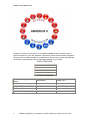
Amadeus 5 is a sophisticated yet user-friendly security platform which transforms your facility
into a smart building. It is built around specialized modules, with each covering a specific
branch of the security such as access control, alarm management, video monitoring, parking
management, guard tours, lift control, time & attendance etc. All these modules provide
centralized security control for all types of installations irrespective of their complexity.
The modular and scalable system capacity can handle effectively unlimited numbers of all
entities in each branch of the security - cardholders, controllers, readers, supervised alarms,
outputs, video servers, operators, access groups, security levels, etc. The system can be used
by a single company, shared by several tenants located in the same building or a multibuilding complex, and offers solutions suitable even for international companies with offices
spread over the world.
The user-friendly software is easy to configure and use, with predefined parameters for fast
installation, automatic actions and reflexes as well as a personalized report wizard. Full
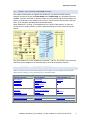
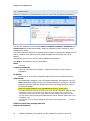
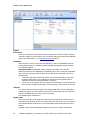
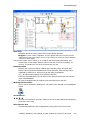
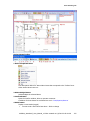
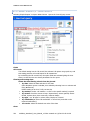
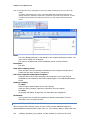
information on real time alarms and events is provided in an active alarm window and live
interactive graphical maps, in the event log, and on diagnostic screens.
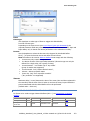
The user screen provides all necessary information to react immediately, with full knowledge
of the facts. Security is reinforced as alarm conditions and events automatically trigger
predefined reactions: flashing icons on relevant displayed maps, message displays and
playback of verbal instructions, alarms, CCTV or any programmed relay activation, setting
alarms on/off by zone, card invalidation, etc.
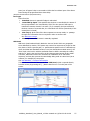
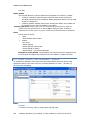
Sets of Actions (‘Processes’) can be defined and invoked by the system or manually.
The system triggers processes by pre-defined events (access granted or denied, input under
alarm, scheduler, user confirmation, etc.)
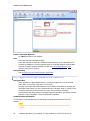
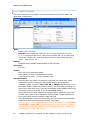
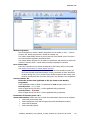
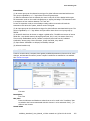
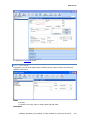
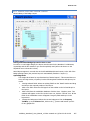
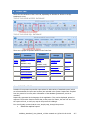
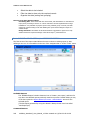
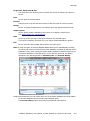
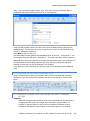
A User can trigger Processes manually by opening the ‘Manual action’ screen and clicking on
an icon representing the Process. These Icons can also be placed on the system toolbar for
easy access.
Processes can:
•
•
Activate Relays, arm/disarm Alarm Zones (groups of Inputs), activate
displays, play sounds or send messages, validate/inhibit cardholders,
display/record video, print reports, etc., Automatically switch off the lights
and heating in a designated area when a particular badge is read, thus
allowing for energy savings.
Automatically arm or disarm Alarm Zones when they are unpopulated or
accessed.
10UE600_Amadeus5_User_Manual_v2.3.doc created on 1/2/2012 2:43:00 PM
1