1
DCN Next Generation Delegate Database
en | 29
Description:
The terminate function tells the automation server that the calling application is finished with it and that it can
be removed from memory.
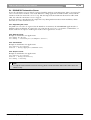
5.3 Apply file format
The API function ApplyAll uses an import file that contains the delegate data. This file has the following
structure:
First line of the file:
DCNNG APPLY x.y<SEP>filename<SEP>pinsize<EOL>
where:
DCNNG APPLY x.0
filename
pinsize
<SEP>
<EOL>
Fixed text that indicates the type of file and the version of DCN
Next Generation for which the file was produced (Required
entry). In this fixed text, the letter ‘x’ represents the major version
number of the DCN Next Generation software.
The name of this file in the DCN Next Generation Startup
application. 8 characters maximum (Required entry.)
Size of the pincode. Range: 3,4,5, default 3.
Indicates a separator character.
Indicates an end of line (carriage return (0x0D) and newline
character(0x0A)).
Example:
DCNNG APPLY x.0,Test DB,4
This example gives the first line of a DCN Next Generation x.0 apply file. The file will be
called “Test DB” in the DCN Next Generation program. It uses 4-digit PIN-codes.
The other lines in the apply file give all the information for one delegate. Layout is as follows:
delegate id<SEP>lastname<SEP>screenline<SEP>seat
number<SEP>group<SEP>display language<SEP>card code<SEP>PIN
code<SEP>authorization voting<SEP>authorization microphone<SEP>authorization
intercom<SEP>voting weight<EOL>
The delegate ID is a unique number that identifies this particular delegate. It is in the range 1-1000 for a single
CCU and 1-1500 for a multi-CCU system. The other fields correspond directly to the entry fields in the
Delegate Database application. The authorization voting field is set to either “Voting” or “NoVoting”, the
authorization microphone field is set to either “Micro” or “NoMicro” and the authorization intercom field is
set to either “Intercom” or “NoIntercom”. These texts are DCN Next Generation language independent.
Delegate ID is necessary, but the other fields may be left blank or can be omitted.
Example:
1,Doe,My first name is John,A1,My group,English,12345678,123,Voting,NoMicro
This is the entry for Doe. He is sitting at seat A1 and has a screen line with the text “My first
name is John”. He belongs to group “My group” and has English as the display language. His
card code is 12345678 with PIN code 123. He has voting but no microphone authorization
and all other fields are omitted and therefore contain the default values.
i
Note
The apply file format is a subset of the import file format. Because the data is not used in the Delegate
Database application, only the data that is relevant for the CCU is stored in the apply file.
i
Note
If the DCN Next Generation is installed in a language other than English, the name entered in the display
language field is also translated. Refer to the corresponding entry field in the Delegate Database
application for the language names that are available in your version of the DCN Next Generation
software.
Bosch Security Systems B.V. | 2004 December | 9922 141 70421