1
DCN Next Generation Delegate Database
en | 3
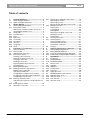
Table of contents
1
1.1
1.1.1
2
2.1
2.1.1
2.2
2.2.1
2.2.2
2.2.3
2.2.4
2.2.5
2.2.6
2.2.7
2.2.8
3
3.1
3.1.1
3.2
3.2.1
3.3
3.3.1
3.3.2
3.3.3
3.4
Delegate Database................................................... 4
About delegate database ..................................... 4
What is Delegate Database? .............................. 4
Getting Started........................................................... 5
Starting Delegate Database ................................ 5
The Startup screen ................................................ 5
Selecting an installation (and a names) file...... 5
The Delegate Database icon ............................... 5
Using Help ............................................................... 5
The Help menu........................................................ 5
Index .......................................................................... 5
Keyboard .................................................................. 6
Commands............................................................... 6
Procedures............................................................... 6
Glossary.................................................................... 6
Using Help ............................................................... 6
About ......................................................................... 7
Preparing for a conference .................................. 8
The main window.................................................... 8
The menu bar........................................................... 8
Working with names files ..................................... 8
Names files options................................................ 8
Creating a new names file.................................... 9
Opening an existing names file ........................... 9
Copying a names file ...........................................10
Deleting a names file ...........................................10
Importing & Exporting names file ......................10
Field Definitions ....................................................11
Entering delegate data ........................................13
Defining conference data options ....................14
Editing screen-card fields...................................14
Specifying the PIN size .......................................14
Configuring the multiple names window.........15
Configuring and producing ID-card labels .....15
Configuring the screen line................................16
Entering conference data ...................................16
Authorizing microphones, voting and intercom
18
Entering personal data ........................................18
Working in names files........................................19
3.4.1 Searching for delegate screen cards.............. 19
Repeating the search.......................................... 19
Searching by card................................................ 19
Moving through delegate screen cards.......... 19
3.4.2 Editing names files............................................... 20
Cutting data........................................................... 20
Copying data......................................................... 20
Deleting data......................................................... 20
Selecting a complete screen card................... 20
Deleting a record ................................................. 21
Pasting data .......................................................... 21
3.5
Viewing names files ............................................. 21
3.5.1 Viewing options .................................................... 21
Viewing multiple names ...................................... 21
Viewing the ID-card label ................................... 21
Viewing the screen line....................................... 22
3.6
Printing.................................................................... 22
4
Applying data during a conference ............... 24
4.1
Downloading delegate data............................... 24
4.2
Exiting delegate database.................................. 24
4.2.1 Temporarily exiting Delegate Database .......... 24
4.2.2 Permanently exiting Delegate Database......... 24
5
DCNNG API................................................................ 25
5.1
Introduction............................................................ 25
5.1.1 DCNNGAPI.DLL .................................................. 25
5.1.2 DCNNGOLE.EXE ................................................ 25
5.2
API functions ......................................................... 25
5.2.1 ApplyAll................................................................... 25
5.2.2 ApplyOne ............................................................... 26
5.2.3 ProduceCard......................................................... 27
5.2.4 Terminate ............................................................... 28
5.3
Apply file format.................................................... 29
5.4
DCNNGOLE Automation Server ..................... 30
5.4.1 Registering the server ......................................... 30
5.4.2 Start the server ..................................................... 30
5.4.3 Call methods ......................................................... 30
5.4.4 Stop the server ..................................................... 30
Bosch Security Systems B.V. | 2004 December | 9922 141 70421