1
USER MANUAL
Indications
•
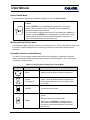
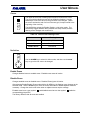
Multiscreen displays: The letter V appears on-screen in each affected cameo.
•
Full-screen displays: The abbreviation VDL appears on-screen when the affected camera is
displayed.
•
An LED below the ALARM key blinks.
•
A buzzer sounds. (This is programmable.)
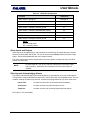
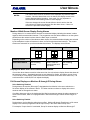
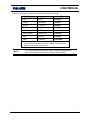
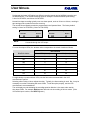
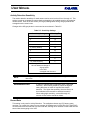
Table 5-3. Video Loss Action in Live Mode
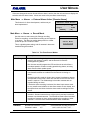
Monitor
Action
A
If a camera is being displayed while video loss occurs, the camera
image freezes. But, if sequencing is in progress, the display blanks
when switched to a camera experiencing video loss.
B through E
Display goes blank when a camera with video loss is selected.
Video Loss Action in Record Mode
When video loss is detected, the affected camera is temporarily removed from the Record List, and
the video loss information is recorded. This video loss status is displayed during playback. The unit
continues to monitor video loss cameras, and displays the cameras when video signal is restored.
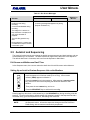
The unit allows the user to disable cameras that are not connected or are
out of service for an extended time. In this way, unnecessary video loss
messages can be avoided.
NOTE:
See Main Menu → Camera Setup → Camera Disable, page 5-35.
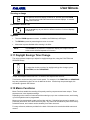
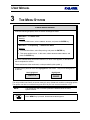
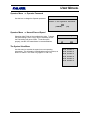
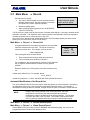
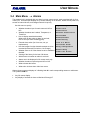
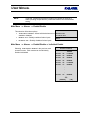
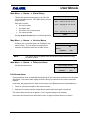
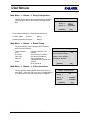
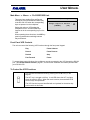
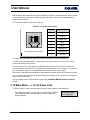
5.5 Main Menu → Macro
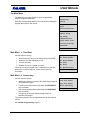
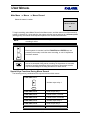
Macro Record
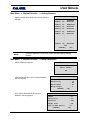
Use this menu to:
•
Initiate macro recording (and specify which macro is to be
recorded).
Timed Macro Start
•
Specify the parameters and schedules governing automatic
macro execution.
PLAY/RECORD Link
•
Initiate submacro editing (and specify which submacro is to
be edited).
•
Activate automatic transmission of the Play and Record
submacros to the VCR.
{F}
1
0150-0112
Edit Submacro
Exit
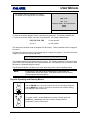
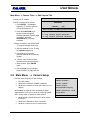
Macro Functions provide for recording of frequently used key sequences
and menu setups as two-keystroke operations. The FUNCTION key plus
the macro number (1 through 16) begins execution. Pressing the
FUNCTION key cancels a macro.
5-16
Revision B