1
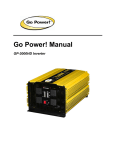
Go Powe
al
GP-175
GP-175
Caution
Do not connect this inverter and another AC source (generator or utility power) to the
AC wiring or AC loads at the same time. Doing so will destroy the inverter and void
the warranty, regardless whether the inverter is switched on or off. If you are using
more than one AC source for the AC wiring or AC loads, it is highly recommended that
you install an automatic transfer switch (GP-TS), available from Go-Power Electric
Inc.
Please consult your automobile owners manual for the fuse rating of your lighter. It is
recommended that you DO NOT exceed a load of 100 watts for a 10 Amp fuse and 140
Watts for a 15 amp fuse when using your car lighter to power this inverter.
To hook-up please follow these guidelines:
1. Unpack and inspect your Go Power! Inverter, check to see that the power switch
is in the OFF position.
2. Insert DC input plug into any 12 V DC car lighter receptacle.
3. Set the power switch to the ON position. The power status LED should be green.
4. Set the power inverter switch to the OFF position. The indicator lights may blink and
the internal alarm may sound momentarily. This is normal. Plug the test load into the
AC receptacle on the front panel of the inverter. Leave the test load switch OFF.
5. Set the power inverter switch to the ON position and turn the test load on; the
inverter should supply power to the load. If you plan to measure the output voltage
of the inverter, a true rms meter must be used for accurate readings.
5. Operation
To operate the power inverter, turn it on using the ON/OFF switch on the front panel.
The power inverter is now ready to deliver AC power to your loads. If you are operating
several loads from the power inverter, turn them on separately after the inverter has
been turned ON. This will ensure that the power inverter does not have to deliver the
starting currents for all the loads at once.
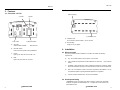
5.1 Controls and indicators
The ON/OFF switch turns the control circuit in the power inverter ON and OFF. It
does not disconnect power from the power inverter.
1. Introduction
The Go Power! Inverter series provides mobile power for people on the go. Run
standard AC appliances wherever you travel. Silent, lightweight and simple to use, Go
Power! Inverters can be used in a wide range of applications including remote homes,
RVs, boats and long haul trucks. It will operate most televisions and VCR’s, personal
computers and small appliances including drills, sanders, grinders, mixers, blenders
and microwaves. The inverter must have a greater power rating than the load to
which it is providing power.
To get the most out of your power inverter, it must be installed and used properly.
Please read the instructions in this manual before installing and using your
inverter.
2. Specifications
2.1 GP-175 Inverter
Output
Output wave form
Output voltage
Regulation
DC input voltage
Low battery alarm ± 2%
Low battery shut-down ±2%
Efficiency
Frequency ±1%
No load current
Surge rating
Over thermal protection
Cooling fan
Overload protection
Dimensions (LxWxH)
Net weight
Inverter Install Kit
12V
175 W
Modified Sine Wave
115 VAC rms
+5%-10%
10-15 V
10.5 V
10.0 V
80-90%
60 Hz
0.2 A
210 W
Yes
No
Yes
125 x 82 x 45 mm
5” x 3.25” x 1.8”
0.5 kg
1.1 lbs
Included
When the switch is in the OFF position, the power inverter draws no current from
the battery. When the switch is in the ON position but with no load, the power idle
current is approximately 1 A (see product specifications for exact current draw).
6. Operating limits
6.1 Overtemp
The fault LED will come on when the inverter has shut itself down because the inverter
has become overheated. The power inverter may overheat because it has been
operated at power levels above it’s rating, or because it has been installed in a location
that does not allow it to dissipate heat properly. The power inverter will restart automatically once it has cooled off.
6
gp electric.com
gp electric.com
3