1
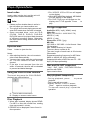
Basic Operations selected. Turn on/off the power 1. Press button to turn on the unit. The unit goes back to the last status after power on. 2. W hen on, press button more than 2 seconds to turn off the unit. Mute When on, press sound. button briefly to cut the When parking brake applied 1. If 'PRK SW' cable is connected to hand brake switch, the video display of the TFT monitor will be controlled by driving status, system setup and input video sources. 2. When the car is moving ahead, if the video disc is played, the screen appears "WARNING!! Engage Parking Brake to View Video", and blank screen. The above warning screen will prevent the driver watching images. The passengers at the rear seats can watch normally. Note: Pressing button briefly again or adjusting volume will release muting. MUTE appears on the TFT during muting. Adjust the volume Rotate the VOL knob to increase or decrease the volume level. The adjustable range of volume is 0 to 39. Playing source selection Method 1: Press SRC button on the panel or remote control to cycle through all the available sources. Method 2: Open the 'SOURCE MENU' by touch SRC at the top left corner of the TFT or press MODE button on remote control, and then touch the option you desired or select the option by moving the cursor and then confirm. Note: When some devices are not ready, they cannot be selected. You should stop switching when the playing source you desired has been selected and wait for some seconds, the unit will auto enter the playing source mode you have EN - 7 When reverse driving If the rear view video camera is connected, the unit automatically switches to CAMERA source during reverse driving. The unit returns to the original work mode after the reverse driving is done.