1
RME HAWK User Manual
Rain Master Irrigation
PIPE
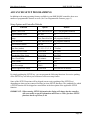
In order to properly measure flow, the pipe size of the Rain Master flow sensor must be specified.
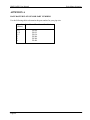
Appendix A lists flow sensor part numbers versus pipe size.
You can select the following pipe sizes in inches: 1, 1.25, 1.5, 2, 3 and 4.
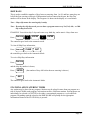
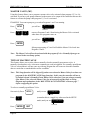
Each depression of the 1 key will toggle the display to the next pipe size. (Selection of OTHR is
reserved for future use.) When you have reached the pipe size you want to select, press ENTER.
Note: This SETUP function will be skipped if you have not enabled the flow features.
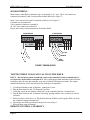
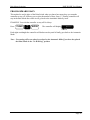
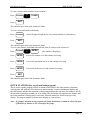
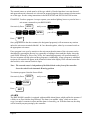
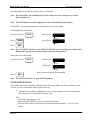
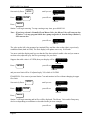
EXAMPLE: You wish to select a pipe size of 3 inches.
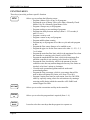
SETUP
Successively Press:
until you see
PIPE 150
PROGRAM
Press:
SUN
SUN
1
1
(remember this is a toggle key when
used in the Setup mode) you will see
PIPE 300
PROGRAM
Press:
ENTER
QUIT
MAIN LINE FLOW LIMIT
This feature allows you to program the main line upper flow limit. This is the maximum flow that
the controller will allow whenever any station is on. If the controller has been SETUP for NO
STACK operation, multiple stations may be on at the same time. The main line limit should be
larger than the sum of the flow totals of all simultaneously "on" stations.
Note: This SETUP function will be skipped if you have not enabled the flow features.
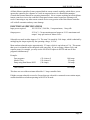
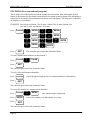
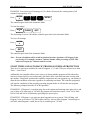
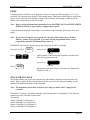
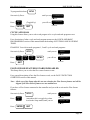
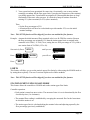
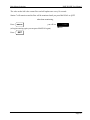
EXAMPLE: You wish to select a Main Line Flow limit of 400 GPM.
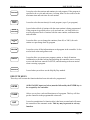
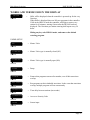
SETUP
Successively Press:
until you see
MAIN 500
PROGRAM
Press:
WED
4
0
0
ENTER
you will see
MAIN 400
PROGRAM
Press:
QUIT
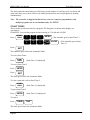
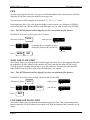
UNSCHEDULED FLOW LIMIT
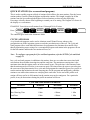
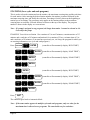
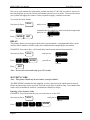
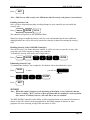
This feature allows you to program the unscheduled upper flow limit. This is the maximum flow
that the controller will allow whenever no station is on. With no irrigation, and a normally closed
master
Page 56