1
KY-3120DM Industrial Ethernet Switch User Guide
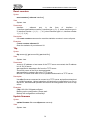
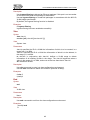
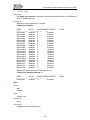
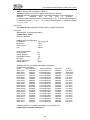
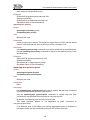
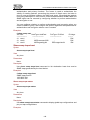
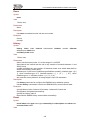
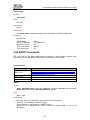
Parameters
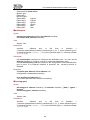
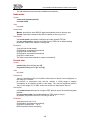
interface
:
ethernet
port,
in
the
form
of
interface
=
{ interface-type/interface-number}, interface-type = {0 | 1}, when interface-type is
0, interface-number = { 1 | 2 | … | 16 }, when interface-type is 1, interface-number
= { 1 | 2 | 3 | 4 }.
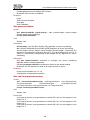
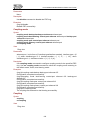
Description
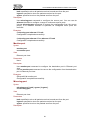
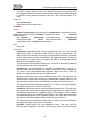
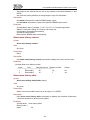
Use multicast static-router-port command to configure the specified port in the
VLAN as a static router port.
Use no multicast static-router-port command to remove the specified port from
the VLAN as a static router port.
By default, a port is not a static router port.
Examples
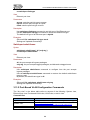
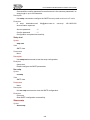
(vlan1)# multicast static-router-port ethernet 0/2
Set port successfully.
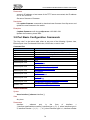
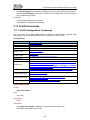
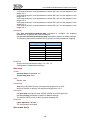
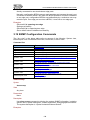
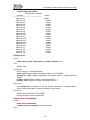
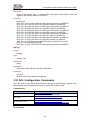
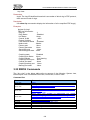
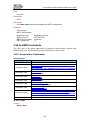
3.17 802.1x Configuration Commands
The “Any view” in the below table refers to anyone of the following: System view,
Ethernet port view, Port-based VLAN view, VLAN view, or dot1x view.
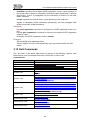
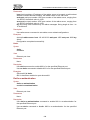
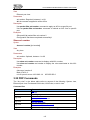
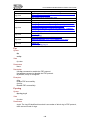
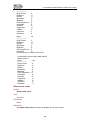
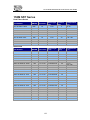
Command list:
View
Command
Any view
System view
dot1x view
dot1x view
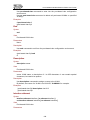
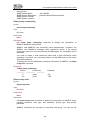
show dot1x { status | interface [ ethernet interface ] }
dot1x
end
max-req
timeout { quiet-period quiet-period-value | reauth-period
reauth-period-value | server server-timeout-value |
supplicant supp-timeout-value | tx-period tx-period-value }
dot1x view
dot1x view
dot1x view
Ethernet port view
Ethernet port view
Ethernet port view
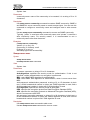
no timeout { quiet-period quiet-period-value | reauth-period
reauth-period-value | server server-timeout-value |
supplicant supp-timeout-value | tx-period tx-period-value }
system-auth-control
no system-auth-control
radius-server
host
host-ip-address
auth-port
auth-port-number [ acct-port acct-port-number ] key
key-string
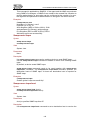
dot1x
no dot1x
dot1x re-authentication
no dot1x re-authentication
dot1x port-control { auto | forceauthorized |
forceunauthorized }
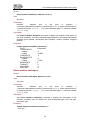
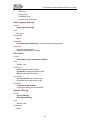
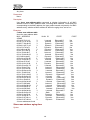
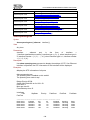
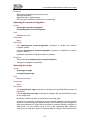
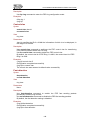
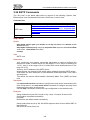
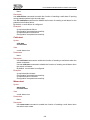
Show dot1x
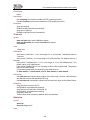
Syntax
show dot1x { status | interface [ ethernet interface ] }
View
Any view.
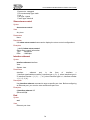
Parameters
123